
Document to Accordion Gallery
Branded accordion galleries from product docs
Document to Accordion Gallery
Branded accordion galleries from product docs
Showcase
Description
Automatically decompose product introduction documents into horizontal accordion card galleries, extract colors from brand guidelines to generate AI illustrations, and output a shareable interactive webpage. https://youmind.com/a/jLpgKPahOY1tJF
Recommended by
nene@YouMind
Why we love this skill
This skill intelligently converts product documents into a brand-customized interactive accordion gallery, providing an immersive reading experience through a unique layout of 'folded left-side storage + right-side expansion', and generates infographics strictly following brand guidelines.
Related Skills
View all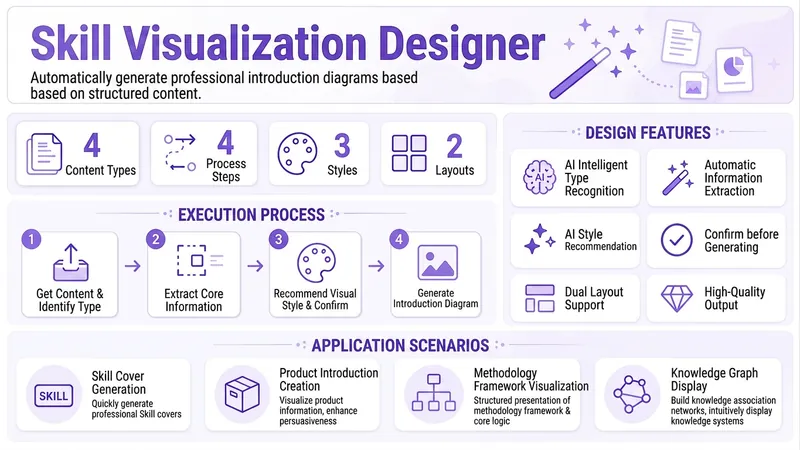 Image
ImageVisual Designer
Based on structured content such as Skill documentation, product introductions, methodology frameworks, etc., automatically extract key information and generate a professional one-page introduction graphic. Supports horizontal/vertical layouts, with AI-recommended visual styles (flat, minimalist business, hand-drawn, etc.). The image generation effect can be referenced from the cover image.
 Research
Knowledge Card Studio
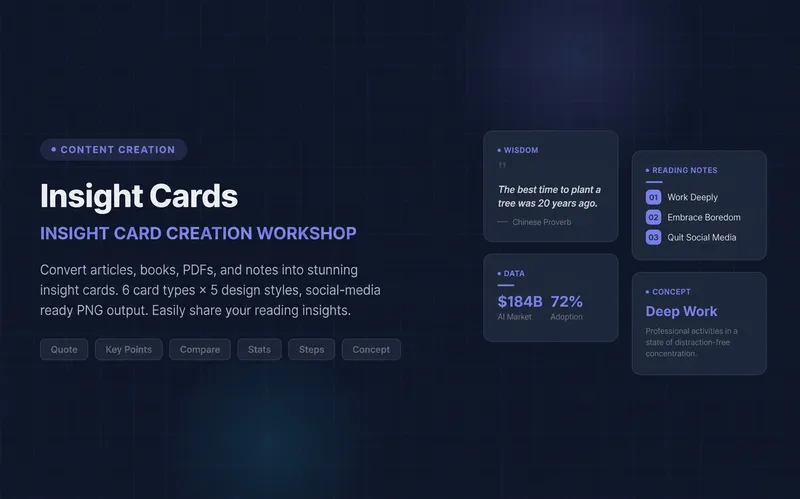
Turn articles, notes, or book excerpts into a single knowledge card or a 3–5-page carousel. Choose from six card types and five existing styles; each page delivers one takeaway while preserving quotes, numerical qualifiers, and sources. Create a reusable series brand profile with fixed colors, font hierarchy, margins, title placement, page numbers, and byline. For the next edition, provide the profile to reuse the same system and keep the series consistent—no need to explain the design requirements again. The default deliverables are editable HTML/SVG and the brand profile. When the environment supports actual rendering, sequentially numbered PNGs are also included. Missing glyphs, overflow, and inconsistencies across pages are checked and fixed; if the images were not actually rendered, the skill will not claim that image checks passed. No local scripts are required. Try it directly: create a five-page book-notes carousel, use a brand profile for the next edition, or turn quotes from the original text into cards. For complex relationships or charts, use Infographic Maker. For a finished WeChat Official Account post, use the WeChat Official Account Formatter.
 Image
ImageJapanese Watercolor from Photos
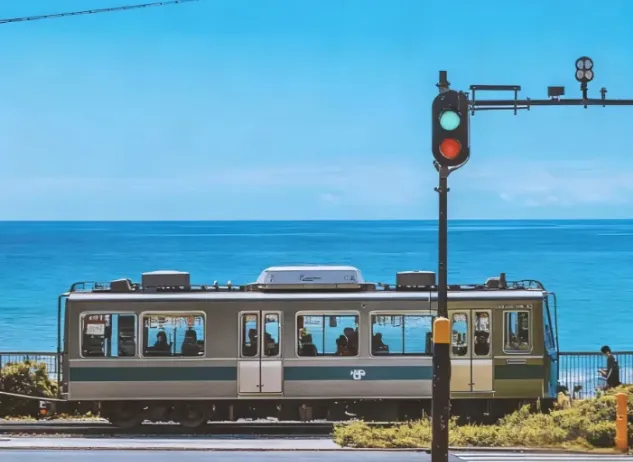
Turn landscape and streetscape photos into Japanese gallery-style, hand-painted watercolor art illustrations, complete with generous paper space and refined handwritten typography. ✨ Key highlights Gallery-quality negative space: The subject is kept small and centered, surrounded by generous warm-white cotton paper texture for a modern stationery and art-print feel. Authentic hand-painted watercolor texture: Naturally creates washed, blended effects, translucent layers of color, and loose hand-painted edges—without harsh outlines or a digital look. Intelligent scene refinement: Preserves key landmarks, architectural outlines, and distinctive light and shadow from the original image while naturally simplifying busy backgrounds and unnecessary objects. Poetic handwritten typography: Automatically adds a poetic short line and year at the bottom in dark gray or navy handwritten lettering, creating a calm, restrained everyday atmosphere. 📸 Ideal uses Reimagining travel memories: Turn streets, small shops, mountains, and seascapes from your travels into vintage postcards. Personal creative designs: Create phone wallpapers, stationery posters, physical postcards, and decorative art prints. Social media visuals: Provide restrained, sophisticated, and stylistically consistent artistic covers for platforms such as Xiaohongshu and WeChat Moments. 🚀 How to use Upload any landscape, architecture, or streetscape photo with a clear composition to automatically generate a matching minimalist watercolor art print.
Information
- Version
- v5
- Last updated
- Runtime credits
- Usage-based
- Models
- Auto
