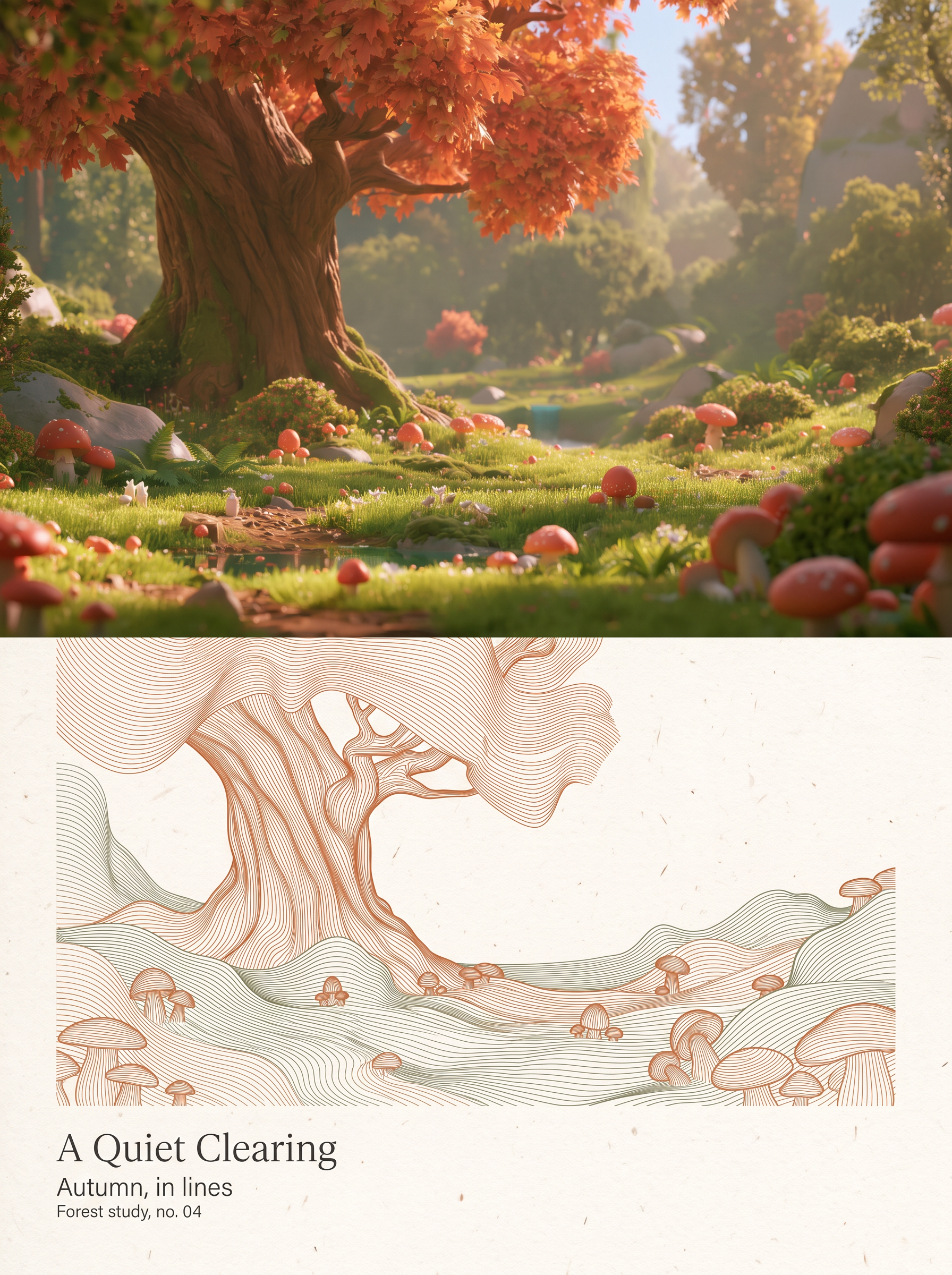
Dual Raster Poster Generator
Turn photos into minimal art posters
Dual Raster Poster Generator
Turn photos into minimal art posters
Showcase
Description
Upload one or more photos to independently generate a 3:4 vertical dual-panel poster for each. The top half preserves the original photographic texture in full bleed while keeping identity, facial features, posture, attire, composition, and lighting completely unchanged. The bottom half translates the same photo into a relief-like abstract line-field sculpture made of continuous, parallel, ultra-fine flexible curves. Generous white paper margins and restrained English magazine typography surround the design. The dual-panel structure, 50/50 horizontal split, and the principle of generating each photo independently without stitching remain fixed. Output quantity, low-saturation dominant colors, subject scale, and text can be adjusted as needed. It uses the highest-fidelity reference model by default, generating and self-checking each image one by one for delivery.
Recommended by
Dancang
Why we love this skill
Transforms each photo into an upper-lower dual poster with realistic photography on top and a fluid raster line sculpture below, delivering a distinct artistic design with generous white space and desaturated tones.
Related Skills
View all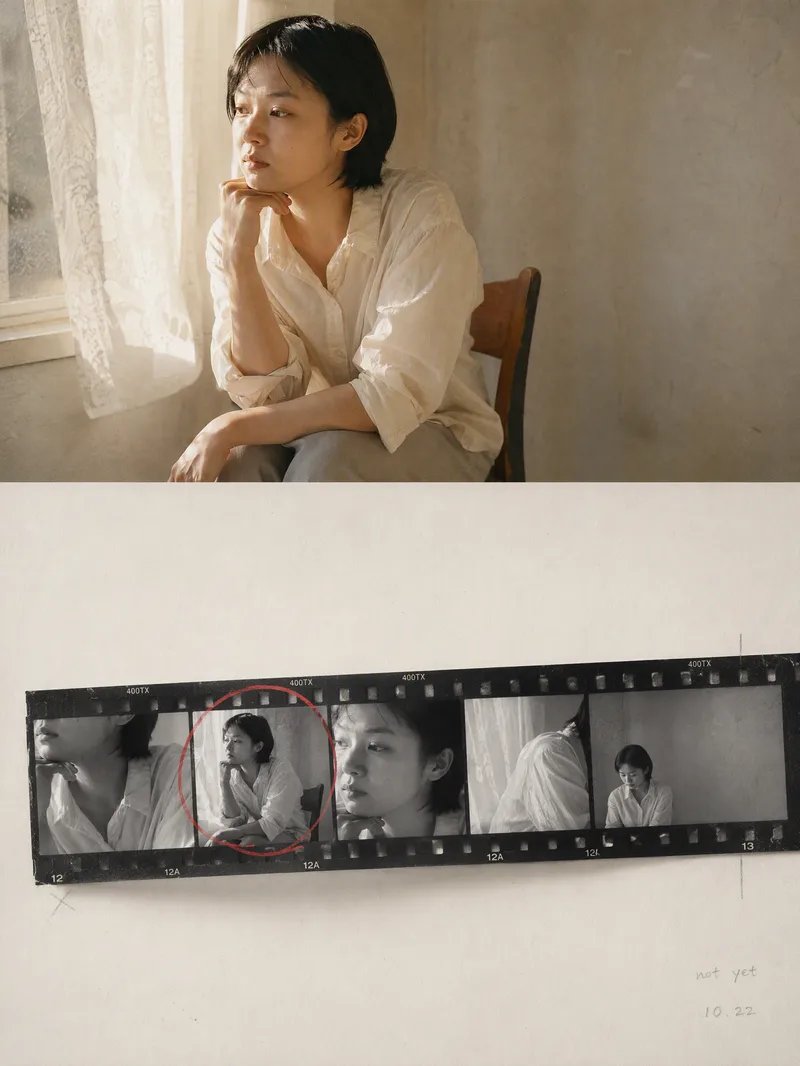 Image
ImageContact Sheet Poster
Transform one or more photos into contact sheet posters with a darkroom storytelling feel: each photo becomes an independent layout without collage. The top half preserves the original subjects, poses, clothing, settings, lighting, and colors with only subtle darkroom texture adjustments. The bottom half uses a warm white silver halide photo paper background with continuous black-and-white negative frames from the moments right before and after, revealing the documentary process leading up to the final shot. The negative strips expand around the original photo with close-ups, near-final compositions, slightly out-of-focus gazes, empty transition shots, and wide environmental views, with a single red wax pencil circling the best-matched frame. The overall style features silver-halide black, charcoal gray, warm gray, and paper white, complemented by realistic film bases, sprocket holes, grain, paper fibers, and minimalist handwritten frame numbers, avoiding templated collages and unnecessary decoration. Great for portraits, indoor documentaries, lifestyle photography, and storytelling single photos. You can replace characters, scenes, handwritten words, and dates, or request a two-strip negative structure. Multiple photos are processed sequentially into independent posters, complete with layout logic, selected frame notes, and adjustable elements.
 Image
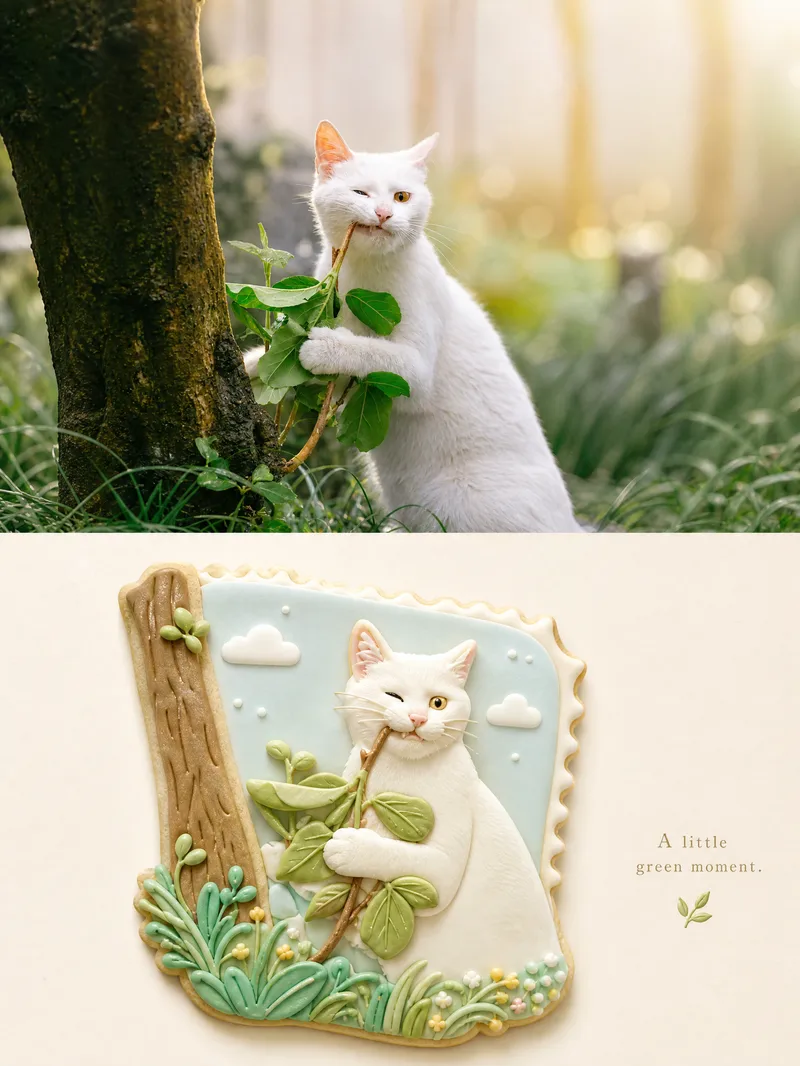
ImageSplit-Material Photo Poster
Upload one photo to create a premium 3:4 top-and-bottom split poster: the top half faithfully preserves the original photo with light color grading, while the bottom half uses semantic compression and visual metaphor to rebuild it as a complete, cohesive miniature bas-relief world in one unified material—such as frosted cookies, wool felt, layered paper cutouts, polymer clay, embroidery, stained glass, or mosaic tiles—or a material of your choice. By default, it outputs a single poster. You can change the material and the whitespace ratio: more whitespace creates a more collectible feel, while less whitespace is more eye-catching. When needed, lock the top half and color palette, replace only the material, and generate a series of “one poster a day” designs. Ideal for transforming ordinary photos into series-based visual content for covers, merchandise, and interior pages.
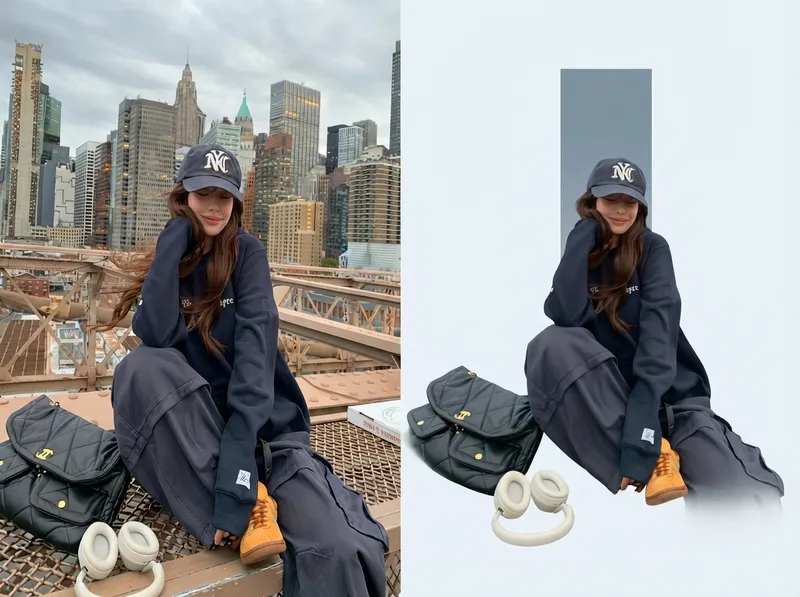
One-Click Editorial Poster
Upload one or more photos, and automatically generate a sophisticated editorial-style poster for each photo, with the left half showing the original image and the right half featuring a narrative reconstruction with a key color panel. By default, the poster uses a 4:3 landscape split-screen layout: the left side preserves the original photo, while the right distills its narrative subject and pairs it with a low-saturation geometric color panel extracted from the original image. The overall look is restrained, quiet, and spacious, with a magazine editorial style. You can switch to layouts such as 3:4, 1:1, or 9:16 as requested, with the two sections divided equally. Multiple photos are processed independently and are not combined.
Information
- Version
- v3
- Last updated
- Runtime credits
- Usage-based
- Models
- Auto
