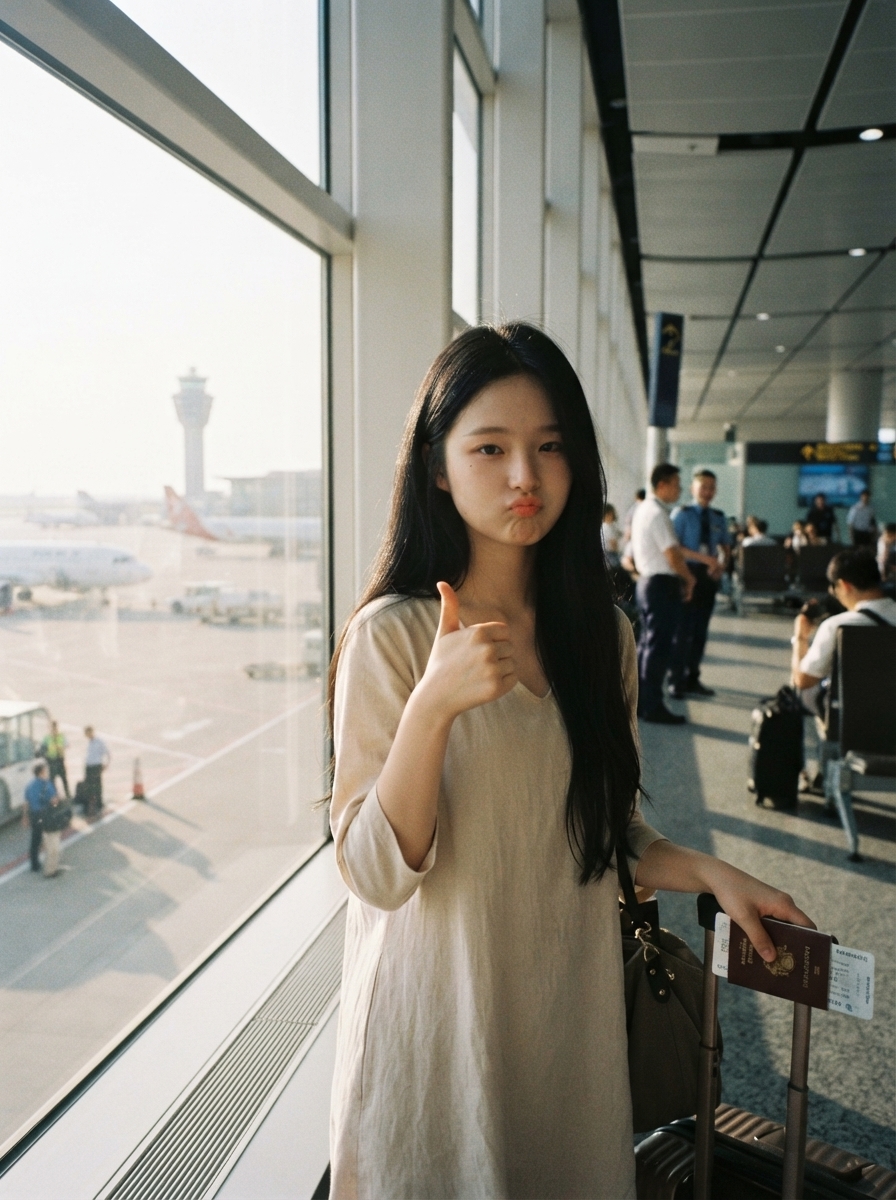
One-Click Film Portrait
Japanese and Korean film looks, with your outfit unchanged
One-Click Film Portrait
Japanese and Korean film looks, with your outfit unchanged
Showcase
Description
Upload a photo of yourself, and AI will read your outfit, season, pose, and lighting to automatically match the most suitable setting—such as an airport window, subway platform, café, old street corner, seaside boardwalk, or rain-washed street. It then generates a film portrait with the look of 2000s CCD snapshots, Kodak Portra warmth, and the feel of a Japanese or Korean youth movie.
Recommended by
淡苍
Why we love this skill
Keeps your face and original clothes unchanged, matches the season and pose to a fitting scene, and recreates the warm CCD film look of a Japanese or Korean youth movie.
Best for
For users who want to turn everyday portraits into Japanese and Korean youth-film-style photos.
How to use this Skill
Provide your input
Upload a person’s photo. You can also specify the aspect ratio, background, season, or mood.
Run the Skill
Choose automatic redraw to generate a cinematic film portrait based on the person, clothing, and mood in the photo, with a matching background and lighting.
Review your result
Get a film-style portrait that preserves the person’s appearance and clothing, with a cinematic setting, candid composition, and warm image quality.
Related Skills
View all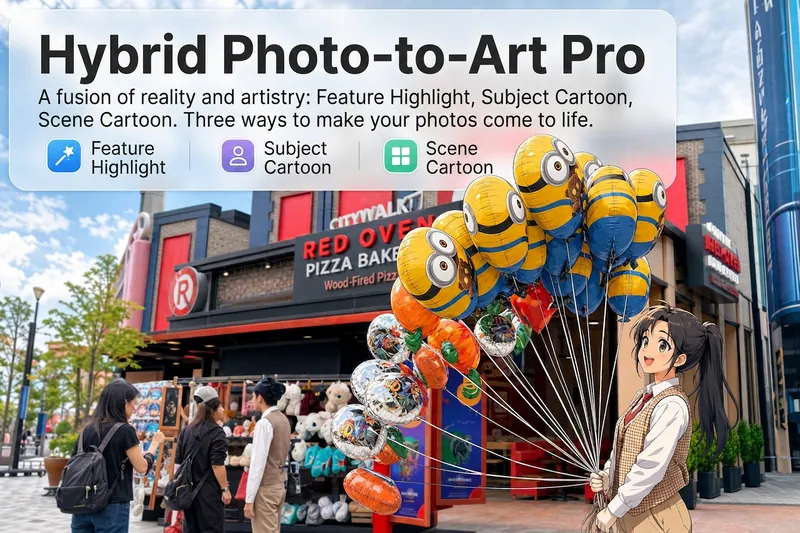 Image
ImageReality Blend Artist Pro
Upload a photo, and AI first reads it like a visual analyst across five dimensions: what the subject is, how it is composed, its color palette, where the visual focus lies, and what emotion it conveys. It then tells you where a hand-drawn treatment would have the most impact and how to make it look best. Four real-and-drawn blend modes, four ways to play: 🔹 Local Accents — Keep the overall image realistic while AI selects 2–3 local areas to replace with a hand-drawn style. Patterns on a sign, the coffee cup in someone’s hand, or a few flowers peeking out from a flower bed—just enough to give the photo a sense of life. Choose from 4 hand-drawn styles: pencil sketch / watercolor wash / sticker doodle / clay relief. 🔹 Subject Anime — Turn a person, animal, or object into an anime-style subject while keeping the background’s realistic photographic texture. Choose from 5 anime styles: action manga / American superhero comics / Ghibli-style / Korean webtoon / Chinese ink wash. It feels like an anime character has stepped into the real world. 🔹 Environment Anime — Reverse the approach: keep the subject realistic while transforming the surrounding environment into an anime style. The contrast of being in a real world surrounded by a 2D universe is instantly amplified. 🔹 Selective Color Light Trails — Convert the image to black-and-white grayscale while keeping selected objects in their original, highly saturated colors. Clean white detail outlines surround the colored objects, extending into flowing, curling, psychedelic agate-like color trails that naturally follow the scene’s direction. Retro collage × surreal art turns a single photo into a movie poster in an instant. Each mode × 2 blending methods: Gradient Feathering (a natural transition between real and illustrated, like ink spreading through paper) / Hand-Drawn Border (a white outline, like a sticker placed on the image). No blind image generation—you're in control at every step. AI analyzes first → recommends an approach → you confirm → then it generates, helping avoid wasted results. For portrait photos, faces and facial features are automatically avoided and are not replaced with hand-drawn elements. The number of local areas is limited to 2–3, with professional constraints on their position and size—the result is a finishing touch, not a collage. 4 modes · 16 styles · 2 blending methods = 32 real-and-drawn combinations. The same photo can take on completely different moods.
 Image
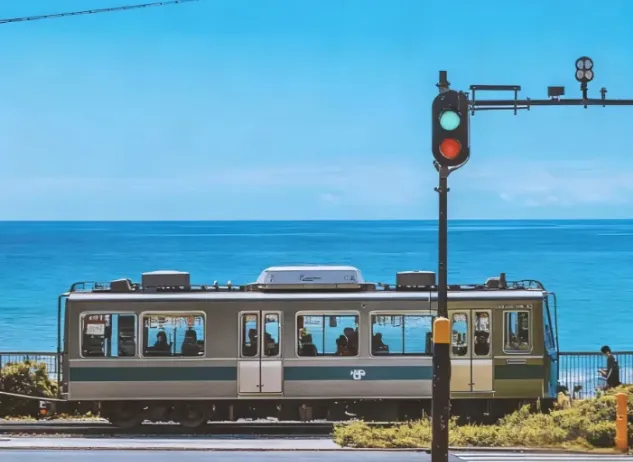
ImageJapanese Watercolor from Photos
Turn landscape and streetscape photos into Japanese gallery-style, hand-painted watercolor art illustrations, complete with generous paper space and refined handwritten typography. ✨ Key highlights Gallery-quality negative space: The subject is kept small and centered, surrounded by generous warm-white cotton paper texture for a modern stationery and art-print feel. Authentic hand-painted watercolor texture: Naturally creates washed, blended effects, translucent layers of color, and loose hand-painted edges—without harsh outlines or a digital look. Intelligent scene refinement: Preserves key landmarks, architectural outlines, and distinctive light and shadow from the original image while naturally simplifying busy backgrounds and unnecessary objects. Poetic handwritten typography: Automatically adds a poetic short line and year at the bottom in dark gray or navy handwritten lettering, creating a calm, restrained everyday atmosphere. 📸 Ideal uses Reimagining travel memories: Turn streets, small shops, mountains, and seascapes from your travels into vintage postcards. Personal creative designs: Create phone wallpapers, stationery posters, physical postcards, and decorative art prints. Social media visuals: Provide restrained, sophisticated, and stylistically consistent artistic covers for platforms such as Xiaohongshu and WeChat Moments. 🚀 How to use Upload any landscape, architecture, or streetscape photo with a clear composition to automatically generate a matching minimalist watercolor art print.
 Image
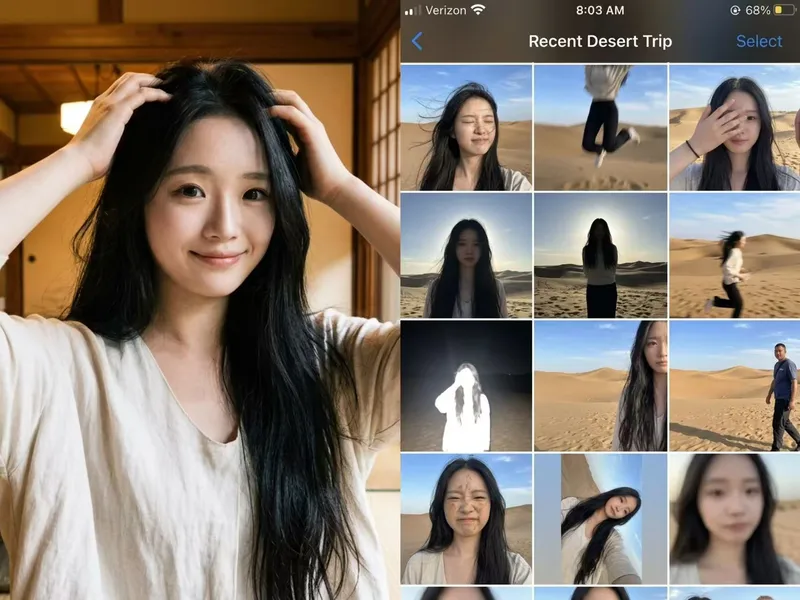
ImagePhoto Fail Roll
Not a polished nine-grid collage, but a collection of those throwaway shots on your phone that are too hard to delete yet too embarrassing to share. Upload one photo, enter the scene you want, and let AI “capture” an entire day—motion blur, harsh backlit shadows, awkward expressions, crooked framing, and all. The more realistic, the funnier, and the more believable. Best for: pranking friends, creating playful content, fake travel logs, social media prank posts, and AI photography memes
Information
- Version
- v3
- Last updated
- Runtime credits
- Usage-based
- Models
- Auto
- Use cases
- Images & design
- What you get
- Image
- Visual styles
- CinematicRetroPhotorealistic
