Tasty Weather Pro
Tasty Weather Pro
Showcase
Description
Turn your food photos into a warm and fun 'table weather forecast'! AI automatically identifies the food, drinks, and dining atmosphere in the image, converting the taste, temperature, and mood of each dish into weather language. Supports 4 visual styles × 4 broadcast personalities × 3 output sizes. Every meal becomes a unique 'tasty weather' report. One photo, one exclusive weather report, making your social feed stand out.
Recommended by
Nico@YouMind
Why we love this skill
It can transform food photos into creative weather forecasts, offering multiple styles and broadcast personalities to choose from, making your dining table instantly fun and shareable.
Related Skills
View all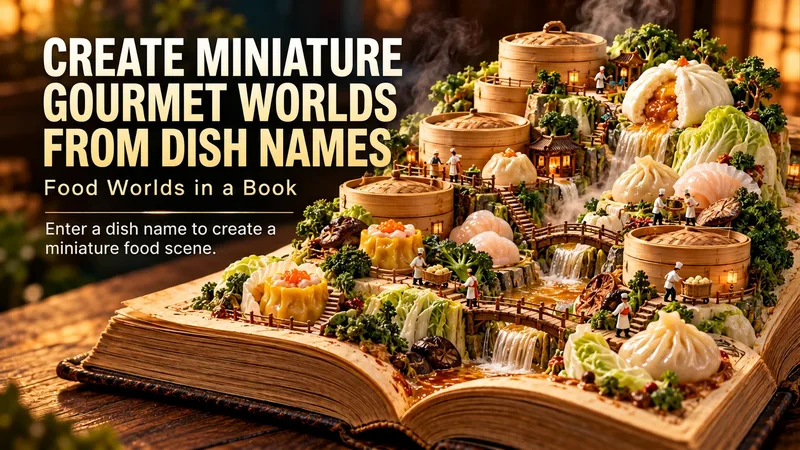 Image
Food World Book Pages
Input a dish, cuisine, or dessert theme to turn ingredients into landscapes, letting tiny chefs build miniature food worlds on the pages of an open book. Input a dish, cuisine, or dessert theme to let ingredients grow from an open antique book: chili oil becomes rivers, tofu becomes cliffs, shrimp dumplings become mountain ranges, and matcha cake becomes layered green rock walls. Miniature characters gather, transport, steam, and sift across the pages, weaving the journey from ingredients to finished food into a continuous landscape. You can create a chili oil canyon for Sichuan hot pot, misty peaks for Cantonese dim sum, layered green cliffs for matcha desserts, or switch to your favorite food. The Skill rearranges terrain, character actions, camera angles, and lighting based on ingredient shapes and cooking methods, ensuring every dish doesn't just turn into the same rice mountain. Supports Chinese and English inputs with Chinese or English replies, and can also produce bilingual title versions or bilingual descriptions as needed. Images are text-free by default; text-free images can come with descriptions in two languages. By default, it generates one 16:9 horizontal text-free image per run, with support for modifying aspect ratio, color palette, title, ingredients, and quantity. Generate images for multiple themes separately, and check page continuity, ingredient recognition, character scale, and extra plates after generation. Suitable for food illustrations, creative covers, dining-themed visuals, and social media content. Turn your favorite dish into a world you can explore. Enter a dish, cuisine or dessert theme and create a photoreal miniature landscape growing from an open antique book: dim sum hills, a hot-pot canyon, or layered matcha cake cliffs. Tiny workers harvest, cook and finish the food across one connected scene. Chinese and English inputs are supported. Choose the reply language, prompt language and optional in-image title separately. Request Chinese and English title editions with matching artwork, or one text-free image with bilingual descriptions. Default: one landscape 16:9 image without lettering. Customize ingredients, colors, aspect ratio and quantity.
 Image
Recipe Flow Infographic
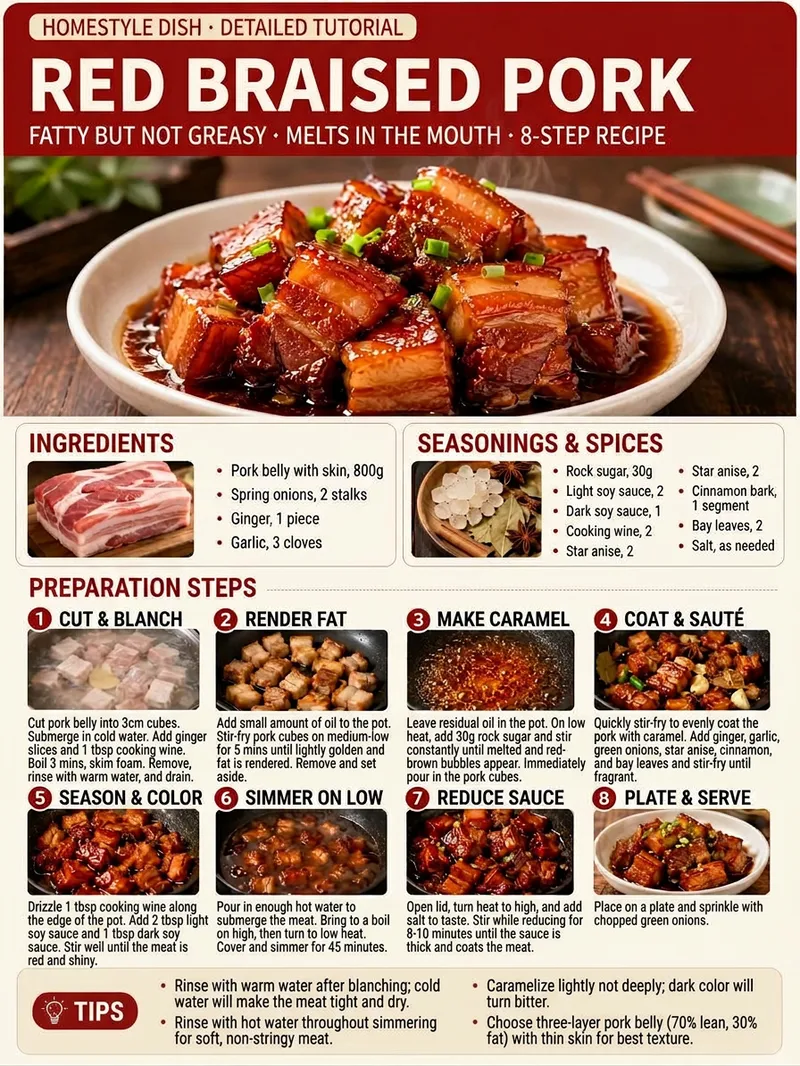
Enter the name of a dish to get an easy-to-follow home-style Chinese cooking tutorial, along with a 3:4 portrait food process infographic designed for sharing on social platforms. Even if the dish name includes an alias, dialect term, typo, or requests such as less spicy, a specific number of servings, a quick version, or an air fryer version, the skill organizes it into a clear standard dish name and corresponding method. The skill organizes ingredients, seasonings, cooking steps, and practical tips to help prevent common mistakes based on the dish and your requirements. It adds actionable quantities, heat levels, cooking times, and visual cues for judging doneness, while ensuring that preparation, cooking, seasoning, and sauce reduction follow a logical order for easy reproduction by beginners. The recipe text is condensed and organized for infographic readability, highlighting key information without lengthy explanations. The final result is a photorealistic Chinese food tutorial graphic featuring the dish name and highlights, a finished-dish image, ingredient and seasoning sections, consecutively numbered step illustrations, and practical tips. With a clear layout and distinct priorities, it is suitable for posting on social platforms such as Xiaohongshu and convenient to save, browse, and follow while cooking.
 Image
Food to Objects & Animals
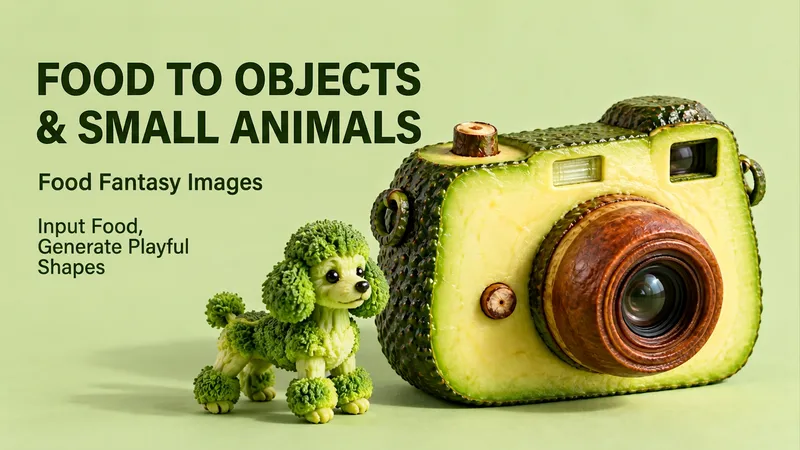
Enter a food item and transform it into a camera, desk lamp, or small animal while preserving the authentic texture of the ingredients. By providing a food, you can turn familiar flavors into unexpected objects. The real textures of peels, flesh, seeds, flower heads, and breadcrumbs are preserved to reconstruct objects or animals, making the food instantly recognizable alongside the creative concept. You can simply enter "strawberry" to let it automatically match ideas, specify "strawberry turned into a desk lamp" or "toast turned into a suitcase," or upload a food photo as an appearance reference. If you like a food, you can also continue by saying "give me another idea" to explore different transformations. By default, it directly generates a 3:4 vertical, text-free, clean-background realistic creative image. It supports adjustments to color, aspect ratio, style, and target object, making it great for fun illustrations, social media covers, creative exercises, and food visual inspiration. Multiple themes will generate separate images.
Information
- Version
- v2
- Last updated
- Runtime credits
- Usage-based
- Models
- Auto
