Genshin Style Image Generator
Portraits to Genshin-style art, or from text
Genshin Style Image Generator
Portraits to Genshin-style art, or from text
Showcase
Description
What is "One-Click Genshin-fication"? All you need to do is one of two things: upload a photo, or describe the scene you want. I'll handle the rest. I'll turn your photo into a Genshin-style character illustration, or draw a Genshin-style character directly from your description. Two ways to play, pick one: 🖼️ Method 1: Genshin-fy a photo. Upload a photo (selfie, group shot, or landscape all work). I'll analyze your vibe and features, match the most suitable element, weapon, and region style, then generate a character image at official Genshin art quality. Your facial features are preserved but presented in Genshin's anime style—not the awkward "photoshopped real face onto a 2D body" look. ✍️ Method 2: Generate from a single sentence. Don't want to upload a photo? Just tell me what you want—"a Mondstadt knight with a fire-element greatsword" or "Aether and Lumine dining at a tavern"—and I'll draw it for you. Not sure about the style? I'll ask you a few simple questions to narrow it down. Why is this skill different? Many "anime-style" skills on the market produce images where the face is too realistic and unattractive, or the clothes are modern casual wear with no Genshin flavor, or the background is a blurry mess. One-Click Genshin-fication has gone through multiple rounds of real-world testing and iteration, fixing all these issues: 👁️ Face: Genshin-style anime face 👗 Outfit: Automatically replaced with the corresponding region's Genshin-style clothing—Mondstadt knight capes, Liyue silk qipao, Inazuma kimono sashes, Sumeru scholar uniforms... 🎨 Background: Same style as official art—elemental energy bursting from the bottom + magic circle/constellation patterns + particle effects + spotlight 🔍 Quality check: After each image is generated, it automatically checks six dimensions and automatically corrects once if anything fails.
Related Skills
View all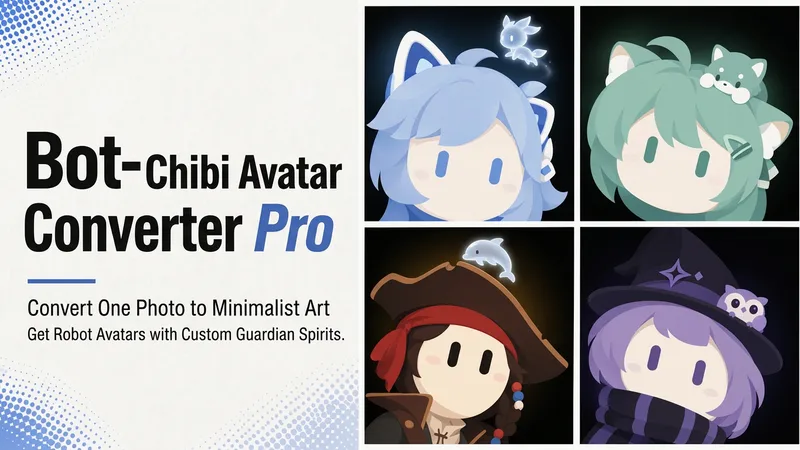 Image
Bot Q-Style Avatar Pro
Upload a photo, a character image, or simply describe it in one sentence, and turn it into a minimalist 2D “robot avatar” with a consistent style—no mouth or nose, large vertical oval eyes, a charcoal-black background, and soft theme-colored backlighting. You can also add a dedicated guardian that stays by its side. [What it can do] - Handles four input types: real-person photos, character or original IP art, pet photos, and text-only descriptions can all be transformed. - One style, a cohesive set: all avatars share the same minimalist robot visual language, creating a highly recognizable avatar wall without making everyone look alike. - Natural, realistic skin tones: skin color is captured from the original image for a clean, natural result—not a stark white mask. For real-person photos, the person’s actual skin tone is used. - Optional exclusive “Guardian” overlay: if the character has a signature pet, one is added automatically. You can also request one yourself and choose between a “glowing spirit” or a “physical cute companion.” - Switchable backgrounds: the main avatar uses a charcoal-black background with theme-colored backlighting. For displays or covers, you can also switch to a full theme-pattern background. - Delivered as a set: in addition to the main avatar, you can add guardian stickers, dual-form comparison versions, and sticker packs. [What you’ll receive] One 1:1 minimalist robot avatar, with guardian stickers, dual-form comparison versions, and sticker packs available as add-ons for a complete set. [Who it’s for] - Individuals who want a highly recognizable avatar that doesn’t look like everyone else; - Social media creators and managers who need a consistent avatar wall or visual identity; - Bloggers and brands that want to humanize and develop their original IP, pets, or brand mascots into a series. [Note] This Skill is a general-purpose style engine. You provide the source materials in the conversation; it does not include or replicate any specific artwork or trademarked character. Make sure you have the rights to use any photos or images you provide. The finished work is AI-generated content.
 Image
Reality Blend Artist Pro
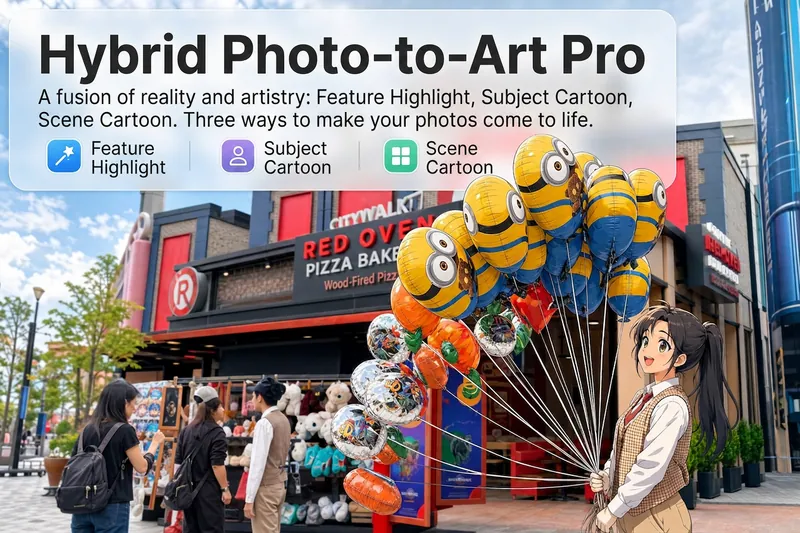
Upload a photo, and AI first reads it like a visual analyst across five dimensions: what the subject is, how it is composed, its color palette, where the visual focus lies, and what emotion it conveys. It then tells you where a hand-drawn treatment would have the most impact and how to make it look best. Four real-and-drawn blend modes, four ways to play: 🔹 Local Accents — Keep the overall image realistic while AI selects 2–3 local areas to replace with a hand-drawn style. Patterns on a sign, the coffee cup in someone’s hand, or a few flowers peeking out from a flower bed—just enough to give the photo a sense of life. Choose from 4 hand-drawn styles: pencil sketch / watercolor wash / sticker doodle / clay relief. 🔹 Subject Anime — Turn a person, animal, or object into an anime-style subject while keeping the background’s realistic photographic texture. Choose from 5 anime styles: action manga / American superhero comics / Ghibli-style / Korean webtoon / Chinese ink wash. It feels like an anime character has stepped into the real world. 🔹 Environment Anime — Reverse the approach: keep the subject realistic while transforming the surrounding environment into an anime style. The contrast of being in a real world surrounded by a 2D universe is instantly amplified. 🔹 Selective Color Light Trails — Convert the image to black-and-white grayscale while keeping selected objects in their original, highly saturated colors. Clean white detail outlines surround the colored objects, extending into flowing, curling, psychedelic agate-like color trails that naturally follow the scene’s direction. Retro collage × surreal art turns a single photo into a movie poster in an instant. Each mode × 2 blending methods: Gradient Feathering (a natural transition between real and illustrated, like ink spreading through paper) / Hand-Drawn Border (a white outline, like a sticker placed on the image). No blind image generation—you're in control at every step. AI analyzes first → recommends an approach → you confirm → then it generates, helping avoid wasted results. For portrait photos, faces and facial features are automatically avoided and are not replaced with hand-drawn elements. The number of local areas is limited to 2–3, with professional constraints on their position and size—the result is a finishing touch, not a collage. 4 modes · 16 styles · 2 blending methods = 32 real-and-drawn combinations. The same photo can take on completely different moods.
 Image
Anime Character to Real Life
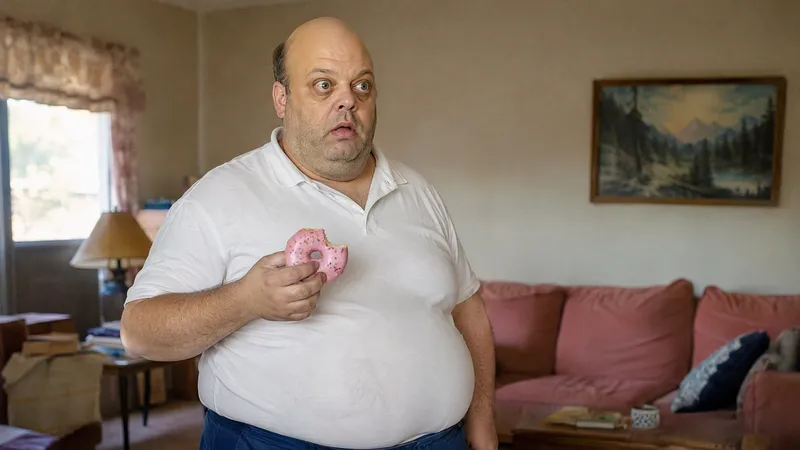
Bring your favorite anime characters to life as if they actually exist in the real world! This is an AI image generation skill designed specifically for anime, manga, and cartoon characters. Upload a character image to transform 2D characters into realistic portraits featuring real skin, natural hair, authentic clothing textures, and cinematic photography quality. Core Features: • High-Fidelity Character Recognition: Analyzes signature hairstyles, facial features, face shapes, eyes, clothing, and accessories to preserve character recognition. • Realistic Human Texture: Renders natural skin textures, subtle blemishes, realistic lighting and shadows, and photographic depth of field. • True to Original Design: Preserves classic color schemes, clothing silhouettes, and key features. • Cinematic Snapshot Style: Creates natural-looking photos as if captured in real life. • Multi-Aspect Ratio Support: Set ratios such as 3:4, 9:16, 1:1, and 16:9 as needed. • Multi-Model Support: Adjusts prompts and generation strategies based on currently available YouMind image generation models. Use Cases: Anime character live-action transformation, cartoon character realism, AI creative avatars, character concept design, short video visual assets, and social media content creation. How to Use: Upload an image or enter a character name, describe the features and visual style you want to retain, and get started.
Information
- Version
- v3
- Last updated
- Runtime credits
- Usage-based
- Models
- Auto
