
Shiny and sparkling powder effect video
Add color-matched glitter to portrait videos
Shiny and sparkling powder effect video
Add color-matched glitter to portrait videos
Showcase
Description
Create a polished glitter-effect portrait video while keeping the person’s face, hairstyle, clothing, background, and original lighting unchanged. The subject smiles toward the camera and gently blows a small handful of glitter, which then transitions into slow motion as fine particles drift, rotate, and shimmer across the frame. The glitter is color-matched to tones already present in the portrait—such as the outfit, accessories, or overall palette—with subtle silver or pale-gold highlights for added sparkle. Nearby particles create soft, dreamy bokeh while remaining delicate and clearly glitter-like rather than smoky. The result contains no text or subtitles, preserves the subject’s natural appearance without distortion, and adds a refined magical touch to portrait videos.
Related Skills
View all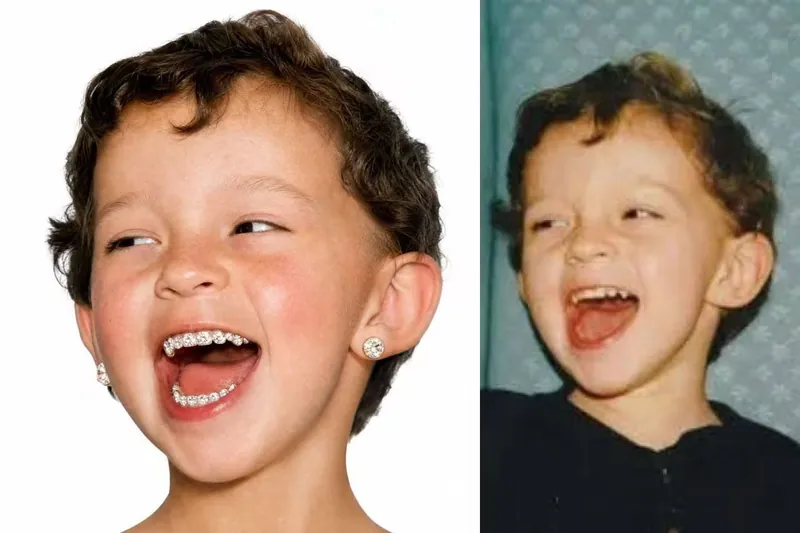
Rhinestone Smile Portrait
Turn a reference photo into a hyper-realistic square studio portrait that keeps the subject unmistakably recognizable while giving the image a playful, fashion-forward rhinestone smile. The portrait preserves the person’s facial structure, hairstyle, age, expression character, thick natural brows, and authentic skin detail, including visible pores, fine facial hairs, freckles, and natural tonal variation. A vivid high-altitude flush across the cheeks and nose adds distinctive color without making the skin look airbrushed or artificial. The defining feature is a joyful, open-mouth smile with every visible tooth densely covered in individually distinguishable, medium-sized white rhinestones. Each flat-back crystal has a visible circular outline, raised facets, crisp reflections, and tiny seams between neighboring stones, while the natural shape and separation of each tooth remain clear. This creates a granular pavé effect that reads as real nail-art crystals rather than glitter, metallic sparkle, or a continuous jeweled surface. The finished image places the centered head against a seamless pure-white background with soft, even frontal studio lighting and a clean commercial portrait composition. Oversized round desert-toned diamond studs in warm sand-gold, champagne-beige, and pale amber add a luxurious finishing detail, making the result suitable for distinctive editorial, beauty, fashion, or creative portrait concepts.
Stillwave — Frozen Photo Parallax
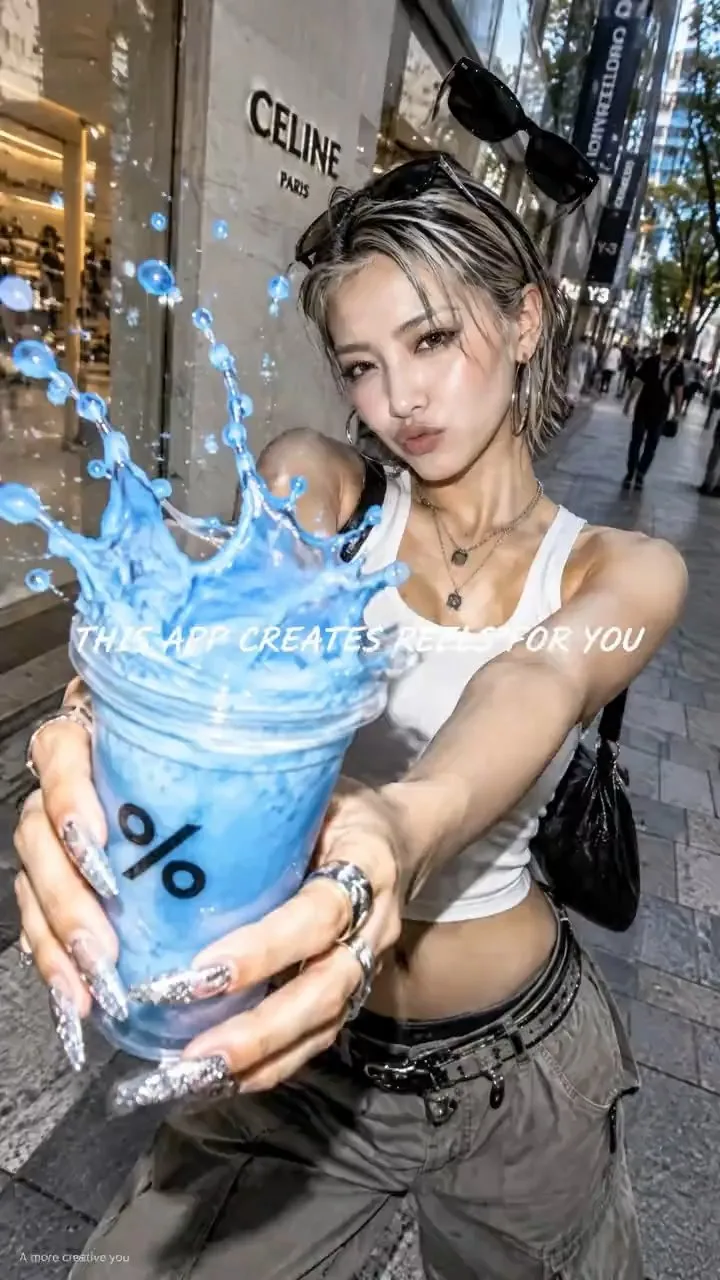
Turn a photo into a subtle pendulum-parallax video: gentle right–left camera motion adds depth while faces, objects, suspended liquids, and existing text stay frozen. Defaults to 4 seconds with no background music.
 Video
Kallaway Neon Glass
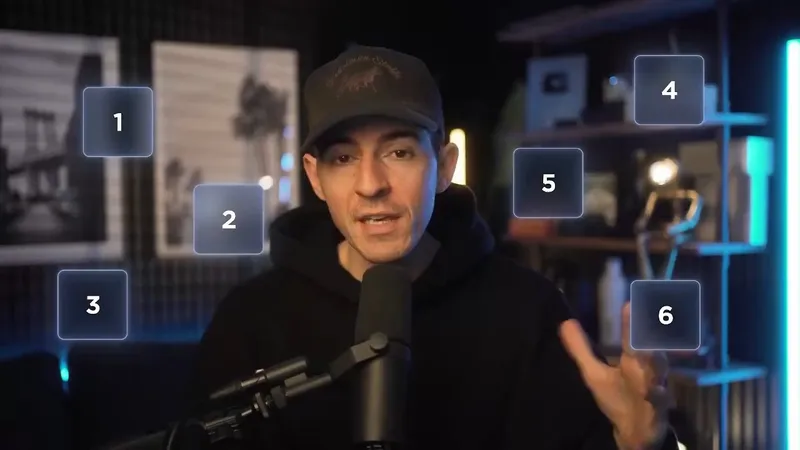
Turn your own script, people, product footage, and interface assets into a dark, cinematic technology video with a credible on-camera host, translucent blue glass information layers, and spatial graphics that make complex ideas easy to see. This visual system works especially well for AI products, workflows, software demos, creator education, product explainers, and thought-leadership content that needs both human presence and structured visual explanation. It can shape evidence into web and product frames, organize people or examples into orbiting identity cards, and express systems through branching diagrams, workflow graphs, concentric maps, process cards, spatial data objects, metric cards, and luminous summary grids. Transitions connect objects and ideas naturally through card reveals, guided focus, diagram growth, and host-to-graphic movement rather than distracting effects. The look maintains deep navy space, cool cyan edge light, restrained warm practical light, readable white typography, and layered glass surfaces across both 16:9 and 9:16 formats. Bring a script or voiceover, presenter footage or portraits, product recordings or screenshots, logos or avatars you have permission to use, plus your preferred aspect ratio and duration. You’ll receive a visual storyboard that maps the spoken content to appropriate modules before production, while your original argument and wording remain intact. Missing assets can be represented with neutral placeholders, and the final handoff can identify which user materials were used, what still needs to be supplied, and how the piece could be adapted for vertical video.
Information
- Version
- v2
- Last updated
- Runtime credits
- Usage-based
- Models
- Auto
