GPT Image 2.5 Practical Guide
Write prompts and edit images consistently
GPT Image 2.5 Practical Guide
Write prompts and edit images consistently
Showcase
Description
For beginners who struggle to create good images with GPT Image 2.5, this guide organizes its key capabilities into a consistent workflow: choose between Flare and Sunburst, write controllable prompts with a nine-part formula, assign roles to reference images, change one thing at a time while preserving everything else, maintain character and product consistency, create a truly transparent background, avoid common pitfalls, and review the result before delivery. Use this Skill when users ask how to write prompts for GPT Image 2.5, edit an image without changing anything else, choose between Flare and Sunburst, create a transparent background, fix incorrect text in images, or use GPT Image 2.5 for client work or e-commerce images. Outputs only methodology, workflows, and reusable prompt templates. It does not call image generation tools.
Best for
Best for beginners and operators who need to write image prompts and reliably edit assets for e-commerce, social media, or brand visuals.
How to use this Skill
Provide your input
Provide your image generation or editing goal, platform and dimensions, subject and text requirements, reference images, requested changes, and elements that must remain unchanged.
Run the Skill
Organize prompts around your goal, clarify reference image roles, editing scope, consistency requirements, and transparent background checks, then provide an actionable workflow.
Review your result
Get reusable image prompts, an editing plan, and a pre-delivery checklist to use in your image tool; images are not generated directly.
Related Skills
View all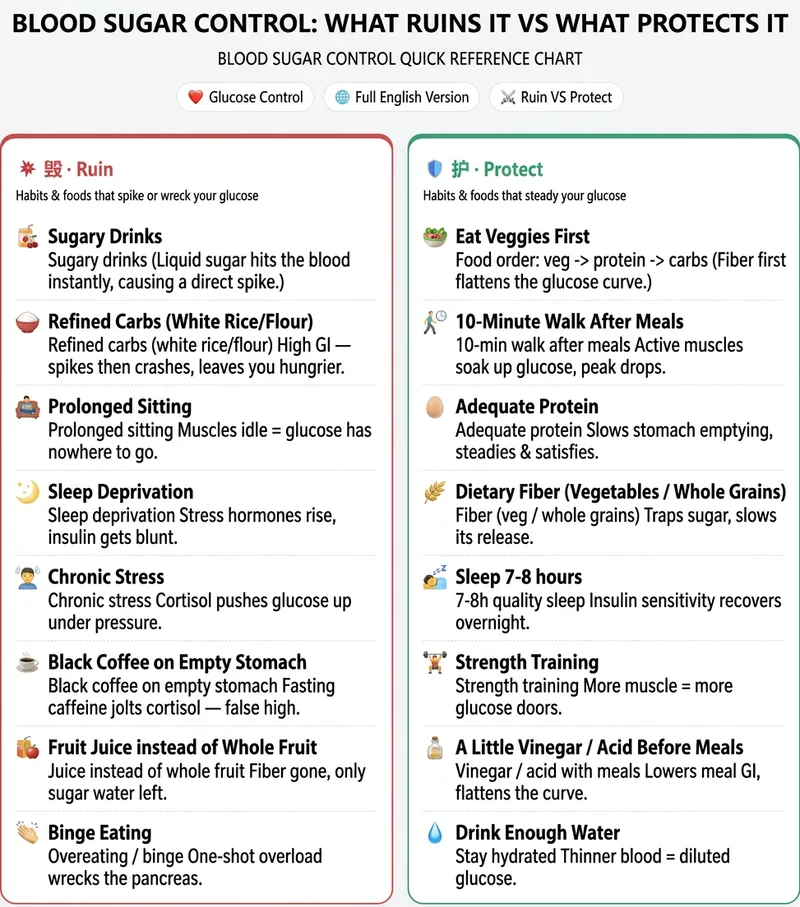 Image
Your Free Infographic Prompt Expert
Knowledge Infographic Studio: Enter a topic or source material to get a structured knowledge infographic plan with a “layout framework + ready-to-copy Chinese and English text + image-generation prompts.” Use it with external AI tools such as 即梦, 通义, or GPT Image to create the image. Supports high-performing “Damage VS Protect” side-by-side comparisons. Use when users mention infographics, knowledge cards, educational long-form images, knowledge infographics, infographic, comparison images, split-screen layouts, or Damage VS Protect. We don’t create the images, but we provide the plan and prompts to make your infographics more professional! Anyone creating content for social media probably knows the feeling: You see someone else’s hair-care “Damage VS Protect” comparison image get thousands of likes, and you want to make one too. Then you open your design software—how should the layout be divided? What should the text say? How do you write the prompt? After a lot of trial and error, either the image comes out wrong or every generation costs hundreds of credits. When the end of the month comes, it really hurts. What you’re missing isn’t design taste—it’s a structure you can copy directly. That’s exactly what this skill does: Give it one keyword, such as “hair care” or “blood sugar control,” and it locks in the layout, prepares every word to appear on the image, and hands you a precise bilingual Chinese-English prompt. Take it to any image-generation AI to create the image in one click: **reliable structure, a consistent series style, and not a single credit spent**. Another skill for this kind of “high-performing comparison image” costs 4,688 credits to redeem. Ours is free and provides an equally effective “Damage VS Protect” split-screen structure—the image-generation step is simply handled by the AI you already use, so you can save those credits for what really matters.
 Image
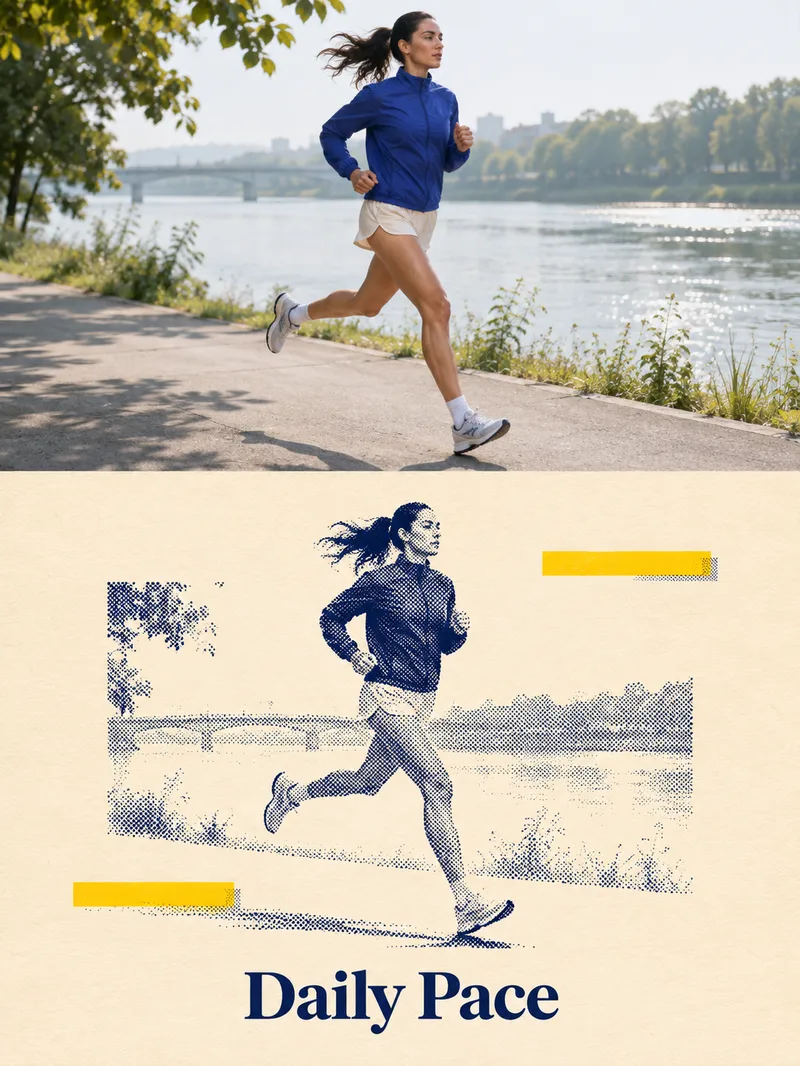
Two-Tone Halftone Overprint
Ideal for creators making social media graphics, editorial posters, and personal visual exercises. Provide a subject such as a person, pet, building, or still life, and optionally specify a title and color scheme. Photo mode requires authorized, clear, and readable images. The skill first identifies the subject and essential outlines, planning a vertical diptych layout: the top features natural photography, while the bottom uses dark blue halftones of varying density for light and shadow, paired with a warm white paper texture, subtle yellow geometric blocks, and a short title. It then uses the current environment's image tools to generate and review the result. Delivers an actual poster, title text, and verification notes, with copyable prompts included when needed. Usage: Enter a subject or photo, specify the title and purpose, then review the subject, text, and composition after running, and request specific adjustments. The four display images are AI examples generated locally following the full skill visual method: an adult runner, an orange cat, a fictional building, and an unbranded coffee pot, and are not actual photos or real client cases. The avatar was generated separately based on the local halftone cat case, showing visual effects and Chinese titles. YouMind integration and uploaded photo editing have not been tested in practice; details, halftone thickness, whitespace, and subject size may vary. The runner example retains more background, and exact consistency per run is not guaranteed. Text planning can use GPT, while image creation relies on the actual image tools provided by the runtime environment. The local image_gen did not return a specific model ID, and no binding to Image2 is claimed. Without image tools or if generation fails, image delivery is incomplete, and only pending prompts can be provided. Verify text, portrait rights, and product structure before official use; exact identity or detail consistency is not guaranteed, and automatic publishing or purchasing is not supported.
 Image
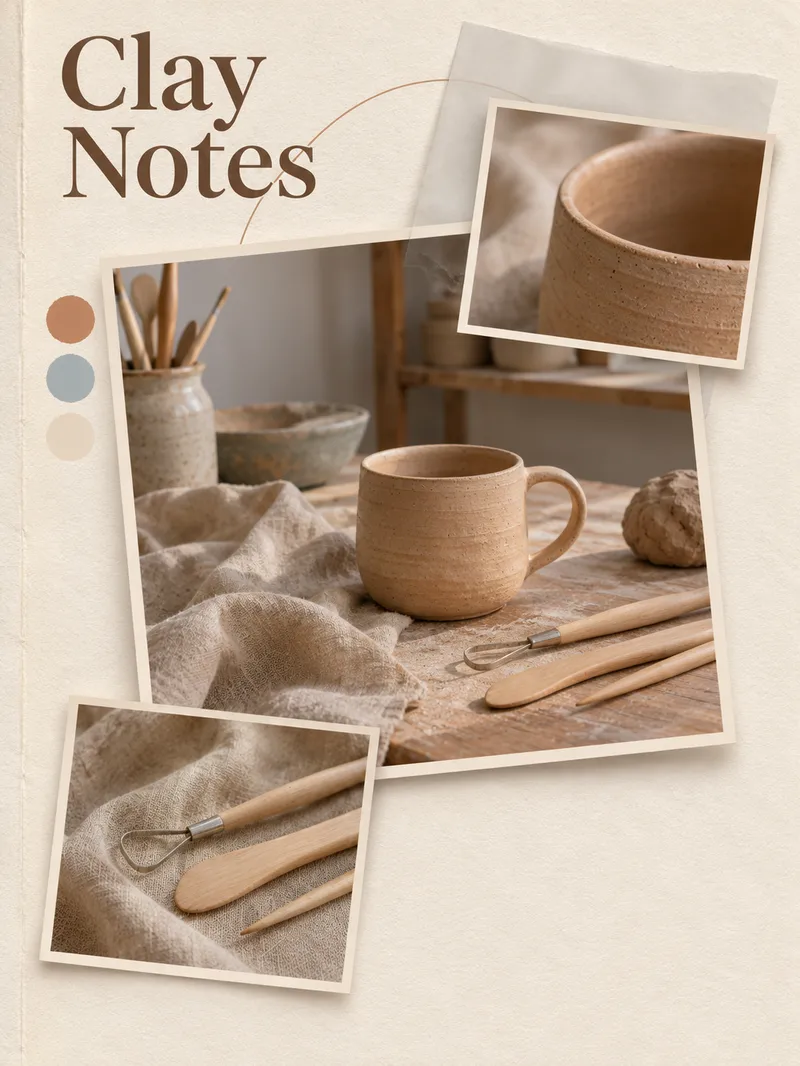
Photo Print Journal
Ideal for creators who need journal-style companion images for reading, pets, still lifes, or scene themes. Provide a text theme or authorized photos, a crop range, a short title, a color scheme, and an intended use; unconfirmed dates, locations, or experiences will not be fabricated. The Skill first arranges one main image and two visible details to create a single-page three-print layout: warm white cotton paper, binding creases, offset white-bordered prints, and soft shadows, paired with a touch of tracing paper, fine curved lines, and thematic color swatches. After generating via the current image tool, it verifies the print count, subjects and props, title, and cropping, then delivers the actual poster, title, and inspection notes, with prompts provided on demand. Usage: Describe the theme and what the three prints should display, or upload authorized photos and specify elements to keep. Review the results and request edits by specific section. Photo mode organizes content based solely on readable details and does not invent new events beyond the photos. Four showcases represent fictional AI examples generated locally following the final skill workflow for November 12, 2026: Garden Reading, Coast and Straw Hat, Ginger Cat Afternoon, and Pottery Desktop; these are not real photographs, actual trips, or client projects. All four examples feature the three-print hierarchy of one main image and two details. Some color swatches are circular rather than rough small squares, and hands, print margins, and detail textures still vary. The avatar reference was generated separately from the reading example to show the actual layout direction with a large Chinese title, not as a fifth independent example. This version is an independently designed single-page three-print method that does not copy or distribute third-party photos, prompts, specific consecutive slice layouts, or attributions. GPT is recommended for text planning, and image generation depends on available image generation or editing tools. Local use relies on built-in image_gen; because the tool does not return a specific model ID, no binding to Image2 is claimed. Photo editing and YouMind operation have not been empirically tested, so identity, product structure, text, or cross-image consistency cannot be guaranteed. If image tools are unavailable, it will clearly state that image creation is incomplete. The 299 credits are the skill installation price and do not include platform model or third-party service fees; PSD or vector source files are not delivered, and automatic publishing or purchasing is not supported.
Information
- Version
- v3
- Last updated
- Runtime credits
- Usage-based
- Models
- Auto
- Use cases
- Images & designMarketing & growthE-commerce & sales
- What you get
- PromptPlan
