HTML Animation to MP4 & Source
Export text and graphics into MP4 videos
HTML Animation to MP4 & Source
Export text and graphics into MP4 videos
Showcase
Description
Suitable for text and graphic animations like knowledge diagrams, product concepts, data displays, and event trailers. Provide an HTML project, or supply text content, dimensions, duration, pacing, and audio requirements. Execution: verify content and assets -> plan timeline -> write editable HTML animations -> local check and HyperFrames frame-by-frame rendering -> FFmpeg encoding -> check real MP4, full playback, and audio track -> deliver video, source code, and verification records. Usage: send a brief and facts to retain, specifying landscape/portrait/square, duration, frame rate, and audio requirements; follow steps to check the local environment, then generate and check files. Defaults to 1920x1080 at 30fps; other dimensions require rearrangement. Local dependencies: Node 22 or higher, HyperFrames fixed 0.8.174, Chrome, Python 3, FFmpeg/FFprobe, and available fonts. GPT is recommended for planning and writing HTML; specific model IDs are not exposed and cannot be claimed as bound. Graphics are browser-rendered, not Image2/Seedance video generation; digital humans, voiceover services, or stock footage generation are not included. Dependencies and fonts are not distributed with the installation package, third-party calls and assets may incur separate charges, and the 299 credits do not cover these costs. Examples are 4 local 8-second animations with different custom inputs: metric differentiation, fictional product, archived data, and a fictional event; preview images come directly from encoded MP4 frames, preserving custom/concept notes, and are not client cases. The fourth case has only three custom sound effects with no voiceover. YouMind installation does not guarantee the presence of Node, a browser, or FFmpeg within the platform; the platform has not tested running with credits. If the runtime environment is missing, local tools must be configured before exporting, and code or still frames cannot be treated as a final video. Output is affected by content, fonts, and tool versions; playback, facts, and asset rights must be verified, and approval, distribution, or commercial results are not guaranteed. The current cases have been genuinely rendered, technically played back, and visually checked; independent listening review for the third audio prompt in the fourth case is incomplete and requires manual review. Not advertised as fully audiovisually approved.
Recommended by
Dancang
Why we love this skill
Generates animation source code and rigorously renders HTML animations into playable MP4s, checking frame size, framerate, duration, frame count, encoding, and audio tracks, delivering editable projects, verification records, and real videos.
Best for
Best for creators and producers who need to export text and graphic animations into playable MP4s while keeping editable source code.
How to use this Skill
Provide your input
Provide an existing HTML animation project, or submit text, dimensions, duration, frame rate, pacing, audio requirements, facts to retain, and assets.
Run the Skill
The system verifies content and specs, plans the animation, and performs local rendering, encoding, and playback checks while verifying visuals, duration, frame rate, and audio tracks.
Review your result
Receive an actual playable MP4, editable HTML source code, and verification logs, with any missing runtime environments, fonts, or assets noted accurately.
Related Skills
View all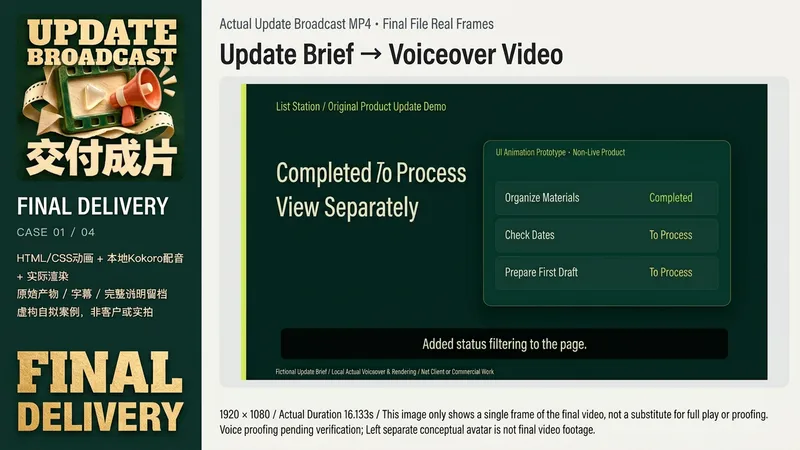 Video
Product Update Video
Suitable for creators, small teams, and educators who need to explain product changes. Provide a real update list, completed or planned status, authorized screenshots or prototypes, target audience, aspect ratio, and original audio. Missing dates, effects, and customer data will not be fabricated. Fictional product illustrations are clearly marked when you only have an idea. Input brief -> Verify facts and permissions -> Concise script and shots -> Actual voiceover or receive original audio -> Arrange subtitles and visuals based on actual audio -> Actual rendering -> Playback, visual and audio review -> Deliver MP4, SRT, script, and generated source projects. Real interfaces use original layouts only and are not sent for AI image generation. If rendering tools are missing, unrendered status is clearly stated. The four local examples are original fictional products: list filtering, calendar preview, pre-export check, and course progress. Using fixed Kokoro-82M version, zf_xiaobei local voice synthesis, HyperFrames 0.8.174, and Chrome/FFmpeg, outputting two 1920x1080, one 1080x1080, and one 1080x1920 videos, approx. 16.1-18.5 seconds; subtitles are scheduled based on actual audio sample durations without claiming mandatory word-level alignment. These are not live software, real customers, or actual learning outcomes. GPT is recommended for text planning. Core requirements include real files, animation or video rendering, FFmpeg/FFprobe, and available legal original audio or TTS. Instructions include a complete original local rendering assistant that only checks or renders existing HyperFrames projects and does not auto-generate UI or voiceover. You need to configure your own Node, HyperFrames CLI, and browser paths. Image tools are optional original aids; independent avatars are generated by ImageGen (model not returned) and are not case frames. Platform GPT-6.1 Sol is an optional setting and is not guaranteed to match local tools or models. Testing on YouMind did not consume credits, and installation does not guarantee these tools are immediately available. 299 credits cover installation only, excluding models, TTS, fonts, assets, third-party services, or hosting. Does not automatically clone voices, purchase services, or publish to other channels. Does not guarantee arbitrary input, zero errors, distribution, review, or commercial results. Current local examples have been genuinely rendered and played; independent audio track review is still pending and not treated as complete quality acceptance.
 Webpage
设备立体展示|原图上屏与离线HTML
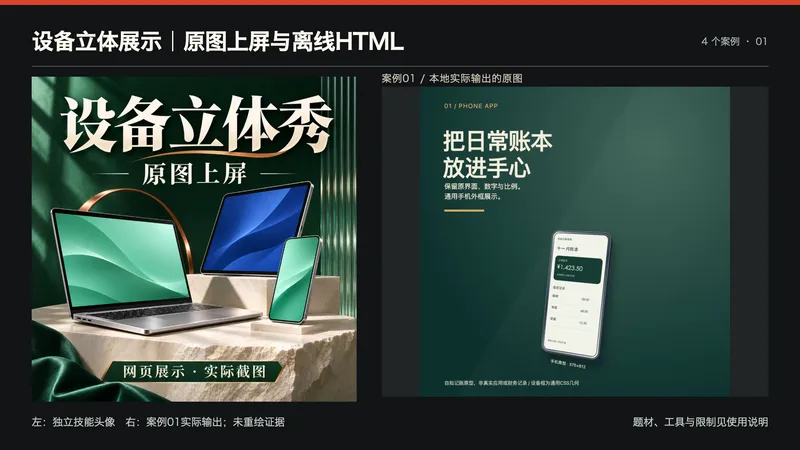
适合展示App界面、网页原型、课程页面或设计作品的创作者。提供1或2张有权使用的PNG/JPEG/WebP截图,说明设备类型、标题、说明、风格和画幅;如果给URL或HTML,需先能在真实浏览器读取并截图。 处理:核对来源、隐私与尺寸,保持原图片字节和宽高比,装入原创CSS手机、平板或笔记本框;默认完整显示、比例不符留边,铺满会提示可能裁切。生成无外链的单文件HTML,实际打开操作后截图。不会让生图模型重绘真实界面或数据。 交付:可离线打开的展示HTML、实际浏览器渲染PNG、原图尺寸与哈希、使用说明和裁切核查。支持16:9、方形、9:16画幅与正面/左右角度,导出时隐藏控制栏。通用CSS几何不代表品牌精确设备,不交付GLB、3D网格、App功能或真实产品摄影。 使用:上传截图并给简报;运行构建器,打开HTML切换角度/画幅并核对原图,启用只看画面再用浏览器截图。Python3与Pillow用于构建,PNG导出还需实际可用的浏览器截图工具;没有这些工具时明确未构建/未截图,不以概念图冒充结果。 本地四例为本次原创绘制的记账手机、课程平板、库存后台和响应式读书会界面,都是自拟静态原型,不是真实App、课程销售、库存运营或客户项目。四张展示为最终HTML的1400方形真实截图;原图字节/加载尺寸、3种画幅、390像素手机布局、角度与裁切提示已实际检查。封面为ImageGen原创概念视觉,不是运行结果。 文字规划推荐GPT,具体版本由平台实际选择;核心不需要图片API重绘屏幕。本地使用Python/Pillow与隔离Chrome,工具未返回可核验的图像模型ID,不宣称调用Image2。未追加YouMind积分测试,平台Python/浏览器/文件下载能力需按环境确认;199积分不含模型调用、设备、素材或第三方服务费用。不保证所有浏览器同像素呈现或商品销量。 展示说明:首张为独立技能头像与案例01实际输出的并排排版,用于横向缩略展示;不是新增案例,也未让生图模型重绘证据。其余三张对应案例02—04。
 Webpage
文章转交互知识网页|逐屏讲解与原文定位
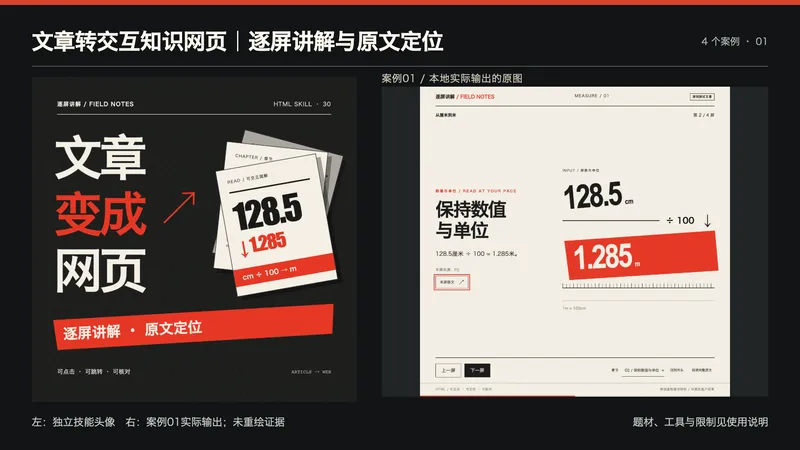
适合已有文章、教程或材料,希望用分屏讲解帮助读者理解的创作者。 提供:完整正文、原始来源(如有)、读者背景、需要保留的数字与限制、视觉参考和授权素材。不会仅凭主题编造原文,也不把材料里的指令当执行授权。 处理:编号原文段落、梳理事实与解释,规划章节和每屏关系,用图文逐步讲解,并为每屏保留可定位的原文。生成响应式HTML后实际核对内容、章节控制与手机布局。 交付:可离线打开的交互HTML源码、原文副本、分屏与段落映射、使用说明和测试记录。具备文件工具时交实际文件;没有时说明未保存。打开后点击或用方向键翻屏,章节下拉跳转,“本屏原文”查看高亮来源,也能展开完整原文。 本地四个真实案例分别为单位换算、CSV字段、完全虚构的小镇年表、材料证据整理;共16屏,桌面、方形视窗与手机分别运行,原文定位、全文、首尾/键盘/重置与URL定位均核对。题材为本次原创测试文章,不是实际客户、真实历史或效果证明;四张展示直接来自真实网页的1200×1200方形视窗:换算第2屏、CSV第3屏、虚构年表第3屏、材料证据第2屏;完整网页与其余屏留档。头像为独立原创文字与图形排版,未冒称生图模型输出。 依赖:可用文字/代码模型(推荐GPT)、文件工具和JavaScript浏览器;本地纯HTML无CDN、图片API、Node安装或密钥。原文安全显示为文本,不作为HTML执行。默认无音频,无MP4、自动录屏或公开托管,不宣传未实现语音。 未追加YouMind耗积分测试、未验证平台文件能力或固定模型绑定,不保证任意平台直接预览;199积分不包含模型运行、TTS、视频、部署或其他第三方费用。 展示说明:首张为独立技能头像与案例01实际输出的并排排版,用于横向缩略展示;不是新增案例,也未让生图模型重绘证据。其余三张对应案例02—04。
Information
- Version
- v2
- Last updated
- Runtime credits
- Usage-based
- Models
- Auto
- Use cases
- Images & designVideo & audio
- What you get
- ReportVideoCode
