
Product Update Video
Turn update notes into playable videos with captions
Product Update Video
Turn update notes into playable videos with captions
Showcase
Description
Suitable for creators, small teams, and educators who need to explain product changes. Provide a real update list, completed or planned status, authorized screenshots or prototypes, target audience, aspect ratio, and original audio. Missing dates, effects, and customer data will not be fabricated. Fictional product illustrations are clearly marked when you only have an idea. Input brief -> Verify facts and permissions -> Concise script and shots -> Actual voiceover or receive original audio -> Arrange subtitles and visuals based on actual audio -> Actual rendering -> Playback, visual and audio review -> Deliver MP4, SRT, script, and generated source projects. Real interfaces use original layouts only and are not sent for AI image generation. If rendering tools are missing, unrendered status is clearly stated. The four local examples are original fictional products: list filtering, calendar preview, pre-export check, and course progress. Using fixed Kokoro-82M version, zf_xiaobei local voice synthesis, HyperFrames 0.8.174, and Chrome/FFmpeg, outputting two 1920x1080, one 1080x1080, and one 1080x1920 videos, approx. 16.1-18.5 seconds; subtitles are scheduled based on actual audio sample durations without claiming mandatory word-level alignment. These are not live software, real customers, or actual learning outcomes. GPT is recommended for text planning. Core requirements include real files, animation or video rendering, FFmpeg/FFprobe, and available legal original audio or TTS. Instructions include a complete original local rendering assistant that only checks or renders existing HyperFrames projects and does not auto-generate UI or voiceover. You need to configure your own Node, HyperFrames CLI, and browser paths. Image tools are optional original aids; independent avatars are generated by ImageGen (model not returned) and are not case frames. Platform GPT-6.1 Sol is an optional setting and is not guaranteed to match local tools or models. Testing on YouMind did not consume credits, and installation does not guarantee these tools are immediately available. 299 credits cover installation only, excluding models, TTS, fonts, assets, third-party services, or hosting. Does not automatically clone voices, purchase services, or publish to other channels. Does not guarantee arbitrary input, zero errors, distribution, review, or commercial results. Current local examples have been genuinely rendered and played; independent audio track review is still pending and not treated as complete quality acceptance.
Recommended by
Dancang
Why we love this skill
Goes beyond storyboards or concept drafts to turn verified update materials into playable MP4s complete with voiceover, subtitles, source projects, and asset mapping, plus complete review and sync sign-off.
Best for
Ideal for creators, small teams, and educators who need to clearly explain product changes.
How to use this Skill
Provide your input
Provide product update notes, version status, authorized screenshots or original audio, target audience, aspect ratio, and duration details.
Run the Skill
Verify facts and usage rights, draft the broadcast script, arrange visuals and subtitles based on actual audio, then render and review the video.
Review your result
Receive a playable MP4, subtitles, script, and generated source project; missing rendering or synthesis conditions will be clearly noted.
Related Skills
View all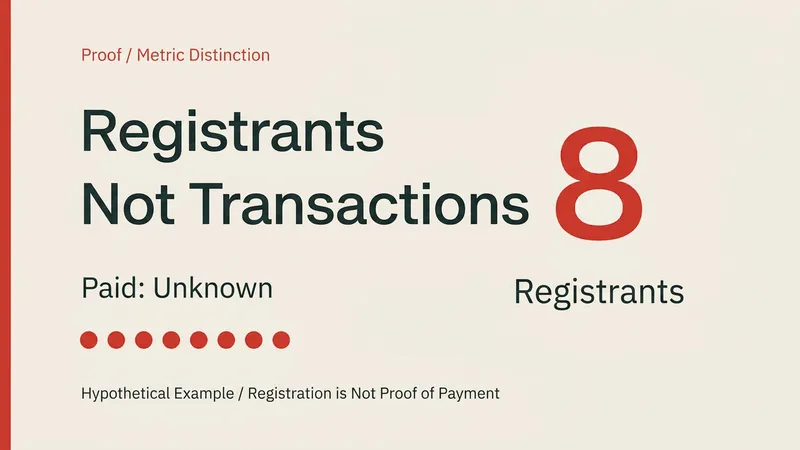 Video
HTML Animation to MP4 & Source
Suitable for text and graphic animations like knowledge diagrams, product concepts, data displays, and event trailers. Provide an HTML project, or supply text content, dimensions, duration, pacing, and audio requirements. Execution: verify content and assets -> plan timeline -> write editable HTML animations -> local check and HyperFrames frame-by-frame rendering -> FFmpeg encoding -> check real MP4, full playback, and audio track -> deliver video, source code, and verification records. Usage: send a brief and facts to retain, specifying landscape/portrait/square, duration, frame rate, and audio requirements; follow steps to check the local environment, then generate and check files. Defaults to 1920x1080 at 30fps; other dimensions require rearrangement. Local dependencies: Node 22 or higher, HyperFrames fixed 0.8.174, Chrome, Python 3, FFmpeg/FFprobe, and available fonts. GPT is recommended for planning and writing HTML; specific model IDs are not exposed and cannot be claimed as bound. Graphics are browser-rendered, not Image2/Seedance video generation; digital humans, voiceover services, or stock footage generation are not included. Dependencies and fonts are not distributed with the installation package, third-party calls and assets may incur separate charges, and the 299 credits do not cover these costs. Examples are 4 local 8-second animations with different custom inputs: metric differentiation, fictional product, archived data, and a fictional event; preview images come directly from encoded MP4 frames, preserving custom/concept notes, and are not client cases. The fourth case has only three custom sound effects with no voiceover. YouMind installation does not guarantee the presence of Node, a browser, or FFmpeg within the platform; the platform has not tested running with credits. If the runtime environment is missing, local tools must be configured before exporting, and code or still frames cannot be treated as a final video. Output is affected by content, fonts, and tool versions; playback, facts, and asset rights must be verified, and approval, distribution, or commercial results are not guaranteed. The current cases have been genuinely rendered, technically played back, and visually checked; independent listening review for the third audio prompt in the fourth case is incomplete and requires manual review. Not advertised as fully audiovisually approved.
 Research
Interview Audio Transcriber
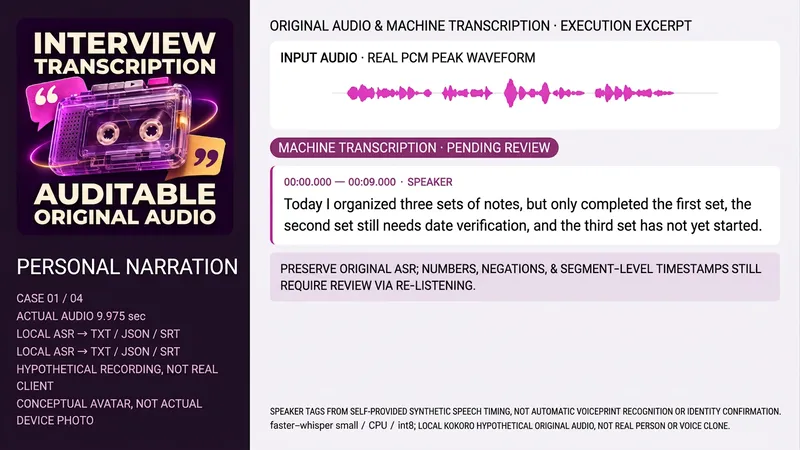
Ideal for anyone needing to organize authorized interview, meeting, or lecture recordings. Provide the source file, language, purpose, existing transcript, or trusted speaker time mapping. It cannot confirm identities by voice alone or treat scripts as actually heard content. Retains original audio and hash, reads duration and tracks, performs actual ASR, organizes by real timeline, labels anonymous speakers when evidence permits, cross-checks numbers, negatives, names, and doubts against the original audio, and delivers TXT, JSON, SRT, and coverage notes. Machine drafts, proofed drafts, and summaries are separated; unclear parts remain pending review without forced filler words. Untranscribed items are clearly noted if audio or ASR tools lack them. Includes a complete local Python assistant with Python3, FFmpeg/FFprobe, faster-whisper, and pre-configured small cache using CPU/int8 and local_files_only without auto-downloading weights. Trusted speaker-maps provide start/end and anonymous labels for window-based transcription and time mapping, defaulting to unknown when absent. The assistant does not perform automatic voice separation or identity recognition, and no weights, accounts, or keys are bundled. Four test samples include self-prepared Chinese monologue, Chinese dialogue, English lecture intro, and Chinese meeting, totaling about 40.875 seconds. Final audio uses locally synthesized Kokoro-82M fixed version under Apache-2.0 (zf_xiaobei, zm_yunjian, af_heart) and is not real or cloned voice. Models, voices, and samples are not distributed with the package. All four tests generate TXT/JSON/SRT via real ASR, with speakers derived from provided synthesized timing rather than diarization. First-draft divergences remain pending review rather than altered arbitrarily. Waveforms come from actual PCM peaks, not decorative visuals. Text organization is recommended for GPT, with ASR subject to actual tools. No OpenAI transcription APIs or upstream CLI are called locally. The avatar is an ImageGen concept visual without model return or Image2 claims. YouMind platform tools, caches, downloads, and bindings consume no test points, subject to environment confirmation. Transcription and speaker organization do not guarantee dependency-free execution post-installation. The 299 points cover the installation price only, excluding models, APIs, or third-party services, and will not auto-purchase or upload unknown tracks to external services. Zero errors, full recognition of any accent, noise, or overlap, legal identification, time efficiency, or commercial results are not promised. Independent audio proofing is pending, without claiming verified transcripts.
 Image
Wedding Story Video Director
Ideal for creators, planners, and couples who want to organize a couple's story into a video proposal. Provide the stories both parties are willing to share, desired style, aspect ratio, duration, and authorized materials. The Skill organizes facts and items to confirm, and plans a story synopsis, narration draft, shot list, static image prompts, and optional video motion prompts. When the runtime environment supports image generation, you can further explore creating keyframes; video generation, voiceover, and editing require additional tool configuration and authorization, which may incur costs. This Skill does not guarantee the automatic generation of finished videos, nor does it guarantee cross-shot character consistency or exact likeness to real people. The four display images are fictional AI static visuals manually generated and edited locally based on the Skill's prompts, and are not real couples, client projects, live-action footage, or videos. Some images use character reference photos, yet details still vary. Full testing has not yet been completed on YouMind, and results depend on the models and tools used. How to use: Enter a few shareable key story segments, character descriptions, target duration and aspect ratio, and whether you want a static image or video proposal. Specify authorization scopes for real-person photos, voices, or music. Verify facts and storyboards first, then proceed with production based on available tools.
Information
- Version
- v2
- Last updated
- Runtime credits
- Usage-based
- Models
- Auto
- Use cases
- Writing & contentImages & designVideo & audio
- What you get
- DocumentVideoScript
