Infinite Loop Selfie
Create an infinite-loop studio selfie
Infinite Loop Selfie
Create an infinite-loop studio selfie
Showcase
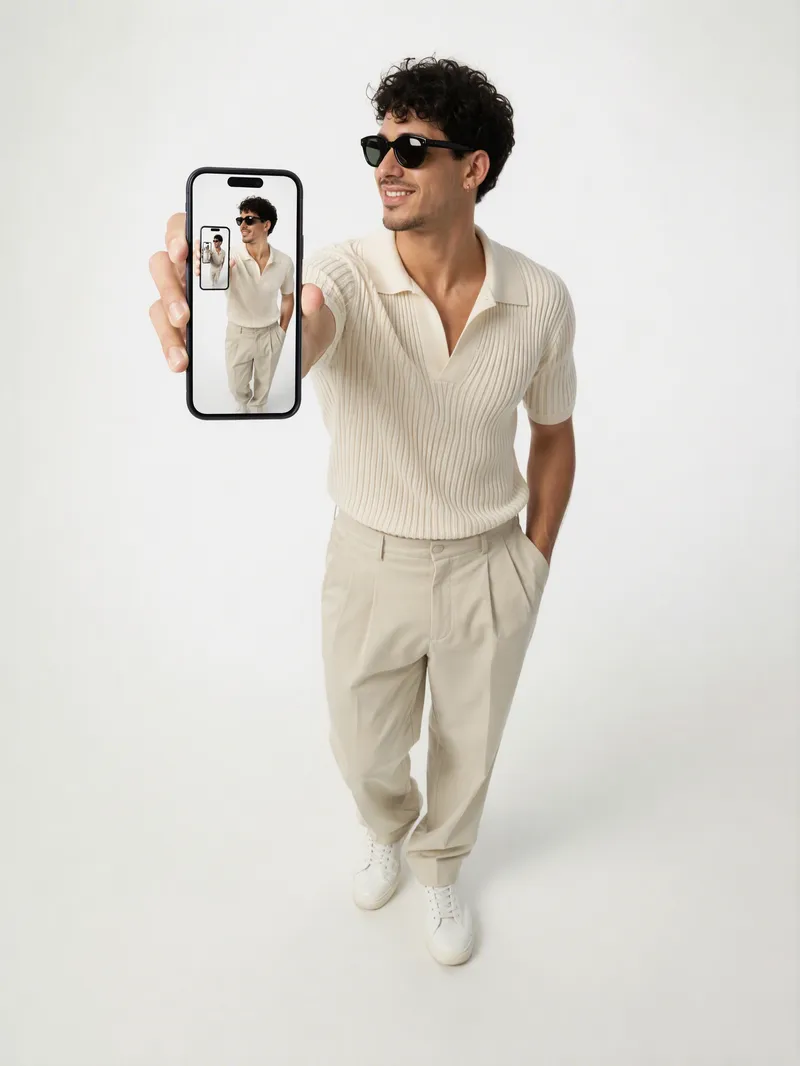
Description
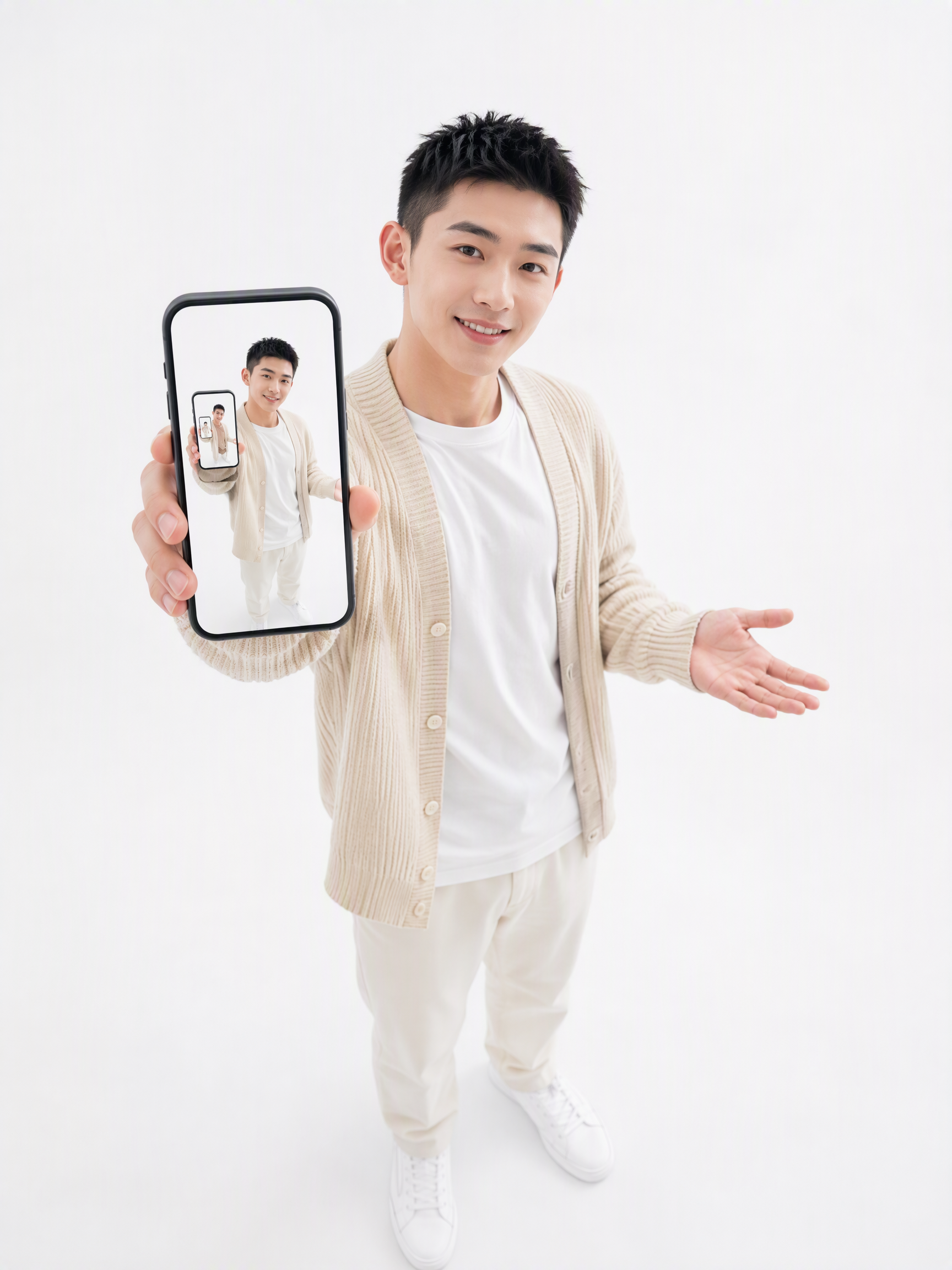
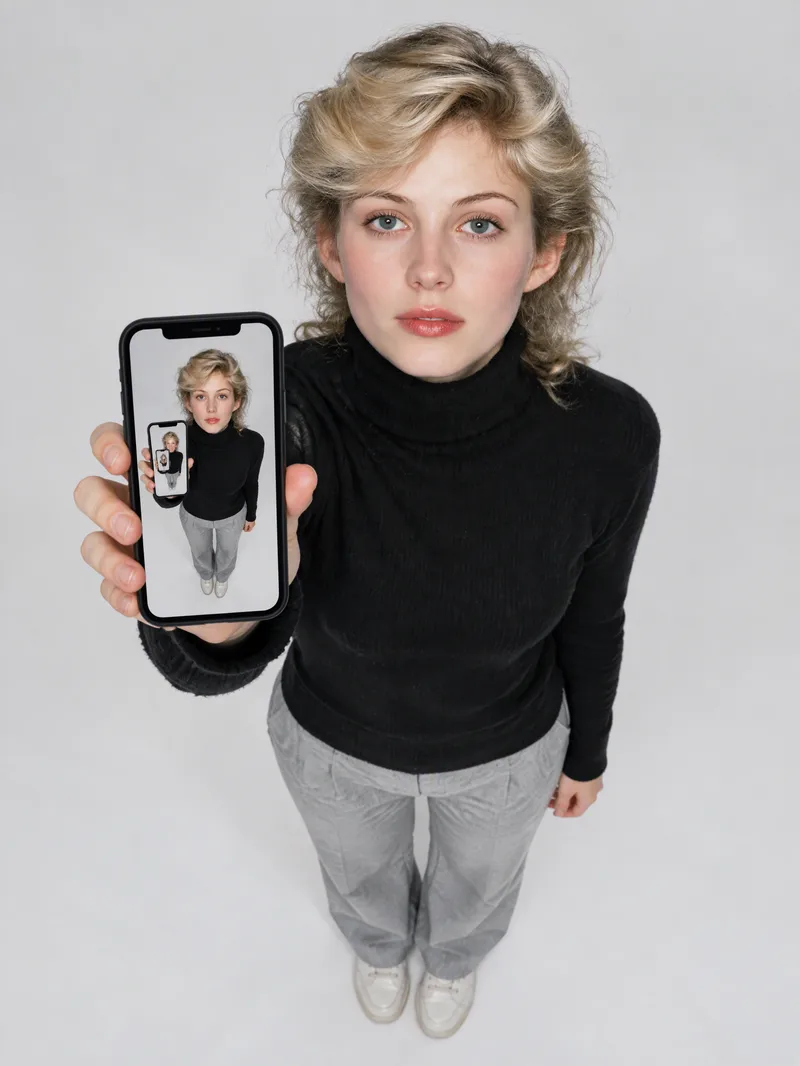
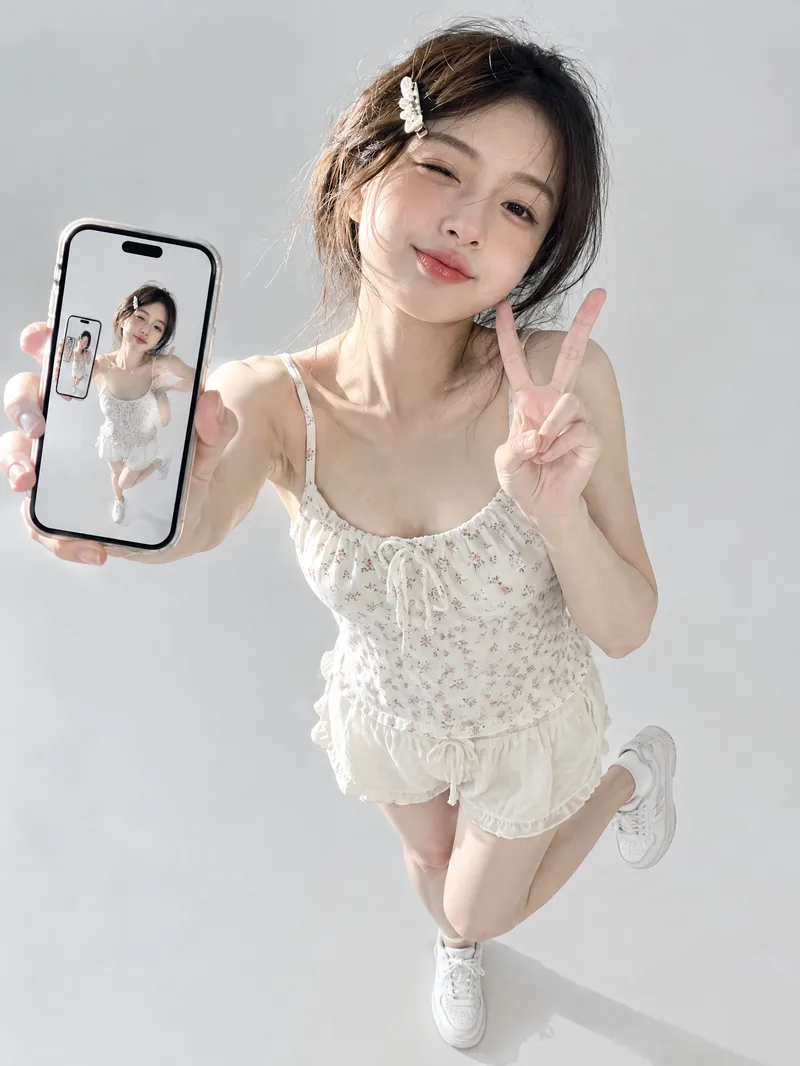
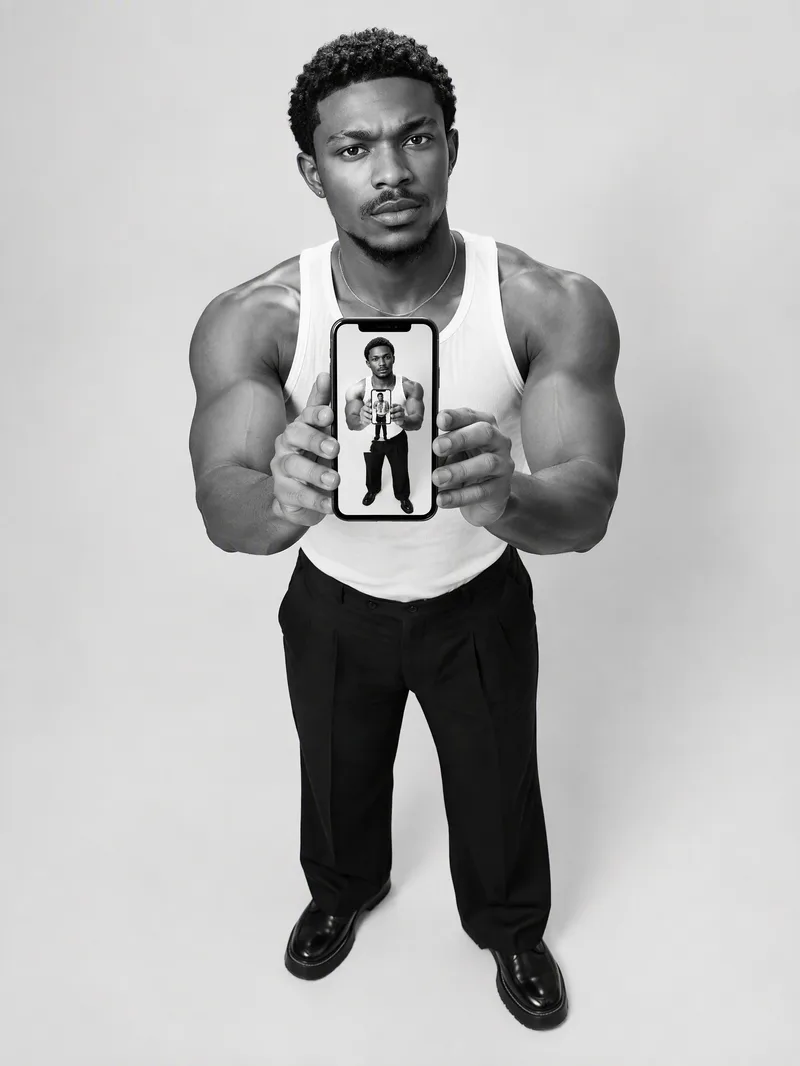
Turn your written concept or character reference image into a selfie photo with a Droste effect: the person in the image holds a phone with its screen facing the camera, clearly showing the complete scene—including the person, phone, and white studio background—nested and shrinking layer by layer to form a visible visual loop with at least three levels. Customize the person’s gender, age, hairstyle, clothing, pose, and expression. You can also specify a portrait 3:4, square 1:1, or vertical 9:16 aspect ratio. When you upload a reference image, the person’s facial features, hairstyle, skin tone, body type, accessories, and visible clothing will be faithfully recreated. If the reference is only a half-body shot or even a close-up, unseen bottoms, shoes, and accessories will be carefully inferred from visible cues such as the collar, top fabric, and color palette to complete a coordinated outfit in the same style. These details will only be changed when you explicitly describe the changes in text. Without a reference image or character specifications, an original character will be generated, with a consistent appearance, pose, and outfit at every layer. The final image uses a pure white or light gray seamless studio background, soft high-key lighting, and a realistic photographic look, highlighting natural skin tones, fabric details, and a clearly visible phone screen. The composition remains a clean, front-facing shot of one person against an uncluttered background. It avoids incorrect screen content, mirrored text, watermarks, and distorted phones or fingers, keeping the infinite nesting effect natural and easy to recognize.
Recommended by
淡苍
Why we love this skill
Carries the character and outfit consistently through every layer for a distinctive, realistic recursive selfie in a white studio setting.
Related Skills
View all Image
ImageReal-Person Doodle Portrait
Blend your real-person photo into a room or scene drawn with bold hand-drawn lines, creating a creative portrait that places a real person alongside a doodle environment. The person retains realistic photographic texture, facial features, clothing, and lighting, while the environment uses monochrome marker sketches to outline furniture, walls, and spatial contours. The result creates a striking visual effect of a “real person floating in a line-art world,” making it suitable for profile pictures, social cards, and stylized portrait artwork. You can upload a headshot, half-body photo, or full-body photo, then describe the living room, bedroom, study, café, studio, balcony, or other scene you want, along with the person’s clothing, pose, and expression. If you only have a headshot, the image can complete the body and place it in the specified space. If the original photo already includes a real environment, you can also keep the person unchanged while converting the background furniture, floor, walls, or street scene into a simple doodle line drawing, while maintaining the original composition. Deep ocean blue, burgundy, charcoal black, and other line-art colors are supported, with suitable aspect ratios matched to indoor portraits, open outdoor scenes, sports, or spacious environments. The setting will not be filled with excessive detail. Instead, it selects a few key objects and preserves negative space, making the contrast between the real person and the hand-drawn room clearer and more thoughtfully designed.
 Image
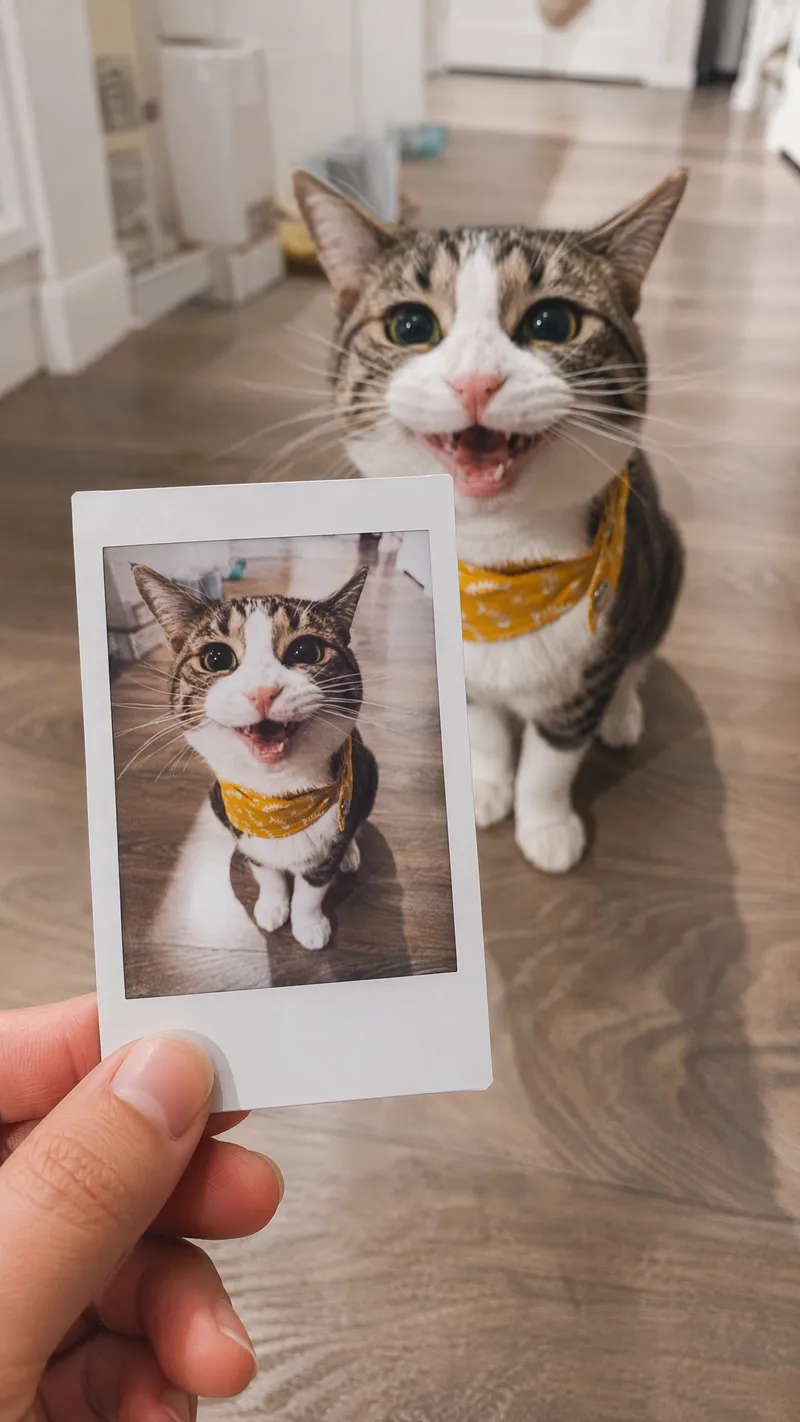
ImageSame-Scene Instant Photo
Turn an image or natural-language scene description into a realistic, natural-looking handheld instant photo: a hand holds a physical white-bordered instant print in the foreground, while the real scene from the same place and moment appears in the background, creating a coherent picture-within-picture effect. Whether the subject is a landscape, urban architecture, person, animal, car, product, or everyday object, the image preserves its key appearance and places it in a plausible real-world setting—not simply pasted into a frame. The results emphasize authentic photographic qualities, including natural perspective, paper texture, contact shadows, hand details, moderate depth of field, and the casual feel of a phone snapshot. Mountains, buildings, people, animals, and other subjects in the instant photo correspond to the background, allowing viewers to directly compare the image inside the print with the real scene outside it. Unnatural elements such as floating cards, digital collages, design lines, and excess text are avoided. The composition automatically adapts to landscape, portrait, or square formats based on the original image or your specified aspect ratio, while keeping the instant photo in your hand aligned with the final image. You can also use natural language to adjust the photo’s position, tilt, size, background clarity, lighting, and overall style. It’s suitable for travel photography, life documentation, and scene images with a convincing realistic illusion.
 Image
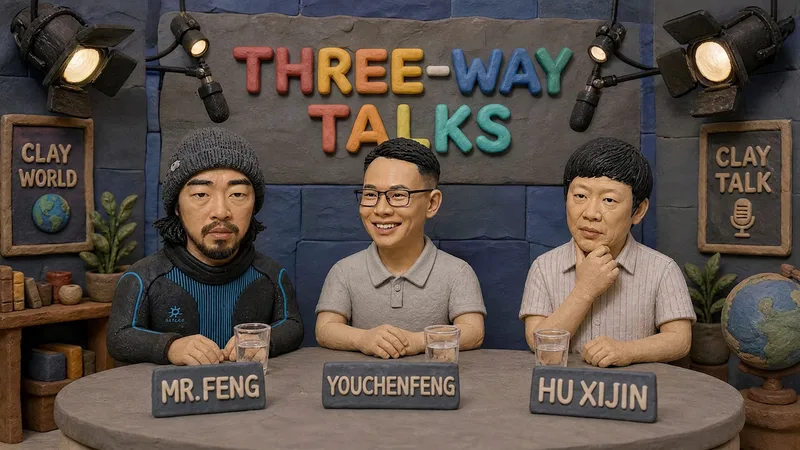
ImageHandmade Clay Image Maker
Turn text descriptions, people, animals, objects, or reference images into handmade clay-style artwork that truly looks molded, pressed, and assembled by hand. Rather than simply applying a clay texture, this style gives characters, scenes, props, buildings, and text the soft, dimensional volume of physical clay, with natural finger presses, hand-shaped edges, kneading marks, and subtle asymmetry for a detailed, matte, warm, and tactile handmade feel. Whether you need clay characters, miniature worlds, art illustrations, posters and ads, product visuals, or clay typography and lettering, the style automatically matches the colors, composition, and spatial depth to the subject. When you upload a photo of a person or animal, it aims to preserve recognizable features such as facial structure, hairstyle, body shape, clothing, and distinctive accessories, then reimagine them as a cohesive clay art figure. When text is requested, it is also integrated into the scene as dimensional clay lettering. You can specify the aspect ratio, color direction, subject pose, scene elements, or strength of the handmade effect, or simply describe the theme you want. The result is a complete clay-style image, along with the mode, colors, composition, and key visual settings used for generation, making it easy to continue refining the result toward a macaron, candy, retro, Japanese low-saturation, earth-tone, or warm storybook direction.
Information
- Version
- v9
- Last updated
- Runtime credits
- Usage-based
- Models
- GPT Image 2.5 Flare
