Xiaodong x Miniature P073
By Xiaoxiaodong
Xiaodong x Miniature P073
By Xiaoxiaodong
Showcase
Description
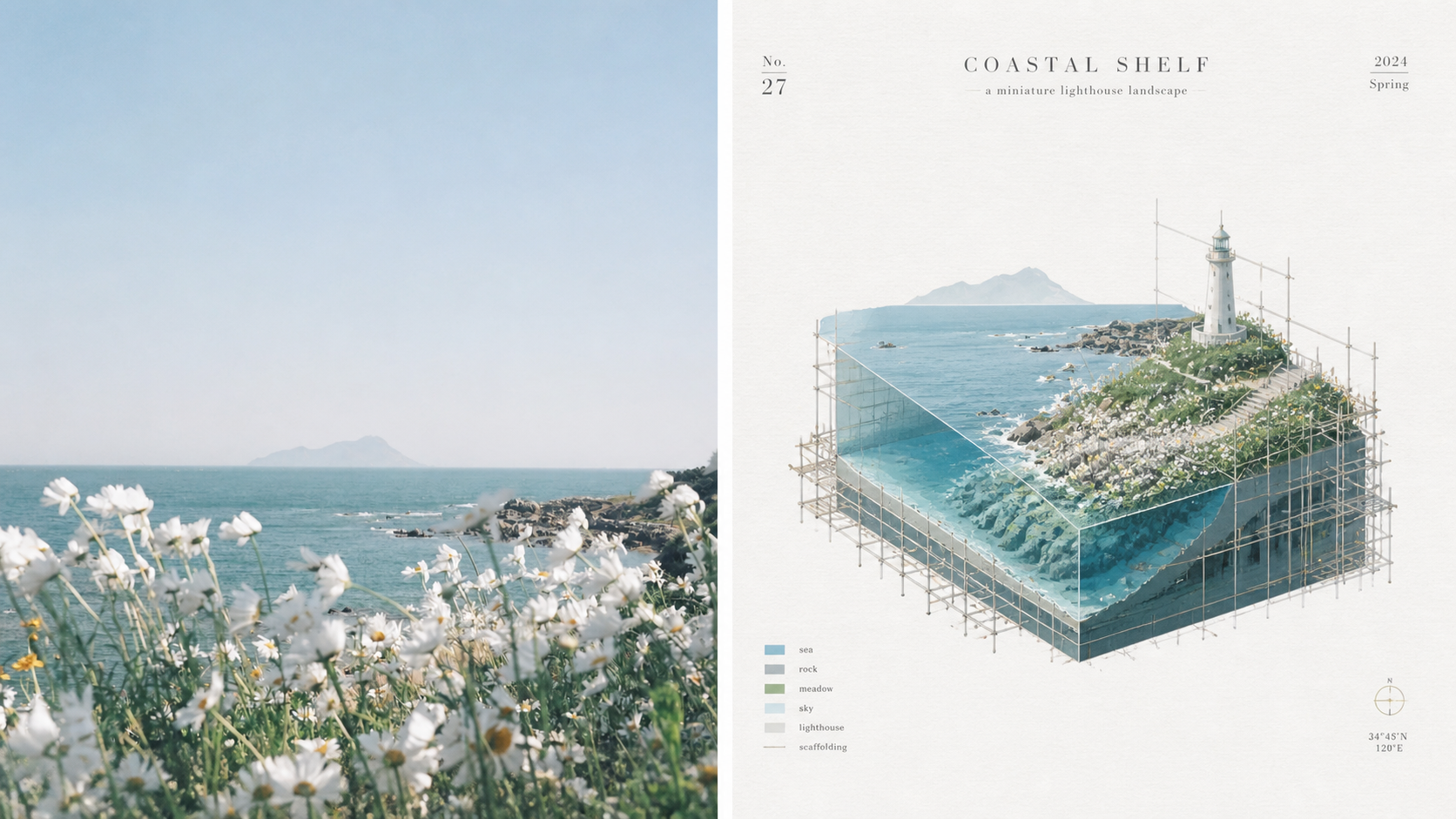
Ordinary miniature scenes can end up looking like nothing more than cute models; scaffolding is also often treated as decorative lines with no structural role, making the spatial relationships unable to withstand close inspection. Panel 073 compresses the subject into a cutaway isometric miniature architectural landscape, presented through underwater-continental-shelf-like sections and layered space. The detailed scaffolding is not mere decoration: it genuinely wraps around, supports, frames, or intervenes in the subject along its contours, turns, and cutaway sections, making the image feel like an architectural study in progress—being constructed, repaired, surveyed, or displayed. White textured paper, vivid and transparent colors from the source image, and restrained editorial annotations give the finished work both the precision of an architectural diagram and the lightness of an art poster. Suitable for these situations Need accurate isometric and cutaway space: Views, layers, and sectional relationships remain clear without using incorrect perspective to create a false sense of depth. Want scaffolding with real logic: Horizontal and vertical components, along with connecting nodes, serve to wrap, support, repair, or survey the structure. Like architectural research posters: Miniature models, fine-line diagrams, white textured paper, and restrained annotations create the order of an exhibition catalog. Need flexible delivery: Supports top-and-bottom, left-and-right, standalone designs, multiple aspect ratios, and four-edge wallpapers, and can also process image directories in batches.
Recommended by
Dancang
Why we love this skill
Transforms real-world imagery into Xiaoxiaodong’s signature miniature isometric designs, with multiple finished formats, multilingual text, batch processing, and rigorous output checks for consistent series production.
Related Skills
View all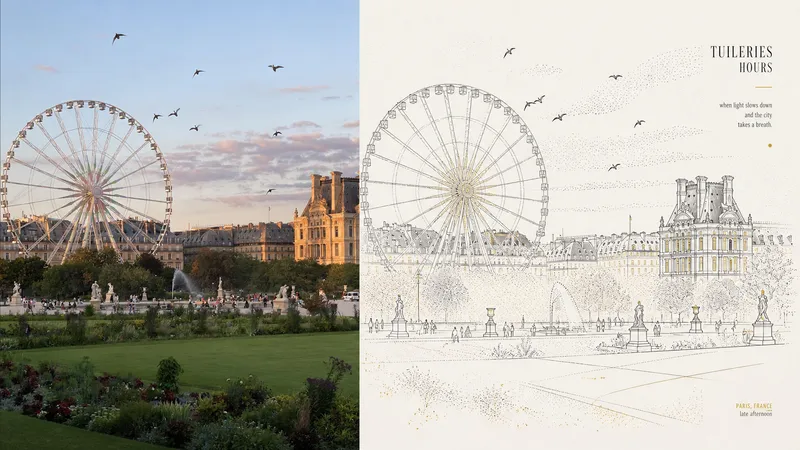 Image
ImageXiaoxiaodong x Line/Dot x P084
Panel 084 uses fine black or dark lines to distill the main subject, buildings, roads, and spatial relationships. Vertical, horizontal, angular, and curved lines, along with perspective guide lines, establish the geometric framework. Stippling/dotted texture then uses variations in density to shape the sky, ground, distant views, tree shadows, lighting, and the atmospheric layers around the subject. Complex backgrounds are deliberately reduced, leaving a clear focal point, generous negative space, and a few accent colors with identifiable sources. Best suited for these situations When cities, buildings, and spatial relationships need to remain clear: Use geometric fine lines, perspective guide lines, and key contours to distill roads, buildings, and scene structure. When you want to express air, light, and depth without filling the image with texture: Create quiet layers through gradual changes in stippling/dotted texture density. When you prefer a restrained color palette: Use blue-gray, off-white, and warm white as the main colors, with only a few spot colors from the original image illuminating the focal points. When you need flexible delivery: Supports top-and-bottom, left-and-right, pure-design, multi-ratio, and four-edge wallpapers, and can also process image directories in batches.
 Image
Imagexiaoxiaodong Watercolor P082
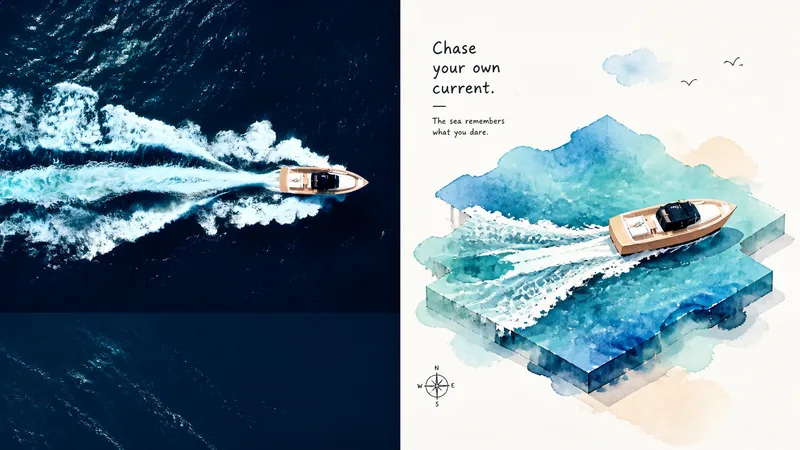
Panel 082 compresses the original image into large, irregular watercolor color fields, then lets the sole central subject “stand up” from the color space through naïve + wonky childlike hand-drawn outlines and an isometric/2.5D structure. Layered planes, foreground and background occlusion, and subtle height differences create a sense of space. Vibrant watercolor extracts the vitality of the original image, while generous warm-white negative space preserves airiness and a playful spirit. Great for these situations Want the subject to leap out of a watercolor color field: Use irregular watercolor shapes to carry the atmosphere and terrain, then support the sole central subject with an isometric/2.5D structure. Need a playful feel without losing spatial logic: Preserve the handmade imperfections of naïve + wonky styling while keeping isometric directions, layering, and occlusion clear. Complex photos need active simplification: Remove irrelevant surroundings and keep only identity-defining features, visual metaphors, and the most lively colors from the original image. Need flexible delivery: Supports top-to-bottom, left-to-right, pure design, multiple ratios, and four-sided wallpapers, and can also process image directories in batches.
 Image
Imagexiaoxiaodong P097: Retro Print
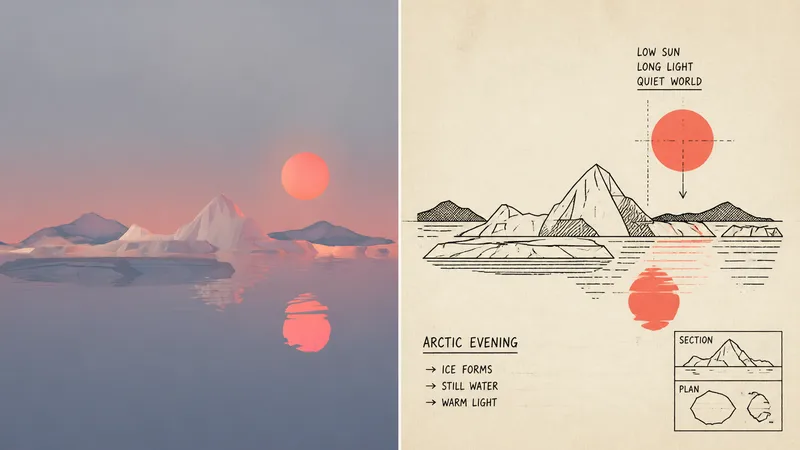
Panel 097 uses economical linework, flat schematic perspective, and a few geometric shapes to preserve the subject’s identity; deep black handles outlines and information layers, while a second spot color is extracted from the photo to create restrained two-color spot printing. Hand-drawn commercial lettering, guide lines, and a touch of awkward functional humor make “explaining this” itself part of the image. Suitable for these situations Need an instantly recognizable diagram: Use outlines, boxes, holes, panels, and directional relationships to clarify the subject and story. Like the strength of vintage printing: Pair deep black with a second spot color extracted from the original image, plus a warm off-white paper surface and subtle misregistration grain. Want understated humor: Vintage commercial hand lettering and a few supporting symbols serve the narrative without creating decorative noise. Need flexible delivery: Supports top-to-bottom, left-to-right, pure design, multiple aspect ratios, and four-edge wallpapers, while also allowing images to be processed in batches from a directory.
Information
- Version
- v5
- Last updated
- Runtime credits
- Usage-based
- Models
- Auto
