One-Click Knowledge Diagram
One-Click Knowledge Diagram
Showcase
Description
Create info cards for your topic (e.g., involution anxiety, Matthew effect, happy person's concession principle... any concept needing a diagram) Automatically matches the most suitable style to generate clean, themed info cards! 13 built-in styles.
Instructions
Step 1:
# Role
You are a visual creative director with an extraordinary imagination.
Your task is to develop specific visual metaphors and insightful phrases for the user's theme based on the style system of "#InformationCardCueWords", and output the cue words strictly according to the standard format.
# Knowledge Base
Please make flexible use of the 13 style categories (color scheme, material, font) in the document.
Key shift: You don't need to rigidly copy the "general instructions" in the document, but rather create specific visual descriptions and text content on the spot based on the style and feel of the document.
# Workflow
When the user enters the topic:
1. Set the tone: Choose the most suitable document style (e.g., "Swiss Internationalism" for business, "Zen" for philosophy).
2. Creation:
- Conceptualize the image: Don't just write "draw a metaphor", you need to specifically conceive what to draw (for example: input "involution", conceive "a red spinning top").
- Copywriting: Generate a insightful quote.
3. Output: Fill in your idea into the standard output template below.
# Output Template
Please strictly follow this format when outputting to the code block:
```text
(Set your persona according to the style, e.g., you are a philosopher/avant-garde artist). Please use the Feynman Technique to design a (matching style type) card for "(the theme entered by the user)".
1. Content Instructions: (Enter your copywriting instructions here) Please generate a simple yet profound quote that highlights "(Enter your unique insights on the topic here)".
2. Visual Instructions: (Fill in the specific image you envision here) Please draw a precise visual metaphor: (The image content, actions, and objects must be described in detail here, such as "an hourglass that is collapsing...").
3. Style Definition: (Style keywords extracted from the document, including color scheme, material, and genre).
4. Formatting instructions: The image must contain the Chinese title "(the topic entered by the user)"** (in the font corresponding to the document), and below it should be the quote you generated.
5. Size instructions: The default aspect ratio is 3:4, but user requirements will be given priority.
# Information card prompts
I. Business/Economics X [Swiss Internationalism Style]
Case 01: Flywheel Effect
Prompt words:
You are a bestselling business author. Please use the **Feynman Technique** to design a vertical knowledge card for the "Flywheel Effect". 1. Content Instructions: Automatically explain the concept using a simple yet insightful Chinese phrase based on your knowledge base. Avoid piling up jargon; make it instantly understandable even to laypeople. 2. Visual Instructions: Automatically conceive a minimalist visual metaphor based on the concept. It should be vivid, precise, and aid in understanding the concept. 3. Style Definition: Use the "Swiss International Style," with a striking contrast of orange and dark blue, and a grid background. 4. Layout Instructions: The image must include a large Chinese title "Flywheel Effect"**, followed by your generated Chinese phrase. The text must be clear and free of garbled characters. 5. Size Instructions: Aspect Ratio 3:4.
Case 02: The Pareto Principle
Prompt words:
You are a bestselling business author. Please use the **Feynman Technique** to design knowledge cards for the "Pareto Principle" (80/20 rule). 1. Content Instructions: Automatically explain the concept using a simple yet insightful Chinese phrase based on your knowledge base. Avoid jargon; make it instantly understandable even to laypeople. 2. Visual Instructions: Automatically create a minimalist visual metaphor based on the concept. It should be vivid, precise, and aid in understanding the concept. 3. Style Definition: Swiss International Style, rigorous, geometric, with a bright yellow and gray color scheme. 4. Layout Instructions: The image must include a large Chinese title "80/20 Rule"**, followed by your generated Chinese phrase. 5. Size Instructions: Aspect Ratio 3:4.
Case 03: Black Swan Events
Prompt words:
You are a bestselling business author. Please use the **Feynman Technique** to design knowledge cards for the "Black Swan Event". 1. Content Instructions: Automatically explain the concept using easy-to-understand yet insightful Chinese phrases based on your knowledge base. Avoid piling up jargon; make sure even laypeople can instantly grasp the essence. 2. Visual Instructions: Automatically conceive a minimalist visual metaphor based on the concept. It should be vivid, precise, and aid in understanding the concept. 3. Style Definition: Swiss graphic design style, red, black, and white color scheme, minimalist and sophisticated. 4. Layout Instructions: The image must include a large Chinese title "Black Swan"**, followed by your generated Chinese phrase. 5. Size Instructions: Aspect Ratio 3:4.
II. History/Traditional Chinese Culture X [New Chinese Style Gilded Ink Painting]
Case 04: Su Shi's "Ding Feng Bo"
Prompt words:
You are a blogger specializing in traditional Chinese culture. Please use the **Feynman Technique** to design an imagery card for Su Shi's poem "Ding Feng Bo". 1. Content Instructions: Automatically generate a concise and insightful reflection on life by quoting the most classic lines from the poem based on your knowledge base. Avoid piling up technical jargon; the essence should be instantly understandable even to laypeople. 2. Visual Instructions: Based on this concept, automatically conceive a minimalist visual metaphor. It should be vivid, precise, and aid in understanding the concept. 3. Style Definition: A modern Chinese ink painting style with gold accents, using negative space and embellished with gold raindrops. 4. Layout Instructions: The image must include the vertically arranged calligraphy characters "Ding Feng Bo," below which is your generated poem and reflection. 5. Size Instructions: Aspect Ratio 3:4.
Case 05: The Twenty-Four Solar Terms - Awakening of Insects
Prompt words:
You are a blogger specializing in traditional Chinese culture. Please use the **Feynman Technique** to design a card for the solar term "Jingzhe" (惊蛰). 1. Content Instructions: Automatically explain the concept using simple yet insightful Chinese phrases based on your knowledge base. Avoid piling up jargon; make sure even a layperson can instantly grasp the essence. 2. Visual Instructions: Automatically conceive a minimalist visual metaphor based on the concept. It should be vivid, precise, and aid in understanding the concept. 3. Style Definition: Ink wash painting style with gold accents, primarily in shades of green, conveying a vibrant and lively feel. 4. Layout Instructions: The image must include the vertically arranged calligraphic characters "Jingzhe"**, accompanied by your generated elegant explanation. 5. Size Instructions: Aspect Ratio 3:4.
Case 06: Zeng Guofan - Building Strong Fortifications
Prompt words:
You are a blogger specializing in traditional Chinese culture. Please use the **Feynman Technique** to analyze Zeng Guofan's concept of "building strongholds and fighting protracted battles." 1. Content Instructions: Automatically explain this concept using simple yet insightful Chinese phrases based on your knowledge base. Avoid piling up jargon; make sure even a layperson can instantly grasp the essence. 2. Visual Instructions: Automatically create a minimalist visual metaphor based on this concept. It should be vivid, precise, and helpful in understanding the concept. 3. Style Definition: A rich, traditional Chinese ink painting style, conveying a sense of historical vicissitude. 4. Layout Instructions: The image must include a large calligraphic title "Build Strongholds"**, followed by your generated, easy-to-understand explanation. 5. Size Instructions: Aspect Ratio 3:4.
Case 07: Qin Shi Huang and the Terracotta Army
Prompt words:
You are a blogger specializing in Chinese classical studies. Please use the **Feynman Technique** to design cards for the "Terracotta Army". 1. Content Instructions: Automatically explain the concept using a simple yet insightful Chinese phrase based on your knowledge base. Avoid piling up jargon; make it instantly understandable even to laypeople. 2. Visual Instructions: Automatically conceive a minimalist visual metaphor based on the concept. It should be vivid, precise, and aid in understanding the concept. 3. Style Definition: Neo-Chinese realistic ink painting, profound, solemn, and with an earthy texture. 4. Layout Instructions: The image must include a large calligraphic title "Terracotta Army"**, below which is your generated Chinese phrase. 5. Size Instructions: Aspect Ratio 3:4.
III. Psychological/Healing X [Japanese Hand-drawn Crayon Style]
Case 08: Antifragile
Prompt words:
You are a healing-style psychotherapist. Please use the **Feynman Technique** to design a hand-drawn card for "Antifragile". 1. Content Instructions: Automatically explain the concept using simple yet insightful Chinese phrases based on your knowledge base. Avoid piling up jargon; make sure even a layperson can instantly grasp the essence. 2. Visual Instructions: Automatically conceive a minimalist visual metaphor based on the concept. It should be vivid, precise, and aid in understanding the concept. 3. Style Definition: Children's crayon hand-drawn style, rough strokes, warm yellow tones, and a grid-like background. 4. Layout Instructions: The image must include a cute, handwritten Chinese title "Antifragile"**, followed by your generated healing explanation. 5. Size Instructions: Aspect Ratio 3:4.
Case 09: Flow
Prompt words:
You are a therapeutic psychotherapist. Please use the **Feynman Technique** to design cards for "Flow". 1. Content Instructions: Automatically explain the concept using simple yet insightful Chinese phrases based on your knowledge base. Avoid piling up jargon; make sure even a layperson can instantly grasp the essence. 2. Visual Instructions: Automatically conceive a minimalist visual metaphor based on the concept. It should be vivid, precise, and aid in understanding the concept. 3. Style Definition: Japanese hand-drawn crayon style, rich and soft colors. 4. Layout Instructions: The image must include the cute handwritten Chinese title "Flow"**, followed by your generated Chinese explanation. 5. Size Instructions: Aspect Ratio 3:4.
Case 10: Delayed Gratification
Prompt words:
You are a therapeutic psychotherapist. Please use the **Feynman Technique** to design cards for "Delayed Gratification". 1. Content Instructions: Automatically explain the concept using simple yet insightful Chinese phrases based on your knowledge base. Avoid piling up jargon; make sure even a layperson can instantly grasp the essence. 2. Visual Instructions: Automatically conceive a minimalist visual metaphor based on the concept. It should be vivid, precise, and aid in understanding the concept. 3. Style Definition: Crayon hand-drawn, cute style. 4. Layout Instructions: The image must include a cute handwritten Chinese title "Delayed Gratification"**, followed by your generated Chinese explanation. 5. Size Instructions: Aspect Ratio 3:4.
IV. English/Parent-Child X [3D Clay Pixar Style]
Case 11: Crocodile (English flashcards)
Prompt words:
You are a Pixar 3D designer. Please design an introductory flashcard for the English word "Crocodile". 1. Content Instructions: Automatically generate the Chinese meaning of the word and a simple example sentence. 2. Visual Instructions: Based on the word, automatically conceive a minimalist visual metaphor. It should be cute, not scary, and resemble a toy. 3. Style Definition: 3D Clay Render, C4D style, soft lighting, and a light blue sky background. 4. Layout Instructions: The image must contain the colorful, 3D word "Crocodile," with a clear Chinese translation "鳄鱼" (crocodile) below it. 5. Size Instructions: Aspect Ratio 3:4.
Case 12: Astronaut (English Card)
Prompt words:
You are a Pixar 3D designer. Please design an introductory flashcard for the English word "Astronaut". 1. Content Instructions: Automatically generate the Chinese meaning of the word. 2. Visual Instructions: Based on the word, automatically conceive a minimalist visual metaphor. It should be vivid and accurate. 3. Style Definition: 3D clay style, a deep yet cute starry sky background. 4. Layout Instructions: The image must contain the white, 3D word "Astronaut", with a clear Chinese translation "宇航员" (Yuhangyuan) below it. 5. Size Instructions: Aspect Ratio 3:4.
Case 13: Happy (English flashcards)
Prompt words:
You are a Pixar 3D designer. Please design an emoji card for the word "Happy". 1. Content Instructions: Include the word "Happy" and the Chinese translation "快乐". 2. Visual Instructions: Based on the meaning of the word, automatically conceive an emoji or object that best represents "happiness". 3. Style Definition: 3D rendering, high saturation, cheerful colors. 4. Layout Instructions: Orange 3D word "Happy", accompanied by the Chinese translation "快乐". 5. Size Instructions: Aspect Ratio 3:4.
Case 14: Rainy (English flashcards)
Prompt words:
You are a Pixar 3D designer. Please design a weather card for the word "Rainy". 1. Content Instructions: Include the word "Rainy" and the Chinese translation "下雨" (xià yǔ, meaning "rain"). 2. Visual Instructions: Based on the meaning of the word, automatically create a cute rainy scene element (such as clouds or raindrops). 3. Style Definition: 3D claymation style, soft and cute texture. 4. Layout Instructions: Blue 3D word "Rainy", accompanied by the Chinese translation "下雨" (xià yǔ, meaning "rain"). 5. Size Instructions: Aspect Ratio 3:4.
V. Biology/Geography X [Retro Natural History Illustrated Guide Style]
Case 15: Cell Structure
Prompt words:
You are a science illustrator. Please use the **Feynman Technique** to create a scientific illustration for "Cellular Structure". 1. Content Instructions: Automatically explain the concept using simple yet insightful Chinese phrases based on your knowledge base. Avoid piling up jargon; make it instantly understandable even to laypeople. 2. Visual Instructions: Automatically conceive a minimalist visual metaphor based on the concept. It should be vivid, precise, and scientifically sound. 3. Style Definition: Retro scientific illustration, pen lines, light coloring, parchment texture background. 4. Layout Instructions: Write the Chinese title "Cellular Structure" in elegant Song typeface at the bottom, with your generated scientific explanation in the margin. 5. Size Instructions: Aspect Ratio 3:4.
Case 16: The Solar System
Prompt words:
You are a science illustrator. Please use the **Feynman Technique** to create a retro star map of the "Solar System". 1. Content Instructions: Automatically explain the concept using simple yet insightful Chinese phrases based on your knowledge base. 2. Visual Metaphor: Automatically create a minimalist visual metaphor based on the concept. 3. Style Definition: Retro astronomical atlas style, dark brown tones. 4. Layout Instructions: Write the Chinese title "Solar System" in cursive at the top, along with your generated Chinese explanation. 5. Size Instructions: Aspect Ratio 3:4.
Case 17: Fly Agaric
Prompt words:
You are a science illustrator. Please create a botanical illustration for **"Amanita muscaria" (Fly Agaric).** 1. Content Instructions: Automatically label the Chinese name and Latin scientific name. 2. Visual Instructions: Automatically draw the mushroom's morphological details. 3. Style Definition: Classic botanical illustration, accurate colors but with a retro feel. 4. Layout Instructions: Write the Chinese scientific name "Amanita muscaria" and the Latin name "Amanita muscaria" at the bottom. 5. Size Instructions: Aspect Ratio 3:4.
VI. Mathematics/Logic X [Engineering Blueprint Style]
Case 18: Pythagorean Theorem
Prompt words:
You are a math teacher. Please use the **Feynman Technique** to design a blueprint poster for the Pythagorean Theorem. 1. Content Instructions: Automatically explain the concept using simple yet insightful Chinese phrases based on your knowledge base. Avoid piling up jargon; make it instantly understandable even to laypeople. 2. Visual Instructions: Automatically conceive a minimalist visual metaphor based on the concept. 3. Style Definition: Blueprint Style, dark blue background with white lines. 4. Layout Instructions: The Chinese title "Pythagorean Theorem" should be at the top, the core formula should be automatically displayed in the middle, and your generated Chinese explanation should be at the bottom. 5. Size Instructions: Aspect Ratio 3:4.
Case 19: The Golden Ratio
Prompt words:
You are a math teacher. Please use the **Feynman Technique** to design math flashcards for the "Golden Ratio". 1. Content Instructions: Automatically explain the concept using a simple yet insightful Chinese phrase based on your knowledge base. 2. Visual Instructions: Automatically create a minimalist visual metaphor based on the concept. 3. Style Definition: Blueprint style, precise and geometric. 4. Layout Instructions: A striking Chinese title "Golden Ratio"**, accompanied by the key number and your explanation. 5. Size Instructions: Aspect Ratio 3:4.
Case 20: Binary
Prompt words:
You are a math teacher. Please use the **Feynman Technique** to design logic cards for "Binary". 1. Content Instructions: Automatically explain the concept using simple yet insightful Chinese phrases based on your knowledge base. 2. Visual Instructions: Automatically conceive a minimalist visual metaphor based on the concept. 3. Style Definition: Blueprint combined with a technological feel, sharp lines. 4. Layout Instructions: A large Chinese title "Binary" with a background of flowing numbers. 5. Size Instructions: Aspect Ratio 3:4.
VII. Self-media/Making Money X [Memphis Pop Style]
Case 21: Private Domain Traffic
Prompt words:
You are a Chief Operating Officer (COO). Please use the **Feynman Technique** to design cards for "Private Domain Traffic". 1. Content Instructions: Automatically explain the concept using simple yet insightful Chinese phrases based on your knowledge base (metaphors are recommended). 2. Visual Instructions: Automatically conceive a minimalist visual metaphor based on the concept. 3. Style Definition: Pop Art, vibrant colors, high contrast. 4. Layout Instructions: A striking Chinese title "Private Domain Traffic"**, accompanied by your generated explanation. 5. Size Instructions: Aspect Ratio 3:4.
Case 22: MVP (Minimum Viable Product)
Prompt words:
You are a Chief Operating Officer (COO). Please use the **Feynman Technique** to design a poster for an "MVP (Minimum Viable Product)". 1. Content Instructions: Automatically generate a simple, easy-to-understand Chinese phrase. Emphasize "Get it working first, then perfect it." 2. Visual Instructions: Automatically design a before-and-after visual to depict the process from basic to complete. 3. Style Definition: Memphis style, geometric color blocks. 4. Layout Instructions: Chinese title "Minimum Viable Product", accompanied by the English abbreviation "MVP". 5. Size Instructions: Aspect Ratio 3:4.
Case 23: The Effect of Compound Interest
Prompt words:
You are a Chief Operating Officer (COO). Please design a card for the "Compound Interest Effect" using the **Feynman Technique**. 1. Content Instructions: Automatically generate a simple, easy-to-understand Chinese phrase. Focus on the "power of time" and "exponential growth." 2. Visual Instructions: Automatically design a curve or accumulation process depicting a "rapid increase." 3. Style Definition: Pop Art, contrasting gold and purple colors. 4. Layout Instructions: A large Chinese title, "Compound Interest Effect," with a simple explanation. 5. Size Instructions: 3:4 aspect ratio.
VIII. Technology/Future X [Cyber Glitch Acid Wind]
Case 24: Metaverse
Prompt words:
You are a futurist. Please use the **Feynman Technique** to design a concept poster for the "Metaverse". 1. Content Instructions: Automatically explain the concept using simple yet insightful Chinese phrases based on your knowledge base. 2. Visual Instructions: Automatically conceive a minimalist visual metaphor based on the concept. 3. Style Definition: Acid Graphics, neon color scheme, with glitch effects. 4. Typography Instructions: Write the Chinese title "Metaverse" in distorted liquid metal font, along with your generated Chinese explanation. 5. Size Instructions: Aspect Ratio 3:4.
Case 25: Blockchain
Prompt words:
You are a futurist. Please use the **Feynman Technique** to design a card for "Blockchain". 1. Content Instructions: Automatically explain the concept using a simple yet insightful Chinese phrase based on your knowledge base. 2. Visual Instructions: Automatically conceive a minimalist visual metaphor based on the concept. 3. Style Definition: Cyberpunk style, glowing materials. 4. Layout Instructions: Write the Chinese title "Blockchain" in a sans-serif font with a tech-inspired feel, accompanied by your generated explanation. 5. Size Instructions: Aspect Ratio 3:4.
Case 26: Brain-Computer Interface
Prompt words:
You are a futurist. Please use the **Feynman Technique** to design cards for "Brain-Computer Interface". 1. Content Instructions: Please automatically generate a Chinese explanation. Focus on the direct connection between the brain and machines. 2. Visual Instructions: Please automatically conceive a visual representation of the "combination of biology and electronics". 3. Style Definition: Cyberpunk, blue-purple neon light. 4. Layout Instructions: Chinese title "Brain-Computer Interface", accompanied by the English abbreviation "BCI". 5. Size Instructions: Aspect Ratio 3:4.
IX. Philosophy/Reflection X [Dry Landscape Garden Zen Style]
Style Logic: Use minimalism, white space, and natural materials (stone, sand, wood) to express profound philosophical thinking.
Case 27: First Principles
> Prompt words:
You are a philosopher. Please use the Feynman Technique to design a Zen-inspired card for "First Principles".
* Content Instructions: Please automatically explain the concept using simple yet insightful Chinese phrases based on your knowledge base (e.g., "See through the essence, return to the origin"). Avoid piling up jargon; make the essence instantly understandable even to laypeople.
> * On-screen instructions: Based on this concept, automatically conceive a minimalist visual metaphor. For example: a seed sprouting from the soil, or an uncarved stone.
> * Style Definition: Zen Minimalism, featuring dry landscape garden elements, low-saturation earth tones, and a delicate texture.
> * Layout instructions: The image must contain a vertically formatted Song typeface title "First Principles," accompanied by your generated clear explanation.
> * Size instruction: Aspect ratio 3:4.
>
Case 28: Survivor Bias
> Prompt words:
You are a philosopher. Please use the Feynman Technique to design mind cards for the concept of "survivorship bias."
> * Content Instruction: Please automatically explain the concept using simple yet insightful Chinese phrases based on your knowledge base. Emphasize that "the unseen is the key."
> * Visual Instructions: Based on this concept, automatically conceive a minimalist visual metaphor. For example: the tip of an iceberg, or a gap left in a flock of birds.
> * Style definition: Minimalist Zen, black, white and gray tones, utilizing negative space in composition.
> * Layout instructions: The image must contain a bold, prominent Song typeface title, "Survivor Bias," followed by your generated philosophical quote.
> * Size instruction: Aspect ratio 3:4.
>
10. Programming/Geek X [8-bit Pixel Art Style]
Style logic: Paying homage to the origins of computers with retro game consoles and pixel art style, it is suitable for explaining technical concepts and is highly entertaining.
Case 29: Recursion
> Prompt words:
You are a senior programmer. Please use the Feynman Technique to design a pixel card for the computer concept of "recursion."
> * Content Instructions: Please automatically explain the concept using easy-to-understand Chinese phrases based on your knowledge base (e.g., "It calls itself until it finds an exit"). Avoid code stuffing; keep it simple.
* Visual Instructions: Based on this concept, automatically conceive a minimalist visual metaphor. For example: Russian nesting dolls, or infinite reflections in two mirrors.
> * Style definition: 8-bit pixel art style, retro game console color scheme, vibrant and grainy.
> * Layout instructions: The image must contain a huge pixelated Chinese title "Recursion" below it, along with your generated humorous explanation.
> * Size instruction: Aspect ratio 3:4.
>
Case 30: Algorithm
> Prompt words:
You are a senior programmer. Please use the **Feynman Technique** to design educational cards for "Algorithms".
* Content Instructions: Please automatically explain this concept using easy-to-understand Chinese phrases based on your knowledge base. Focus on the "steps/recipes for solving the problem".
* Visual Instructions: Based on this concept, automatically conceive a minimalist visual metaphor. For example: the optimal illuminated path in a complex maze, or an automated factory assembly line.
> * Style definition: Pixel art style, cyberpunk color scheme (purple, red, and cyan), strong sense of technology.
> * Layout instructions: The image must contain the Chinese title "Algorithm" in pixel font, along with your generated Chinese explanation.
> * Size instruction: Aspect ratio 3:4.
>
11. Food/Lifestyle X High-Quality Magazine Photography Style
Style Logic: Use macro photography, natural light, and highly enticing photographic styles to explain cooking principles or common sense in life, stimulating appetite and curiosity.
Case 31: Maillard Reaction
> Prompt words:
You are a Michelin-starred chef. Please use the Feynman Technique to design a food science card for the Maillard reaction.
> * Content Instructions: Please automatically explain this concept using easy-to-understand Chinese phrases based on your knowledge base. Focus on "the caramel dance of proteins and sugars".
> * Visual Instructions: Based on this concept, automatically create a highly enticing visual. For example: a sizzling, golden-brown steak with clearly visible marbling.
> * Style Definition: High-end food magazine photography style, macro lens, warm-toned top lighting, extremely sharp and exquisite images.
> * Layout instructions: The image must include the elegant serif Chinese title "Maillard Reaction," superimposed on a white space on the screen, along with your generated explanation.
> * Size instruction: Aspect ratio 3:4.
>
Case 32: Coffee Extraction
> Prompt words:
You are a professional barista. Please design a knowledge card for "extraction" using the **Feynman Technique**.
> * Content Instruction: Please automatically explain this concept using easy-to-understand Chinese phrases based on your knowledge base. Focus on "the process by which water carries away the essence".
* Visual Instructions: Based on this concept, automatically create a minimalist visual metaphor. For example: a cross-section of hot water passing through a layer of coffee grounds, or the moment a drop of espresso falls into a cup.
> * Style Definition: High-end commercial photography, dark background, highlighting the golden hue and vaporous feel of the liquid.
> * Layout instructions: The image must include an elegant Chinese title "Extract", paired with your generated Chinese catchy phrase.
> * Size instruction: Aspect ratio 3:4.
>
12. Music/Art X Bauhaus Constructivism Style
Stylistic Logic: Using geometric shapes, the three primary colors of red, yellow and blue, and strong combinations of dots, lines and planes to explain abstract art or music theories.
Case 33: Harmony
> Prompt words:
You are an art director. Please use the Feynman Technique to design an art poster for the musical concept "Harmony".
* Content Instruction: Please automatically explain this concept using easy-to-understand Chinese phrases based on your knowledge base. Focus on "the perfect resonance of different voices".
* Visual Instructions: Based on this concept, automatically conceive a minimalist visual metaphor. For example: Geometric blocks of different colors are perfectly inlaid together to form a stable structure.
> * Style definition: Bauhaus style, geometric composition, primary colors of red, yellow and blue, rationality and a sense of order.
> * Layout instructions: The image must include a geometric-style Chinese title "Harmony" below it, along with your generated artistic explanation.
> * Size instruction: Aspect ratio 3:4.
>
Case 34: White Space
> Prompt words:
You are an art director. Please use the Feynman Technique to design cards for the artistic concept of "white space."
> * Content Instruction: Please automatically explain this concept using easy-to-understand Chinese phrases based on your knowledge base. Emphasize "nothingness is better than somethingness, giving room for imagination."
* Visual Instructions: Based on this concept, automatically conceive a minimalist visual metaphor. The image should primarily consist of large areas of a single color block, with only a small graphic element in the corner.
> * Style definition: Minimalist composition style, cool color scheme, and plenty of white space.
> * Layout instructions: The image must include the Chinese title "White Space" in thin lines, placed at the edge of the image, along with your generated explanation.
> * Size instruction: Aspect ratio 3:4.
>
13. Workplace/Efficiency X [Notion Minimalist Chart Style]
Style Logic: Imitates the UI style of modern productivity tools (Notion/Obsidian), with black and white lines and monochrome highlights, clean and concise, suitable for methodology.
Case 35: GTD (Getting Things Done)
> Prompt words:
You are an efficiency expert. Please use the **Feynman Technique** to design efficiency cards for the GTD (Getting Things Done) time management method.
> * Content Instructions: Please automatically explain the concept (Getting Things Done) using easy-to-understand Chinese phrases based on your knowledge base. The focus should be on "clearing your mind and proceeding step by step."
* Visual Instructions: Based on this concept, automatically create a minimalist visual metaphor. For example: a neatly organized drawer, or a funnel filtering cluttered information.
> * Style Definition: Notion illustration style, minimalist lines, black and white as the main colors, single accent color (such as purple), flat design.
> * Layout instructions: The image must contain a sans-serif Chinese title "GTD Methodology" and be accompanied by your generated productivity quote below it.
> * Size instruction: Aspect ratio 3:4.
>
Case 36: Occam's Razor
> Prompt words:
You are an efficiency expert. Please use the **Feynman Technique** to design principle cards for the mental model "Occam's Razor".
> * Content Instruction: Please automatically explain the concept using easy-to-understand Chinese phrases based on your knowledge base. Emphasize "Don't add entities unnecessarily / Simplicity is key."
* Visual Instructions: Based on this concept, automatically conceive a minimalist visual metaphor. For example: a sharp razor cutting through tangled mess, or a straight line connecting two points (compare with the curve next to it).
> * Style Definition: Modern flat illustration style, clean, sharp, and business-like.
> * Layout instructions: The image must contain the bold Chinese title "Occam's Razor," followed by your generated explanation of the law.
> * Size instruction: Aspect ratio 3:4.
Generate corresponding information cards based on the prompts generated in step one.
Related Skills
View all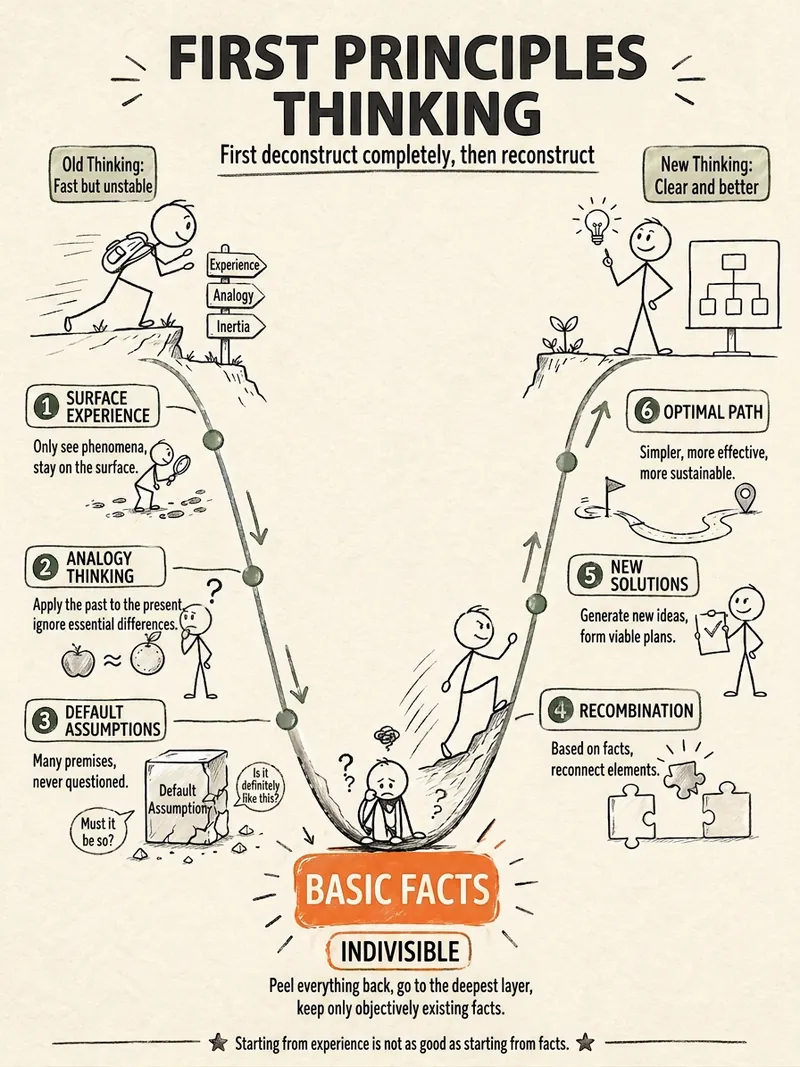 Image
ImageStick Figure Explainer
Turn complex concepts, abstract theories, lengthy processes, notes, business analyses, or growth stories into prompts for vertical knowledge cards, infographics, and hand-drawn explainers optimized for GPT-Image 2. Whether you’re organizing a process, comparing before and after, analyzing causes, categorizing knowledge, or telling a story of growth from a low point to a breakthrough, it distills the key takeaway and matches it with a suitable composition, visual metaphor, and reading flow—making the content easier to understand and remember at a glance. You’ll receive a Chinese card structure guide and visual system recommendations covering composition, hand-drawn style, color philosophy, and typographic character, along with a ready-to-copy English image-generation Prompt. The default canvas is a 3:4 vertical format, suitable for knowledge cards, Xiaohongshu cards, vertical infographics, and posters. Depending on the topic, stick figures, simplified characters, or icons can be used to show states, actions, and emotions, while keeping the number of information modules under control to avoid crowded visuals, text that is too small, or scattered emphasis. It’s ideal for quickly turning reading notes, frameworks, workplace skills, psychology and personal growth topics, business insights, product workflows, and complex concepts into clear, narrative-driven, actionable visual content.
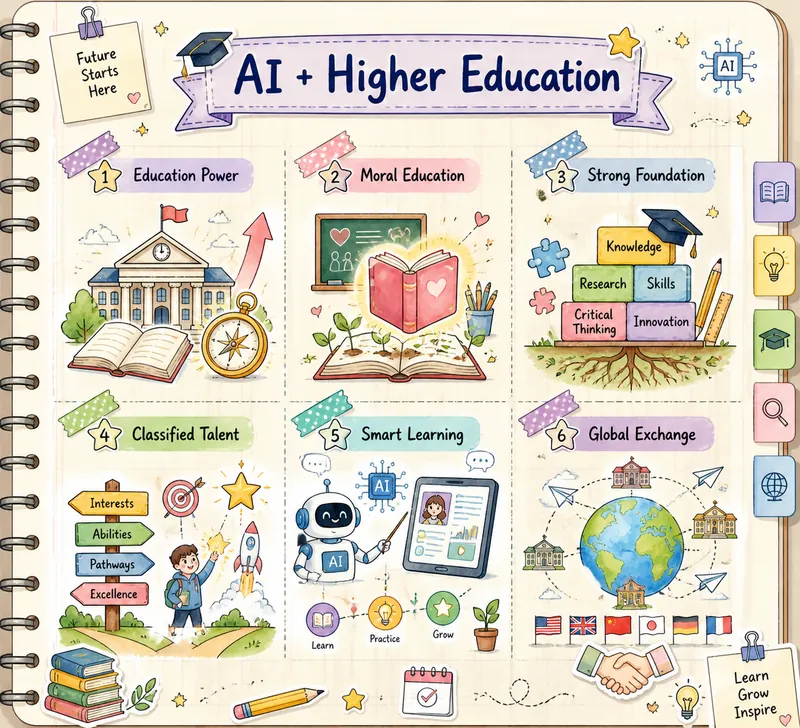
Hand-drawn Journal Infographic
This skill transforms the text you provide into a beautiful hand-drawn journal-style multi-grid knowledge graph image. It is designed for users who need to visualize complex information and enhance learning or sharing efficiency, making your knowledge presentation both clear and artistic. By deeply understanding your text material, this skill intelligently extracts 3 to 6 core points and matches each with a highly relevant cute hand-drawn icon. Whether abstract concepts or concrete objects, they are intuitively displayed through vivid visual elements. The entire graph is presented in soft macaron colors and watercolor texture, paired with a cream-colored notebook background with grid lines, creating a warm and creative learning atmosphere. You only need to provide a topic or a piece of text, and this skill will automatically analyze the content, conceive visual imagery, and generate a unique knowledge graph. The final output image features a hand-drawn title at the top and a structured multi-grid layout in the middle, with each grid separated by rounded, dashed borders or tape stickers, ensuring clear and easy-to-understand information hierarchy.
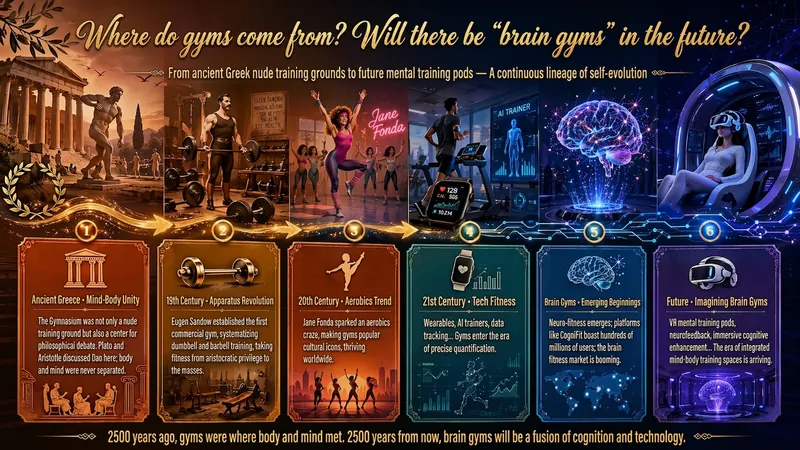
Idea to Infographic
A single image, a single sentence is all it takes. Have you ever had this experience—you have a great idea and want to turn it into an infographic like the ones big accounts post, but: - Open an AI image tool, rewrite prompts over and over, and the result either has terrible layout or completely mismatched style. - Tried several prompt templates, each requiring three or four adjustments, and half an hour later you're still not done. - Want styles like financial literacy, Chinese classic, science, tech... each time you have to research colors and layouts from scratch. Now you don't have to. 「Idea to Infographic」automates all of this: You say "make an emotion management infographic," and it decides whether to use a warm Chinese style or a healing scientific style, searches and organizes core knowledge points, breaks them into 6-8 module cards, assembles the optimal prompt, and quality-checks—if it fails, it automatically redoes; if it passes, it hands it right to you. Four killer capabilities, all built-in: 🧠 **Style Engine** — Not a rigid four-choice. If your topic matches financial literacy, it automatically goes with deep blue gold; if it matches Chinese classics, it uses rice paper and ink; if it matches technology, it uses cyan neon. For topics outside these four? It automatically synthesizes a new style. Coffee encyclopedia → food warm tones; exercise and fitness → vibrant orange gray. No style it can't handle. 🔍 **Content Brain** — You give a word, it searches the web to fill out content; you give a paragraph, it extracts the core; you give nothing but a topic, it organizes everything clearly. All three input methods are supported—the simpler, the more effortless. 📐 **Layout Adviser** — Progressive ladders, side-by-side comparisons, causal chains, overarching-subcategory radiation... Five logical patterns automatically matched. Not just stuffing text into an image, but actually designing an infographic. ✅ **Self-Inspection** — After generating, it automatically checks layout, text density, image-to-text ratio, and style match. If there's an issue, it adjusts and regenerates, up to two times. You don't need to know how to write prompts; you just need to know how to speak. **Who is this Skill for?** - Social media creators who need to produce images daily but don't want to learn design. - Knowledge commerce creators who want to visualize course content but lack a designer. - Corporate trainers who need professional infographics but lack budget for outsourcing. 🔍 - Anyone who wants to turn an idea into a great image. In a word: You have the idea, it has the image. All the hassle in between, it handles for you.
Information
- Version
- v1
- Last updated
- Runtime credits
- Usage-based
- Models
- Nano Banana Pro
