
Universal Infographic Studio
Topics to structured bilingual infographics
Universal Infographic Studio
Topics to structured bilingual infographics
Showcase
Description
Universal Infographic Studio turns a topic—or material you supply—into one clear, structured knowledge infographic. Give it a subject, or paste a document, article, or image you want explained; it returns a finished infographic image, the exact on-image text in copyable form, and the sources it used. It works in English and Chinese, follows the language of your topic, and defaults to a museum field-guide look in a single 3:4 poster with four to six knowledge modules. Figures such as percentages and rankings appear with their context, and every point is checked before it is drawn. When image generation is unavailable, you receive a complete render prompt instead. Turn a topic—or an article, document, or image you provide—into one clear, structured knowledge infographic. Give it a subject or source material, and you’ll receive a finished infographic, the on-image text in copyable form, and the sources actually used. It supports English and Chinese, follows the topic’s language by default, and uses a Museum field-guide style in a single 3:4 image with four to six knowledge modules. Percentages, rankings, and other figures are labeled with their context, and every point is checked before drawing. If image generation is unavailable, it returns a complete render prompt. AI-generated text, data, and illustrations should be reviewed before publication. AI-generated text, data, and illustrations still require human review before publication.
Recommended by
淡苍
Why we love this skill
Creates readable bilingual infographics with fact-checking, contextualized data, and original editorial design.
Related Skills
View all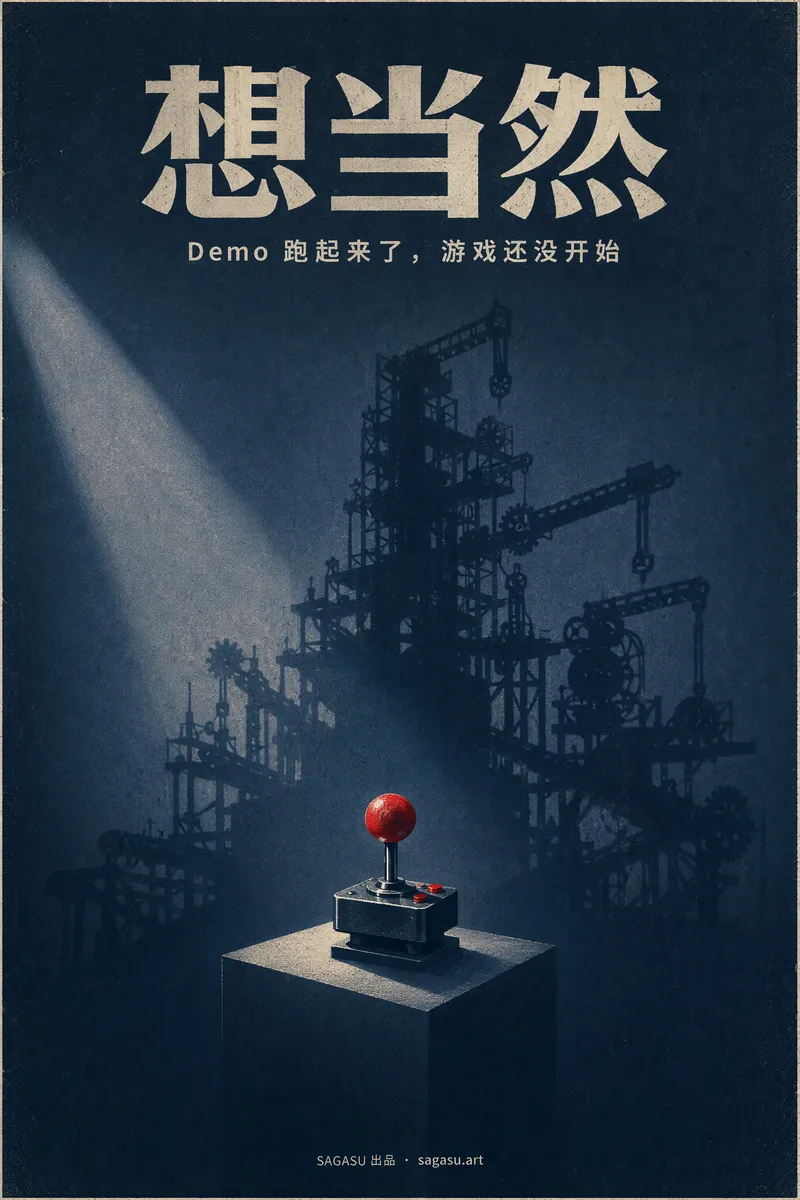 Image
ImageCinematic Cover Studio v2.0
你写了一篇有观点的文章,却只能配一张随手找的图?Cinematic Cover Studio 帮你把文章的核心观点变成一张电影海报级别的封面:别人在信息流里第一眼被画面吸引,第二眼才看懂它在说什么,于是停下来点开。 你只需要贴上文章链接,或者用一两句话说明主题。它会自己读懂内容,提炼出文章里最有张力的那个矛盾,把它变成一个只有一个主角的隐喻画面,再配上合适的设计风格、构图和色彩,直接交给你一张成品海报。 你会得到: - 一张能直接用的封面,标题和副标题已经排进画面。中文文章用中文标题,字准确、不乱码。 - 符合平台的比例:默认 2:3 电影海报竖版;小红书、Instagram 用 3:4;Story 用 9:16;公众号、B站、YouTube、博客头图用 16:9,标题区都预留好了。 - 5 种设计风格任选或自动匹配:极简符号、插画叙事、超现实隐喻、东方意境、商业大片。 - 不用反复回答问题:信息足够就直接出图,默认一次出一张,不浪费积分。 - 想对比时说一句「多给几个方案」,就能看到直译、隐喻、极简等不同方向。觉得太暗、太冷,或想换风格、换色彩,一句话就能针对当前这张调整。 适合写公众号、博客、Newsletter、小红书和 X 的创作者,也适合需要为观点类内容、产品介绍或活动做主视觉的人。
 Image
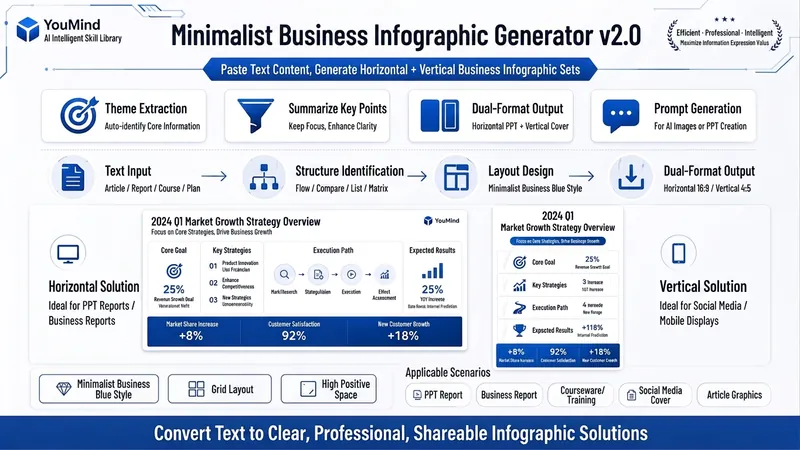
ImageBiz Infographic Generator v2.0
Transforms complex text into clear, professional, presentation-ready business minimalist infographics. It can help you: 1. Automatically extract core information Extract topics, keywords, logical relationships, and key points from user-provided text, materials, course content, meeting minutes, or reports. 2. Automatically design infographic structure Match business expression formats such as flowcharts, comparison charts, hierarchical charts, matrix charts, checklist charts, and path charts based on content type. 3. Automatically generate dual-format solutions Output two sets of infographic designs: landscape and portrait. Landscape is suitable for PPT, presentations, and web display; portrait is suitable for Xiaohongshu, WeChat Moments, public account covers, and vertical screen display. 4. Automatically generate diagram prompts Output complete diagram prompts ready for use with AI drawing tools, designers, or PPT tools. Suitable for: Professionals, knowledge bloggers, trainers, course creators, consultants, operations staff, PPT designers, business report creators. How to use: Directly paste a piece of text, materials, course content, meeting minutes, or report summary. You don't need to organize the structure first; I will automatically extract the core content and generate both landscape and portrait business minimalist infographic solutions.
 Image
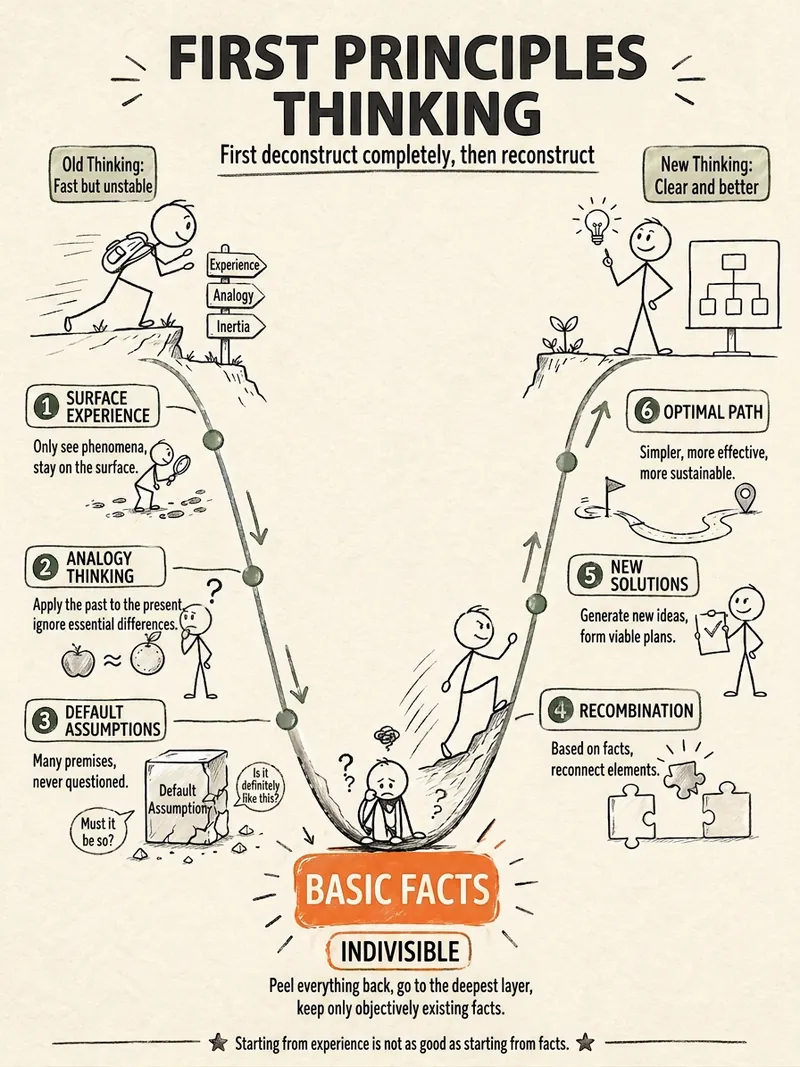
ImageStick Figure Explainer
Turn complex concepts, abstract theories, lengthy processes, notes, business analyses, or growth stories into prompts for vertical knowledge cards, infographics, and hand-drawn explainers optimized for GPT-Image 2. Whether you’re organizing a process, comparing before and after, analyzing causes, categorizing knowledge, or telling a story of growth from a low point to a breakthrough, it distills the key takeaway and matches it with a suitable composition, visual metaphor, and reading flow—making the content easier to understand and remember at a glance. You’ll receive a Chinese card structure guide and visual system recommendations covering composition, hand-drawn style, color philosophy, and typographic character, along with a ready-to-copy English image-generation Prompt. The default canvas is a 3:4 vertical format, suitable for knowledge cards, Xiaohongshu cards, vertical infographics, and posters. Depending on the topic, stick figures, simplified characters, or icons can be used to show states, actions, and emotions, while keeping the number of information modules under control to avoid crowded visuals, text that is too small, or scattered emphasis. It’s ideal for quickly turning reading notes, frameworks, workplace skills, psychology and personal growth topics, business insights, product workflows, and complex concepts into clear, narrative-driven, actionable visual content.
Information
- Version
- v6
- Last updated
- Runtime credits
- Usage-based
- Models
- Auto
