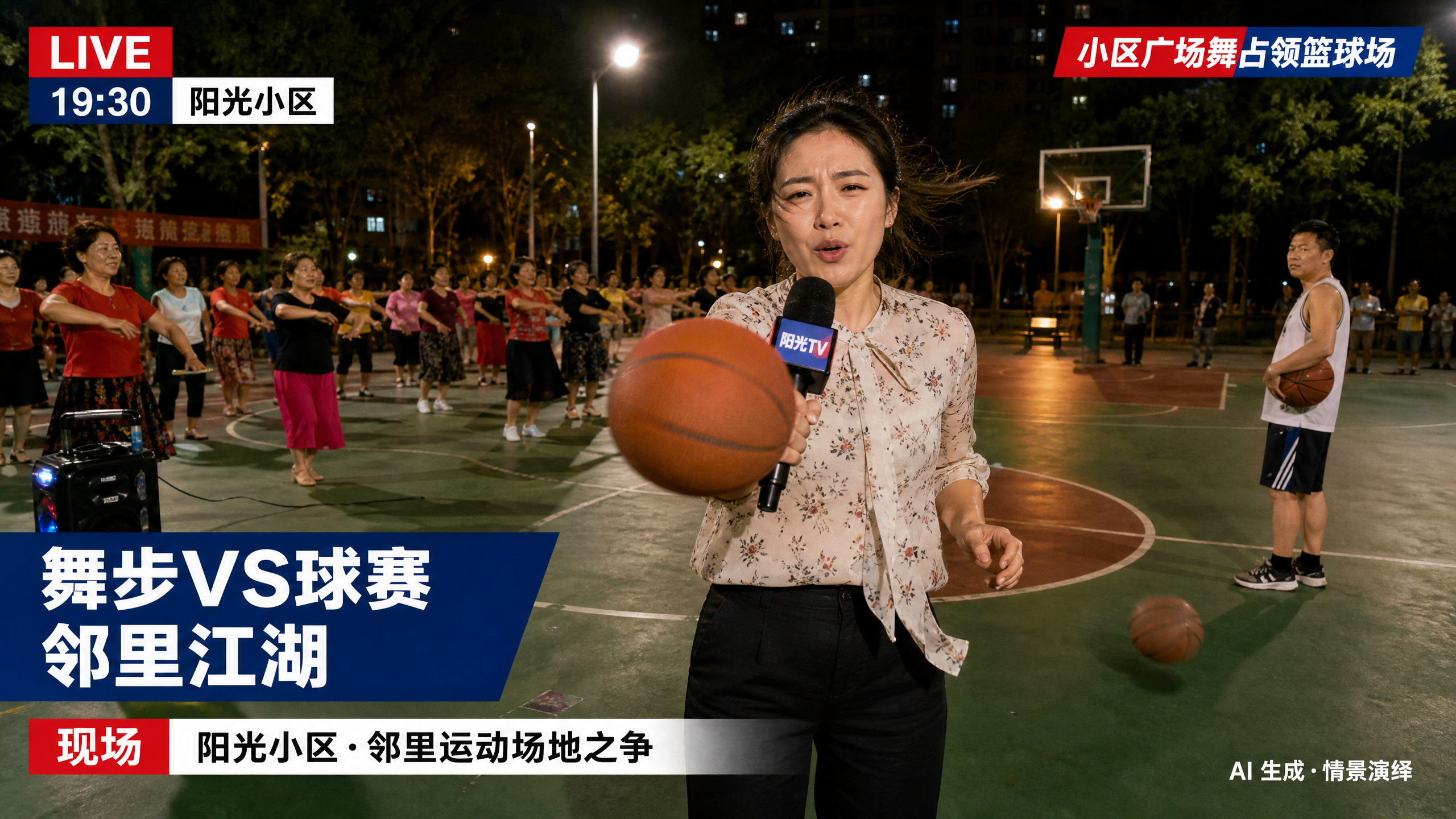
On-Scene News Live Photo
TV-style live visuals for social media
On-Scene News Live Photo
TV-style live visuals for social media
Showcase
Description
Based on a person’s photo and an event description, generate a dynamic television field-reporter-style live image (Live Photo). Coordinate the subject’s lighting, pose, clothing condition, background, and news captions according to the weather, time of day, and location, then add environment motion consistent with the scene using image-to-video generation. By default, it directly creates downloadable, social-media-ready live visuals, including a Xiaohongshu Live Photo pair and a universal MP4 fallback. It outputs prompts only when explicitly requested.
Recommended by
Dancang
Why we love this skill
Unifies people, weather, lighting, and scene motion into TV-style field coverage, with stable captions and upload-compatible Live Photo files for Xiaohongshu and short-video platforms.
Related Skills
View all Image
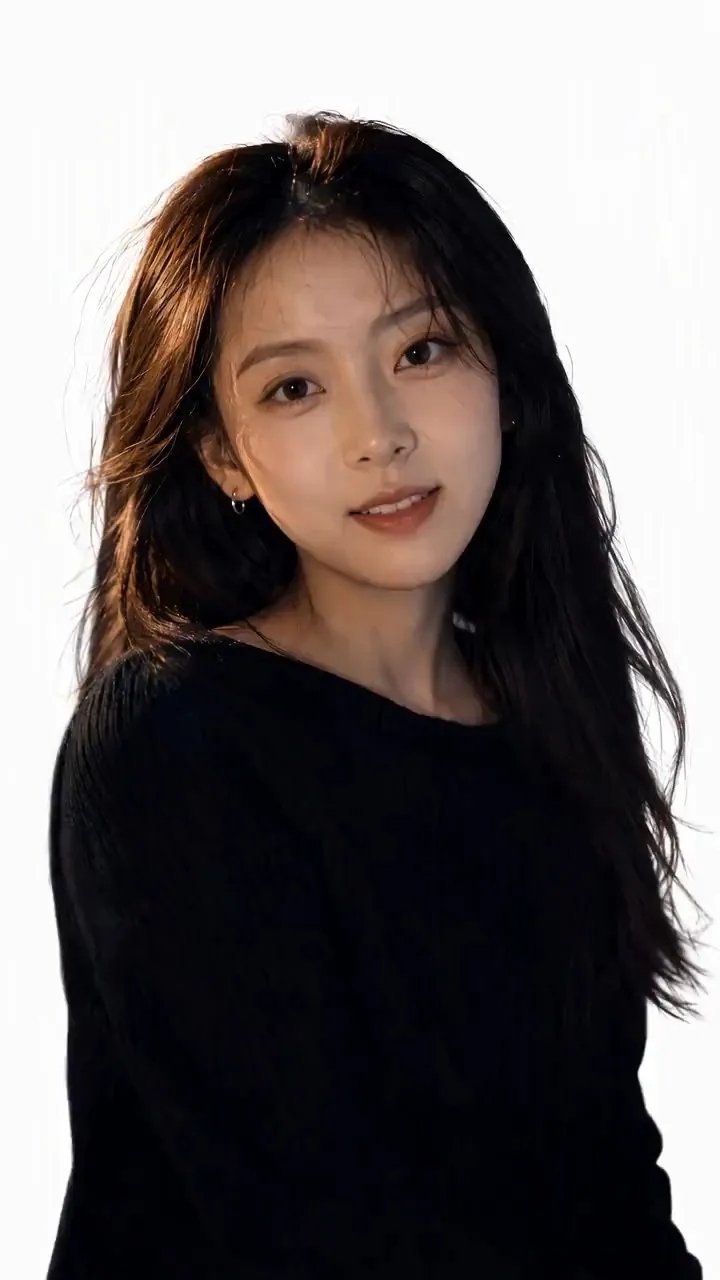
ImagePortrait Light & Shadow Studio
Upload portraits, adjust lighting, poses, and backgrounds to generate window soft-light, night scene, or studio-style portraits. Upload a portrait photo or describe a fictional character to create photographic avatars, personal portraits, and magazine-style portraits. The Skill combines the subject's visible features to arrange poses, lighting, framing, clothing, and environment, ensuring natural hand gestures, grounded body posture, and directional lighting. Three original scenes are ready to use: • Warm Pottery Window: Terracotta and warm wood tones, with a natural medium shot near a studio window. • Rainy Night Set: Warm light in a movie theater porch, cold wet street tones, and expressive gazes. • Coastal Golden Breeze: Sunset rim lighting, sea breeze, and relaxed full-body travel portraits. Professional headshots, solid-color studios, black-and-white portraits, and custom themes are also supported. Uploading a photo preserves primary clothing and accessories by default; to change outfits, backgrounds, or poses, simply specify your request. By default, it generates one 3:4 vertical text-free image per run; you can change the aspect ratio, create a series, or request Chinese, English, or bilingual prompts. Multiple images are generated separately, and after generation, subject recognition, hands, feet, support points, and lighting are verified. You can say: "Use this photo for the rainy night set, keep the hairstyle, and change to a dark jacket." or "Create a mature woman with short curly hair walking naturally in the coastal sunset."
 Video
Video(Trending) Portrait to 3D Map
Turn one portrait and a city or place into a vertical portrait-to-3D-map short video with a memorable visual hook. The skill first arranges the person into a 9:16 opening frame with a white background, while preserving facial features, clothing, pose, and identity as closely as possible. If you specify that the original background, composition, or reference style should be retained, it will follow those requirements. If the photo or place is missing, it will ask you to confirm first. The finished video uses a rotating camera move for a natural transition: the person starts on a white background, then transitions into a 3D city map with dimensional buildings, illuminated road networks, and landmarks, ending on a clear location interface. The video can show English landmark labels, the place name in Chinese, its English name, and country and city information—ideal for travel sharing, personal introductions, city check-ins, and short-video openings. Before generating the video, it shows the required credit cost and waits for confirmation. The default output is an approximately 6-second, 9:16 vertical video. After completion, it checks character consistency, transition smoothness, map depth, and text clarity. When needed, it holds the ending on a readable location interface and saves the editable final video as “Place · Portrait 3D Map Transition.”
 Image
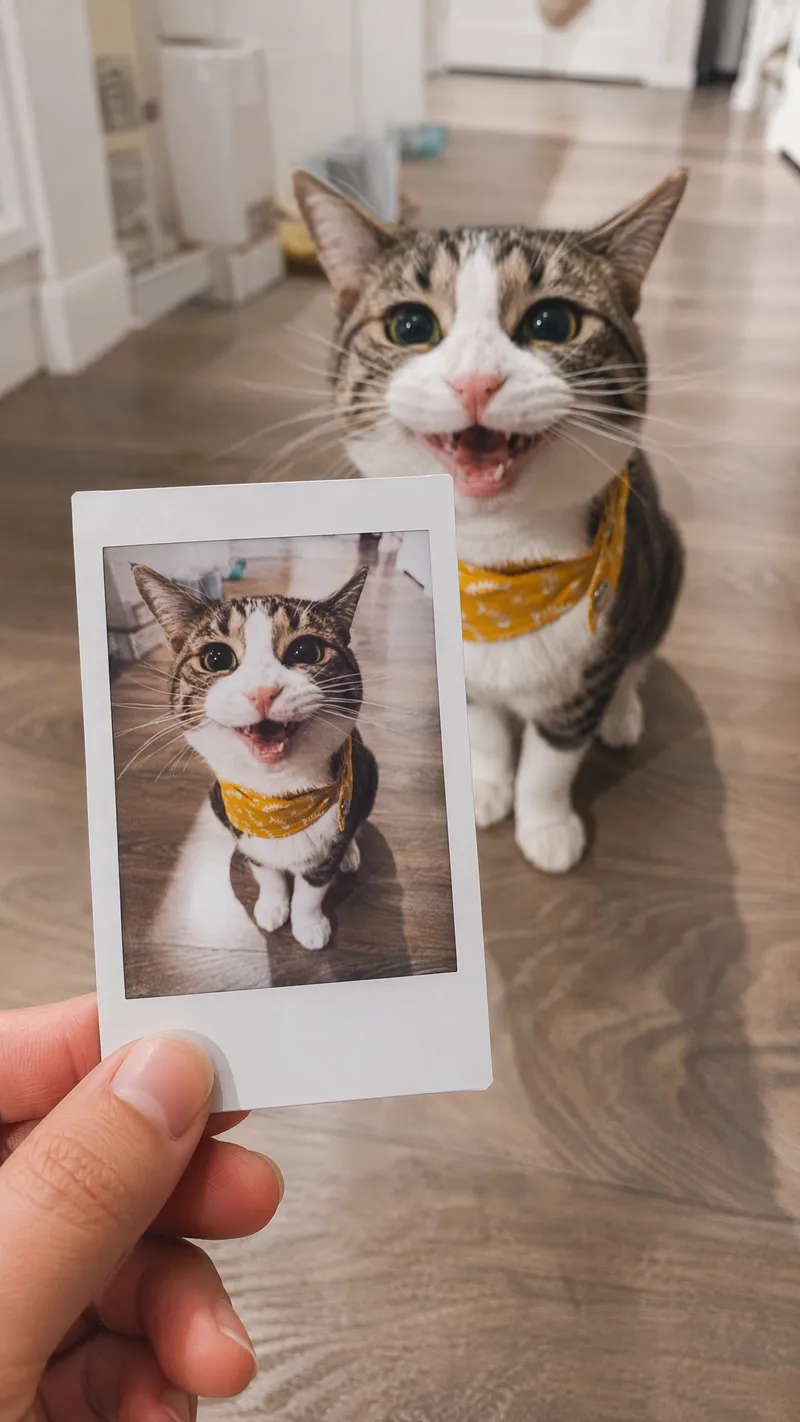
ImageSame-Scene Instant Photo
Turn an image or natural-language scene description into a realistic, natural-looking handheld instant photo: a hand holds a physical white-bordered instant print in the foreground, while the real scene from the same place and moment appears in the background, creating a coherent picture-within-picture effect. Whether the subject is a landscape, urban architecture, person, animal, car, product, or everyday object, the image preserves its key appearance and places it in a plausible real-world setting—not simply pasted into a frame. The results emphasize authentic photographic qualities, including natural perspective, paper texture, contact shadows, hand details, moderate depth of field, and the casual feel of a phone snapshot. Mountains, buildings, people, animals, and other subjects in the instant photo correspond to the background, allowing viewers to directly compare the image inside the print with the real scene outside it. Unnatural elements such as floating cards, digital collages, design lines, and excess text are avoided. The composition automatically adapts to landscape, portrait, or square formats based on the original image or your specified aspect ratio, while keeping the instant photo in your hand aligned with the final image. You can also use natural language to adjust the photo’s position, tilt, size, background clarity, lighting, and overall style. It’s suitable for travel photography, life documentation, and scene images with a convincing realistic illusion.
Information
- Version
- v3
- Last updated
- Runtime credits
- Usage-based
- Models
- Auto
