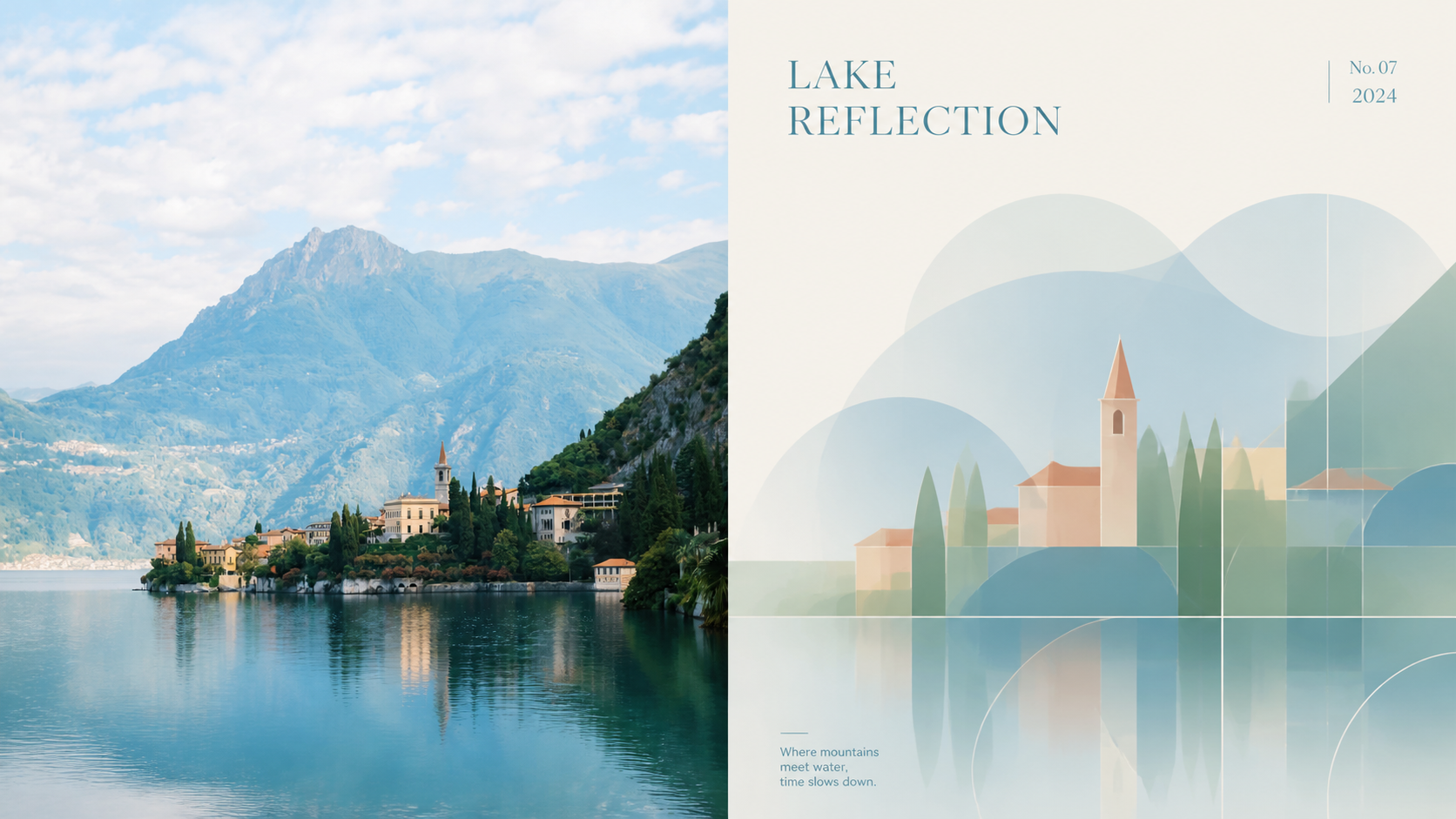
Xiaodong Minimal Frosted P072
Created by Xiaoxiaodong
Xiaodong Minimal Frosted P072
Created by Xiaoxiaodong
Showcase
Description
Panel 072 distills the subject’s most distinctive contours, structure, pose, and relationships into simple geometric forms, flat color blocks, and delicate lines. It then builds a system of translucent frosted-glass windows with regional variation: some areas remain crisp, others are softly focused or layered through. The subject stays instantly recognizable while appearing to float in a quiet, clean near-white space. A small amount of modern editorial typography brings it closer to an architectural poster, art exhibition, or premium brand visual. Ideal for these situations Want frosted glass without a filter-heavy look: Blurring is designed by region and layer, rather than applied evenly across the entire image. Need the subject to remain instantly recognizable after abstraction: Core contours, structure, pose, and narrative relationships remain clear instead of being overwhelmed by decoration. Prefer a modern visual system: Centered balance, positive and negative space, generous whitespace, compositional lines, and restrained typography work together to create a professional sense of order. Need flexible delivery: Supports vertical, horizontal, design-only, multiple aspect ratios, and four-end wallpapers, as well as batch processing for image directories.
Recommended by
Dancang
Why we love this skill
Uses the original design brief as its sole aesthetic authority, with distinct modes for top/bottom, left/right, pure design, and multi-device wallpapers. Supports multiple sizes, batch processing, text control, and per-image review.
Related Skills
View all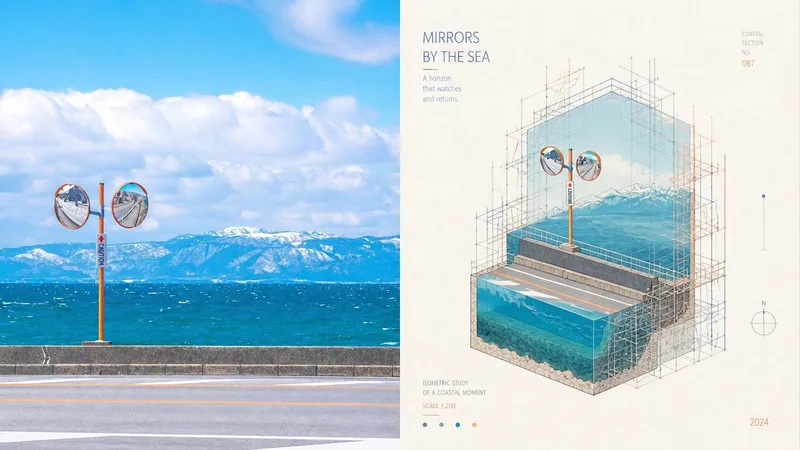 Image
ImageXiaodong x Miniature P073
Ordinary miniature scenes can end up looking like nothing more than cute models; scaffolding is also often treated as decorative lines with no structural role, making the spatial relationships unable to withstand close inspection. Panel 073 compresses the subject into a cutaway isometric miniature architectural landscape, presented through underwater-continental-shelf-like sections and layered space. The detailed scaffolding is not mere decoration: it genuinely wraps around, supports, frames, or intervenes in the subject along its contours, turns, and cutaway sections, making the image feel like an architectural study in progress—being constructed, repaired, surveyed, or displayed. White textured paper, vivid and transparent colors from the source image, and restrained editorial annotations give the finished work both the precision of an architectural diagram and the lightness of an art poster. Suitable for these situations Need accurate isometric and cutaway space: Views, layers, and sectional relationships remain clear without using incorrect perspective to create a false sense of depth. Want scaffolding with real logic: Horizontal and vertical components, along with connecting nodes, serve to wrap, support, repair, or survey the structure. Like architectural research posters: Miniature models, fine-line diagrams, white textured paper, and restrained annotations create the order of an exhibition catalog. Need flexible delivery: Supports top-and-bottom, left-and-right, standalone designs, multiple aspect ratios, and four-edge wallpapers, and can also process image directories in batches.
 Image
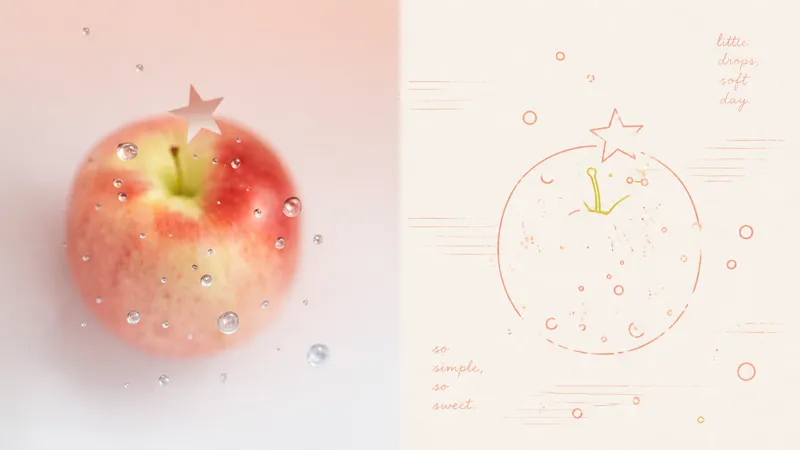
Imagexiaoxiaodong x Line P081
Panel 081 uses a near-uniform-width monoline system to compress subjects, contours, poses, and relationships into a small set of memorable symbols. Open contours, broken edges, subtle jitter, and misalignment remove the mechanical vector feel; 2–4 colored lines extracted from the original image encode information directly, establishing foreground and background through line density, brightness, and spot-color hierarchy. Grain, registration shifts, and uneven inking create the authentic warmth of a commemorative print. Good for these situations Want to turn photos into a personal keepsake album: Use a few colored monolines to preserve the details in people, places, objects, and relationships that are truly worth remembering. Dislike the cartoon look of black outlines: Let 2–4 spot-color lines derived from the original image handle contours, structure, and information hierarchy directly. Need negative space and editorial order: Use open contours, layered line density, and asymmetric layouts to bring air, distance, and emotion into the image. Need flexible delivery: Supports top-and-bottom, side-by-side, design-only, multi-ratio, and four-edge wallpapers, and can also process image directories in batches.
 Image
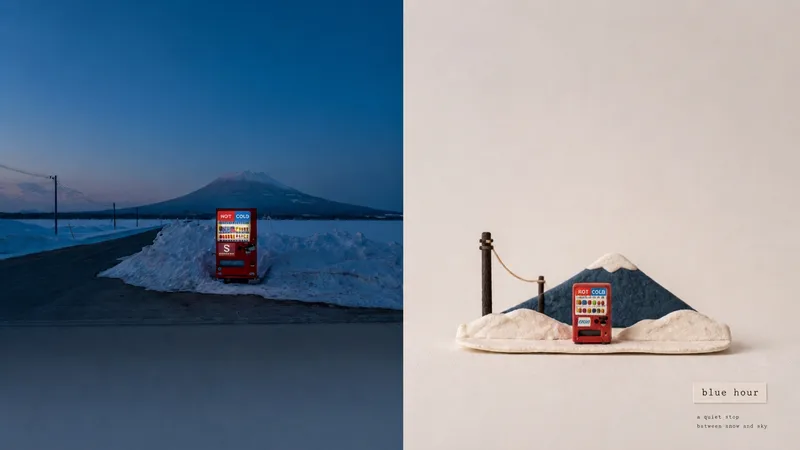
Imagexiaoxiaodong x Model x Photo x P085
Panel 085 reduces a photo’s subject, material relationships, and narrative structure into a collectible handmade stage occupying roughly the lower 20%–30% of the image. Clay, felt, hand-cut paper, string, cardboard, and a small amount of matte material come together to build a miniature diorama that is instantly recognizable. Fingerprints, fibers, paper thickness, hand-cut edges, string bends, and seams are all preserved, while generous negative space keeps the materials and subject as the sole focus. Ideal for Turning complex photos into collectible miniature stages: Keep only the subject’s identity, material relationships, and essential environment, letting the miniature diorama carry the complete narrative. Valuing an authentic handmade feel: Make clay fingerprints, felt fibers, hand-cut edges, string bends, and cardboard seams part of the visible visual language. Creating a refined look with a small subject and generous negative space: Keep the subject to roughly 20%–30%, using matte materials, a light background, and a few accent colors to establish focus. Needing flexible delivery: Supports top-and-bottom, left-and-right, pure design, multiple aspect ratios, and four-sided wallpapers, and can also process image directories in batches.
Information
- Version
- v4
- Last updated
- Runtime credits
- Usage-based
- Models
- Auto
