
App Feature Infographic Generator
Create vertical feature posters with callouts
App Feature Infographic Generator
Create vertical feature posters with callouts
Showcase
Description
Enter a product or app name, interface name, title, and key features to highlight to instantly generate a vertical, flat-illustration-style feature explainer infographic. It features a centered phone with a schematic screen, two rows of white pill-shaped callout cards with colorful icon badges and blue thin leader lines, a top title and subtitle banner, and a bottom brush slogan. It uses a default fixed layout and brand blue primary color, while copy, callout items, color schemes, and aspect ratios can all be fine-tuned. It directly generates the image using the best image generation model.
Best for
Ideal for content creators and product marketers who need to organize product or app features into easy-to-read visual posters.
How to use this Skill
Provide your input
Provide the product or app name, interface name, title, subtitle, and key features to highlight. You can also specify the primary color, aspect ratio, slogan, and copy tweaks.
Run the Skill
Organizes the features into left and right callout structures, generating a centered phone schematic interface, leader lines, a title area, and a slogan area with a unified flat illustration style.
Review your result
Get a vertical feature explainer infographic featuring a phone interface, feature callout cards, colored icons, connecting leader lines, and top and bottom text areas.
Related Skills
View all Image
ImageHand-Drawn Infographic Collage
Enter a topic or a piece of educational copy to generate a vertical infographic in a hand-drawn collage notebook style, featuring large brushstroke titles, macaron-colored torn-paper sticky notes, clear handwritten text hierarchy, and cartoon characters with white sticker-style outlines that match the content. Ideal for long-form Xiaohongshu educational graphics about insurance, health, work, and general knowledge. The process runs in two steps: first, it produces a layout script and image-generation prompt for your review; then it generates the final image and performs a quality check.
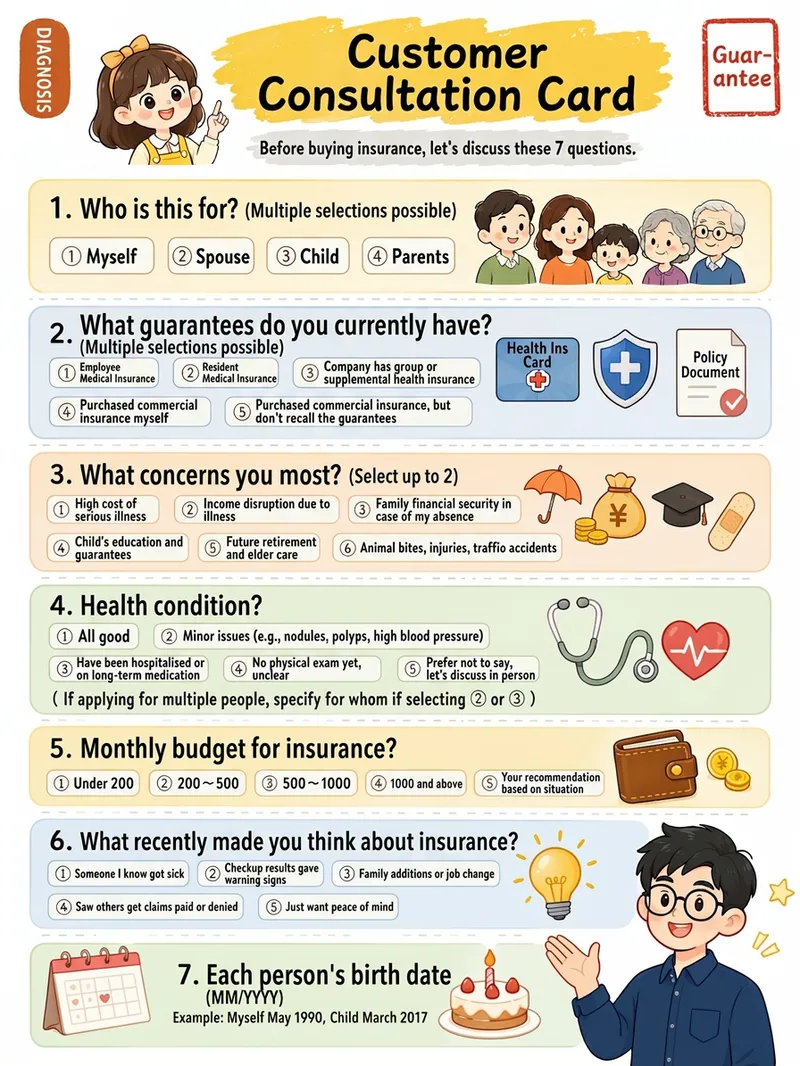
Xiaohongshu Hand-Drawn Infographics
Provide a complete piece of copy, choose the number of images and an aspect ratio (3:4 / 1:1 / 16:9), and generate Xiaohongshu infographics in a “hand-drawn knowledge card” style. The Skill includes a consistent visual system: bright, translucent pure-white paper texture with fine fibers, minimal speckling, and a clean, airy feel; bright yellow hand-drawn brush lettering for main titles; a gray brush-stroke subtitle band; a red stamp in the upper-right corner; a vertical capsule-shaped color label in the upper-left corner; colorful rounded module panels; and newly designed flat vector hand-drawn cartoon characters, along with a rich variety of icons and charts. During processing, it first organizes a “typesetting copy draft” that preserves the full text word for word for your confirmation. Once confirmed, it generates the images. Each module includes an icon or chart, keeping the visuals clear and readable while adding artistic character.
 Image
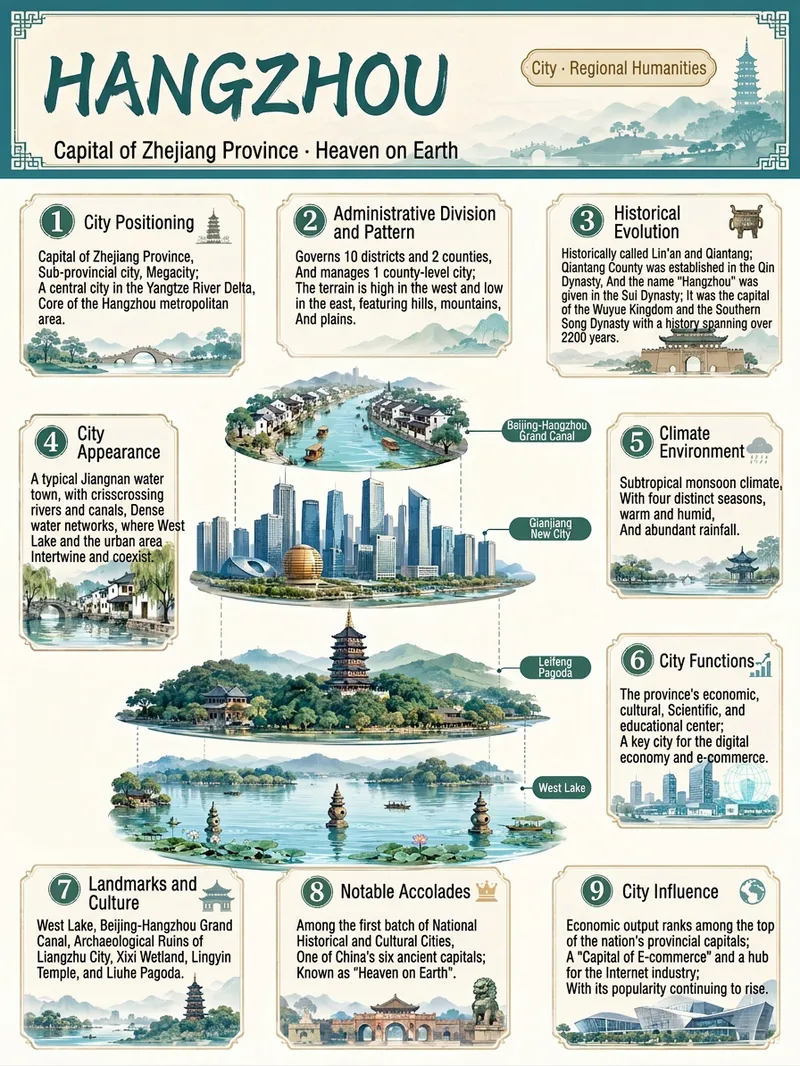
ImageEverything Infographic Maker
Enter an object name to generate a vertical Chinese nine-panel object breakdown infographic for topics including organisms, machinery, plants, celestial bodies, vehicles, buildings, food, and more. Even with only an object name, the skill identifies suitable category labels, visual expression, and information priorities based on the object's features, using a vertical layout and Chinese by default. The design includes a title label at the top, a centered exploded, layered, or cutaway-style subject, and nine information modules arranged around it. These help readers quickly understand the object through its classification, structure, principles, environment, functions, related things, unique features, and relationship to humans. Different categories are matched with corresponding stable themes to maintain a consistent, readable educational layout. Before generation, key facts such as scientific names, numbers, and parameters are checked. The content is condensed into clear Chinese copy, then paired with an illustration or engineering diagram style suited to the object type to create an infographic with legible text and an orderly layout. You can also specify the audience, purpose, visual style, language, or aspect ratio to better fit presentation, teaching, and educational communication scenarios.
Information
- Version
- v3
- Last updated
- Runtime credits
- Usage-based
- Models
- Auto
- Use cases
- Images & designLearning & educationMarketing & growth
- What you get
- Image
- Visual styles
- Flat
