Image to PDF Merger
Combine multiple photos into one document
Image to PDF Merger
Combine multiple photos into one document
Showcase
Description
Submitting dozens of separate invoice images for reimbursement, homework photos, or portfolio pages is frustrating for everyone. The Image to PDF Merger combines scattered images into a single, well-ordered PDF. You can sort pages, add page numbers, control page sizes, auto-straighten and remove shadows from scans, and compress the output file so it is easy to share.
Best for
Ideal for anyone who needs to organize invoices, assignment photos, scans, or portfolios for submission.
How to use this Skill
Provide your input
Upload the images to merge and state their purpose. You can also specify the order, page numbering, layout style, and file size limits.
Run the Skill
Organizes the images in the requested order, corrects scans if needed, adjusts the layout, adds page numbers, and compresses the file before verifying the page count and order.
Review your result
Receive a shareable PDF complete with the page count, file size, processing notes, and a thumbnail overview of each page.
Related Skills
View all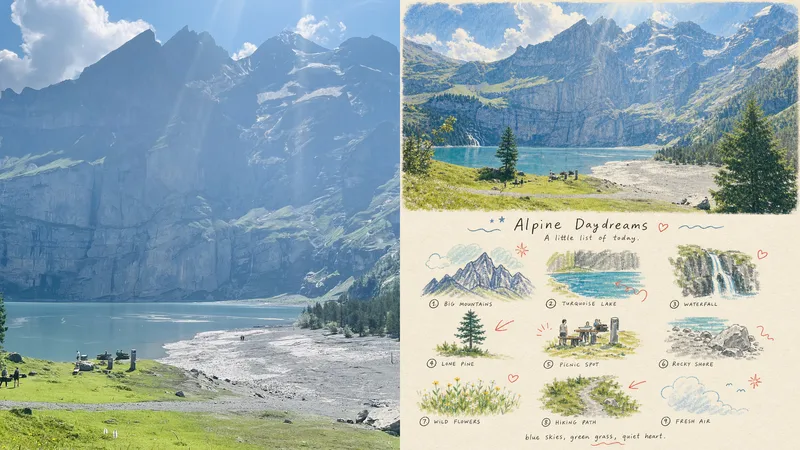 Image
xiaoxiaodong P101 | Memory Grid
Panel 101 is for people who want to preserve the mood, objects, and small details in a photo without creating an ordinary realistic reproduction. It distills the same scene into nine memory units arranged in a loose nine-grid layout, using childlike hand-drawn doodles, crayon, and colored-pencil textures to create a personal visual memory book page. Suitable for these situations A photo contains too many details worth remembering: Organize the subject, actions, personal objects, and emotional symbols into nine related memory units. A standard photo reproduction feels impersonal: Use slightly wobbly hand-drawn lines, crayon, and colored-pencil textures to make the image feel like a page from a real personal journal. The grid tends to look too orderly or too cluttered: Use an underlying 3×3 structure to control the layout while allowing icons to shift slightly, preserving a relaxed sense of space and rhythm. Flexible delivery is needed: Supports vertical, horizontal, design-only, multiple aspect ratios, and four-sided wallpapers, as well as batch processing for image directories. Quick start Send an image to the Agent and say: Use XXD Panel 101 to process this image. First recommend the most suitable composition and dimensions.
 Image
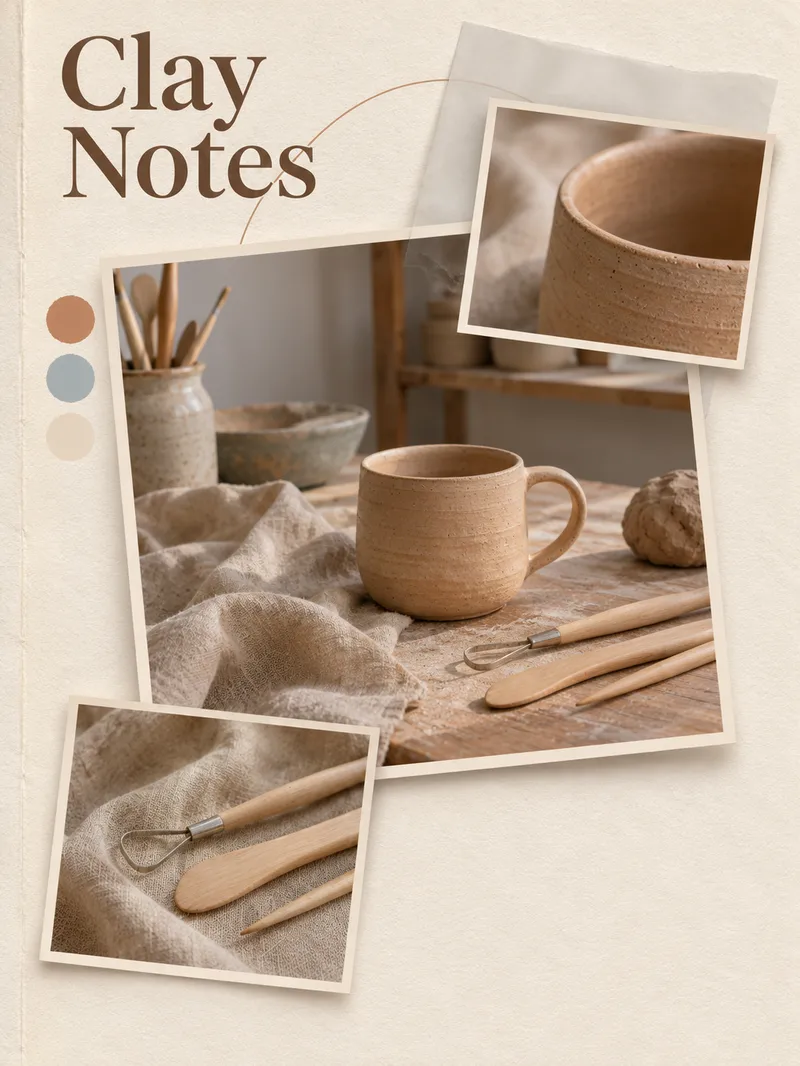
Photo Print Journal
Ideal for creators who need journal-style companion images for reading, pets, still lifes, or scene themes. Provide a text theme or authorized photos, a crop range, a short title, a color scheme, and an intended use; unconfirmed dates, locations, or experiences will not be fabricated. The Skill first arranges one main image and two visible details to create a single-page three-print layout: warm white cotton paper, binding creases, offset white-bordered prints, and soft shadows, paired with a touch of tracing paper, fine curved lines, and thematic color swatches. After generating via the current image tool, it verifies the print count, subjects and props, title, and cropping, then delivers the actual poster, title, and inspection notes, with prompts provided on demand. Usage: Describe the theme and what the three prints should display, or upload authorized photos and specify elements to keep. Review the results and request edits by specific section. Photo mode organizes content based solely on readable details and does not invent new events beyond the photos. Four showcases represent fictional AI examples generated locally following the final skill workflow for November 12, 2026: Garden Reading, Coast and Straw Hat, Ginger Cat Afternoon, and Pottery Desktop; these are not real photographs, actual trips, or client projects. All four examples feature the three-print hierarchy of one main image and two details. Some color swatches are circular rather than rough small squares, and hands, print margins, and detail textures still vary. The avatar reference was generated separately from the reading example to show the actual layout direction with a large Chinese title, not as a fifth independent example. This version is an independently designed single-page three-print method that does not copy or distribute third-party photos, prompts, specific consecutive slice layouts, or attributions. GPT is recommended for text planning, and image generation depends on available image generation or editing tools. Local use relies on built-in image_gen; because the tool does not return a specific model ID, no binding to Image2 is claimed. Photo editing and YouMind operation have not been empirically tested, so identity, product structure, text, or cross-image consistency cannot be guaranteed. If image tools are unavailable, it will clearly state that image creation is incomplete. The 299 credits are the skill installation price and do not include platform model or third-party service fees; PSD or vector source files are not delivered, and automatic publishing or purchasing is not supported.
 Image
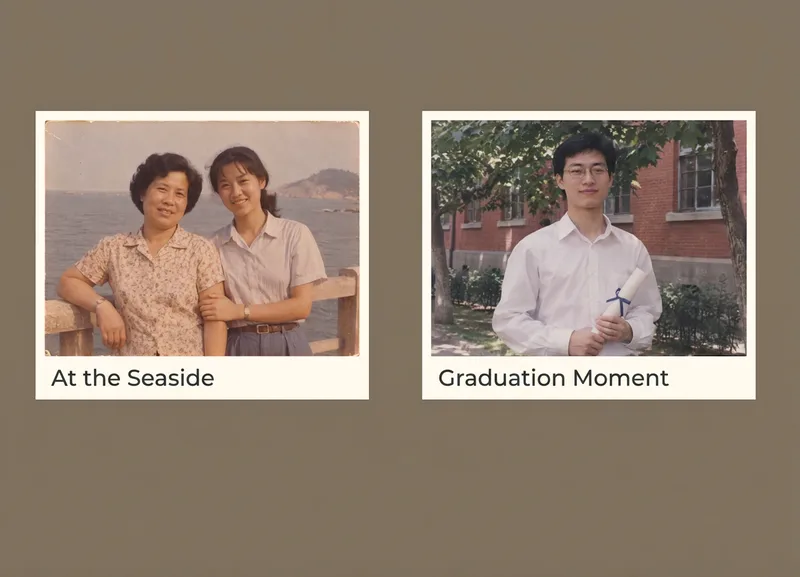
Album Photo Splitter
Crops and straightens multiple photos from a single captured image, preserving photo borders and delivering individual pictures.
Information
- Version
- v2
- Last updated
- Runtime credits
- Usage-based
- Models
- Auto
- What you get
- DocumentImage
