
Multi-Sheet Consolidator 多表整合助手
from Excel, CSV, PNG, JPG, screenshots, or scanned PDFs
Multi-Sheet Consolidator 多表整合助手
from Excel, CSV, PNG, JPG, screenshots, or scanned PDFs
Showcase
Description
Combine records from Excel workbooks, CSV files, table screenshots, photos, PNGs, JPGs, and scanned PDF pages into one reliable master table. This skill extracts readable tables from images and documents while preserving important details such as leading zeros, dates, currencies, units, signs, and blank values. Unclear or clipped information is kept visible for review rather than silently guessed. Use an existing master workbook or target column list when available, or let the source tables guide the structure. Similar records are appended, complementary details are merged only when a clear identifying key supports the match, and duplicate or conflicting values are handled transparently. Names remain descriptive fields instead of being used as the sole basis for identity, helping protect against accidental merges. The result includes consolidated data with source references and a dedicated Needs Review record for ambiguous matches, disputed fields, missing identifiers, unclear categories, or unreadable values. When spreadsheet export is supported, you receive a downloadable XLSX file with the master table and review information while preserving compatible workbook features. If XLSX creation is unavailable, the skill provides CSV output instead and reports the delivered format, final record count, and items needing attention.
Related Skills
View all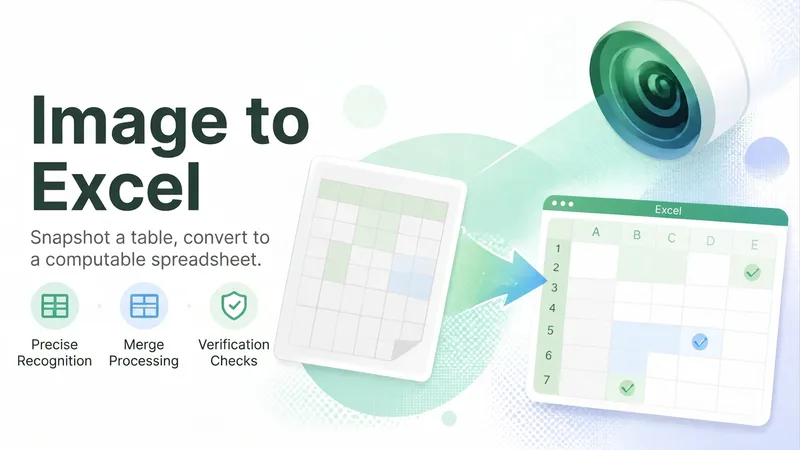
Image Table to Excel
Paper tables, tables in screenshots, or tables in PDFs usually mean manual retyping. Image Table to Excel recognizes headers, merged cells, and units, outputting a table you can paste directly into Excel while marking cells that need review. Hard rules: raw data is not modified; amounts and dates prompt for cell-by-cell verification; merged cell handling is explained.
 Research
Automated Quote Comparison
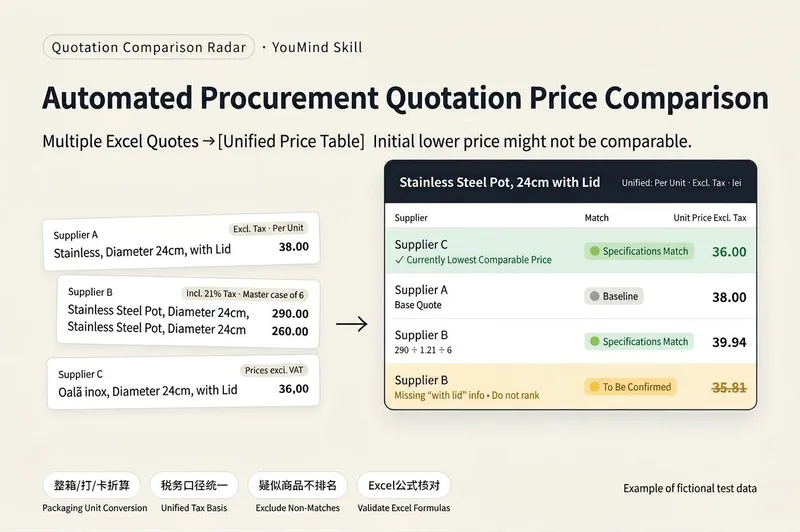
# Automated Quote Comparison | Quote Comparison Radar **Compare multiple supplier quotes in one table: only matching specifications are ranked, suspected matches require confirmation, and unit prices are calculated with Excel formulas.** ## Still comparing supplier quotes manually? If you run a wholesale business, stock a store, or handle purchasing, you may often encounter these issues: - Supplier A quotes by the case, supplier B by the dozen, and supplier C by the individual item. - Some prices include tax while others do not, making direct comparisons error-prone. - The same product may have different names and may mix Chinese, foreign-language text, and different decimal formats. - Products that look identical may differ in capacity, dimensions, material, or model. - Quote sheets may contain dozens or even hundreds of rows. Organizing them manually takes time and makes it easy to miss lines. **Quote Comparison Radar organizes multiple supplier Excel quotes into one standardized comparison table that you can check row by row.** The focus is not just on comparing prices, but first determining whether the product specifications are comparable. ## Core features **① Three-level product specification matching** 🟢 Matching specifications: Key specifications meet the requirements and can be included in the price comparison. 🟡 Needs confirmation: Key information is missing or the specifications require further confirmation. The item is temporarily excluded from the lowest-price ranking. 🔴 Conflicting specifications: Key attributes such as dimensions, capacity, or material are clearly different. The item is excluded from the lowest-price ranking for that product. This prevents a lower-priced product with different specifications from being treated as the best quote. **② Automatic packaging quantity conversion** Supports cases, dozens, cards, and multi-level packaging, such as “20 packs × 10 pieces.” Automatically organizes package quantities and pricing units while distinguishing product specifications from minimum order quantities, so quotes for different quantities are not compared directly. **③ Standardized tax-inclusive and tax-exclusive prices** When tax information is clearly provided in the quote, tax-inclusive prices are converted to tax-exclusive prices for a consistent comparison basis. Foreign-currency quotes are marked separately. Exchange rates are not converted automatically, and these quotes are not included in the lowest-price ranking. **④ Tiered pricing support** Tiered prices for different purchase quantities are listed separately. By default, only the starting quantity tier is used for comparison. **⑤ Excel formula calculations for row-by-row checking** Unit prices in the output are calculated with Excel formulas rather than estimated directly by AI. Each row retains the source file and original product number, making it easier to verify product descriptions, package quantities, tax rates, and prices. **⑥ Missing-row prevention and batch processing for large files** At the beginning, the Skill reports the number of rows identified in each file. After output is complete, it performs an item-by-item check and attempts to restore any missing rows. When there are more than 40 rows, the output is automatically split into batches. Reply “Continue” to get the next batch; row numbers remain continuous. **⑦ Supplementary confirmation for suspected products** For example, reply: “B-04 is transparent.” The Skill updates the corresponding entry based on the additional information, so you do not need to reorganize all quotes from scratch. ## How to use **Step 1: Upload at least two supplier Excel quote sheets.** Files are sorted by filename, and the first file becomes the reference supplier. To specify the reference supplier, add `1_` to the beginning of its filename. **Step 2: Wait for product matching and the comparison table.** If the quote contains more than 40 rows, reply “Continue” as prompted until the entire output is complete. **Step 3: Copy the results to Excel.** Paste each batch into Excel cell A1 in order so Excel can calculate the formula results. **Step 4: Filter for the lowest quotes.** Filter for 「参与排名=是」, group by product, and sort 「未税单价」 from low to high to find the currently lowest comparable quote for each group. **Step 5: Manually verify and confirm suspected products.** Add specification information for 🟡 entries, then ask the Skill to update the corresponding rows. ## Internal test results The final version was tested using self-created fictional quote data: - 4 suppliers and 156 quote rows in total. - The test included case packaging, tax-inclusive quotes, multiple worksheets, Romanian product names, comma decimals, euro quotes, tiered pricing, and entries without prices. - The final version output all 156 rows. - 0 incorrectly matched items entered the lowest-price ranking. - The lowest-price conclusions for all 50 product groups were correct. - After the output was pasted into Excel, no formula errors occurred during testing. These are **test results using fictional internal data**. They are not a real customer case and do not indicate that all real quote sheets will achieve the same accuracy. ## Limitations and notes - Currently supports only Excel quote sheets, not PDFs, images, or WeChat text. - Compares product unit prices only; shipping costs, minimum order quantities, and payment terms are not included in the price comparison. - 🟢 means the provided key specifications match. It does not guarantee the same brand, model, or completely identical product. - Foreign-currency quotes are not automatically converted using exchange rates. - If Excel uses commas as decimal separators, such as `12,50`, mention this when uploading. - Entries missing required tax rates, pricing units, or packaging information must be confirmed before they can be used for a valid comparison. - The Skill does not directly provide a final purchasing decision. You need to filter, sort, and verify the lowest quotes in Excel. - Before purchasing, manually verify key product specifications and supplier quotes. ## Price and credit usage **Launch price: 1,980 credits.** In an internal test with quotes from 4 suppliers and approximately 150 rows, the run used about 224 credits. Actual credit usage depends on the number of files, number of product rows, batch output, and the number of follow-up confirmations. 224 credits is not a fixed fee. ## Who is it for? - Retail store owners who frequently purchase from multiple suppliers - Wholesalers and small trading companies - People responsible for product purchasing and supplier quote requests - Business operators who need to organize multiple Excel quote sheets **Confirm that specifications are comparable before comparing prices.** A price that looks cheaper may not be directly comparable.
Data Cleaning & Prep Expert
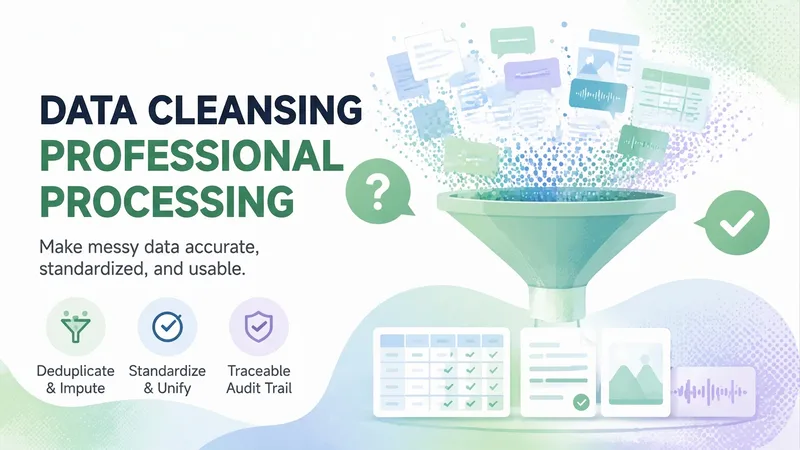
Data cleaning and organization skill for structured tables and unstructured text, images, and audio. Use when you need to clean data, fix messy spreadsheets, remove duplicates, fill missing values, standardize formats, flatten multi-level headers or cross-tabulations, merge sheets, process survey exports, organize ledgers, run data quality health checks, resolve pivot table mismatches, fix zero sums or numbers stored as text, handle mixed full-width/half-width characters, fix GBK encoding errors, convert wide-to-long tables, split multi-select columns, handle merged cells, reconcile mismatched keys, unify field definitions, standardize tables, or write cleaning steps and formulas. Also covers unstructured scenarios such as cleaning chat logs or interview transcripts, deduplicating and desensitizing text, removing phone numbers and ID cards from materials, checking image libraries, finding duplicate photos, cleaning EXIF privacy and location data, organizing recordings, and auditing audio archives. Covers the full workflow of structural diagnosis, tidy reconstruction, cleaning decisions and execution, conservation verification, and audit trail delivery for Excel, CSV, and TSV files (delivering a clean sheet, backup, log, and exclusion details). For unstructured data, delivers health reports and decision lists, while text workflows execute deduplication and desensitization with dual conservation checks for row and character counts. Ideal for Chinese practical scenarios in government, industrial parks, enterprise ledgers, survey exports, business reports, chat or transcription corpora, and image/audio asset libraries. Not suitable for machine learning feature engineering (missing value imputation serves analysis rather than modeling), and does not perform audio transcription or noise reduction.
Information
- Version
- v3
- Last updated
- Runtime credits
- Usage-based
- Models
- Auto
