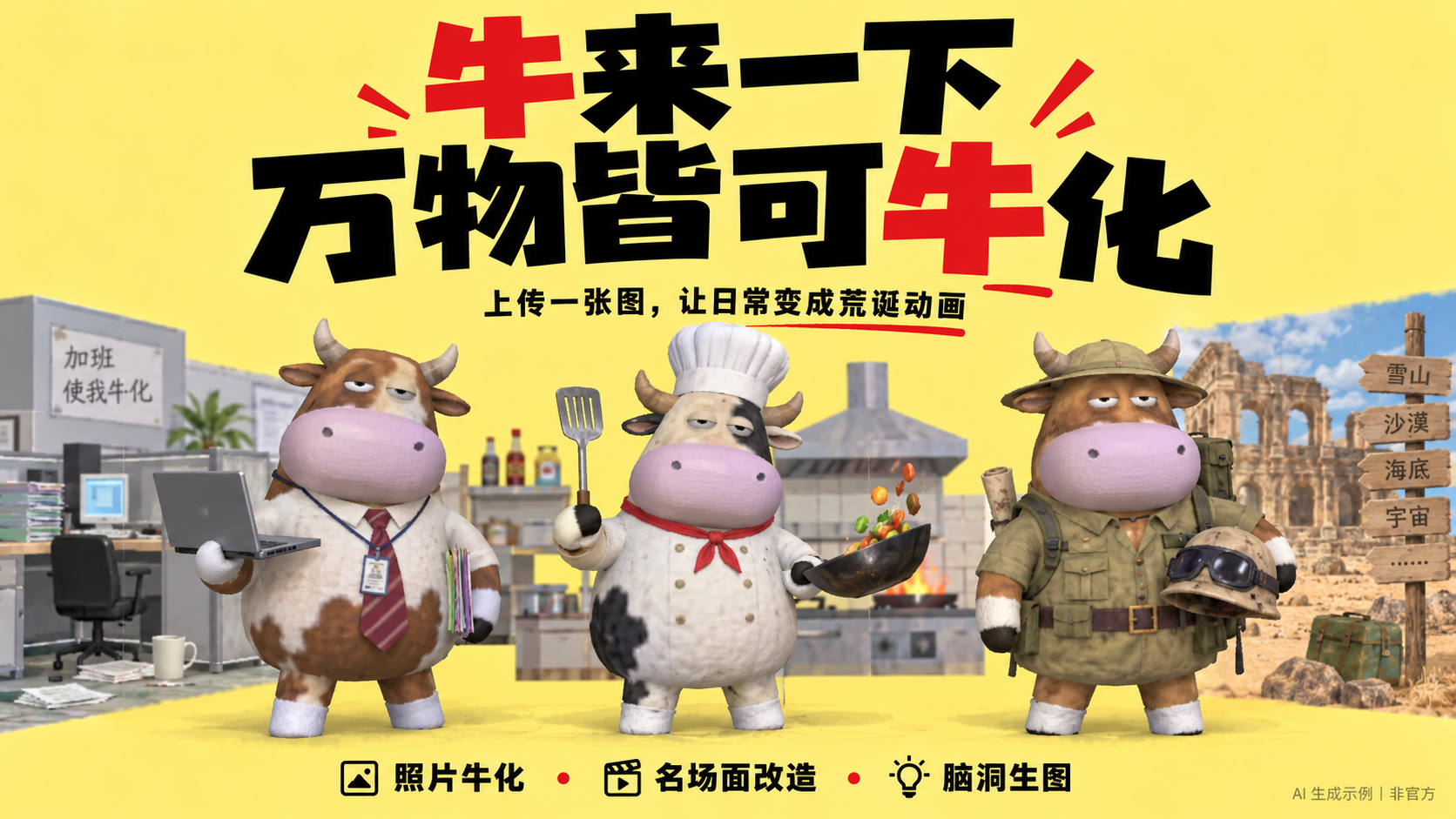
niulai-style-image
Turn photos or scenes into Niulai 3D animation.
niulai-style-image
Turn photos or scenes into Niulai 3D animation.
Showcase
Description
Upload a picture or describe a scene you want to see, and discover just how absurd it can get. What would your life look like if it were filmed as Niulai? Upload photos, film stills, or describe an imaginative scene to transform people into expressive upright ox characters with large heads, inflated-looking bodies, vacant little gazes, rough textures, and simple sets that grow on you. Preserve the original character count, positioning, poses, and key props so that group dinners, daily work life, and classic memorable scenes all turn into absurd animal animations. Don't want to turn into an ox? You can also keep the original species and only convert the art style. Transform photos, film stills, or new scene descriptions into the observed visual grammar of the 2026 animated film 《牛来》. Use when the user asks for Niulai style, Niulai feature film style, rough low-poly animal 3D, converting live-action footage into Niulai-style animation, or requests iterative comparison against 《牛来》 references. Default to the rough film-3D mode; use the separate ink-poster mode only when the user explicitly asks for the movie poster look.
Best for
Content creators and general users looking to transform photos, film scenes, or imaginative ideas into absurd animal 3D animation images.
How to use this Skill
Provide your input
Upload a photo, film still, or describe a new scene; you can also specify whether to keep the original subject or transform it into an upright ox character.
Run the Skill
Transforms the image into a rough, low-poly, absurd animal 3D animation style while preserving the person count, positioning, poses, clothing colors, and key props.
Review your result
Receive a completed stylized animated scene image.
Related Skills
View allNiu Lai-Style Illustrations
Generate a finished original single illustration or poster directly, with people, animals, objects, or fantastical subjects selected automatically based on your theme. For scenes with multiple subjects, use different anthropomorphic animal characters while maintaining an abstract, low-detail 3D style, coarse-grain textures, and an absurd, dreamlike atmosphere.
 Image
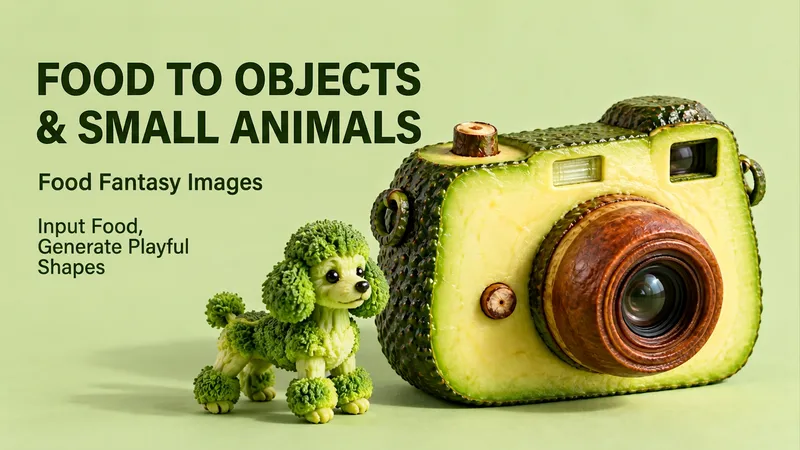
Food to Objects & Animals
Enter a food item and transform it into a camera, desk lamp, or small animal while preserving the authentic texture of the ingredients. By providing a food, you can turn familiar flavors into unexpected objects. The real textures of peels, flesh, seeds, flower heads, and breadcrumbs are preserved to reconstruct objects or animals, making the food instantly recognizable alongside the creative concept. You can simply enter "strawberry" to let it automatically match ideas, specify "strawberry turned into a desk lamp" or "toast turned into a suitcase," or upload a food photo as an appearance reference. If you like a food, you can also continue by saying "give me another idea" to explore different transformations. By default, it directly generates a 3:4 vertical, text-free, clean-background realistic creative image. It supports adjustments to color, aspect ratio, style, and target object, making it great for fun illustrations, social media covers, creative exercises, and food visual inspiration. Multiple themes will generate separate images.
 Image
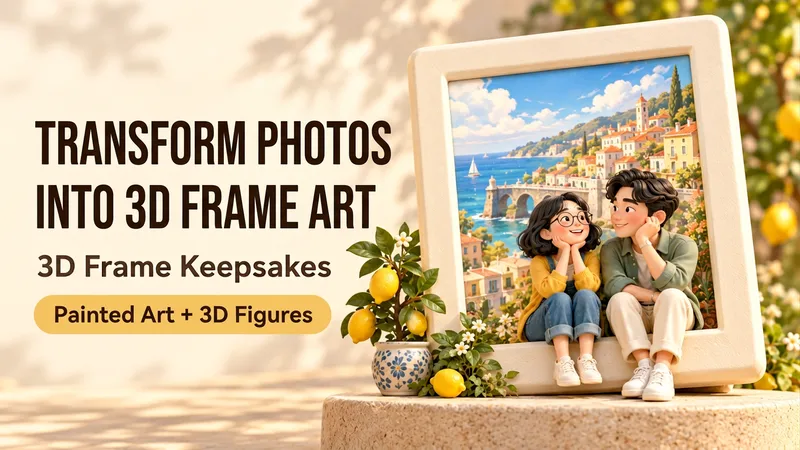
3D Framed Poster Creator
Upload a portrait, group photo, or pet photo, or describe a set of fictional characters to create a keepsake poster featuring illustrated memories inside frames interacting with 3D miniature doubles outside. Characters can sit on the frame edge, lean against it, or hand over a flower from the base, turning everyday memories into warm collectibles. Perfect for couples, families, friends, solo moments, and beloved pets across two or three frames with consistent hairstyles, glasses, clothing colors, and pet markings. Customize cream ceramics, colorful rounded frames, soft lighting, and small story props. Three new creation examples include Seaside Diary, Rainy Day Moments, and Pet Window View. By default, it generates one text-free 3:4 vertical image, with options to adjust the scene, aspect ratio, material, quantity, and short bilingual titles. Supports both Chinese and English. Try: "Use this group photo to make a two-frame poster, keeping glasses and hairstyles. One miniature sits on the edge, one leans against the frame, no text." Let your favorite memories step beyond the frame. Upload a portrait, group photo or pet photo—or describe fictional characters—to create a keepsake poster with illustrated memories inside chunky frames and miniature 3D doubles sitting, leaning or playing outside them. Made for couples, families, friends, solo memories and beloved pets. Two or three framed scenes share recognizable hairstyles, glasses, clothing colors and pet markings. Customize the frame shapes, ceramic colors, stories, props and warm studio light. Explore three newly created themes: Seaside Days, Little Days Together and A Window with You. Default delivery is one text-free 3:4 portrait image. Supports Chinese and English requests, optional titles in either language, matching language editions and prompt-only output. Try: “Use this couple photo. Keep our glasses and hairstyles. Two frames: a seaside walk and a balcony garden. One double sits on a rail; the other leans beside the frame. No text.” The work shows newly AI-created fictional characters, not verified customer photo transformations. Full image generation inside YouMind has not yet been tested.
Information
- Version
- v3
- Last updated
- Runtime credits
- Usage-based
- Models
- Auto
- Use cases
- Images & designLifestyle & entertainment
- What you get
- Image
- Visual styles
- 3DCartoonSurrealist
