Photo to Clay Film Shot
Turn photos into split-view clay stop-motion film scenes
Photo to Clay Film Shot
Turn photos into split-view clay stop-motion film scenes
Showcase
Description
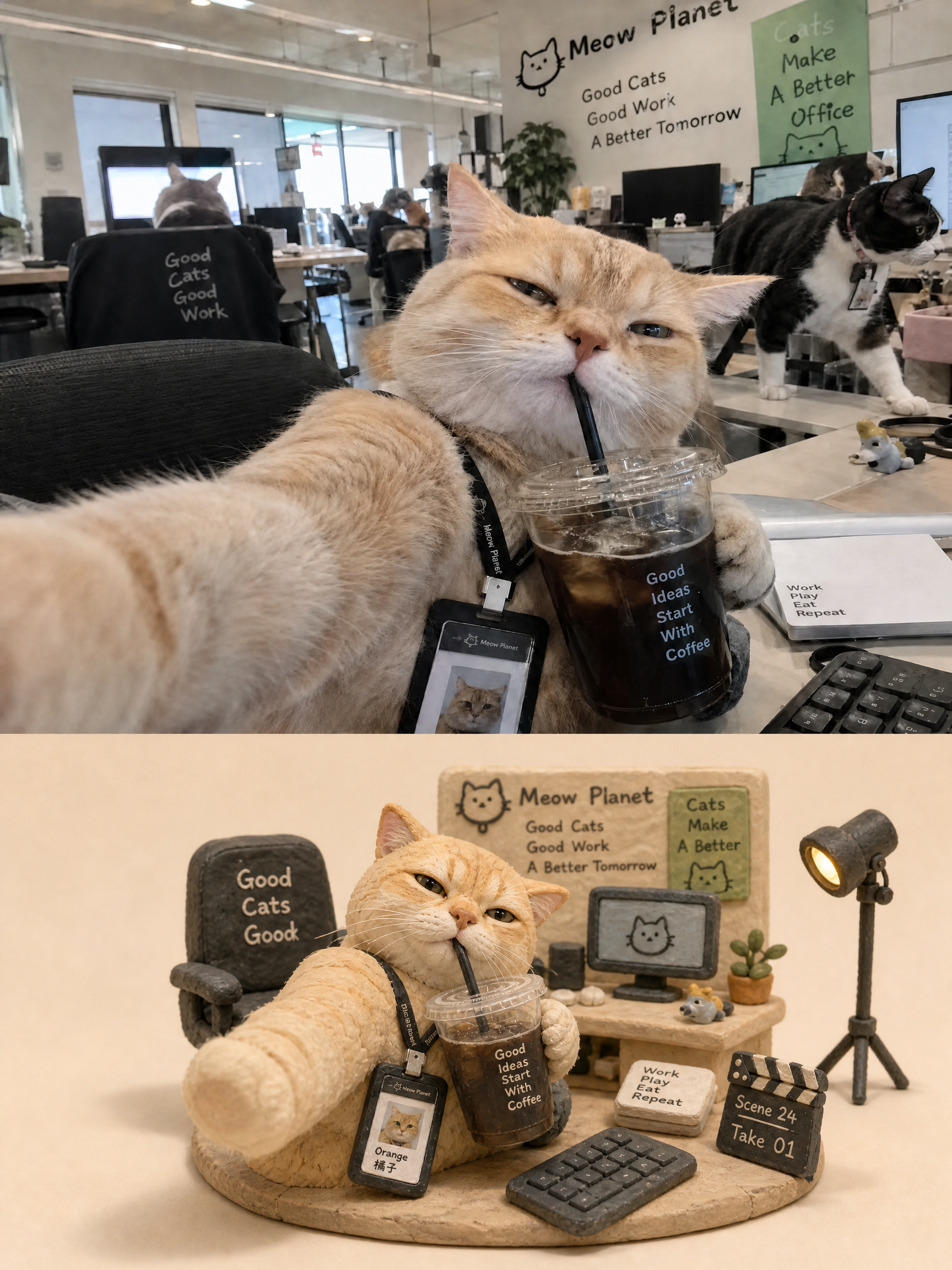
Transform one or more uploaded photos directly into top-bottom comparative clay stop-motion film scenes. Each photo produces an independent final image: the top half retains the people or animals, actions, key objects, framing, and main colors from the original photo; the bottom half recreates the storytelling relationship of that exact moment using rounded, handcrafted clay characters and a miniature film set, rather than simply applying a full-bleed clay filter. The bottom frame features a complete, scaled-down 3D set with a visible stage base, natural contact shadows, and plenty of negative space to keep the subject clear and the composition relaxed, extracting necessary environmental elements and colors from the original photo. Subtle kneading marks, handmade seams, matte textures, and soft studio lighting work together to create a warm, charming stop-motion animation feel. In suitable scenes, behind-the-scenes details such as a small clapperboard or studio light can also be added. The default output is a 3:4 vertical format with the top and bottom halves taking up roughly equal space and connecting directly. You can also specify other aspect ratios, compositions, clay styles, or behind-the-scenes prop preferences. Please provide clear photos; unrecognizable details in the original image will not be fabricated, and pixel-level replication is not guaranteed.
Recommended by
Dancang
Why we love this skill
Pairs real photos with handmade clay sets in a top-and-bottom layout, preserving subjects, actions, and key objects while recreating narrative feel through independent miniature sets. It goes beyond clay filters to turn each photo into a storyboard-like stop-motion poster.
Best for
Ideal for creators and individuals who want to turn everyday photos into warm and adorable clay stop-motion scenes.
How to use this Skill
Provide your input
Upload one or more clear photos, with optional preferences for aspect ratio, composition, clay style, and behind-the-scenes props.
Run the Skill
Upon submission, the subjects, actions, key objects, and main colors from your photo are transformed into a top-bottom comparative clay stop-motion scene, defaulting to a 3:4 vertical format.
Review your result
Generates an independent top-bottom comparative image for each photo: the top retains the original photo, and the bottom presents a clay miniature set featuring ample negative space, a visible base, and natural shadows.
Related Skills
View all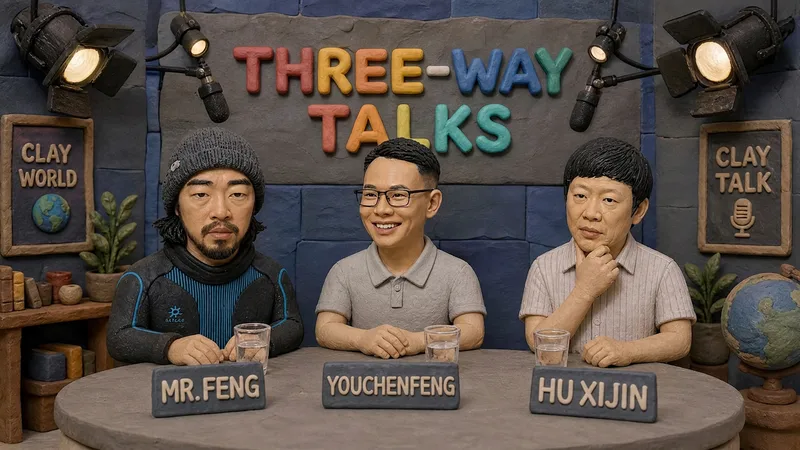 Image
Handmade Clay Image Maker
Turn text descriptions, people, animals, objects, or reference images into handmade clay-style artwork that truly looks molded, pressed, and assembled by hand. Rather than simply applying a clay texture, this style gives characters, scenes, props, buildings, and text the soft, dimensional volume of physical clay, with natural finger presses, hand-shaped edges, kneading marks, and subtle asymmetry for a detailed, matte, warm, and tactile handmade feel. Whether you need clay characters, miniature worlds, art illustrations, posters and ads, product visuals, or clay typography and lettering, the style automatically matches the colors, composition, and spatial depth to the subject. When you upload a photo of a person or animal, it aims to preserve recognizable features such as facial structure, hairstyle, body shape, clothing, and distinctive accessories, then reimagine them as a cohesive clay art figure. When text is requested, it is also integrated into the scene as dimensional clay lettering. You can specify the aspect ratio, color direction, subject pose, scene elements, or strength of the handmade effect, or simply describe the theme you want. The result is a complete clay-style image, along with the mode, colors, composition, and key visual settings used for generation, making it easy to continue refining the result toward a macaron, candy, retro, Japanese low-saturation, earth-tone, or warm storybook direction.
 Image
Shadow Play Photo Poster
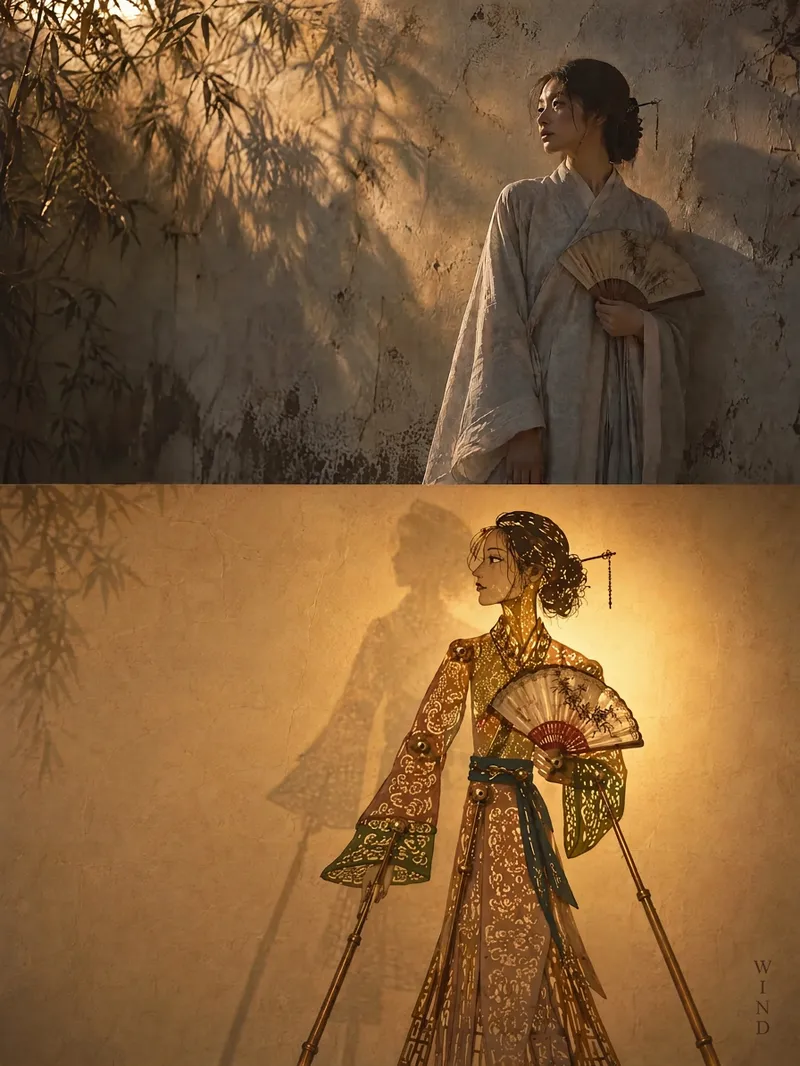
Transform your uploaded photos into an Eastern light-and-shadow poster that blends original memory with the mood of traditional shadow puppetry. Each photo is generated independently without collages. The top half preserves the original subject, posture, details, and realistic texture, while subtly unifying the colors with restrained warm tones and naturally expanding the environment. The bottom half translates the core figure, animal, building, plant, object, or landscape into a traditional Chinese shadow puppet performing on a rice paper screen. The poster extracts the most recognizable silhouettes, actions, handheld items, or structural features, presenting joints, overlapping plates, antique copper rivets, hollowed-out patterns, and subtle translucent color staining in a profiled, flattened style. Warm light shines from behind the puppet, creating a soft halo, paper texture, and slight shadows while maintaining clean negative space to avoid realistic copying, cartoonish looks, or cluttered stage backdrops. The position, volume, and orientation of the puppet adapt to the original composition, echoing the upper subject with a staggered offset. Each final piece includes a short title distilled from the photo's vibe, placed in a corner in small, vertical, handwritten-style text. After generation, the system checks fidelity, split sections, shadow play craftsmanship, lighting, negative space, and text clarity. Multiple photos are delivered one by one in a consistent Eastern shadow play style.
 Image
Viral Comic Selfie
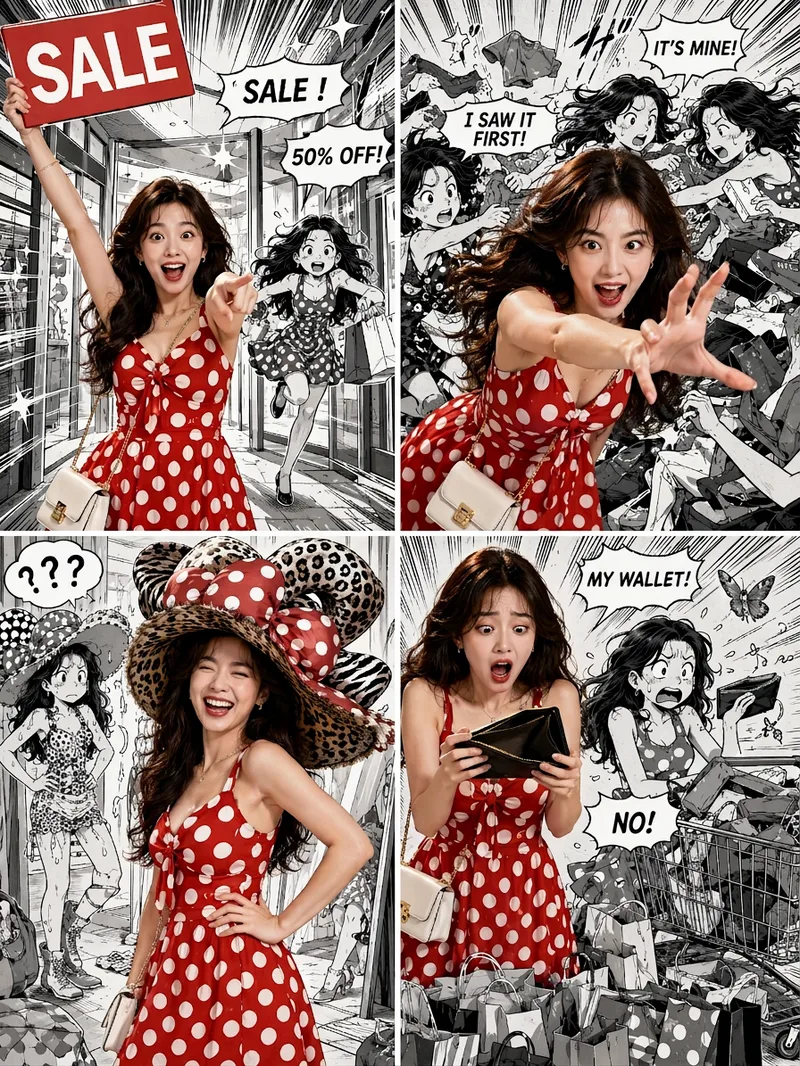
Turn a photo of a person into a story-driven four-panel pop comic: preserve the character’s facial features, hairstyle, skin tone, body type, and overall presence, with the same protagonist appearing across four connected scenes. The finished image uses a 3:4 portrait 2×2 collage layout, with each panel in a separate 3:4 frame and divided by thin white borders, creating a striking contrast between “realistic, colorful character × black-and-white comic storyboard backgrounds.” You can upload one or more photos and specify a theme, plot, four-panel beats, style, or text for speech bubbles and signs. The Skill organizes connected scenes from opening to climax, turning point, and ending, and aims to render the specified text accurately. If you upload only photos without additional instructions, it creates a fitting four-panel story based on the environment, lighting, occasion, and the person’s presence in the photos. Without a photo, it can also generate a consistent, realistic protagonist. The final deliverable is always one four-panel collage image rather than separate finished images, accompanied by a description of the theme and scene beats. You can continue refining the story theme, four-panel pacing, or text in the image, or recreate an enlarged version of a specific panel while preserving the character’s appearance.
Information
- Version
- v3
- Last updated
- Runtime credits
- Usage-based
- Models
- Auto
- Use cases
- Images & designLifestyle & entertainment
- What you get
- Image
- Visual styles
- 3D
