Photo to Cross-Stitch Chart
Turn any photo into a stitchable chart
Photo to Cross-Stitch Chart
Turn any photo into a stitchable chart
Showcase
Description
Want to stitch family portraits, pet photos, or landscapes into cross-stitch but do not know how to chart them? Photo to Cross-Stitch Chart converts your photos into grid-numbered stitch patterns: first, set the dimensions and grid count, then reduce the colors to match common embroidery floss numbers, and finally output the chart, color code list, and thread estimate. Hard rules: only process the user's own photos; do not distort human portraits; provide color codes using a universal numbering system without specifying a brand.
Best for
Crafters who want to turn family, pet, or landscape photos into cross-stitch patterns.
How to use this Skill
Provide your input
Provide your own photo, finished size, and fabric specifications. You can also specify a color count limit, purpose, and whether to keep the background.
Run the Skill
Adjusts the grid count and reduces colors based on the photo subject, size, and fabric specs, generating a cross-stitch chart with grids, numbers, and sections.
Review your result
Receive a printable cross-stitch pattern, a universal color code chart, thread amount estimates, stitching tips, and a preview of the finished effect.
Related Skills
View all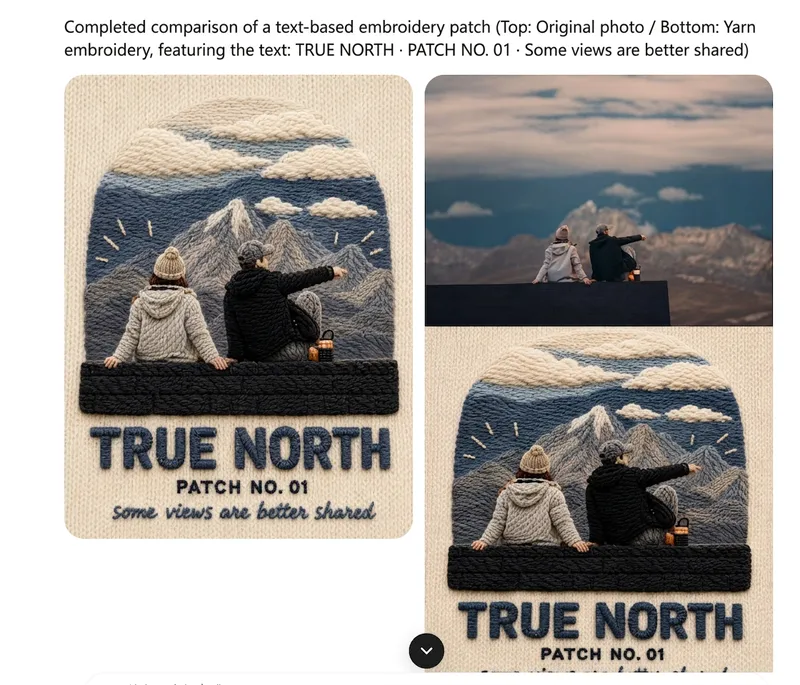 Image
One-Click Yarn Embroidery
Turn a single photo into a vertical, top-and-bottom comparison image: the top half is a pixel-level reproduction of the original, while the bottom half is a three-dimensional embroidered recreation made from physical yarn. The two sections are equal in width and height and joined seamlessly. Supports two modes: embroidery with three lines of text, or pure embroidery without text. You can also override the craft, material, and visual style as needed. (If you need to fit the Skill field length limit, you can use this existing sentence: Upload one image to generate a vertical, seamless comparison image with an exact recreation of the original on top and a three-dimensional yarn-embroidery recreation below; supports embroidery with three lines of text or pure embroidery without text, and allows the craft, material, and visual style to be overridden as needed.) Suitable for launching a Xiaohongshu account with visual posts, sharing images on WeChat Moments, and adding images to WeChat Official Account posts.
 Image
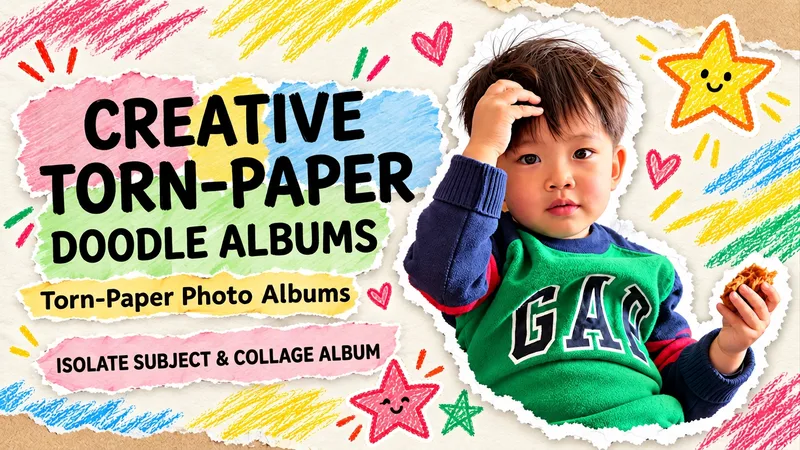
Torn Paper Dotted Photo Album
Upload a photo to turn people or pets into scrapbook stars, complete with torn paper edges, handwritten doodles, and vintage paper textures. Upload an original photo, and the subject (whether a person, pet, or main object) is automatically extracted with the original background removed. Group photos retain all individuals by default. Recognizable facial features, hairstyles, clothing, poses, and handheld items are kept, surrounded by natural white torn-paper furry edges, a cream-colored paper background, colored crayon stars, and handwritten short phrases. Generates a 3:4 vertical album image by default. Supports text-free versions, short Chinese phrases, fewer doodles, color adjustments, and landscape or portrait aspect ratios. Text-free means no added album text, though original clothing text is preserved. When parts of the body are obscured in the original photo, an appropriate half-body composition is used without inventing hidden limbs. Full-photo mode is available when explicitly requested. Great for everyday portraits, friend group photos, pet memories, and journal illustrations. Image editing may introduce subtle changes to faces or other details and does not guarantee 100% facial replication. The final image is checked against the original photo. This Skill is free to install. Image generation or editing quota consumption is subject to platform and model terms. Displayed examples show photo editing effects; complete image generation within YouMind has not been fully tested yet.
 Image
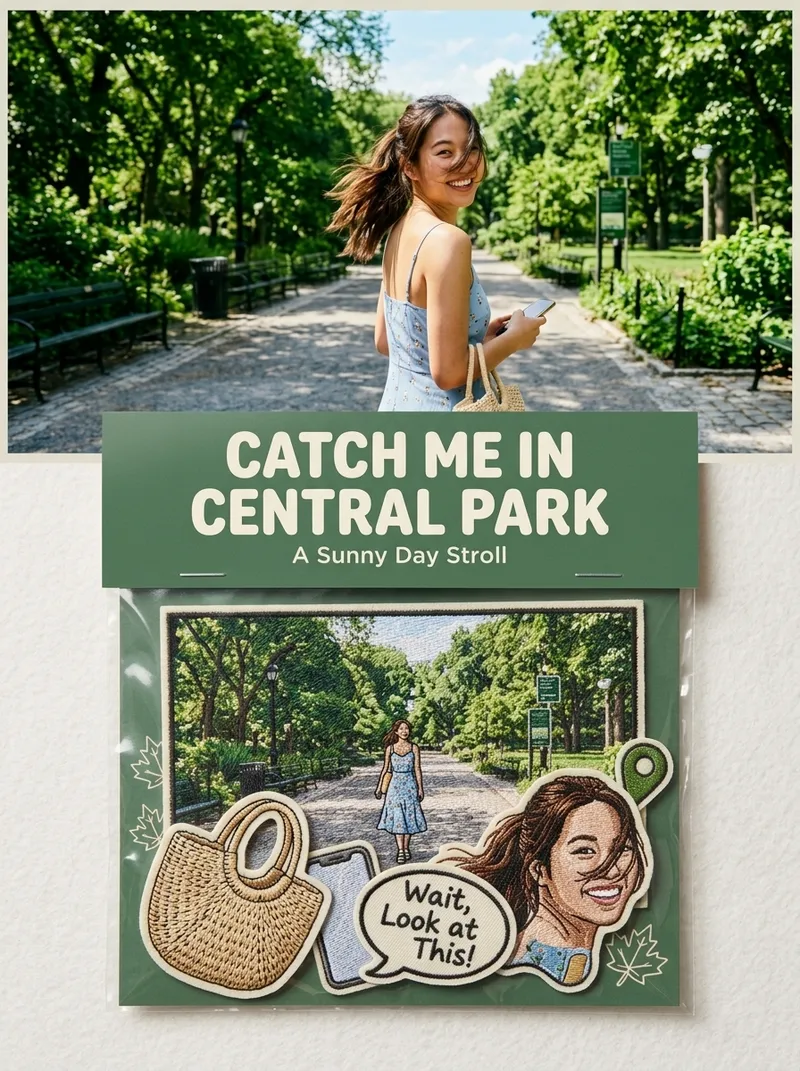
Photo to Embroidered Patches
Suitable for: growing a Xiaohongshu account, taking custom merchandise orders, and selling customized digital materials. Upload one or more photos to independently generate a 3:4 product photography-style image for each one: the original photo in the upper half, and a custom embroidered patch set based on the photo in the lower half (transparent plastic bag + header card + 5–7 embroidered patches), with realistic embroidery texture and a cultural-creative e-commerce product detail image style.
Information
- Version
- v2
- Last updated
- Runtime credits
- Usage-based
- Models
- Auto
- Use cases
- Images & designLifestyle & entertainment
- What you get
- ImageDiagramData
