Ultra-realistic setting diagram
Photorealistic character turnaround views
Ultra-realistic setting diagram
Photorealistic character turnaround views
Showcase
Description
Create a photorealistic character turnaround sheet that combines a detailed facial close-up with a clear three-view figure reference. The composition places a quarter-width face portrait on the left and the character’s front, side, and rear views on the right, making it useful for visual development, costume reference, character design, and consistent portrayal across scenes. The result emphasizes authentic human detail rather than polished beauty retouching: natural skin texture, visible pores, subtle facial hair, gentle redness around the nose, realistic under-eye shadows, and lifelike translucency. Soft directional side lighting defines the facial structure and surface detail against a neutral dark, softly blurred background, while natural color and restrained cinematic contrast preserve a documentary feel. A shallow depth of field keeps the eyes exceptionally crisp, with an 85mm portrait perspective and a convincingly photographic finish free from an artificial CGI look.
Best for
Character designers and visual development artists who need a realistic, consistent character reference.
How to use this Skill
Provide your input
Provide the character details you want depicted.
Run the Skill
Generate a character sheet combining a facial close-up with front, side, and rear figure views.
Review your result
Receive a photorealistic turnaround sheet for visual development, costume reference, or consistent character portrayal.
Related Skills
View all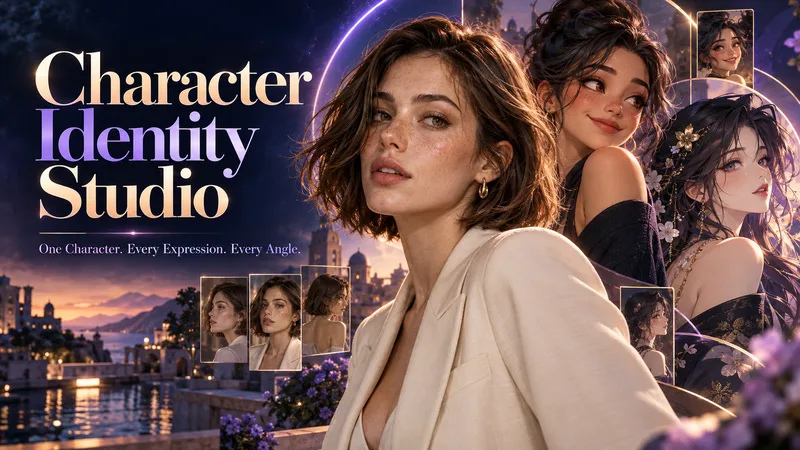 Image
Character Identity Studio
Give your character a clear identity—from the first look to every expression and angle. Character Identity Studio guides you through character creation with interactive selections. Explore ultra-realistic photography, realistic 3D, stylized 3D animation, 2D animation, anime, or illustration. Create a human, a fantasy character, or an animal mascot. DESIGN YOUR CHARACTER Choose appearance, facial features, hair, body type, clothing, and distinctive details. Describe exactly what you want or let the studio fill in the creative details. The guided workflow follows your language. APPROVE THE FIRST LOOK Start with one full-body character image. Refine specific features or request a new alternative. Reference production begins only after you approve the character. BUILD YOUR REFERENCE SET Receive three separate images, each arranged as a clean reference sheet: • 6 Facial Expressions: Neutral, gentle smile, laughter, sadness, anger, and surprise. • 6 Head Angles: Front, right profile, left profile, rear, and two 45° views—with neutral expressions wherever the face is visible. • 3 Full-Body Views: Front, side, and rear in a relaxed, neutral stance. Every sheet uses your approved image as its primary visual reference, helping preserve facial identity, hairstyle, outfit, proportions, and visual style. YOUR FINAL COLLECTION One approved character image + three reference sheets containing 15 panels. A practical visual foundation for AI character projects, animation planning, storytelling, and future image or video creation.
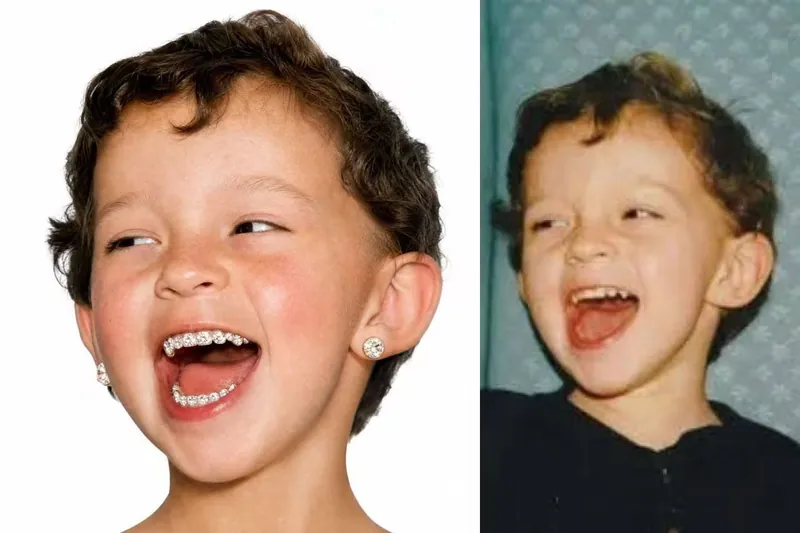
Rhinestone Smile Portrait
Turn a reference photo into a hyper-realistic square studio portrait that keeps the subject unmistakably recognizable while giving the image a playful, fashion-forward rhinestone smile. The portrait preserves the person’s facial structure, hairstyle, age, expression character, thick natural brows, and authentic skin detail, including visible pores, fine facial hairs, freckles, and natural tonal variation. A vivid high-altitude flush across the cheeks and nose adds distinctive color without making the skin look airbrushed or artificial. The defining feature is a joyful, open-mouth smile with every visible tooth densely covered in individually distinguishable, medium-sized white rhinestones. Each flat-back crystal has a visible circular outline, raised facets, crisp reflections, and tiny seams between neighboring stones, while the natural shape and separation of each tooth remain clear. This creates a granular pavé effect that reads as real nail-art crystals rather than glitter, metallic sparkle, or a continuous jeweled surface. The finished image places the centered head against a seamless pure-white background with soft, even frontal studio lighting and a clean commercial portrait composition. Oversized round desert-toned diamond studs in warm sand-gold, champagne-beige, and pale amber add a luxurious finishing detail, making the result suitable for distinctive editorial, beauty, fashion, or creative portrait concepts.
 Image
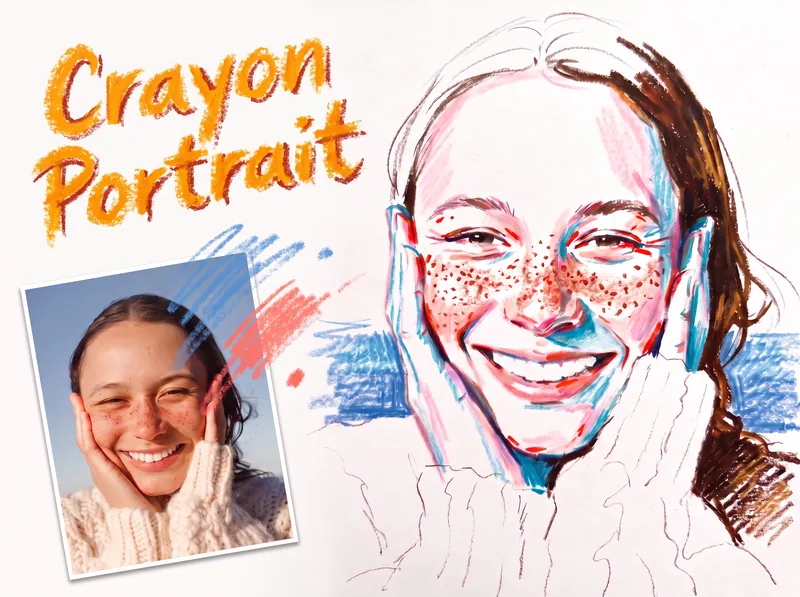
Crayon Portrait
Turn a portrait photo into a faithful colored crayon or oil pastel sketch that preserves the person’s identity, expression, pose, proportions, hairstyle, clothing, composition, and recognizable details. Freckles, dimples, glasses, earrings, loose strands, teeth, and fabric texture remain part of the likeness rather than being smoothed away or exaggerated. The finished image has the spontaneous character of a quick on-location drawing on white sketch paper, with visible grain, dry rubbing, broken strokes, and airy areas of untouched paper. Facial color stays restrained, using layered pink, coral, and brick-red accents along structural turns while keeping most of the face white; cool blue or peacock-green marks add transparent shadow notes, and yellow is excluded. Hair is rendered in warm brown tones with a deliberate balance between open, light areas and denser textured sections, while clothing and exposed shoulders remain mostly white with only a few expressive lines. A simple, single-hue background softly supports the figure from the sides near the shoulders without filling the page or competing with the portrait. Its uneven, open-edged crayon marks meet the silhouette cleanly and preserve broad white space around the head and lower composition. The result is a distinctive handmade portrait sketch rather than a photorealistic rendering, polished digital painting, or caricature.
Information
- Version
- v2
- Last updated
- Runtime credits
- Usage-based
- Models
- GPT Image 2
- Use cases
- Images & design
- What you get
- Image
- Visual styles
- CinematicPhotorealistic
