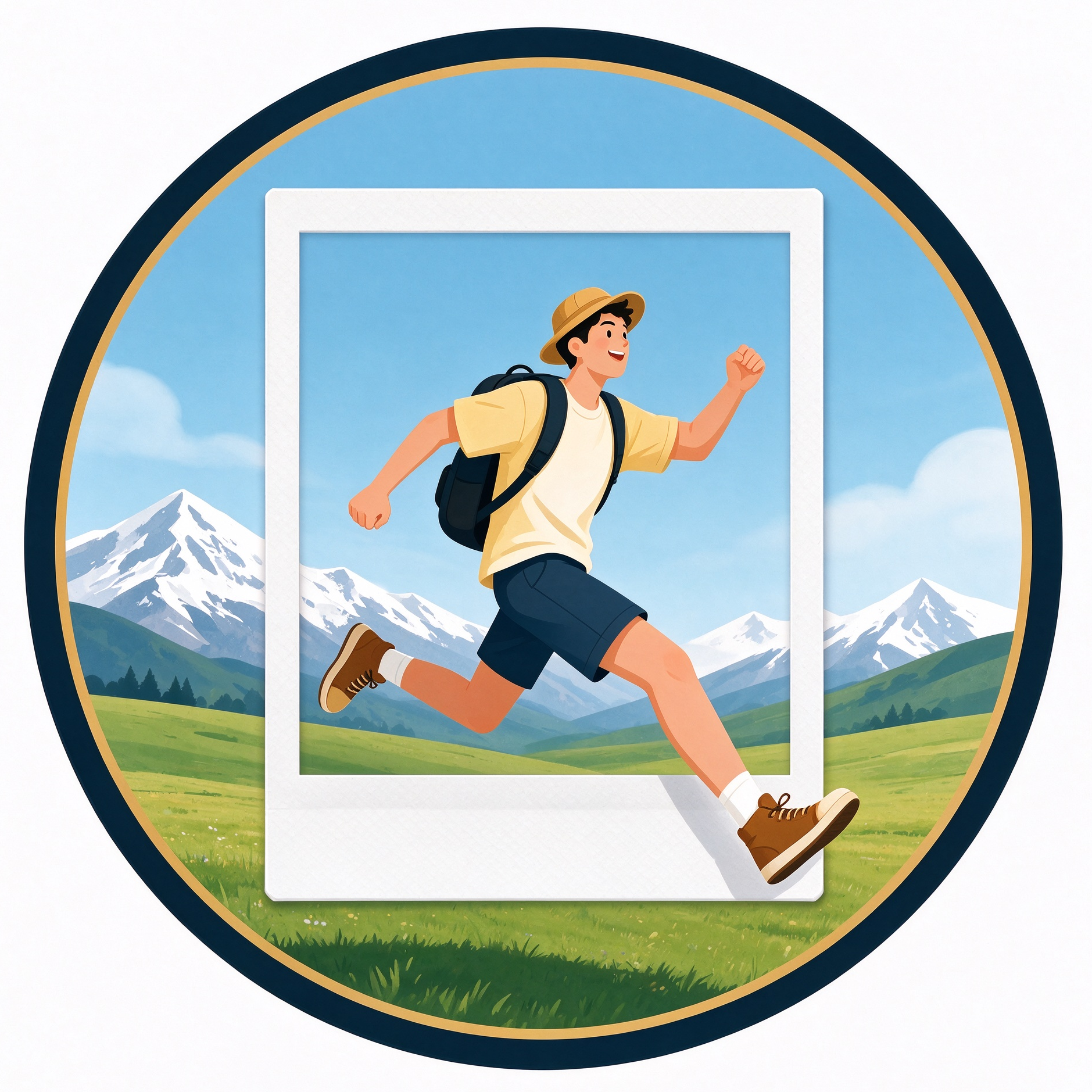
Polaroid Pop-Out Photo Effect
Create trending pop-out Polaroid travel photos
Polaroid Pop-Out Photo Effect
Create trending pop-out Polaroid travel photos
Showcase
Description
Replicate the viral online Polaroid pop-out visual effect, allowing the upper body of a character to stay inside the Polaroid frame while the legs extend out past the white border. Half inside the photo and half extending into the real-world scene, with unified lighting and shadows blending both worlds, this creates a high-end, illusionary atmosphere perfect for social media sharing. Beginners can use it right away by simply modifying the character and scene descriptions to generate high-definition creative travel images. It supports various outdoor landscapes such as beaches, snow mountains, grasslands, ancient towns, and sunsets, while adapting to both male and female character styles. It also includes generated parameter suggestions and reverse negative prompts to ensure image output quality.
Recommended by
Dancang
Why we love this skill
Turns the "character jumping out of a photo" effect into a ready-to-use travel blockbuster template, precisely controlling half-body framing, leg pop-out, and inner-outer lighting blending, paired with negative prompts and parameter suggestions for more stable and realistic mobile photography texture.
Best for
Best for content creators and individuals looking to create creative travel images of people jumping out of Polaroid frames.
How to use this Skill
Provide your input
Provide character and outdoor scene descriptions, such as the person's appearance and environment details like a beach or snow-capped mountains.
Run the Skill
After you enter your content, the tool generates drawing prompts tailored for the Polaroid offset effect, along with negative prompts and parameter suggestions.
Review your result
Receive ready-to-use positive prompts, negative avoidance prompts, and composition parameter recommendations for AI image generation.
Related Skills
View all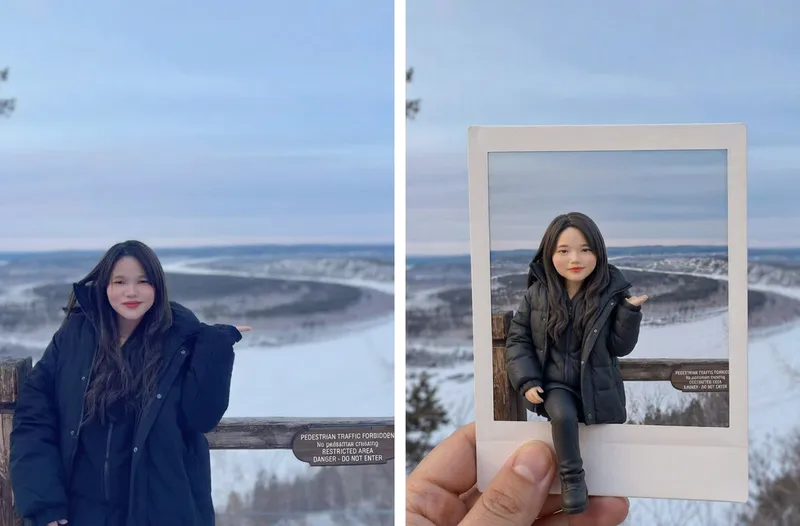 Image
AI 3D Clay Figurine
Upload a portrait photo to start an imaginative AI frame-breaking figurine journey! Transform the person in the photo into an exquisite and adorable 3D clay figurine while preserving their original hairstyle, clothing, and iconic accessories. Placed inside a hand-held white-bordered Polaroid, the figurine naturally steps out of the photo paper, creating a visual wonder blending reality and virtual space. ✨ Core Features AI photo-to-3D chibi clay figurine conversion Approximate 1:4 head-to-body ratio with full-body presentation Polaroid frame-breaking effect to enhance 3D depth Preserves the travel spots and background atmosphere of the original photo Default 3:4 aspect ratio, perfect for social media sharing Supports various creative styles and image-generation models 💰 Monetization Avenues Can be used for personalized avatar design, couple and family commemorative images, creative travel photo processing, holiday gift design, social media content creation, digital wallpaper sales, custom figurine concept design, and providing visual design services for photography studios or cultural and creative businesses.
 Image
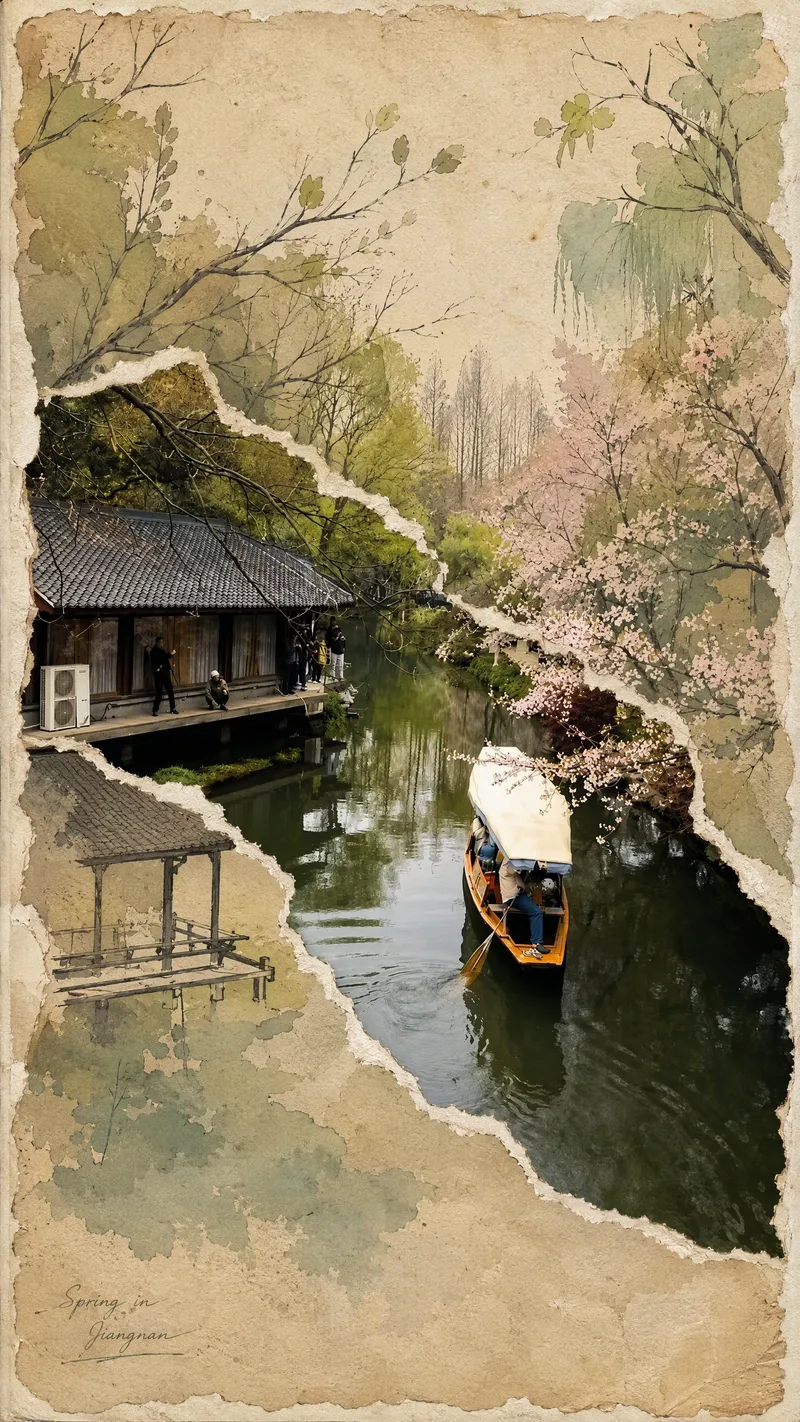
Viral Photo Torn-Paper Collage
Turn a real-world photo into a vintage torn-paper collage with the tactile feel of physical paper, while preserving the true colors and recognizability of important subjects. The image follows the original photo's proportions, naturally emerging through torn edges in old beige paper. Around it, minimalist painted elements, hand-drawn outlines, and paper grain create a mixed-media collage where photography overlaps with illustration. The torn edges vary freely with the image content instead of using rigid straight cuts, while keeping the subject's contours, perspective, and horizon as coherent as possible across different layers. The overall look is vintage and low-saturation, but this treatment is not applied to the preserved real-world photo areas. Beige paper extends beyond the photo to enhance the feel of a handmade collage. You can add corner text, keywords, or layout preferences, and the result will prioritize clear requirements. When no preferences are specified, it uses a natural collage composition with a small amount of concise text. Suitable for transforming travel scenes, architecture, street views, and everyday-life photos into artistic images that combine realism with a sense of narrative.
Infinite Loop Selfie
Turn your written concept or character reference image into a selfie photo with a Droste effect: the person in the image holds a phone with its screen facing the camera, clearly showing the complete scene—including the person, phone, and white studio background—nested and shrinking layer by layer to form a visible visual loop with at least three levels. Customize the person’s gender, age, hairstyle, clothing, pose, and expression. You can also specify a portrait 3:4, square 1:1, or vertical 9:16 aspect ratio. When you upload a reference image, the person’s facial features, hairstyle, skin tone, body type, accessories, and visible clothing will be faithfully recreated. If the reference is only a half-body shot or even a close-up, unseen bottoms, shoes, and accessories will be carefully inferred from visible cues such as the collar, top fabric, and color palette to complete a coordinated outfit in the same style. These details will only be changed when you explicitly describe the changes in text. Without a reference image or character specifications, an original character will be generated, with a consistent appearance, pose, and outfit at every layer. The final image uses a pure white or light gray seamless studio background, soft high-key lighting, and a realistic photographic look, highlighting natural skin tones, fabric details, and a clearly visible phone screen. The composition remains a clean, front-facing shot of one person against an uncluttered background. It avoids incorrect screen content, mirrored text, watermarks, and distorted phones or fingers, keeping the infinite nesting effect natural and easy to recognize.
Information
- Version
- v2
- Last updated
- Runtime credits
- Usage-based
- Models
- Auto
- Use cases
- Images & design
- What you get
- Prompt
