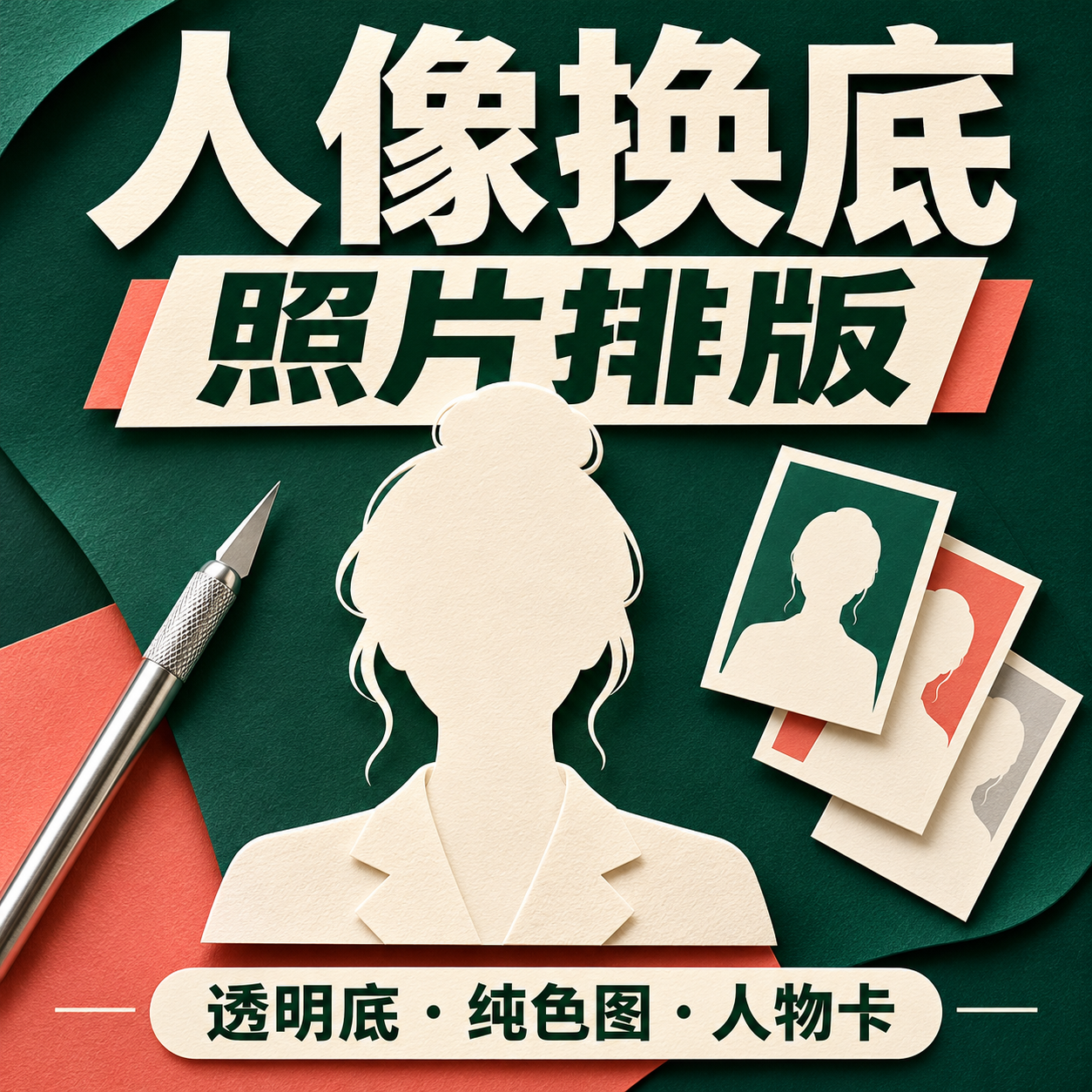
Portrait Background & Layout
Remove backgrounds and layout portraits with solid colors
Portrait Background & Layout
Remove backgrounds and layout portraits with solid colors
Showcase
Description
Suitable for creators who need to produce personal introductions, team character cards, resume avatar layouts, or speaker name tags. Provide authorized portraits, intended use, background color, dimensions, and required text; missing names, titles, or organizations will not be fabricated. Process: Review the original image and keep the original, actually invoke background removal or image editing tools to obtain a transparent PNG, check alpha, face, hair, clothing, and hands, then layout text on a solid color background, and reopen the output for verification. Generative editing may redraw the foreground and is not a lossless cutout or identity preservation guarantee; manual item-by-item verification is required for important figures. Delivery: Actual transparent PNG, solid color/portrait layout image of agreed dimensions, generated layout HTML, and usage and verification instructions. Files and browser tools are required to deliver and save files/PNGs; when these tools are unavailable, explicitly state that it is incomplete, rather than providing just prompts and calling it an image. Usage: Upload a portrait and brief, confirm the background replacement scope; check the original image, transparent result, light and dark background edges, and then confirm the portrait card. Instructions include the complete source code of the local layout assistant, which requires actual file tools to save; execution requires Python3 and Pillow, only validates transparent PNG and embeds original bytes into a single-file HTML, does not execute background removal, and does not export PNGs on its own. PNG export requires a real browser screenshot tool. Four local practical execution examples: Using four locally original AI-fictionalized adult character images, calling ImageGen for background removal to obtain RGBA PNGs, actually checking alpha and white/black/green background edges, running the final layout assistant and exporting via browser. Includes square personal introductions, horizontal team cards, vertical resume layouts, and square speaker name tags; not real clients, employees, job seekers, or speakers. The four displays are 16:9 side-by-side images of corresponding original images, actual transparent outputs, and actual layouts; checkerboard patterns are only backgrounds to display real transparency. Original images and step-by-step files are retained locally. GPT is recommended for text organization; the local actual image tool is ImageGen, and the tool does not return a verifiable model ID, so Image2 is not claimed. Independent avatars are also ImageGen original conceptual visuals, not cases. YouMind image editing, Python, Pillow, browser, and file download capabilities must be confirmed according to the actual environment; no YouMind credits testing is added, and it cannot be guaranteed that all dependencies are ready immediately after installation. The 199 credits are the skill installation price, excluding model, API, third-party tool, or material fees. Official credential verification is not performed, and facial features remaining completely unchanged, precise identity, flawless edges, print color accuracy, recruitment results, or commercial effects are not guaranteed.
Recommended by
Dancang
Why we love this skill
This skill goes beyond simple background removal by focusing on original preservation, transparency verification, and hair and foreground checks, combined with solid background replacement and portrait card layouts. It clearly distinguishes pixel masking from AI redrawing, delivering verifiable and honest results.
Related Skills
View all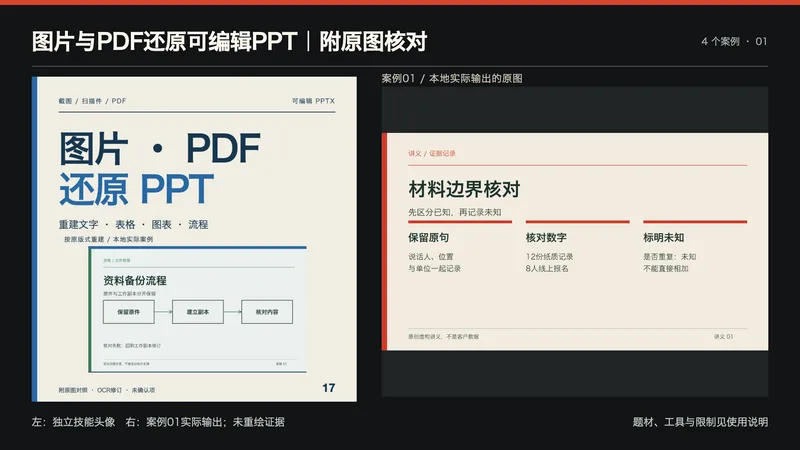 Slides
图片与PDF还原可编辑PPT|附原图核对
适合需要把已有讲义截图、流程页、数据图或扫描PDF变成可编辑演示的人。提供PNG/JPG/PDF、页面顺序和范围、必须保留的尺寸/字体/品牌、清晰原件及授权;此技能用于既有视觉页还原。 流程:保存源文件与页序,读取PDF文字层并实际OCR,逐页看图纠正行列顺序、漏字、小数点与数量单位;建立对象清单后按原比例和层次,用原生文本框、表格、图表、形状和连接线重建,再导出PPTX重新读取/渲染并比对。不会整页贴图再叠字冒充可编辑。 交付:可编辑PPTX、逐页预览、源页到PPT页映射、OCR复核/对象清单、原图对照、无法确认项与使用说明。照片和复杂纹理仍是图像资产,摆放可编辑不等于像素内容可编辑;遮挡文字不能恢复,不猜人名。清晰数据标签可重建原生图表;只有柱高/曲线时不虚构精确数据,需补充原始数据或说明只能保留图像。没有原备注时仅附重建说明,不假称恢复原讲稿。 工具:可用文字模型(建议GPT)及实际PPTX原生写入/渲染工具。包内Python源页助手需Pillow,PDF另外需pypdf、pypdfium2;可选Swift OCR需macOS Vision/Swift,其他系统需可用OCR并重新验证。助手不包含PPT编辑器。本地案例用Artifact Tool重建;目标平台缺少工具时应报告缺口,不能仅因导入Skill就保证运行。 四个本地真实执行案例为本次自拟合成输入:PNG讲义、原生PDF流程、JPEG小数数据图、两页扫描PDF,共5页。实际做OCR和逐页看图;修订跨列顺序、PDF兼容字形与标题漏字,保留12.5/8.0/5.5的显示精度、数量单位、两条向右连接及遮挡未知项。最终PPT全部为原生对象,案例没有照片或整页位图背景。四个编辑副本实际修改代表文字/形状/连接节点/表格/图表并重开核对;这些是合成自测,不是盲测、客户效果或OCR准确率证明。 四展示是最终PPTX重开渲染的代表页,完整5页与源图对照本地保存;头像为原创文字排版结合真实案例页,未冒称生图API。原生引擎的字距、图表内边距、表格边距和连接线画法可与原图有差异,不保证像素级一致;未在PowerPoint、Keynote或Google Slides应用内验证兼容性。 文字模型精确ID、YouMind模型绑定与平台运行尚未验证;未消耗YouMind积分测试。199积分不含模型、云端OCR或第三方工具费用。不承诺任意图片100%还原、恢复遮挡内容、任意系统无依赖或业务收益。 展示说明:首张为独立技能头像与案例01实际输出的并排排版,用于横向缩略展示;不是新增案例,也未让生图模型重绘证据。其余三张对应案例02—04。
 Image
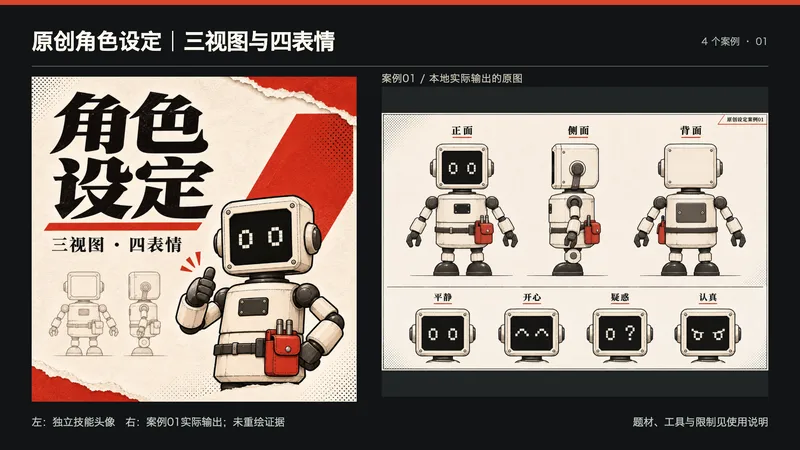
原创角色设定|三视图与四表情
适合为插画、分镜、吉祥物设计准备角色参考的创作者。 提供:角色用途、年龄或物种、体型、服装、配饰、画风与避用项;有授权参考图可以同时提供。 处理:先建立比例、颜色、角色自身左右和背部结构锚点,再调用当前图像工具生成正面、侧面、背面及四种表情,逐项检查服装与配饰。 交付:实际二维设定图、角色锚点、提示词及一致性检查记录。图像可用于后续插画与建模沟通,不包含3D模型、绑定动画、可编辑分层或工业结构。 使用:发送简报或参考图,确认角色描述与新增设定,生成后核对左右、背面及遮挡细节。有明显偏差时进行针对性修订,不能保证跨轮次绝对一致。 依赖:文字模型及支持生成/参考图编辑的图像工具。偏好GPT与GPT Image 2时须以平台实际可选模型为准;本地使用内置image_gen完成四个虚构原创案例,工具未返回图像模型编号,不能宣称已指定Image 2。YouMind端未追加运行测试、未验证持久模型绑定。运行时平台模型消耗或第三方API费用不包含在199积分售价内。无图像工具/额度时会明确未出图,不以提示词冒充成图。 四张展示图为本地实际输出,未重绘证据。仍可能有衣褶、细小配饰和文字偏差,发布或精细制作前请人工核对。 展示说明:首张为独立技能头像与案例01实际输出的并排排版,用于横向缩略展示;不是新增案例,也未让生图模型重绘证据。其余三张对应案例02—04。
 Image
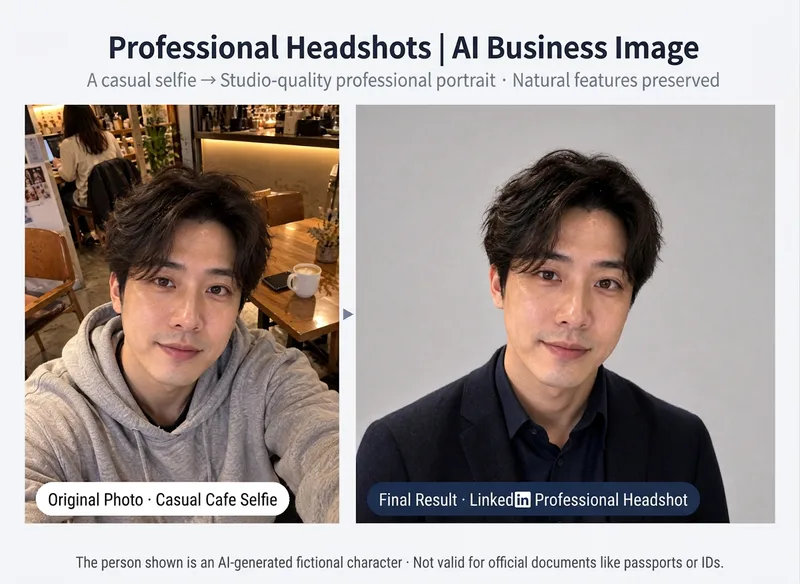
AI Professional Headshot
# AI Professional Headshot **Turn casual selfies into professional, polished business headshots!** No suitable resume photo? Using a random selfie for LinkedIn? Want a professional headshot without booking a photo studio? Simply upload an everyday photo, and AI will design the attire, background, and studio lighting based on your professional use case, generating a headshot tailored for the workplace. **The focus is on elevating your professional presentation, not changing who you are.** ## What You Get **① Tailored Professional Image Concept** Recommended styles based on your purpose and industry: - 💼 Resumes & Job Hunting: Natural, neat, and professional - 🌐 LinkedIn & Business Networking: Polished, trustworthy, and approachable - 🏢 Corporate Websites & Team Intros: Uniform, formal, and high-quality - 🎤 Speakers & Presenters: Poised, natural, and charismatic - ✨ Entrepreneurs & Freelancers: Formal or business casual based on industry **② A Professional Business Headshot** Transforms everyday photos into studio-quality styles: - Swaps in appropriate business attire - Adjusts to a clean, professional background - Optimizes lighting and overall composition - Selects a 1:1 avatar or 3:4 portrait ratio based on use case **③ Preserves Your True Features** Focuses on keeping your facial features, face shape, skin tone, hairstyle, and natural expression from the original photo. No default slimming, eye enlargement, or heavy skin smoothing; freckles, moles, and other personal traits are preserved. Headscarves, religious attire, or traditional garments are respected and kept according to your requirements. **④ Result Verification** Checks person recognition, clothing necklines, shoulders, and image edges after generation. If noticeable discrepancies are found, adjustments will be attempted according to the Skill's actual settings. Minor generation details may still vary. **⑤ Headshot Usage Tips** Provides applicable scenarios, cropping methods, and usage suggestions for different platforms. ## Who Is This For? - Job seekers preparing resumes - Professionals looking to update their LinkedIn photo - Entrepreneurs needing team photos for their website - Freelancers, consultants, and speakers - Anyone wanting to boost the professionalism of their workplace avatar ## How to Use 1. Upload a clear front-facing or slight-profile photo; phone selfies work too. 2. Select your use case, industry, and preferred business style. 3. Review the professional image concept recommended by AI. 4. Confirm to generate your professional headshot. 5. Use or crop the photo according to platform requirements. ## Tips - Photos with even lighting, clear facial features, and no obstructions generally yield better results. - For adults only; please upload photos of yourself or ones you have authorization to use. - AI-generated images are for professional presentation, not official photographic records. - Not suitable for passports, ID cards, visas, or other official identity document requirements. - Character details, clothing edges, and lighting may still contain generation errors. - Image generation and extra adjustments may consume credits; actual charges are subject to YouMind usage logs. --- **One everyday photo, one professional upgrade. Make your first workplace impression stand out.**
Information
- Version
- v2
- Last updated
- Runtime credits
- Usage-based
- Models
- Auto
