
Launch Film Studio
Paste your product URL, get a 30s launch video and posts
Launch Film Studio
Paste your product URL, get a 30s launch video and posts
Showcase
Description
Turn your website or app link into a polished launch video for X, Product Hunt, LinkedIn and your homepage, the kind studios charge $2,000+ for. Paste a URL (plus screenshots if you have them). Launch Film Studio reads your site, pulls your real product name, headline, features, logo colors and fonts, and writes a tight story: hook, the problem, your product in action, three key features, proof, call to action. You approve a shot-by-shot storyboard first. Then it builds a motion-design video in the Linear/Raycast/Apple launch style: kinetic typography, animated UI cards rebuilt from your real screens, smooth camera moves and beat-synced transitions, exportable as MP4 in 16:9, 1:1 and 9:16. You also get launch copy ready to post: an X thread, a Product Hunt tagline, description and maker comment, a LinkedIn post and a short email. Nothing is invented: no fake customers, user counts, logos, reviews or features. Built for SaaS founders, indie hackers, AI startups, app makers and agencies.
Related Skills
View all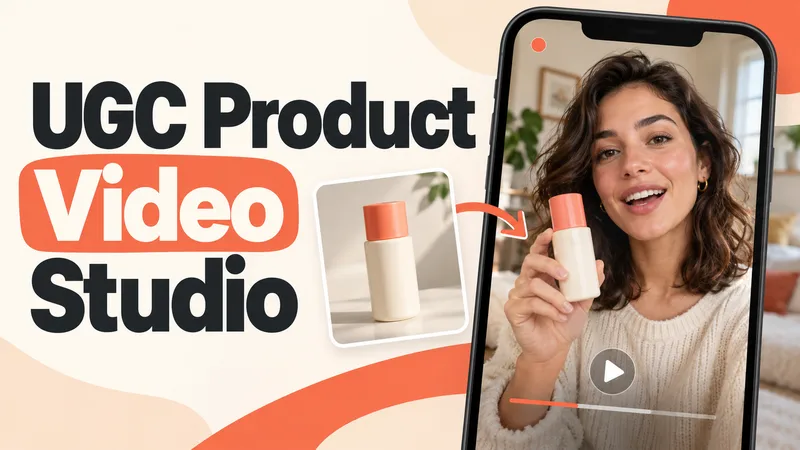 Video
VideoUGC Product Video Studio
Turn a product photo into a complete UGC video workflow: a lifelike AI creator, a connected sequence of scenes, natural dialogue, and prompts tailored to your chosen video model. Built for product owners, marketers, and creators who want to show their product through a believable everyday story. You guide the creative decisions: • Design your character step by step. Approve the look, refine specific features, or request a different person. • Build a sequence of portrait shots, product details, demonstrations, location changes, and a product-only closing shot. • Explore image variations and approve the final scene set before the script is finalized. • Review the scenario and spoken text, then adjust the hook, tone, pacing, or closing line. Realism goes beyond skin texture. Prompts account for natural facial detail, smartphone framing, lighting, and character consistency. Images are checked for awkward grips, floating caps, nozzle direction, and other physical contradictions. Complex actions can be simplified or split into separate shots before animation. Choose your platform, video model, spoken language, and audio method: • Speech generated directly inside the video. • Separate speech text or audio for lip sync. • Off-screen narration. Prompts adapt to the selected model, with language and audio support checked for that route. After approval, generate the video in YouMind, prepare a prompt package for another platform, or stop with the production report. Receive complete image and video prompts, the approved script, reference mappings, timing, and quality-check notes. Your character. Your scenes. Your approval at every key stage.
 Video
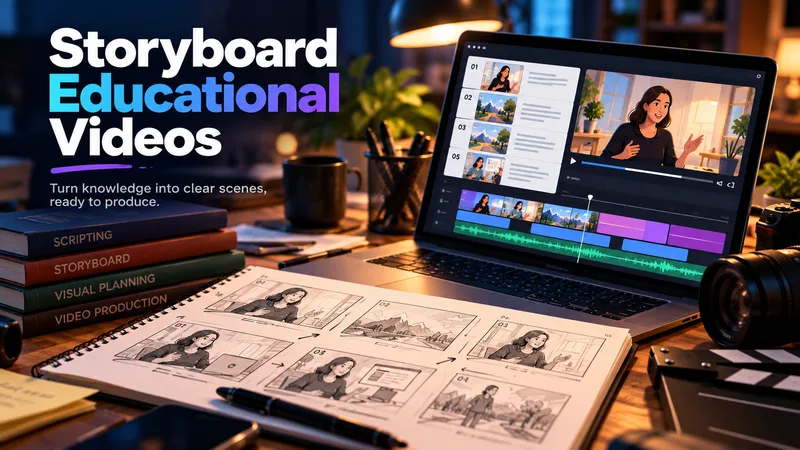
VideoStoryboard Educational Videos
Hand it a document — a training guide, an SOP, a product brief, a course chapter — and get back a shooting plan you can film today: numbered scenes, one idea each, each with a clear visual direction, an English image prompt, spoken narration that fits the clock, and subtitles that match the voiceover word for word. Most documents are written to be read, not performed: the narration rambles, the visuals repeat the text, the subtitles drift out of sync. This Skill rebuilds the material for the screen — 3–6 observable learning objectives, a hook → orientation → teaching beats → recap → CTA arc, and a fixed time budget of 2.2 words per second per scene, so nothing gets cut later in the edit. Every plan ships with an overview, one visual style guide reused across all scenes, a scene index with exact timings, a per-scene breakdown (purpose, framing, on-screen text, English image prompt, voiceover, subtitle cues, audio), production notes and an explicit list of assumptions and content risks. How to ask for it — four shapes that work best: • Just the file: "Turn this into an educational video plan." Audience and runtime are inferred and stated as assumptions. • File + runtime + audience: "A 4-minute onboarding video for new support hires; screen recordings only, no on-camera presenter." • File + format: "A 60-second vertical 9:16 plan for LinkedIn, high tempo, one-line subtitles." • Thin or messy source: "These notes are scattered bullets — still build a 3-minute plan, mark the gaps TODO: and list your assumptions." Output language follows your message: ask in Turkish, Spanish or Japanese and the whole plan comes back in that language. Only the image prompts stay in English, ready for any image model. Built for L&D teams, course creators, product marketers and anyone handed a twelve-page PDF and told "make it a video".
 Webpage
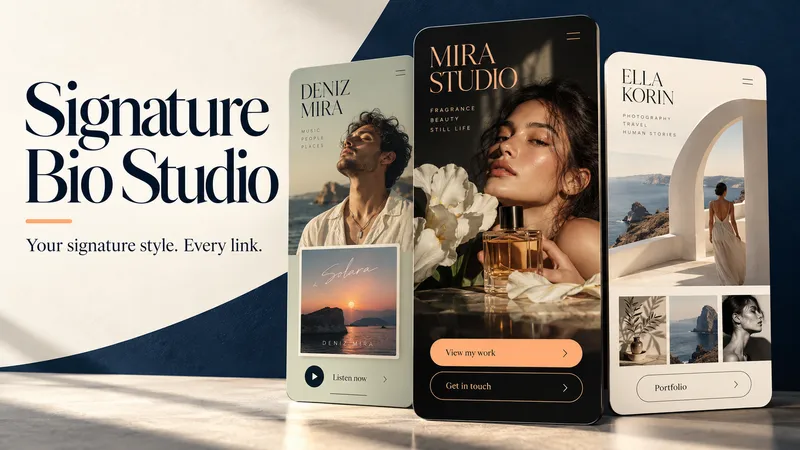
Signature Bio Studio
Make your bio link page feel unmistakably yours. Signature Bio Studio turns your identity, content, and links into an elegant, mobile-first webpage tailored to your profession, audience, and style. FOR CREATORS, ARTISTS & BUSINESSES Showcase your work, spotlight a release, introduce your services, feature a collection, or guide visitors toward booking and contact. A GUIDED CREATIVE PROCESS Start with what you know. The skill asks short, relevant questions to help fill the gaps, then proposes three distinct design directions shaped around your goals. Review the layout, copy, and links together before production. DESIGNED AROUND YOUR IDENTITY Explore expressive typography, thoughtful colors, optional visual showcase cards, and a clear main action. No photo yet? A polished typographic identity can carry the design. YOUR FILES. ROOM TO GROW. Receive editable HTML plus a separate handoff report covering content, links, design settings, assets, dependencies, and pending items. Take both to another AI tool or developer to continue editing without the original conversation. Available assets are packaged where supported; external dependencies are clearly documented. WORK IN YOUR LANGUAGE Questions, guidance, and the handoff report follow your language. Choose a different language for the webpage whenever you need. Start with your name, what you do, and the action you want visitors to take. Bring the details you have—we’ll shape the rest together. Missing links stay inactive in drafts. Publishing depends on the available tools and your request.
Information
- Version
- v2
- Last updated
- Runtime credits
- Usage-based
- Models
- Auto
