
Storyboard Educational Videos
Any document becomes a filmable scene plan
Storyboard Educational Videos
Any document becomes a filmable scene plan
Showcase
Description
Hand it a document — a training guide, an SOP, a product brief, a course chapter — and get back a shooting plan you can film today: numbered scenes, one idea each, each with a clear visual direction, an English image prompt, spoken narration that fits the clock, and subtitles that match the voiceover word for word. Most documents are written to be read, not performed: the narration rambles, the visuals repeat the text, the subtitles drift out of sync. This Skill rebuilds the material for the screen — 3–6 observable learning objectives, a hook → orientation → teaching beats → recap → CTA arc, and a fixed time budget of 2.2 words per second per scene, so nothing gets cut later in the edit. Every plan ships with an overview, one visual style guide reused across all scenes, a scene index with exact timings, a per-scene breakdown (purpose, framing, on-screen text, English image prompt, voiceover, subtitle cues, audio), production notes and an explicit list of assumptions and content risks. How to ask for it — four shapes that work best: • Just the file: "Turn this into an educational video plan." Audience and runtime are inferred and stated as assumptions. • File + runtime + audience: "A 4-minute onboarding video for new support hires; screen recordings only, no on-camera presenter." • File + format: "A 60-second vertical 9:16 plan for LinkedIn, high tempo, one-line subtitles." • Thin or messy source: "These notes are scattered bullets — still build a 3-minute plan, mark the gaps TODO: and list your assumptions." Output language follows your message: ask in Turkish, Spanish or Japanese and the whole plan comes back in that language. Only the image prompts stay in English, ready for any image model. Built for L&D teams, course creators, product marketers and anyone handed a twelve-page PDF and told "make it a video".
Why we love this skill
Featured for its rigorous, production-ready workflow: it turns source material into a validated scene architecture, then a fully timed, subtitle-ready film plan. Its one-idea-per-scene discipline, language consistency, visual style system, and built-in fact and timing checks make it unusually dependable.
Best for
L&D teams, course creators, product marketers, and anyone turning source documents into educational video plans.
How to use this Skill
Provide your input
Provide a source document such as a training guide, SOP, product brief, or course chapter. You can also specify the audience, runtime, platform, format, tone, or presenter style.
Run the Skill
The Skill converts the material into a structured educational video storyboard with a clear learning arc and one idea per scene. It plans visuals, timing, narration, subtitles, and production requirements.
Review your result
Receive a filmable scene plan with learning objectives, scene timings, visual directions, narration, matching subtitle cues, image prompts, production notes, assumptions, and content risks.
Related Skills
View all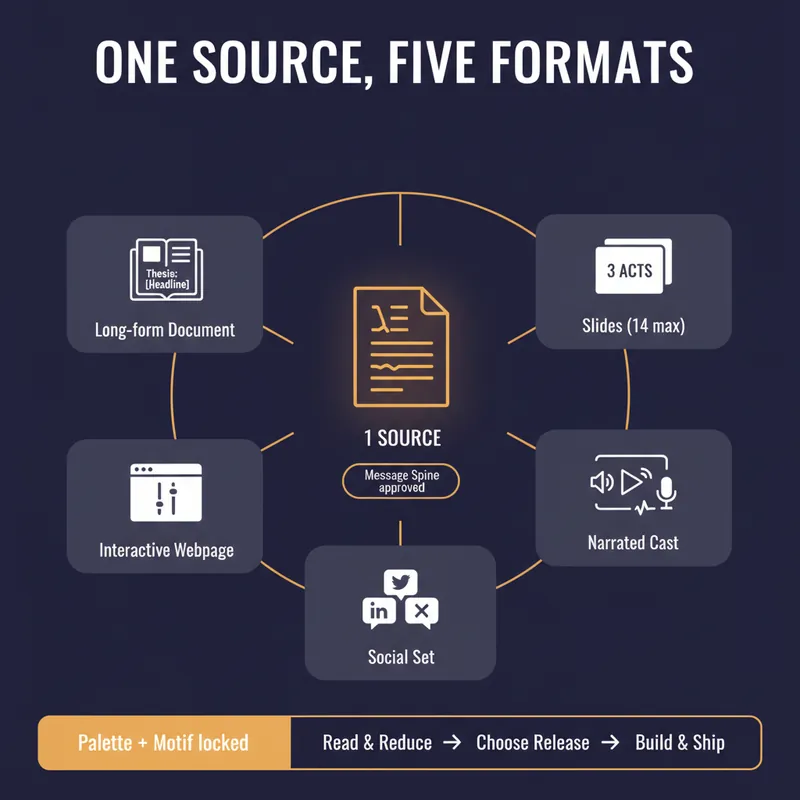 Write
WriteOne Source, Five Formats
YouMind can produce a document, a slide deck, a narrated video, an interactive webpage and a set of social posts. Most people use one of them, because doing all five by hand means writing the same argument five times and watching it drift a little further each time. This skill stops the drift by refusing to start until you have a spine. Before anything is generated it writes a Message Spine: one thesis under 25 words, three load-bearing points, the single strongest piece of evidence, the one image a reader should still have tomorrow, the change you want in them, and who this is explicitly not for. You approve it. Every format is then built from the spine, never from the previous format, so nothing compounds an earlier compromise. Then it tells you which formats are actually worth making. A short reflective essay makes bad slides. A dense data teardown makes bad audio. It will recommend two formats and explain why the other three would weaken the work, which is the opposite of what a content-multiplier is supposed to say. Each format gets built to its own rules, one at a time, with your confirmation. Slides get one idea per slide and speaker notes that carry the argument. The cast script is written for the ear, with numbers rounded and given a comparison and a deliberate pause before the strongest evidence. The webpage gets exactly one interactive move the flat text could not do. The social set opens each post on a different point so it does not read as three copies of itself, and every post gives away something real instead of begging for a click. One palette, one type treatment, one recurring motif, decided in writing before the first image is generated. You finish with a ship sheet: what goes where, in what order, how many days apart, with what call to action, and the one signal to watch. Plus a consistency check that quotes the thesis sentence from every format and confirms they still agree. It estimates credits before it spends them and never renders a full cast or image set without an explicit yes.
 Video
VideoUGC Product Video Studio
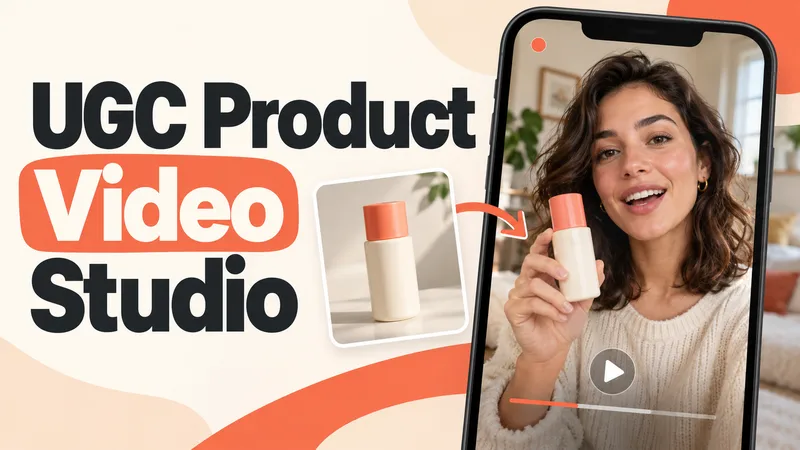
Turn a product photo into a complete UGC video workflow: a lifelike AI creator, a connected sequence of scenes, natural dialogue, and prompts tailored to your chosen video model. Built for product owners, marketers, and creators who want to show their product through a believable everyday story. You guide the creative decisions: • Design your character step by step. Approve the look, refine specific features, or request a different person. • Build a sequence of portrait shots, product details, demonstrations, location changes, and a product-only closing shot. • Explore image variations and approve the final scene set before the script is finalized. • Review the scenario and spoken text, then adjust the hook, tone, pacing, or closing line. Realism goes beyond skin texture. Prompts account for natural facial detail, smartphone framing, lighting, and character consistency. Images are checked for awkward grips, floating caps, nozzle direction, and other physical contradictions. Complex actions can be simplified or split into separate shots before animation. Choose your platform, video model, spoken language, and audio method: • Speech generated directly inside the video. • Separate speech text or audio for lip sync. • Off-screen narration. Prompts adapt to the selected model, with language and audio support checked for that route. After approval, generate the video in YouMind, prepare a prompt package for another platform, or stop with the production report. Receive complete image and video prompts, the approved script, reference mappings, timing, and quality-check notes. Your character. Your scenes. Your approval at every key stage.
 Write
WriteAI Video Ad Scenario Architect
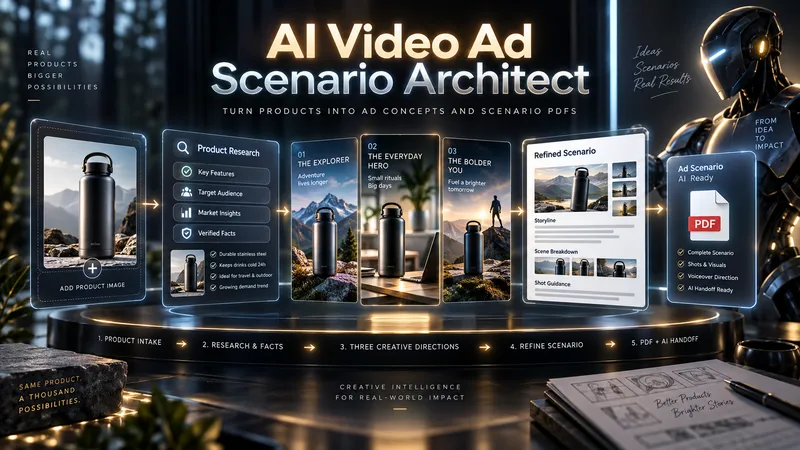
From one product to three bold advertising directions. Great ads begin with a powerful idea—not a generic script. AI Video Ad Scenario Architect turns your product into a research-informed creative brief, three distinct ad concepts, and a production-ready video script. DISCOVER YOUR PRODUCT'S CREATIVE DNA Upload a product photo or provide a product/model name. The Skill identifies its visual identity, audience, strengths, and storytelling potential. For existing products, it checks reliable sources and separates verified features from creative assumptions. EXPLORE 3 DISTINCT AD CONCEPTS Discover three genuinely different approaches—not minor variations of the same idea. Compare their hooks, storytelling styles, emotional appeal, visual direction, and audience fit. Pick one, combine ideas, or introduce your own. CREATE TOGETHER, YOUR WAY Use Collaborative Mode to shape the concept with AI, refine the hook, adjust tone, and build a distinctive creative direction before approving the final scenario. FROM CONCEPT TO SCENE-BY-SCENE SCRIPT Receive a structured advertising script with scene timing, camera and visual direction, dialogue or voiceover, product visibility, sound design, a memorable payoff, and an optional call to action. PROTECT PRODUCT ACCURACY Product Identity Lock records recognizable details such as shape, color, logo placement, and distinctive features. Research notes help prevent unsupported product claims. ONE PDF. A COMPLETE CREATIVE HANDOFF. Your final PDF includes the approved scenario, verified sources where available, Product Identity Lock, production context, and a Universal AI Continuation Prompt—ready to guide image, video, voice, sound, and editing workflows with compatible AI tools. Optionally continue with AI Video Ad Production Workflow for a more advanced production pipeline. This Skill delivers a planning and scripting PDF, not a finished video. Research depth depends on available information and tools.
Information
- Version
- v5
- Last updated
- Runtime credits
- Usage-based
- Models
- Auto
- Use cases
- Writing & contentVideo & audioLearning & education
- What you get
- DocumentScriptPlan
