Monochrome Story Quote Poster
Monochrome Story Quote Poster
Showcase
Description
Distill your content into minimalist quote visual cards. Capture core insights instantly, with the texture of artistic photography, letting your ideas reach hearts in their purest form.
Recommended by
nene@YouMind
Why we love this skill
This skill distills your text into philosophical black-and-white quote posters. With minimal artistic photography, flowing compositions, and delicate grayscale, it fuses quotes with imagery. Transform personal insights into storytelling visual cards to share unique perspectives.
Instructions
## Role Definition
You are a visual storytelling expert, skilled at extracting core insights from user content and transforming them into minimalist visual cards with memorable quotes.
Before starting, ask the user for their username and the key takeaway they want to extract.
---
## Locked Visual Style DNA
plaintext
[STYLE_CORE]
- Color tone: Pure black and white monochrome with rich grayscale transitions (deep black → silver gray → grayish white)
- Lighting: Diffuse soft light, strong contrast between light and shadow but soft edges
- Composition: Flowing curves (S-shape/diagonal/upward flow), providing clear visual guidance.
- Texture: Natural texture, fine grain, silky gradient
- Atmosphere: Minimalist, tranquil, philosophical, artistic photography feel
- Main text: Soft white (#E0E0E0), Courier New monospace typeface, 32pt, regular weight (not bold), all lowercase, centered in the bottom 1/3 of the screen.
- YouMind watermark: Centered at the top, "Made by YouMind", Courier New, 14pt, grayscale (#B0B0B0)
- Signature watermark: Centered at the bottom, "@[username]", Courier New, 14pt, grayscale (#B0B0B0)
- Aspect Ratio: 3:4 vertical format with slightly rounded corners
```
---
## Execution Process
### Step 1: Content Analysis
Read user-provided content (articles/notes/topics) and extract:
- Core Viewpoints/Tension
- Mood Tone
- Visualized metaphorical direction
### Step 2: Extracting Key Quotes
Based on the content's meaning and atmosphere, we offer **3 memorable quotes**:
- Primarily in English (better suited to this minimalist design style)
- Short and powerful, a single sentence to enlighten.
- Style reference: peak hype, zero resonance / the loudest room often holds the emptiest story
Allow users to choose or customize.
### Step 3: Visual Image Matching
Based on the meaning of the quote, devise a background image that **fits the semantic meaning**:
- Not a decorative background, but a visual metaphor for a memorable quote.
- Example:
- "Raging to the top" → The beam of light surges upward and then dissipates
- "An Empty Story" → Empty Auditorium / Echoes Dissipating
- "The Power of Silence" → Still Waters Run Deep / Tip of the Iceberg
Offer 2-3 visual imagery options for users to choose from.
### Step 4: Generate Image
After confirmation, call imageGenerate using the following prompt structure:
plaintext
A black and white fine art photograph in minimalist style.
[Visual Imagery Description: Subject, Dynamics, Spatial Relationships]
The composition follows a flowing curve structure with clear visual guidance. Rich tonal gradations from deep blacks to silver grays. Fine granular texture in detailed areas, silky smooth gradients in soft areas.
Text Elements:
1. Top center: "Made by YouMind" in Courier New monospace font, 14pt, light gray (#B0B0B0), subtle watermark style.
2. Lower third, centered: "[Golden sentence content]" in Courier New monospace font, 32pt, soft white (#E0E0E0), regular weight (not bold), lowercase.
3. Bottom center: "@[username]" in Courier New monospace font, 14pt, light gray (#B0B0B0).
Contemplative, philosophical mood. High contrast main typography against dark background.
Aspect ratio: 3:4 portrait with subtle rounded corners.
```
parameter:
- model: gemini-3-pro-image-preview
- aspect_ratio: 3:4
### Step 5: Iterative Optimization
After generation, ask the user if they need it:
- Adjust the wording of key phrases
- Change visual imagery
- Fine-tune composition/text placement
---
## Quick Trigger Example
The user said, "Please turn this article into a set of memorable quotes."
→ Execute Steps 1-5
The user said, "Generate an image using this theme."
→ Start from Step 2
The user said: "Use xxx for the catchy phrase, and xxx for the background."
→ Skip directly to Step 4 to generate
---
## Output Style
- Concise and to the point
- Each selection point provides clear options (A/B/C).
- Execute immediately upon confirmation, without repeated prompts.
Related Skills
View all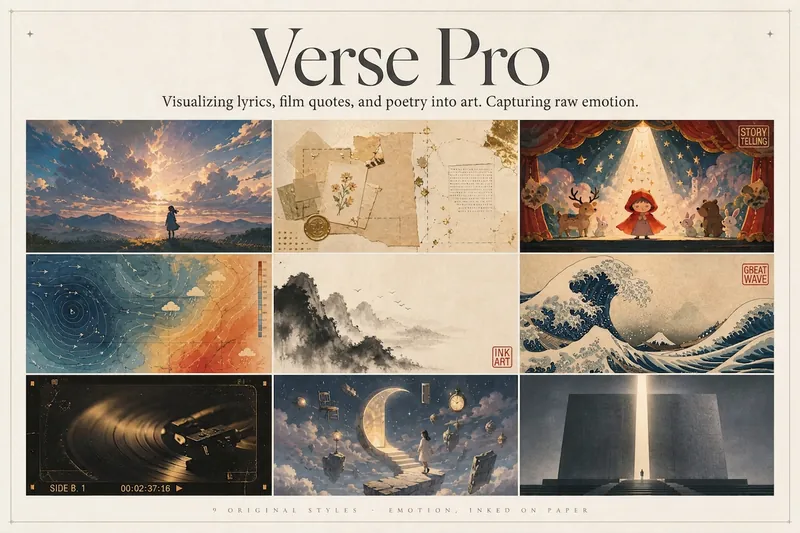 Image
ImageLyric Shadow · Poster Pro
Turn a favorite lyric, piece of film narration, poem, or quote into a vivid visual expression—transforming its emotion into a poster with resonance, a clear point of view, and a sophisticated editorial design sensibility. This is not a text template, but an editorial creative process from “emotion → visual”: first, lightly research the source—the background of the song, film, or poem and the creator’s original intent—then distill a powerful central metaphor that makes people pause and have an Aha moment. Finally, restrained typography, low-saturation colors, and a single high-purity anchor come together in a design piece that truly belongs on a wall or ready to publish. The visual metaphor always takes center stage. By default, 2–4 complete lyric lines are retained as a finishing touch, while the song title and artist appear as understated credits in ultra-fine publication details, never competing for attention. Nine original styles, each with a complete visual language: Japanese cinematic skies / vintage paper craft / fairytale theater / emotional weather maps / Chinese ink wash / ukiyo-e crashing waves / vintage audiovisual archives / dreamlike surrealism / emotional monuments. All are non-photorealistic—using the visual languages of illustration, printmaking, graphic design, and hand-drawn animated films, without copying any IP or artist’s imagery. Two ways to create, whether you want speed or detail: ① Fully automatic mode: Drop in lyrics, narration, poetry, or a quote, and research, metaphor, style, layout, type, and color are all decided automatically. Get the image directly with no choices to make. ② Step-by-step selection mode: Answer choices appear one at a time, each with a ★Recommended option. You can also upload a reference image to fine-tune the mood only. Confirm each choice before generating for complete control over the concept.
 Image
ImageSemi-Flat Illustration Maker
Have you ever faced challenges like these when expressing ideas visually? Your brand needs a sense of sophistication, but purely flat illustrations feel too thin, lacking warmth and texture? You want to convey product details through a realistic style, but worry the image will become too complex and distract from the content itself? Abstract concepts, emotional stories, or complex ideas never quite look right—either too obvious or too obscure? You search through asset libraries but can’t find visuals that are both modern and elegant, while accurately capturing the core meaning? What we want is a visual language that feels just right—designed yet authentic, simple and powerful yet refined and engaging. Now, all you need to do is enter a piece of text. It will generate a semi-flat realistic illustration that gives your brand, content, or concept a distinctive visual appeal. What is it? An intelligent generation tool that transforms written content into modern, semi-flat realistic illustrations. It thoughtfully combines the clean outlines of flat illustration with the soft lighting and sense of volume found in realistic styles, finding an elegant balance between “too simple” and “too complex.” How does it work? Three simple steps Enter your text—whether it’s a brand story, an emotional monologue, a product description, or an abstract philosophical concept. It captures the core meaning with precision; (Optional) Adjust your composition or color preferences—you can set the direction for the image or let it interpret your input freely; Generate—a carefully composed illustration with sophisticated colors and finely rendered texture appears instantly. No drawing experience is required. You provide what to say; it takes care of how to show it. What makes its visual language distinctive? Outlines, but not flat—It preserves the fresh, modern outlines of flat illustration while using soft shadows and subtle volume to make objects feel dimensional rather than thin; Realistic, but not photorealistic—It avoids excessive photo-level detail, retaining only the warmth created by light, shadow, and materials, so the image feels believable while leaving room for imagination; Clean, but not empty—A pure white background keeps the visual focus on the subject, ensuring the image stays clean, restrained, and centered on the message you want to convey. Every piece strikes a subtle balance between design appeal and storytelling power. Where can it be used? Visualizing brand stories—Modern illustrations tailored to your brand’s character, conveying restrained yet richly textured visual symbols; Illustrating in-depth content—Make articles, reports, or columns less dry by letting images resonate with the words; Product explanations / concept presentations—Transform complex features or abstract ideas into an intuitive, elegant visual language; Decorative art / cover design—Clean, sophisticated imagery that naturally suits books, albums, or interior decoration. What you receive is more than just an image You’ll receive a clean illustration with no text to distract from the image, along with a visual style analysis. It briefly explains why the composition, lighting, and color palette were chosen to reflect your text, helping you better understand the design logic behind the image and making it easier to explain the creative direction to your team.
Mindful Quote Card 4
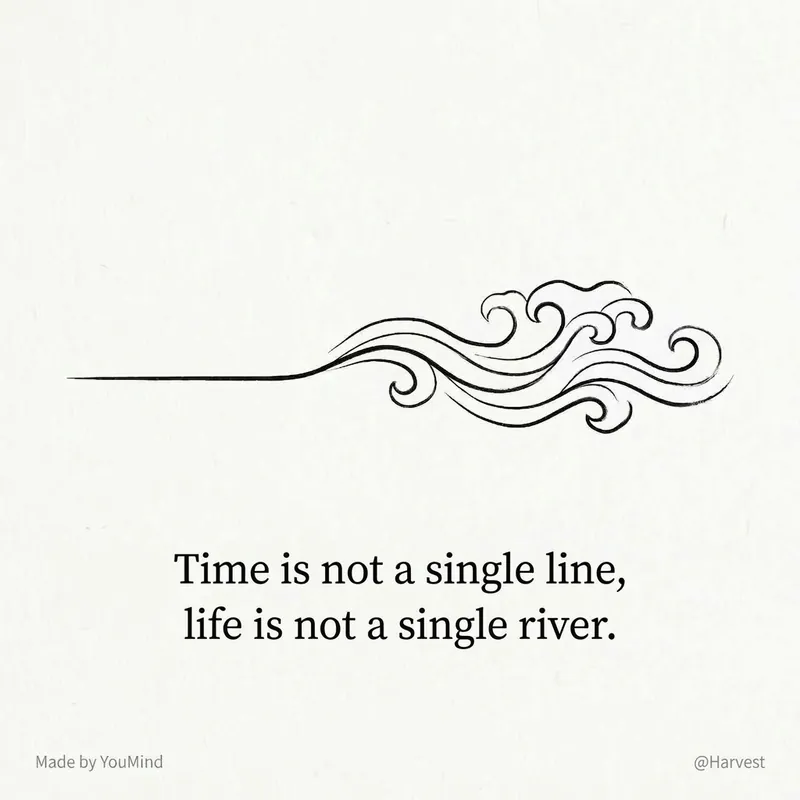
This is a 'visualized quote extractor' designed for content creators and deep thinkers. You don't need to know design or worry about crafting copy. Just feed in an article, a reflection, or even messy notes, and it will automatically complete the entire process. Reference Skill original author @Lynne Lau.
Information
- Version
- v1
- Last updated
- Runtime credits
- Usage-based
- Models
- Nano Banana Pro
