Rendu romantique de portraits
Description
Pourquoi nous recommandons cette compétence
Transforme vos photos de personnes en scènes romantiques de crépuscule sous un cerisier, d'une ingéniosité unique. Fusionne intelligemment plusieurs portraits en style 3D cartoon avec silhouettes en contre-jour cinématographiques et tons dorés. Plongez instantanément dans un décor onirique de cerisiers.
Transforme des photos de personnes ordinaires en un style romantique 3D cartoon de crépuscule paisible sous les cerisiers en fleurs. Prend en charge une ou plusieurs photos (plusieurs photos fusionnent toutes les personnes), utilise le modèle Nano Banana 2 pour produire des images 4K haute définition, offrant une ambiance paisible de silhouettes en contre-jour.
Compétences associées
Tout voir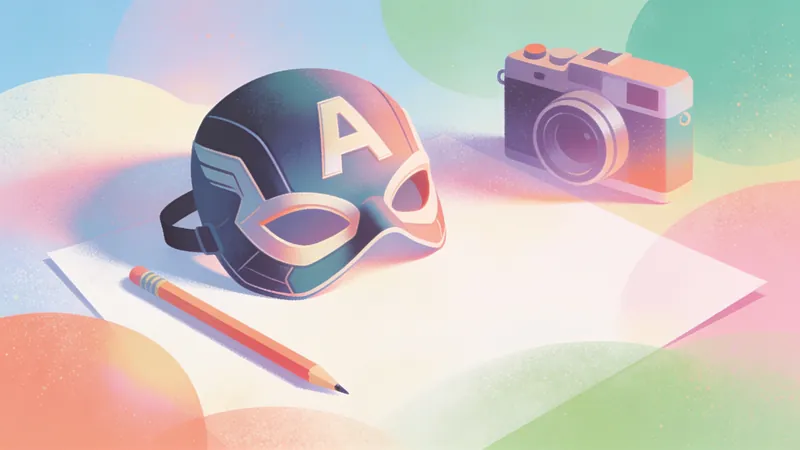 Image
ImageImages style comics US
Transformez une idée écrite, une photo de personne ou une image ordinaire en illustration au style comics américain, idéale pour créer des avatars, des affiches de personnages, des concepts de scènes et des visuels inspirés de la bande dessinée. Qu’il s’agisse d’une action de super-héros, d’un portrait de personnage ou d’une scène urbaine à l’atmosphère narrative, le rendu adopte un style comics US plus percutant tout en préservant les caractéristiques du sujet et les éléments essentiels de l’image. Vous pouvez choisir une orientation classique, moderne ou cartoon, ou fournir un dessinateur ou une œuvre de référence que vous appréciez. En l’absence de préférence précise, le système associe le sujet, l’action et l’ambiance à un sous-style comics US adapté. La composition peut être ajustée selon l’usage — avatar, illustration de personnage, bannière ou affiche — et intégrer des éléments visuels comme un encrage noir marqué, une texture en trame, des contrastes lumineux prononcés, des lignes dynamiques et un effet de découpage en cases. Pour les photos de personnes, les traits du visage, la reconnaissabilité et l’apparence du sujet sont conservés autant que possible. Pour les images ordinaires ou les illustrations, le contenu essentiel est préservé tout en étant redessiné dans un style comics US. Après la génération, la cohérence du sujet, l’expression du style et la pertinence de la composition sont également prises en compte. Vous recevez une image comics US accompagnée d’une brève explication du style et de la composition.
 Image
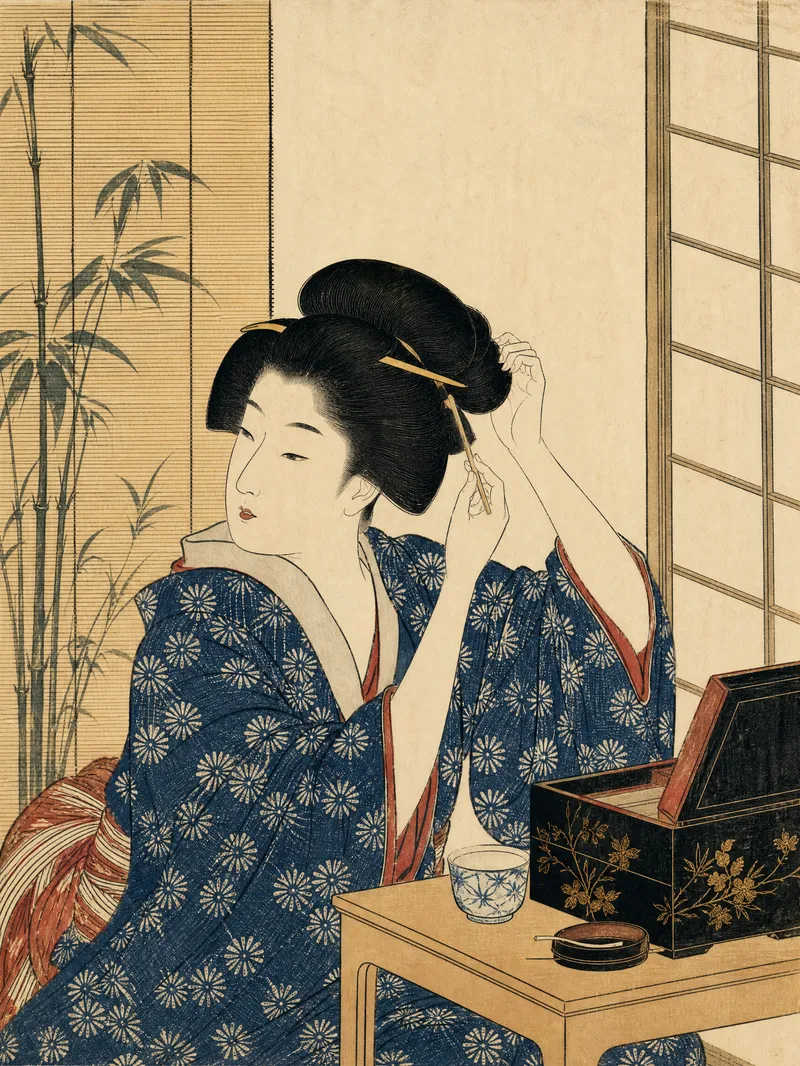
ImageEstampes ukiyo-e japonaises
Transformez une description textuelle ou une photo en une image inspirée des estampes traditionnelles japonaises ukiyo-e, tout en préservant les traits d’identité essentiels, la posture et les relations entre les personnages et leur environnement. Qu’il s’agisse d’un portrait, d’un paysage, d’une ambiance saisonnière ou d’une image verticale pour les réseaux sociaux, la composition et les points d’attention visuels s’adaptent au contenu. L’image privilégie les compositions asymétriques, les plans avant-plan, plan intermédiaire et arrière-plan, les grands espaces vides, les lignes directrices diagonales et des gestes ou émotions saisis sur le vif. Elle met en valeur les éléments naturels comme la pluie, la neige, la brume, le vent, les vagues, le clair de lune, les montagnes, les cours d’eau, les pins, les bambous et les cerisiers en fleurs, sans accumuler artificiellement des symboles comme les samouraïs, le mont Fuji ou les sanctuaires. Les photos simplifient légèrement les jeux de lumière réalistes tout en conservant l’apparence reconnaissable, l’âge, la corpulence, les vêtements et la posture des personnes. L’image finale présente des contours noirs nets et fluides, des aplats de couleurs superposées, une palette traditionnelle sobre aux tons indigo et ocre, ainsi que la texture des fibres du papier, les marques de gravure sur bois et le rendu d’un tirage artisanal. Elle évite le photoréalisme, l’animation moderne, le rendu 3D, le cyberpunk et l’aspect d’une peinture à l’huile épaisse. Sauf demande explicite, aucun texte, titre, sous-titre ni filigrane n’est ajouté.
 Image
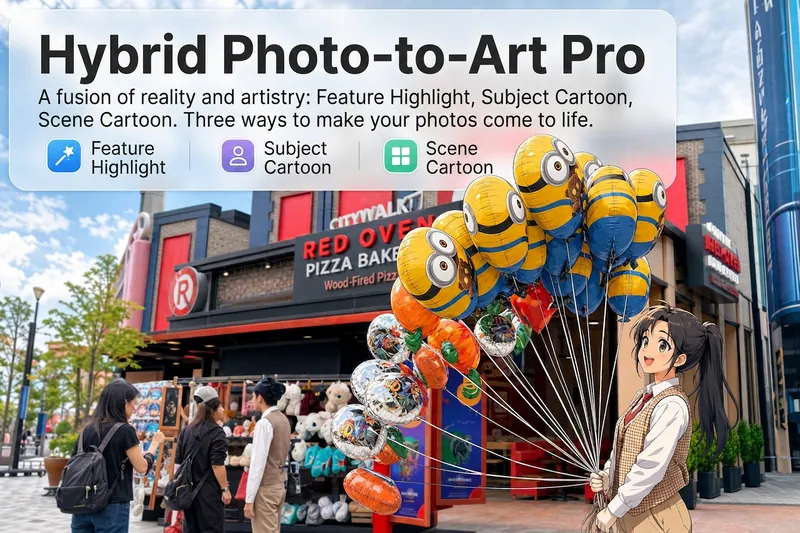
ImageArtiste photo hybride Pro
Téléversez une photo : l’IA commence par la lire comme un analyste visuel selon cinq dimensions — le sujet, la composition, la palette de couleurs, le centre visuel et l’émotion transmise. Elle vous indique ensuite quelles zones se prêtent le mieux à un traitement dessiné et comment les modifier pour un résultat harmonieux. Quatre modes de fusion du réel et de l’imaginaire, quatre façons de jouer : 🔹 Accent local — L’ensemble reste réaliste, tandis que l’IA sélectionne 2 à 3 zones à remplacer par un style dessiné. Motifs sur une enseigne, tasse de café tenue à la main, quelques fleurs qui émergent d’un massif : une touche subtile suffit à donner vie à la photo. 4 styles dessinés : croquis au trait / lavis aquarelle / gribouillage façon sticker / relief en argile. 🔹 Sujet en style animé — Personne, animal ou objet passe entièrement en style animé, tandis que l’arrière-plan conserve son rendu photographique réaliste. 5 styles animés : anime japonais dynamique / comics de super-héros américain / style Ghibli / webtoon coréen / lavis à l’encre chinoise. Comme si un personnage animé entrait dans le monde réel. 🔹 Environnement animé — On inverse le principe : le sujet reste réaliste et tout ce qui l’entoure passe en style animé. Le contraste d’une personne dans un monde en 2D est instantanément amplifié. 🔹 Couleurs sélectives et traînées lumineuses — L’image passe en noir et blanc, tandis que les objets sélectionnés conservent leurs couleurs d’origine très saturées. Ils sont soulignés d’un trait blanc net et prolongés par des traînées colorées fluides, ondulées et psychédéliques, à la texture d’agate, qui s’étendent naturellement dans le sens de la scène. Collage rétro × art surréaliste : une simple photo devient instantanément une affiche de film. Chaque mode × 2 façons de fusionner : fondu progressif (transition naturelle entre le réel et l’imaginaire, comme de l’encre qui se diffuse) / bordure dessinée (contour blanc, comme un sticker collé sur l’image). Pas de génération à l’aveugle : vous gardez le contrôle à chaque étape. L’IA analyse d’abord → recommande une solution → vous confirmez → l’image est générée. Les photos de portraits évitent automatiquement les traits du visage, qui ne sont pas remplacés par un style dessiné. Le nombre de zones est limité à 2 ou 3, avec des contraintes précises sur leur position et leur superficie : le résultat met en valeur l’image, sans effet collage. 4 modes · 16 styles · 2 fusions = 32 combinaisons entre réel et imaginaire. Une même photo peut ainsi prendre des allures complètement différentes.
Rendu romantique de portraits
Description
Pourquoi nous recommandons cette compétence
Transforme vos photos de personnes en scènes romantiques de crépuscule sous un cerisier, d'une ingéniosité unique. Fusionne intelligemment plusieurs portraits en style 3D cartoon avec silhouettes en contre-jour cinématographiques et tons dorés. Plongez instantanément dans un décor onirique de cerisiers.
Transforme des photos de personnes ordinaires en un style romantique 3D cartoon de crépuscule paisible sous les cerisiers en fleurs. Prend en charge une ou plusieurs photos (plusieurs photos fusionnent toutes les personnes), utilise le modèle Nano Banana 2 pour produire des images 4K haute définition, offrant une ambiance paisible de silhouettes en contre-jour.
Compétences associées
Tout voirImageImages style comics US
Transformez une idée écrite, une photo de personne ou une image ordinaire en illustration au style comics américain, idéale pour créer des avatars, des affiches de personnages, des concepts de scènes et des visuels inspirés de la bande dessinée. Qu’il s’agisse d’une action de super-héros, d’un portrait de personnage ou d’une scène urbaine à l’atmosphère narrative, le rendu adopte un style comics US plus percutant tout en préservant les caractéristiques du sujet et les éléments essentiels de l’image. Vous pouvez choisir une orientation classique, moderne ou cartoon, ou fournir un dessinateur ou une œuvre de référence que vous appréciez. En l’absence de préférence précise, le système associe le sujet, l’action et l’ambiance à un sous-style comics US adapté. La composition peut être ajustée selon l’usage — avatar, illustration de personnage, bannière ou affiche — et intégrer des éléments visuels comme un encrage noir marqué, une texture en trame, des contrastes lumineux prononcés, des lignes dynamiques et un effet de découpage en cases. Pour les photos de personnes, les traits du visage, la reconnaissabilité et l’apparence du sujet sont conservés autant que possible. Pour les images ordinaires ou les illustrations, le contenu essentiel est préservé tout en étant redessiné dans un style comics US. Après la génération, la cohérence du sujet, l’expression du style et la pertinence de la composition sont également prises en compte. Vous recevez une image comics US accompagnée d’une brève explication du style et de la composition.
ImageEstampes ukiyo-e japonaises
Transformez une description textuelle ou une photo en une image inspirée des estampes traditionnelles japonaises ukiyo-e, tout en préservant les traits d’identité essentiels, la posture et les relations entre les personnages et leur environnement. Qu’il s’agisse d’un portrait, d’un paysage, d’une ambiance saisonnière ou d’une image verticale pour les réseaux sociaux, la composition et les points d’attention visuels s’adaptent au contenu. L’image privilégie les compositions asymétriques, les plans avant-plan, plan intermédiaire et arrière-plan, les grands espaces vides, les lignes directrices diagonales et des gestes ou émotions saisis sur le vif. Elle met en valeur les éléments naturels comme la pluie, la neige, la brume, le vent, les vagues, le clair de lune, les montagnes, les cours d’eau, les pins, les bambous et les cerisiers en fleurs, sans accumuler artificiellement des symboles comme les samouraïs, le mont Fuji ou les sanctuaires. Les photos simplifient légèrement les jeux de lumière réalistes tout en conservant l’apparence reconnaissable, l’âge, la corpulence, les vêtements et la posture des personnes. L’image finale présente des contours noirs nets et fluides, des aplats de couleurs superposées, une palette traditionnelle sobre aux tons indigo et ocre, ainsi que la texture des fibres du papier, les marques de gravure sur bois et le rendu d’un tirage artisanal. Elle évite le photoréalisme, l’animation moderne, le rendu 3D, le cyberpunk et l’aspect d’une peinture à l’huile épaisse. Sauf demande explicite, aucun texte, titre, sous-titre ni filigrane n’est ajouté.
ImageArtiste photo hybride Pro
Téléversez une photo : l’IA commence par la lire comme un analyste visuel selon cinq dimensions — le sujet, la composition, la palette de couleurs, le centre visuel et l’émotion transmise. Elle vous indique ensuite quelles zones se prêtent le mieux à un traitement dessiné et comment les modifier pour un résultat harmonieux. Quatre modes de fusion du réel et de l’imaginaire, quatre façons de jouer : 🔹 Accent local — L’ensemble reste réaliste, tandis que l’IA sélectionne 2 à 3 zones à remplacer par un style dessiné. Motifs sur une enseigne, tasse de café tenue à la main, quelques fleurs qui émergent d’un massif : une touche subtile suffit à donner vie à la photo. 4 styles dessinés : croquis au trait / lavis aquarelle / gribouillage façon sticker / relief en argile. 🔹 Sujet en style animé — Personne, animal ou objet passe entièrement en style animé, tandis que l’arrière-plan conserve son rendu photographique réaliste. 5 styles animés : anime japonais dynamique / comics de super-héros américain / style Ghibli / webtoon coréen / lavis à l’encre chinoise. Comme si un personnage animé entrait dans le monde réel. 🔹 Environnement animé — On inverse le principe : le sujet reste réaliste et tout ce qui l’entoure passe en style animé. Le contraste d’une personne dans un monde en 2D est instantanément amplifié. 🔹 Couleurs sélectives et traînées lumineuses — L’image passe en noir et blanc, tandis que les objets sélectionnés conservent leurs couleurs d’origine très saturées. Ils sont soulignés d’un trait blanc net et prolongés par des traînées colorées fluides, ondulées et psychédéliques, à la texture d’agate, qui s’étendent naturellement dans le sens de la scène. Collage rétro × art surréaliste : une simple photo devient instantanément une affiche de film. Chaque mode × 2 façons de fusionner : fondu progressif (transition naturelle entre le réel et l’imaginaire, comme de l’encre qui se diffuse) / bordure dessinée (contour blanc, comme un sticker collé sur l’image). Pas de génération à l’aveugle : vous gardez le contrôle à chaque étape. L’IA analyse d’abord → recommande une solution → vous confirmez → l’image est générée. Les photos de portraits évitent automatiquement les traits du visage, qui ne sont pas remplacés par un style dessiné. Le nombre de zones est limité à 2 ou 3, avec des contraintes précises sur leur position et leur superficie : le résultat met en valeur l’image, sans effet collage. 4 modes · 16 styles · 2 fusions = 32 combinaisons entre réel et imaginaire. Une même photo peut ainsi prendre des allures complètement différentes.
Trouve ta prochaine compétence préférée
Explore d'autres compétences IA sélectionnées pour la recherche, la création et le travail quotidien.