
Seamless Pattern Generator
Create repeat-ready seamless patterns from any idea
Seamless Pattern Generator
Create repeat-ready seamless patterns from any idea
Showcase
Description
Turn any idea, motif, or reference image into a polished, repeat-ready seamless pattern. Seamless Pattern Generator works like an AI surface pattern designer. It transforms creative direction into visually balanced patterns for fabric, wallpaper, wrapping paper, packaging, stationery, home decor, digital paper, print-on-demand products, and more. No technical pattern-design knowledge is required. Describe what you want or upload a visual reference. The Skill plans motif hierarchy, scale, density, spacing, palette, orientation, repeat structure, visual rhythm, negative space, and edge-aware motif placement. It creates the master pattern tile and checks how the design behaves as a repeating surface, looking for visible seams, awkward edge cuts, empty channels, motif collisions, obvious grid effects, and repetitive clusters. When problems appear, it focuses on correcting the affected structure while preserving the creative direction. Start with a text idea, color palette, motifs, visual style, reference image, existing artwork, or intended application. The final result can include a clean master tile, repeat preview, and concise pattern specification. You can also create new colorways, change motif scale or density, adjust the background, or develop alternative versions while preserving the same visual identity. Example prompts: • “Create a dark botanical pattern with burgundy roses, antique-gold leaves, and a deep emerald background for premium wrapping paper.” • “Use this image as inspiration and create an original seamless pattern that preserves its color mood and botanical character.” • “Create a playful non-directional fabric pattern with foxes, mushrooms, leaves, and tiny stars.” • “Keep the same motifs, make the pattern less dense, enlarge the main flowers, and change the background to burgundy.” From creative idea to repeat-ready surface design — without the technical complexity.
Related Skills
View all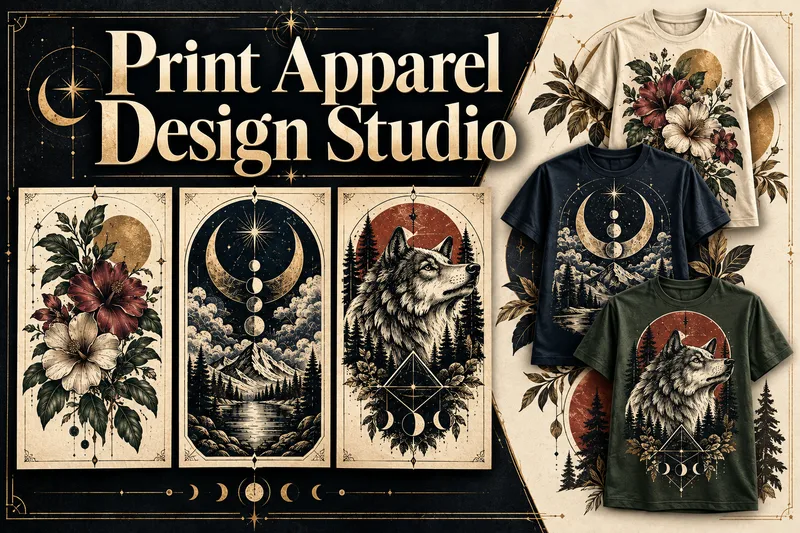 Image
ImagePrint Apparel Design Studio
Turn an apparel idea into an original, professionally art-directed product with a clear visual identity. Print Apparel Design Studio helps you develop single T-shirt graphics or coherent 3–5-piece collections through a structured creative process. Explore relevant art movements, historical artists, visual references, colour palettes, composition, typography, and print limitations before production prompts are written. Choose T-shirts, sweatshirts, hoodies, tote bags, and other surfaces. Define the niche, wearing context, graphic language, garment colour, print area, detail level, and production method. Then receive print-aware artwork prompts, platform adaptations, and practical production notes. Generate your artwork in ChatGPT, Midjourney, Ideogram, Firefly, or another platform. Bring the results back for structured review, revision planning, and approval. Create faithful product-validation and marketing mockup prompts—or upload mockups made elsewhere for quality control. Every visual stage follows a prompt-first approval workflow. Completed projects can include a Design Brief, Artist & Movement Reference Board, Visual DNA, approved prompts, print-preparation notes, mockup direction, artwork and mockup QA, plus an Apparel Production & Selling Guide with current sources, platform considerations, and launch steps.
 Image
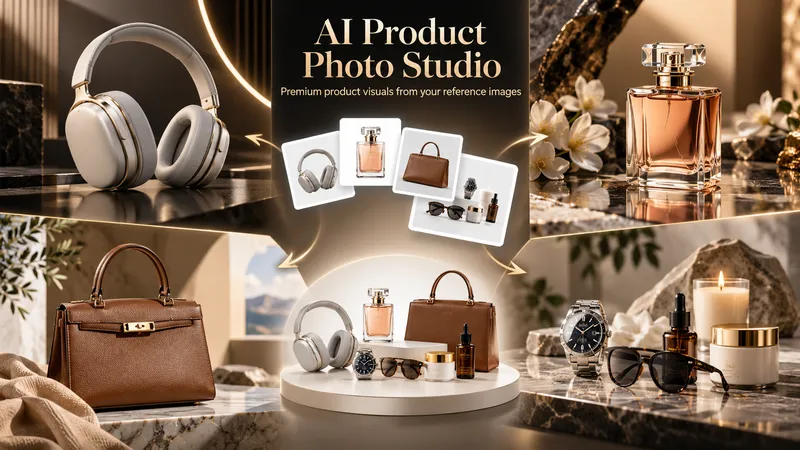
ImageAI Product Photo Studio
Turn your product photos into premium, advertising-ready visual concepts with professional creative direction. Upload a product image alone or combine it with people, environments, mood references, composition examples, or your own creative idea. The skill analyzes each reference by role, protects the product’s identity, branding, labels, visible text, colors, proportions, and packaging details, then guides you through a short adaptive creative brief. Choose from photorealistic, premium studio, lifestyle, editorial, still life, minimal, luxury, surreal, UGC-style, cinematic, and other visual directions — with or without people. You receive 5 genuinely different creative concepts and 5 detailed English production prompts designed for high-end image generation. Every concept prioritizes natural product integration, realistic lighting, coherent shadows and reflections, accurate materials, believable scale and perspective, and strong commercial composition. Human scenes are directed toward natural anatomy, realistic hands, authentic interaction, and detailed skin texture without artificial plastic or waxy results. Optional image generation, variations, revisions, and quality-control workflows help you refine selected concepts into polished product visuals for social media, e-commerce, marketplaces, websites, campaigns, and brand content.
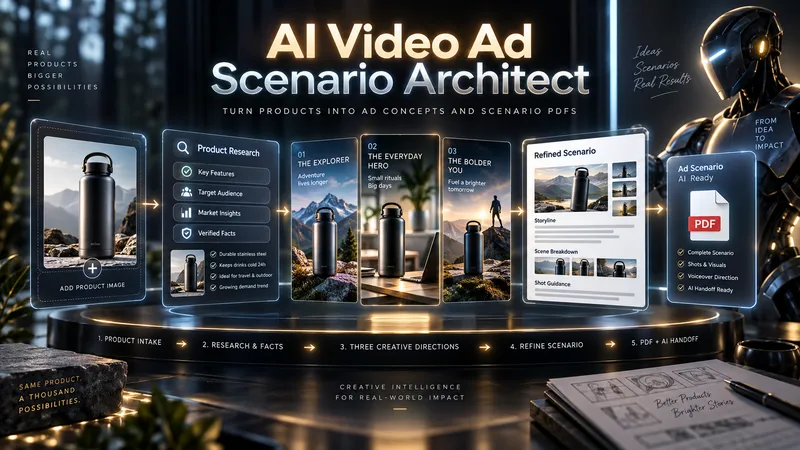
AI Video Ad Scenario Architect
Upload a product image or provide a product/model name. AI Video Ad Scenario Architect researches the product, identifies verified features, and turns them into creative advertising opportunities. The Skill first builds the Product Creative DNA, then uses the Creative Diversity Engine to generate 3 genuinely different ad directions. You can choose one, combine ideas, or introduce your own concept. If you want more control, Collaborative Mode lets you refine the selected direction together with the AI. For identifiable products already on the market, the Skill researches the web, prioritizes official sources, resolves conflicting information, and prevents unsupported technical claims from entering the script. When you upload a product image, Product Identity Lock preserves key visual details such as color, silhouette, logo placement, and distinctive product features for later production stages. After your chosen direction is approved, it is developed into a complete video ad scenario with scene timing, dialogue, visual direction, product visibility, sound design, payoff, and an optional CTA. The final deliverable is a structured PDF. It is not just a readable script: it also includes Verified Sources, Product Identity Lock, Production Context, and a Universal AI Continuation Prompt. You can give the PDF to another capable AI assistant and continue with image generation, image-to-image, image-to-video, voice, sound, and editing planning. You can also pass the same PDF into an optional AI Video Ad Production Workflow for a more advanced production pipeline.
Information
- Version
- v5
- Last updated
- Runtime credits
- Usage-based
- Models
- Auto
