
Skill Value Cover Generator
Show people, context, and value at a glance
Skill Value Cover Generator
Show people, context, and value at a glance
Showcase
Description
Generate both a 1:1 marketplace thumbnail and a 16:9 detail cover for a YouMind Skill, showing the before-and-after value through people, inputs, and usable results. When no clear brand assets are provided, do not add any mascot or logo.
Related Skills
View all
YouMind Skill Cover Generator
Want to create professional and eye-catching icons and cover images for your YouMind Skill? This skill is your dedicated visual designer, intelligently generating two types of high-quality visual assets based on your Skill's name, core functions, target users, and usage scenarios. Whether it's a clean 1:1 avatar icon for your Skill or a narrative 3:2 cover image for detail pages and recommendation cards, each is carefully designed to make your Skill stand out. Simply provide a basic description of your Skill, such as 'a Skill that summarizes podcasts,' and this skill will automatically understand and complete the design direction, including core metaphors, visual subjects, color schemes, and composition, ensuring visual consistency between the avatar and cover. Even if information is incomplete, it will make reasonable assumptions and can ask clarifying questions as needed to ensure the final design meets your expectations. This skill supports a variety of visual styles, from 'minimalist tech' to 'premium product poster' to 'cute and friendly assistant.' Based on your preference or by default, it will adopt a 'premium, clean, tech-forward, modern SaaS visual style suitable for AI tool products,' delivering both beautiful and practical visual works. Ultimately, you'll get a unified and professional Skill visual identity that effectively communicates your Skill's value and attracts more users.

Skill Icon Generator
Enter a skill name and one-sentence use case. Roll a four-dimensional dice to set the visual direction, then generate a 1:1 skill avatar icon first. Once you approve it, it becomes the sole anchor image for the entire workflow. The cover illustration (16:9) is generated with the anchor image as a reference, while the header image for the mobile promotional graphic (9:16) uses the original cover illustration directly without model redrawing to prevent visual drift. The information section is generated separately and then assembled. The three-piece set maintains strictly consistent styling, colors, and outlines. Designed specifically for skill avatar slots, cover slots, and mobile promotion. When you only need a single icon or already have established visual guidelines, the three-piece workflow will not start. If the environment does not support automatic assembly, you will first be asked whether you want a header image; if you say no, the result will be a promotional graphic containing only the information section.
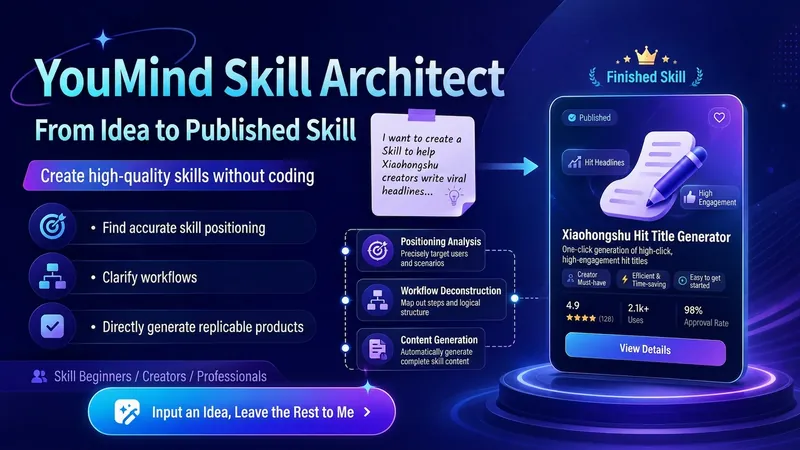
YouMind Skill Architect v2.0
Turn a vague idea into a YouMind Skill that's ready to publish. You can use it even if you don't know how to write Skills, understand prompts, or break down workflows. It will help you: Identify the right positioning: determine your target users, core pain points, and use cases truly worth building Design the workflow: break your experience into a complete workflow of "input → judgment → steps → output" Generate the finished product: write out the Skill name, subtitle, description, input hint, and full instructions for you Check quality: automatically check whether it's too broad, the input is too complex, the output is unclear, the flow is broken, or it lacks value Finish the packaging: make the Skill easier to understand, install, use, and reuse Using it is simple: Just open it and tell me: "I want to make a Skill that helps XX people solve XX problem." Even if you only have a vague one-line idea, you can get started. You'll end up with a complete, finished Skill that you can copy directly into the YouMind creation page.
Information
- Version
- v5
- Last updated
- Runtime credits
- Usage-based
- Models
- Auto
