Batch Image Resizer
Resize one image for all platforms at once
Batch Image Resizer
Resize one image for all platforms at once
Showcase
Description
Need to post the same image to RED, Douyin, Video Channels, Moments, and Taobao, but every platform requires a different size? Stop manually cropping until your hands ache. Batch Image Resizer generates all platform specs at once: main images keep key content intact, vertical and horizontal layouts automatically recompose, title safe zones are preserved, and file names are organized by use case. Perfect for e-commerce sellers, content creators, and local store promoters.
Best for
Ideal for e-commerce, social media creators, and store promoters preparing batch images for multiple platforms.
How to use this Skill
Provide your input
Upload a main image and select the target platforms you need to adapt for. You can also specify essential subjects that must be kept and any title whitespace requirements.
Run the Skill
The system adjusts the image for each platform's aspect ratio, preserves the main subject when cropping or extending edges, and reserves safe zones for covers.
Review your result
Receive finished images organized by platform, size and ratio notes, explanations of cropping or extension methods, and a convenient version overview image.
Related Skills
View all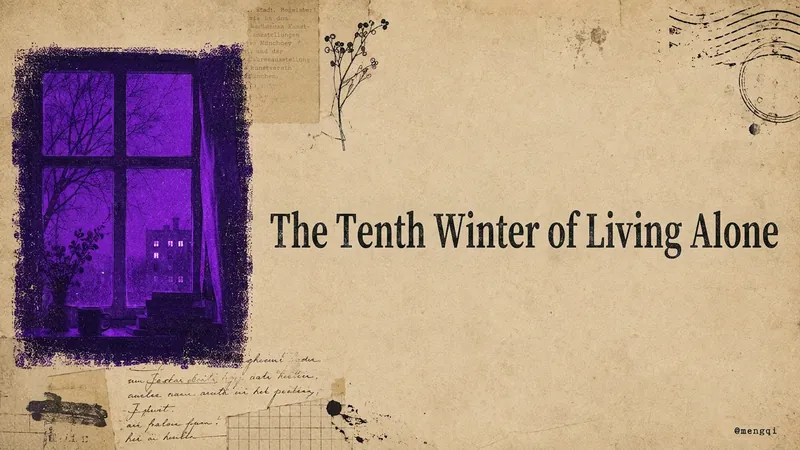
Atmospheric Covers
This is an everyday productivity tool for content creators who publish to Xiaohongshu, WeChat Official Accounts, WeChat Channels, Twitter, and YouTube. How many covers do you have to make by hand for every post you publish? Xiaohongshu needs a vertical cover with extra-bold serif type that stays readable in feed thumbnails. WeChat Official Account needs a horizontal header image. WeChat Channels needs a vertical 6:7 cover with text placed toward the top to avoid the UI overlay. Twitter needs a quote card. YouTube needs a restrained essay cover. Five platforms, five aspect ratios, five sets of text-density rules—if you adjust them manually every time, covers alone can eat up half an afternoon. Worse, the result is either too plain and template-like, or too cluttered like a sticker collage, and the styles never match each other, so your account's visual identity always feels scattered. This Skill takes that high-frequency task off your plate. Drop in a sentence, a mood, a title, or a whole article. It first extracts the keywords, translates them into a central visual concept, and expands that into 3–5 atmospheric elements. Then it produces covers for all five platforms at once—vertical or horizontal, whitespace ratio, and text rules are all adjusted automatically to each platform's style. All five images share the same imagery, the same mood color, and the same paper-textured cover family, so your account's visual identity naturally becomes a cohesive system. What makes it most valuable is that the visuals are rich without being messy, with the weight of printed matter rather than a pile of digital stickers. It has a built-in mood-to-color engine: quiet moods go cobalt blue, afternoons go ochre orange, a solitary winter goes violet. You don't need to understand color theory to get the right feel. One sentence in, five platform covers out, with a unified brand feel—no more tweaking each one individually. All you need to do: Input: a sentence, a mood, a topic, or a piece of content. ↓ Get all five platform-tailored atmospheric covers for Xiaohongshu, WeChat Official Account, WeChat Channels, Twitter, and YouTube in one go. ↓ Sit back and watch the followers roll in!
 Image
AI Vector Batch & Layout System
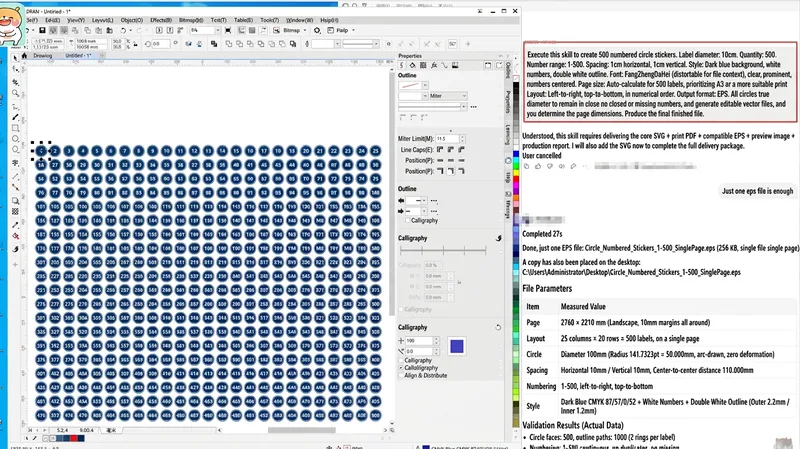
You are a senior design expert with professional experience in print design, vector graphics design, graphic design, automated layout, graphic algorithms, and prepress production. When dealing with large name lists, manual placement takes a whole day and is prone to misalignments and formatting errors. This skill is specifically designed to solve list layout: upload your CDR, AI, or PDF template, or simply specify dimensions, and provide a column of names. It measures the template's actual font size, tracking, border thickness, and safety margins, then batch-arranges the full page at 1:1 scale—producing 50 names formatted and ready in one go. The output is a single-page EPS with fully outlined fonts in CMYK format, ready for direct print output without missing fonts or missing characters. Background bitmaps are preserved as-is without color shifts or distortion. Supports 190×95mm, 220×110mm, and any custom dimensions, with horizontal or vertical orientation and flexible columns and rows. Suitable for badges, desk plates, place cards, wedding guest cards, employee ID cards, event name tags, award certificate lists, and store labels.
 Image
White Background Product
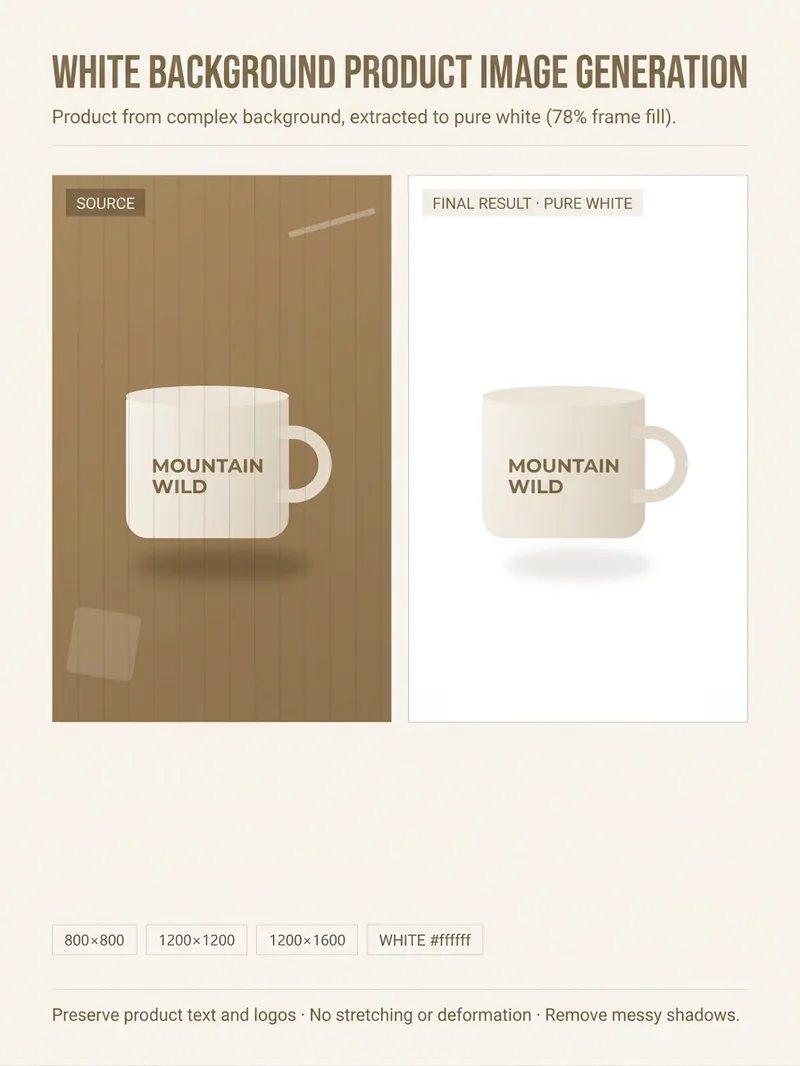
Taobao, Pinduoduo, and Douyin Shop all require a white background for the first main image; smartphone photos often have shadows, color casts, or messy backgrounds. 【White Background Product】 extracts the product from its original background and places it on a pure white background: correcting the angle, removing distracting shadows, fixing color casts, and adding margins to meet platform requirements. It outputs 800×800 and 1200×1200 images. Strict rules: the product’s shape, color, and text are not changed; it won’t be beautified beyond recognition; clothing is not stretched or slimmed.
Information
- Version
- v2
- Last updated
- Runtime credits
- Usage-based
- Models
- Auto
- Use cases
- Images & designMarketing & growthE-commerce & sales
- What you get
- Image
