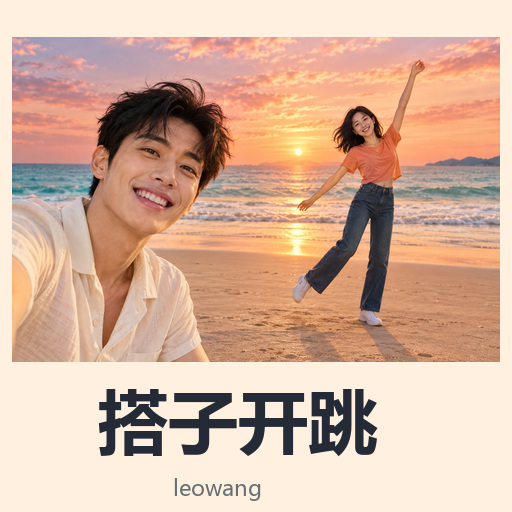
Duo Dance Video Generator
Use reference videos to create fun two-person short videos starring you and a partner.
Duo Dance Video Generator
Use reference videos to create fun two-person short videos starring you and a partner.
Showcase
Description
Want to make a matching two-person short video with a friend, partner, or your own original character? Upload a two-person reference video, clear photos of both individuals, and tell it where you want to be: a beach sunset, city night view, campus sports ground, and more. It first distinguishes who corresponds to whom, then designs actions, front-to-back positioning, and camera angles based on the reference, helping you skip complex parameter adjustments and get straight to generation. It supports plain-clay motion references and custom scenes; you can plan 9:16 vertical video as needed, prioritizing keeping both people and their dance steps in the frame. Actual generation depends on YouMind's current video model support for reference videos and multi-person images. Video consumption is billed separately, and frame-by-frame motion or 100% facial likeness is not guaranteed.
Related Skills
View all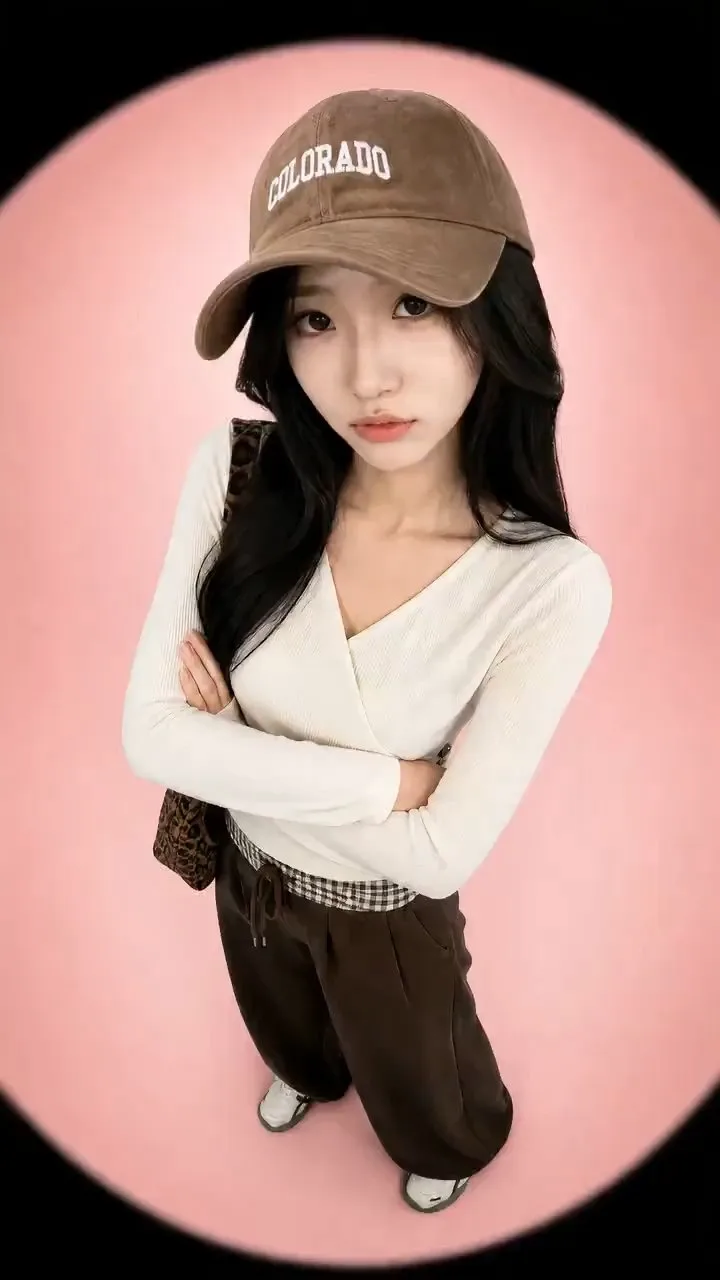 Video
Virtual Try-On Video Generator
[Target Audience]: Apparel store owners, fashion bloggers, shopping short video creators, brand new arrivals, and transformation content for platforms like Xiaohongshu and Douyin. [Features]: Consistent face and accurate clothing colors: each outfit is independently generated using "character + that outfit" 6 mature styles, plus support for custom scenes Automatically matches YouMind's image and video models, defaulting to the most stable combination Generates images first, waits for your confirmation, then generates videos to save video credits [Styles or Scenes]: 1. Fisheye Glare: circular fisheye + flare jump cuts, trendy, fast, eye-catching 2. Magazine Editorial: neutral grey background + slow push-in + cross dissolve, high texture 3. Street Snap Camera: street walking + whip pan outfit change, authentic lifestyle feel 4. Retro Film: grain + date stamp + film burn edges, nostalgic and artistic 5. Beat Sync Transformation: fixed camera + snap/spin instant outfit change, great with music 6. Selfie Vlog: front phone camera perspective + hand-covering-lens outfit change, great for product recommendations · Defaults to style 1 if unselected; you can also write "I want something like a Japanese magazine style" or "in a coffee shop", etc. [One-Sentence Summary]: You just need to upload a portrait photo (or skip it, and a matching model will be automatically generated) and 3 to 6 clothing images, then choose a style: Fisheye Glare, Magazine Editorial, Street Snap Camera, Retro Film, Beat Sync Transformation, or Selfie Vlog, or directly describe your desired scene. It first profiles each piece of clothing, locks in the same character, and then sequentially generates final look images, storyboard keyframes, and video clips, finally providing an editing and transition list accurate to the second. Every step can be confirmed and redone individually without starting over from scratch.
AI Try-On Video Generator
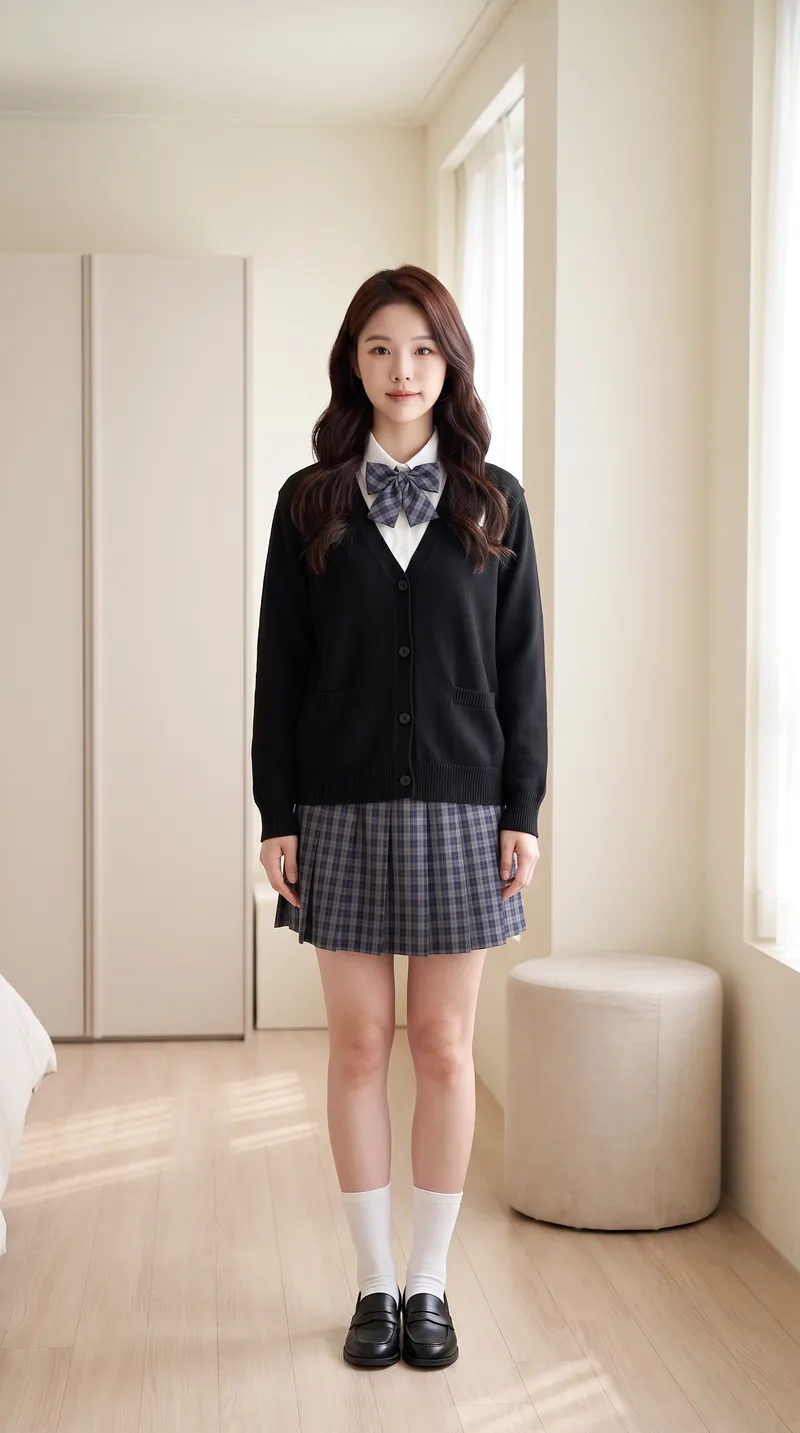
Transform a portrait and clothing images into a first-person interactive vertical short video for virtual try-on. [Input] * Portrait photo (optional): maintains face and person consistency if provided; otherwise automatically generates a matching protagonist based on style * 1-4 clothing images: tops, bottoms, shoes, bags, or accessories, with the upload order matching the dressing sequence * Optional parameters: style, scene, interactive effects, duration, and video count [Output] 9:16 vertical virtual try-on short video. The character remains consistent throughout, the scene is unchanged, clothing strictly matches the uploaded images and is put on one by one by "first-person hands," concluding with a full look freeze-frame. [Core Differences] * Two workflows: storyboard generation followed by video synthesis (controllable, precise clothing order) or direct one-step video generation (fast, suitable for batch production with few garments) * Full automation: automatically generates a matching protagonist without a portrait photo for zero threshold entry * Consistency locking: stable face, hairstyle, scene, and clothing style without drifting across the video * Default compliance: built-in clothing whitelist and negative words with initial styling forced to modest base layers, preventing prohibited content such as underwear, swimwear, stockings, or translucent items for immediate publishing [Who Is It For] * Fashion bloggers and content creators: try three outfits in one video and test styling without wearing them physically * E-commerce and apparel merchants: turn new arrivals into dynamic videos instantly, eliminating model and studio costs for content creation * Xiaohongshu/Douyin/TikTok operators: batch-produce hook videos featuring auto-dressing characters with completion rates higher than static outfit posts * Fashion styling educators, stylists, and buyers: quickly demonstrate multiple outfit options to clients * Independent designers and white-label sellers: create model showcase videos without physical photo shoots [Monetization Opportunities] * E-commerce sales: drive traffic with product links in videos and close sales directly using before-and-after try-on comparisons * Brand commercial deals: batch-produce promotional content for clothing brands with one style per video at a fraction of live-action shoot costs * Account growth: build series columns around try-on videos to grow accounts and monetize through traffic rewards and brand sponsorships * Asset resale: sell generic try-on template packs to peers or use them as training cases for coaching tutorials * Cost reduction for personal use: build an in-house product video asset library, saving time and money on repeated shoots [Applicable Scenarios] Outfit channel content production, e-commerce new arrival showcases, AI short video matrix marketing, outfit styling demos, social media grid posts, and client pitch samples.
 Image
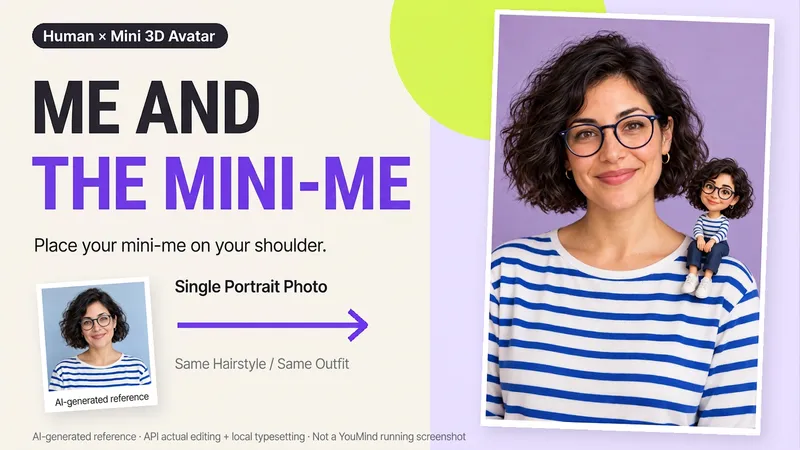
Me and My Mini Me
What would it look like to have a tiny version of yourself sitting on your shoulder? Upload a clear photo of one person to create a creative portrait featuring the real person alongside a mini 3D double. One keeps the look of a photograph, while the other becomes a detailed little designer toy, with matching hair, glasses, and outfit so the two forms feel connected. What you can get: ① Shoulder companion: By default, the double sits on your shoulder, with you and your mini self looking at the camera together. ② Matching features: Focuses on visible details from the reference, including hairstyle, glasses, accessories, clothing colors, and patterns. ③ Clean final image: Defaults to a 2:3 vertical format, a soft studio background, and no text—one image to start. ④ Further adjustments: Ask to change the background or adjust the double’s size or pose, with priority given to continuing the version you already approved. Great for personal profiles, birthday keepsakes, and social sharing. The double is an artistic miniature version of the same person, not a real parent-and-child photo. You can also create fictional characters from text. The final image depends on the image tools and usage available on the current platform. Generative editing may change details of the person; exact preservation of the original photo, 100% likeness, and flawless hand structure are not guaranteed. If the tool is unavailable, this will be stated clearly and a complete prompt will be provided.
Information
- Version
- v4
- Last updated
- Runtime credits
- Usage-based
- Models
- Auto
- Use cases
- Images & designVideo & audio
- What you get
- DocumentVideo
