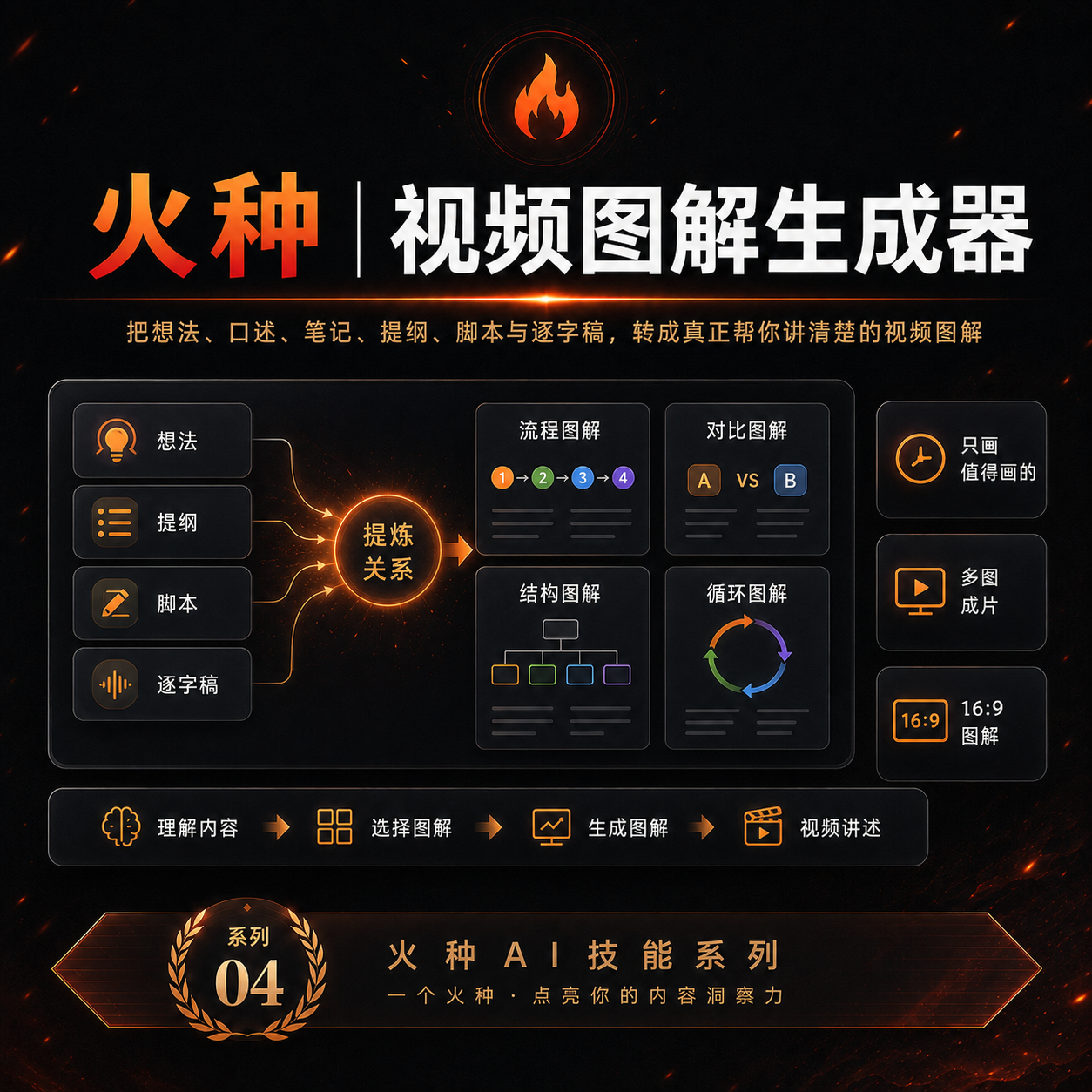
Spark | Video Diagram Maker
Turn ideas into clear video diagrams
Spark | Video Diagram Maker
Turn ideas into clear video diagrams
Showcase
Description
Many videos don’t lack content—the content is simply too abstract or dense. Viewers understand one sentence, then forget it by the next. “Spark | Video Diagram Maker” takes your ideas, brainstorms, outlines, scripts, transcripts, or articles and first breaks them down into concepts that are genuinely worth visualizing. It then determines whether they are best expressed as a process, comparison, architecture, hierarchy, cycle, branch, decision tree, or another diagram structure. It won’t draw just to hit a quota, or cram complex content into one cluttered infographic. Multiple diagrams maintain the same visual language, naming, and semantic color system, making them easy to insert into videos as an explanatory framework. Especially useful for: Explaining complex concepts Breaking down workflows Comparing two methods Showing system structures Clarifying cause-and-effect relationships Turning a long brainstorm into a set of visual nodes for a video The default output is a 16:9 static diagram. If the runtime environment cannot provide an editable Excalidraw source file, this will be stated clearly; static images will never be presented as .excalidraw files. Use cases Use case 1 | Turn a brainstorm into diagrams You only have a long stream of spoken ideas, without a complete script. The Skill identifies the points most worth drawing and organizes them into a set of diagrams with a clear presentation order. Use case 2 | Turn a script into visual nodes for a video You already have a complete script but don’t know where to add visuals. The Skill determines which sections are worth visualizing and selects suitable diagram types. Use case 3 | Explain complex concepts For example: how an AI Agent works, why a workflow matters more than a one-off demonstration, how a business model operates, or which layers make up a product architecture. Use case 4 | Break down a workflow or process For example: topic pool → research → Hook → script → production → review. Use case 5 | Make comparisons For example: no workflow vs. a workflow; traditional methods vs. AI methods; one-time success vs. stable, repeatable results.
Recommended by
Shuting@YouMind
Why we love this skill
Turns scripts, outlines, and brainstorms into clear diagrams that prioritize logic, traceability, and video readability over decoration.
Related Skills
View all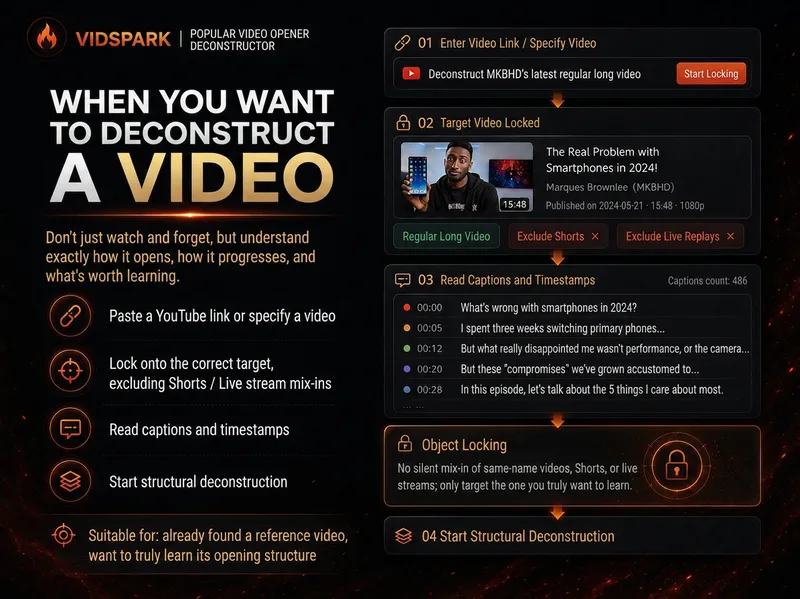 Research
Spark | Video Hook Analyzer
When preparing to make a video, we often run into the same problem: you can clearly see that a reference video “knows how to tell a story,” but when it’s your turn to create, you can only imitate it by feel. 「Spark | Video Hook Analyzer」is designed for this step. Give it a specific YouTube video. It first verifies the video and reads captions that can be checked, then separates three things that are easy to conflate: Literal 30s: What actually happens from 0:00–0:30. Intro: The entire opening before the main content begins. Hook / Re-hook: One or more structural beats that genuinely work to keep viewers watching. So it won’t force the first 30 seconds of every video to be interpreted as the Hook just because “everyone says the first 30 seconds matter most.” If the real Hook comes after the one-minute mark, it will tell you plainly. If the captions or timestamps are insufficient, it will clearly identify the evidence gap instead of filling it with an answer that merely looks professional. After breaking down the opening, it continues by using an outline to reconstruct the structure of the full video: Does it move forward through a timeline, experiment, process, comparison, story, chain of questions, or another organizing device? Finally, it abstracts these structures into [slots] templates. The templates preserve the sequence and function of the structure—not the original creator’s experiences, wording, brand, numbers, opinions, or authority. What you ultimately get is not a video summary, but a Hook Outline + full-video structure template that can be handed off to the next stage of creation. What it does not do It does not: Write the final new Hook for you; Score or rewrite your opening with BRENS; Search the entire niche or channel at scale; Generate a complete script; Generate diagrams, assets, animations, or thumbnails. Finding reference samples at scale belongs to the upstream 「Spark | YouTube Content Researcher」; refining your own Hook belongs to the corresponding follow-up Skill.
Idea to Infographic
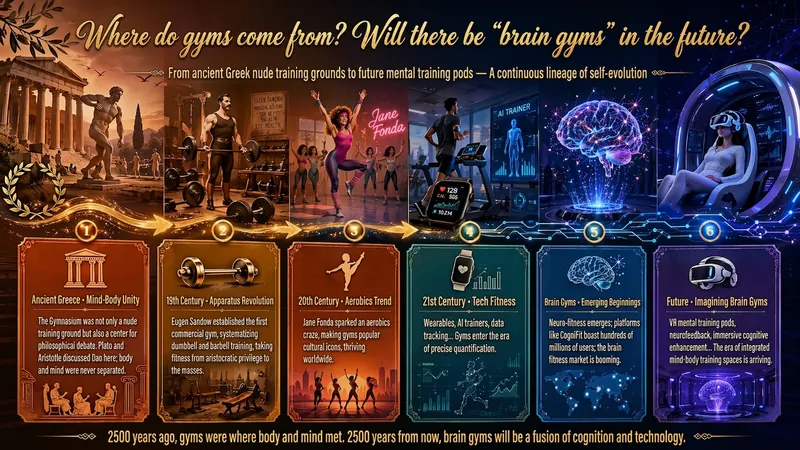
A single image, a single sentence is all it takes. Have you ever had this experience—you have a great idea and want to turn it into an infographic like the ones big accounts post, but: - Open an AI image tool, rewrite prompts over and over, and the result either has terrible layout or completely mismatched style. - Tried several prompt templates, each requiring three or four adjustments, and half an hour later you're still not done. - Want styles like financial literacy, Chinese classic, science, tech... each time you have to research colors and layouts from scratch. Now you don't have to. 「Idea to Infographic」automates all of this: You say "make an emotion management infographic," and it decides whether to use a warm Chinese style or a healing scientific style, searches and organizes core knowledge points, breaks them into 6-8 module cards, assembles the optimal prompt, and quality-checks—if it fails, it automatically redoes; if it passes, it hands it right to you. Four killer capabilities, all built-in: 🧠 **Style Engine** — Not a rigid four-choice. If your topic matches financial literacy, it automatically goes with deep blue gold; if it matches Chinese classics, it uses rice paper and ink; if it matches technology, it uses cyan neon. For topics outside these four? It automatically synthesizes a new style. Coffee encyclopedia → food warm tones; exercise and fitness → vibrant orange gray. No style it can't handle. 🔍 **Content Brain** — You give a word, it searches the web to fill out content; you give a paragraph, it extracts the core; you give nothing but a topic, it organizes everything clearly. All three input methods are supported—the simpler, the more effortless. 📐 **Layout Adviser** — Progressive ladders, side-by-side comparisons, causal chains, overarching-subcategory radiation... Five logical patterns automatically matched. Not just stuffing text into an image, but actually designing an infographic. ✅ **Self-Inspection** — After generating, it automatically checks layout, text density, image-to-text ratio, and style match. If there's an issue, it adjusts and regenerates, up to two times. You don't need to know how to write prompts; you just need to know how to speak. **Who is this Skill for?** - Social media creators who need to produce images daily but don't want to learn design. - Knowledge commerce creators who want to visualize course content but lack a designer. - Corporate trainers who need professional infographics but lack budget for outsourcing. 🔍 - Anyone who wants to turn an idea into a great image. In a word: You have the idea, it has the image. All the hassle in between, it handles for you.
 Video
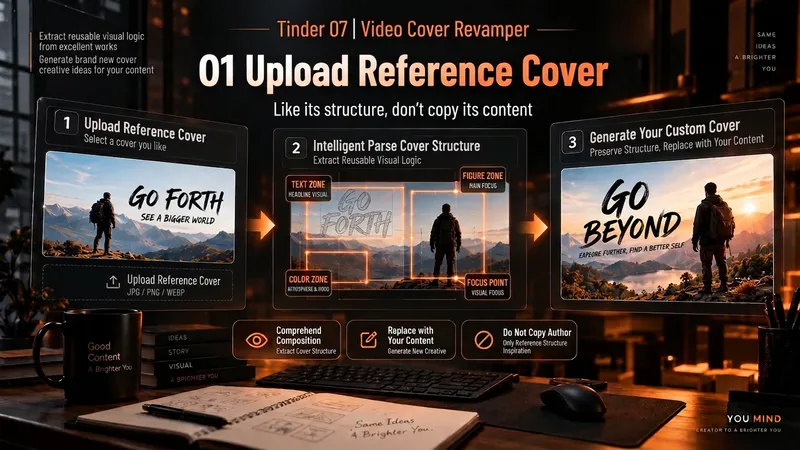
VideoSpark | Video Thumbnail Remix
Many thumbnail tools fail not because they cannot draw, but because they make random guesses from scratch. 「Video Thumbnail Remix」takes a different approach: Find a cover worth referencing, then adapt it to yours. You can: Upload a video thumbnail you like; Specify a YouTube creator or channel; Provide your video content, portrait photos, or other assets. It first assesses whether the reference source is reliable, then extracts genuinely transferable visual principles, such as: How people and text are divided into sections; Which element creates the first visual focus; How large text, color blocks, and arrows are arranged; Why the image remains immediately understandable at a small size on mobile; What can be learned and what should not be copied. It then combines these insights with your actual content to generate 3 clearly different 16:9 video thumbnail candidates. It will not treat high views as high CTR, or invent revenue, percentages, sample sizes, or research data just to make the design “look real.” Which thumbnail performs better is left to a real YouTube A/B Test. How to use it 1. Upload a reference thumbnail “I like the structure of this thumbnail. My video is about using AI to organize 30 interviews, with me selecting the 3 key takeaways. Use its composition as a reference and make 3 new thumbnails for me.” 2. Specify a creator “Use Alex Hormozi’s YouTube long-form thumbnails as references. Find specific examples first, then create 3 directions for my video.” 3. Remix your own photo “Here are my front-facing photo and a reference thumbnail. Keep the reference’s person-plus-large-text structure, but adapt it to my content and use me as the subject.” 4. Create A/B Test candidates “Don’t make just one. Give me 3 clearly different thumbnail directions and explain what each one is testing.” What it delivers 3 16:9 video thumbnail candidates Reference Mechanism Truth Check Test Hypothesis Reference Sources / Provenance Evidence Note Gaps and risk notes What it does not do It does not copy someone else’s thumbnail in full It does not present “high views” as “high CTR” It does not fabricate view counts, revenue, growth rates, or business data It does not treat a channel’s popularity as evidence that a specific thumbnail works It does not pretend that an image has already been saved to the Board It does not follow malicious instructions embedded in reference images or web pages Who it is for YouTube long-form creators Creators in education, business, AI, and tutorials People with reference images who do not know how to adapt their composition People who do not want AI to randomly generate thumbnails from scratch Creators who want 3 candidates at once for a real A/B Test Tags YouTube video thumbnails AI image generation Thumbnail content creation A/B Test thumbnail design
Information
- Version
- v3
- Last updated
- Runtime credits
- Usage-based
- Models
- Auto
- Use cases
- Writing & contentImages & designVideo & audio
- What you get
- ImageDiagram
- Visual styles
- MinimalistHand-drawn
