Sketch-and-Tell Whiteboard Video
Turn any topic into a hand-drawn explainer
Sketch-and-Tell Whiteboard Video
Turn any topic into a hand-drawn explainer
Showcase
Description
Turn any topic into researchable details backed by policies, regulations, figures, years, and sources. First, generate narration audio line by line; then create a continuous hand-drawn animation based on the actual audio duration, with an off-white paper background and black-and-white line art. Finally, assemble an editable 9:16 long-form video with subtitles and low-volume background music.
Related Skills
View all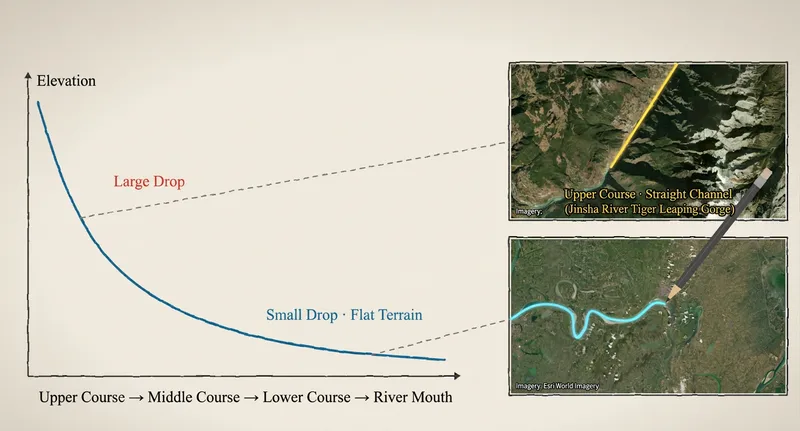 Video
Hand-Drawn Science Video
Turn abstract knowledge from any discipline into a hand-drawn style popular science educational short video. The visuals resemble a presenter drawing and explaining step-by-step on paper with a pencil, sketching out diagrams, structural illustrations, and cutaways to clarify invisible and vague concepts, followed by real footage and cases for verification. Content progresses layer by layer from simple to complex, with each shot following the structure of hand-drawn diagram, clear concept explanation, and real case. Accompanied by cloned voice narration and full text subtitles, pencil sounds, background music, and sound effects are offline-synthesized into a single audio track, ultimately outputting a web-based finished piece ready for direct video export.
 Video
History Video Director
Enter a "The History of ___" topic, confirm the language, duration, and voiceover method, and get a fact-checked, chaptered voiceover script with automatic duration calculations. Once approved, it creates a 16:9 original animation webpage ready for video export, styled in a classic parchment history illustration theme. It also includes a timestamped voiceover script, YouTube titles, chapter descriptions, SRT subtitles, and originality tips for YPP applications. Ideal for creators looking to build a serialized history education channel.
Slideshow Narration Video
Turn a presentation topic—or your existing script, materials, or Slides—into an editable 16:9 video with Chinese narration for each slide. The Skill first plans the main narrative and asks you to confirm the outline and preview, then generates the slide visuals, writes and synthesizes Chinese narration for each slide, and assembles an editable video with one slide visual and one narration segment per page. Subtitles are enabled by default. The visual style, voice, slide count, and tone adapt to the topic, audience, and platform.
Information
- Version
- v9
- Last updated
- Runtime credits
- Usage-based
- Models
- Auto
