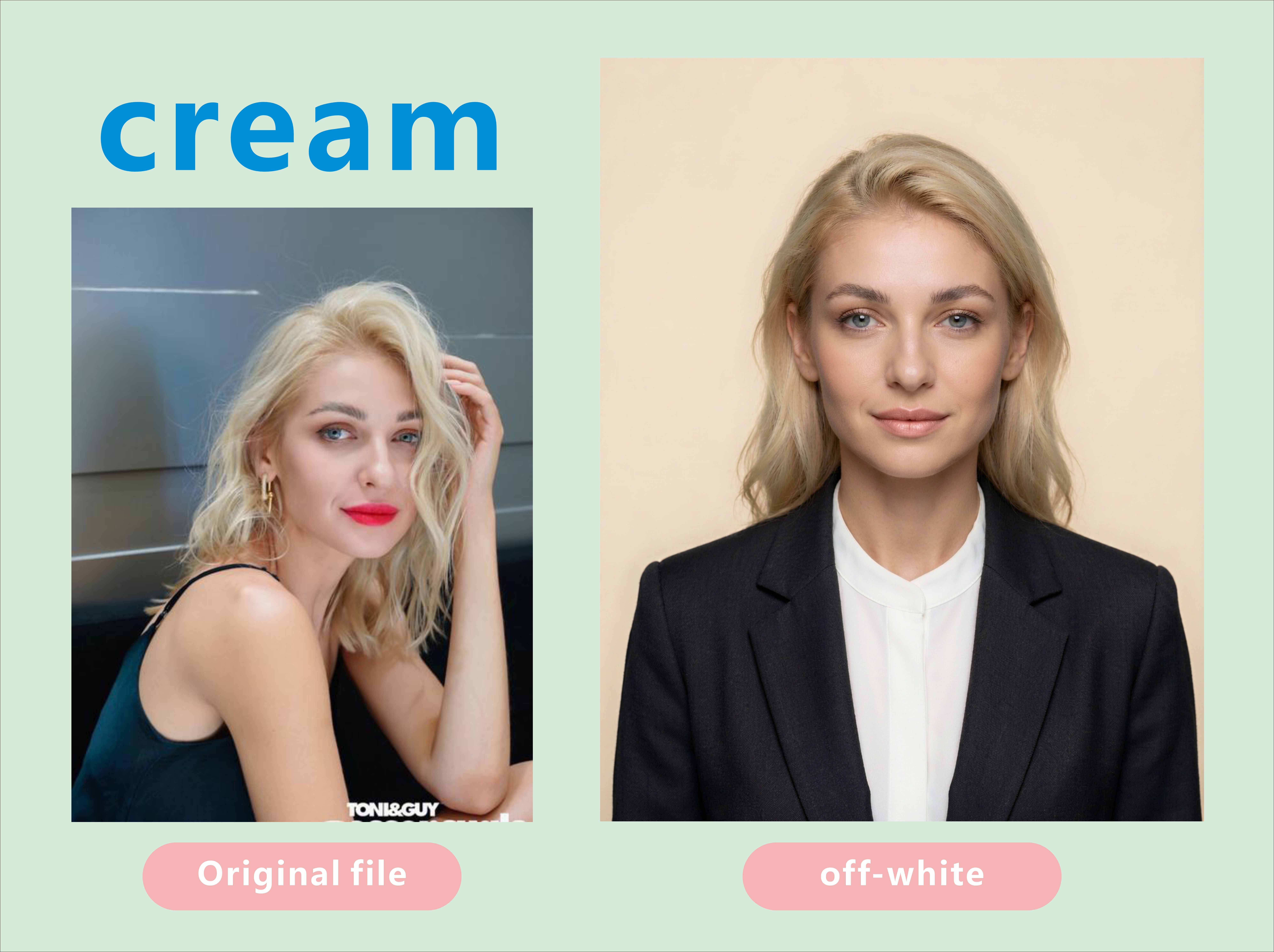
證件照製作
上傳一張自拍,產出符合官方審查的證件照。
證件照製作
上傳一張自拍,產出符合官方審查的證件照。
展示內容
描述
證件照工作室:將日常快照轉化為適用於各種背景(純白、米白、淺灰、乳白、藍、紅、深紅或灰色)的正式證件照與護照相片。自動將便服替換為白襯衫外搭深色西裝外套,套用標準證件照姿勢與取景,並確保臉部與原圖完全一致。當使用者說出「證件照」、「護照相片」、「簽證照片」、「製作證件照」、「白底照片」、「藍底證件照」、「2x2照片」、「35x45照片」、「履歷照片」、「識別證照片」、「更換背景」、「去除背景」等類似指令時觸發。核心嚴格規則:允許修飾,嚴禁改變臉部(必須通過官方生物特徵檢查);先選背景再挑服裝(同色系衝突是失敗的主因);眼睛靠近上三分之一線 + 雙肩水平 + 均勻的頭頂留白;純淨無接縫背景且無投影。預設為 3:4 直式。偏好 Nano Banana 2.1(最強的身分保留能力);絕不使用 Midjourney。可一次輸出白、藍、紅全套。
推薦自
Dancang
為什麼我們推薦這個技能
獲選特色技能的原因在於它將證件照視為合規文件而非美化肖像。它能保留個人身分、套用目標專屬的尺寸與背景、控制姿勢與頭部高度,並拒絕高風險修飾,產出專為官方審查而非僅求外觀精美的影像。
適合對象
需要將日常快照轉為護照、簽證、證件、識別證、履歷等正式官方照片的人。
如何使用此 Skill
提供輸入
請提供一張清晰的正面照片,並視需要指定用途、尺寸或背景顏色。
執行 Skill
此技能將照片轉換為具有乾淨背景、標準化取景與保留面部特徵的正式證件照風格圖片。
查看結果
取得符合目標機構最新要求的證件肖像照。
相關技能
查看全部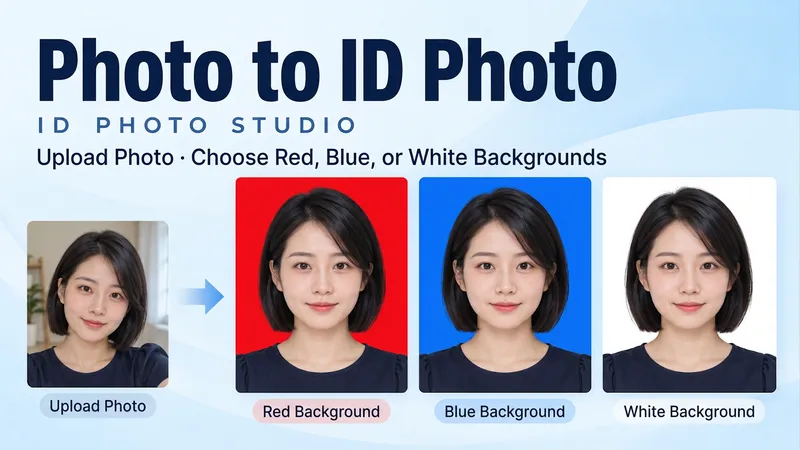 圖片
圖片照片變證件照|ID Photo Studio
上傳一張人物照片,生成自然清晰的證件照,支援紅底、藍底、白底,也可以一次做齊三種顏色。 把隨手拍整理成正面平視、光線均勻、背景乾淨的頭肩照。保留五官、髮型、眼鏡和個人特徵,預設保留原衣服;需要時可指定襯衫或外套。 • 三種底色任選:紅底、藍底、白底。 • 同一人像三色版:臉、表情、衣服與構圖保持一致,分別輸出。 • 尺寸按需調整:告訴我所需像素或列印寬高。 • 中文、English 都能用,成品預設無文字。 開始試試:上傳照片,說「做藍底證件照,保留原衣服」;或「紅、藍、白底各一張,不要美顏」。 Upload one portrait and create a clean, natural ID-style photo with a red, blue or white background—or get all three colors. Turn a casual photo into a frontal, evenly lit head-and-shoulders portrait. Keep your facial features, hair, glasses and identifying details. Original clothing is retained by default; request a shirt or jacket when needed. • Pick a red, blue or white background. • Get three matched color versions as separate images. • Specify pixel dimensions or print width and height. • Use Chinese or English. Final portraits are text-free. Try: “Make a blue-background ID photo from my upload. Keep my face and clothes.” Or: “Create matching red, blue and white versions. No beauty reshaping.”
 圖片
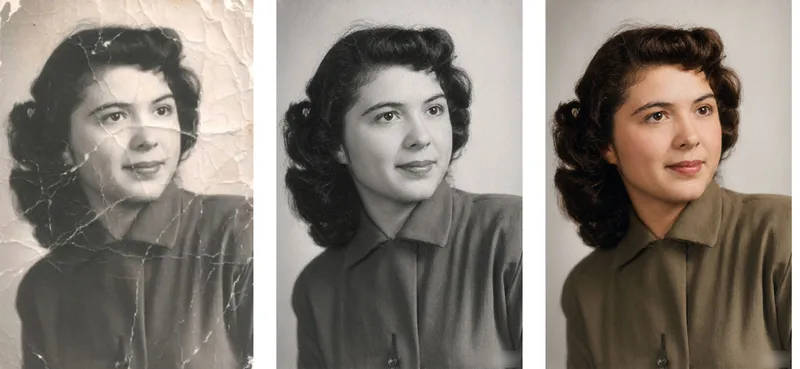
圖片舊照片修復實驗室
Old Photo Restorer: upload an old photograph of people, buildings, plants or animals; repair the damage (scratches, creases, mold spots, stains, fading, missing pieces) and colorize it in a period-appropriate way, strictly preserving the original composition, number of subjects, expressions and aspect ratio. Trigger when the user says 'restore this old photo', 'colorize old photo', 'fix this damaged photo', 'can you repair a torn photo', 'colorize my grandparents' photo', 'remove scratches from photo', 'make old photo clearer', 'restore family portrait', 'photo cleanup', 'upscale and restore'. Core rules: restoration is subtraction not addition — remove damage only, never add content; the closer it looks to 'nothing was done', the better; the face is the only acceptance criterion; colorization is an educated guess, not fact; output aspect ratio must match the original exactly. Default output aspect ratio = the uploaded photo's ratio. Preferred model: Nano Banana 2.1 high-fidelity reference mode. Midjourney disabled. Heavily damaged photos use a two-step flow: restore in black and white first, then colorize.
 圖片
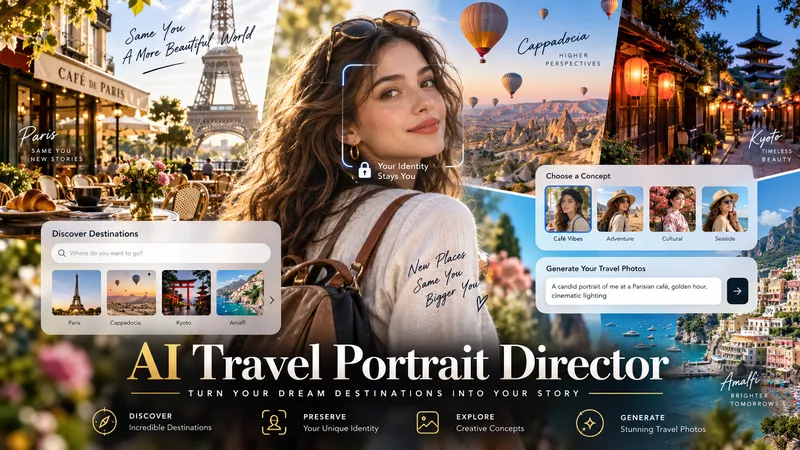
圖片AI 旅拍肖像導演
將單張角色參考圖轉化為完整的 AI 旅拍工作流程。 AI 旅拍肖像導演就像虛擬旅拍攝影師、目的地研究員與場景導演,能在保留角色可辨識身分的同時,協助你打造可信、符合目的地特色的旅拍肖像,呈現真實攝影效果,而不是把人物硬貼到觀光背景上。 這項技能可以: - 分析參考圖,設定身分與風格控制 - 研究當前目的地、季節性熱門景點與適合拍照的地點 - 在你已經知道確切目的地時立即調整 - 建立 10 個各具特色的照片概念,變化姿勢、動作、光線、鏡頭角度與服裝 - 以英文建立詳細、可直接製作用的圖生圖提示詞 - 在造型與地點變更時維持臉部身分一致 - 檢查真實感、透視、光線、人體結構、比例與環境一致性 - 在支援且獲得明確核准時,生成選定的圖片 每個重要步驟都由你掌控:選擇目的地、挑選喜歡的概念、檢視提示詞,並決定是否生成圖片。 適合個人旅拍肖像、AI 虛擬網紅、虛擬模特、社群媒體創作者,以及以角色為核心的視覺專案。
資訊
- 版本
- v2
- 更新時間
- 執行點數
- 依實際用量
- 模型
- 自動選擇
- 使用情境
- 圖片與設計
- 你將獲得
- 圖片
- 視覺風格
- 照片寫實
