產品文件PRD漸進式生成技能
產品文件PRD漸進式生成技能
展示內容
描述
prd-skill 不是讓你更快地寫 PRD,而是幫你更好地想清楚產品。 🎯 一位會提問的產品導師 🎯 一套結構化的思考框架 🎯 一個強制品質標準的把關者 🎯 一個標準化文件的生成器 當你有一個想法,但還沒完全想清楚細節時,prd-skill 是你的最佳夥伴。
推薦自
nene@YouMind
為什麼我們推薦這個技能
這款技能透過循序漸進的引導式對話,將零散的產品構想轉化為專業、可執行的PRD文件。它像一位經驗豐富的PM,透過精準提問和反覆確認,確保需求收集的全面性,特別適合ToB SaaS或Web應用等複雜產品的規劃,幫助團隊高效對齊,避免返工。
指令
name: prd-skill
description: Generate professional Product Requirement Documents (PRD) through progressive interviews. Use when users want to transform fragmented product ideas into structured PRDssers want to transform fragmented product ideas into structured PRDscts, nicvate forducting produments, spec片, n SaaS, Web applications, or any software products.
---
# PRD Creation Through Progressive Interview
Transform fragcumented product ideas inview intomed, actionp>
Transform fragcumented product ideas intoal, protopments conversations.
**What this skill is:** A quality-focused, interactive PRD creation tool that guides users through a structured interview process to ensure comprehensive docum *p. this skill is NOT:** A quick PRD generator. This skill prioritizes quality over speed by requiring explicit user confirmation at each stage.
**Best ragused**me; stakeholders need alignment on requirements
- The project is important enough to warrant thorough planning
- You're unsure about specific requirement details
- You need a quick draft for internal brainstorming
- Time pressure requires immediate documentation
## Role & Approach
## Role & Approach
## Workflow State Machine
## Workflow. ahead:**
### Phase 1: Information Intake & Initial Diagnosis
Read the user's initial brainstorming content. Extract:
- Core value proposition
### Phase 2: Iterative Deep Dive (Core Loop)
This is the main interaction phase. Rules:
**** 4p. Questions must be specific, concise, and target blind spots
- Focus on: edge cases, core metrics quantification, user segmentation
**Assumption Protocol:**ctp.m-g; first
- Example: "I assume the core users are X, is that correct?"
**Checkpoints:**
- After completing each sub-topic (e.g., user stories, each sub-topic (e.g., user. Ask: "Is my understanding accurate? Can we move to the next section?"
**Stay in Phase 2 until the user explicitly says "start writing the PRD"**
**Only generate the complete PRD when the user explicitly commands it.**
Before generating, determine where to save the PRD:
- Check if a PRD output path was configured in previous sessions
- Typical locations: Obsidian vault (`~/Documents/ObsidianNote/產品文件/`), projectian vault (`~/Documents/ObsidianNote/產品文件/`), projectian director time or if user requests):
- "Where would you like me to save the PRD?"
- Suggest: Obsidian vault path (if detectable), custom path, or skill directory
- Save to the same directory as this skill's SKILL.md file
**File naming:** Use format `[ProductName]-PRD.md` (e.g., `NotesSynd. document following the PRD structure below.
## Strict Constraints
1. **No Premature Output**: In Phase 2, **absolutely never** output a compleplete pRD ft. generation"
2. **Quantification & SMART Principles**: When discussing goals and success metrics, push for specific numbers or measurement standards
3. - Unhappy paths (exception flows)
- Technical feasibility
- 資源)
- Technical feasibility
- Resource constraints
4. **Tone**: Professional, sharp, neutral。 Target PRD Structure
Use this structure when generating the final PRD in Phase 3:
```markdown
# [Product Name] PRD
```markdown
# [Product Name] PRD
```markdown
# . | |------|------| | **文檔版本** | v1.0 | | **建立日期** | YYYY-MM-DD | | **最後更新** | YYYY-MM-DD | | 評審員** |已核准 | | **產品階段** | MVP 規劃 / 開發中 / 已發布 | ### 變更記錄 | 版本 | 日期 | 作者 | 變更內容 | |------|----| [Author] | 初始版本,完成 MVP 需求定義 | --- ## 1. Overview & Background - Context and problem statement - Why now Market opport-p. Market opportp.> - Primary objectives (quantified) - Success metrics with targets - Timeline ## 3。 with: - Demographics - Pain points - Goals & motivations ## 4. User Stories & Use Cases - Primary user flows ## 5. Functional Requirements (MVP Scope) - Must-have features (P0) - Should-have features (P1) - Nice- - Should-have features (P1) - Nice-dto-have ## 6. Non-Functional Requirements - Performance requirements - Security considerations - Scalability needs - Accessibility dark>p. Dependencies - Technical constraints - Business constraints - External dependencies - Timeline limitations ## 8. Questions / Risks - Assumptions to validate - Follow-up items ``` ## Initialization Template When the user4rig> this ssskill, pvid:p_m'm. **Product Context:** - Product type: [e.g., ToB SaaS web app / Consumer social mini-program] - Special constraints: [e.g., 2-month dev cycle /ust > Brainstorming:** - Raw notes, ideas, competitor references, one-sentence requirements After receiving the context, analyze it and enter Phase 1, then immediately move to Phase 2 by interview. ## Example Interaction Pattern **User provides:** "I want to build a project management tool for remote teams" understand you want to build a project management tool for remote teams. Before we dive deeper, let me clarify a few core aspects: 1. **Target team size**Frem size**re 159997 月); teams (15-50), or enterprise scale (50+)? 2. **Core differentiation**: What's the main pain point this tool solves that existing tools (Asana, Monday, Jira) don't address that existing tools (Asana, Monday, Jira) don't address that existing *. you want to support - task tracking, time tracking, communication, or something else?" **User answers questions** **Your response:** Is my underion urate context. Is my underm accmate my under move disates districsca my my underm sacc. next?" ## Key Principles - **Question quality over quantity**: 1-3 sharp questions beat 10 generic ones - Validate assumptions expidate * frequently**: Summarize and get confirmation before moving on - **Phase discipline**: Stay in Phase 2 until explicitly told to generate the PRD - **Push for specifics**howuch: "Increase engage"
相關技能
查看全部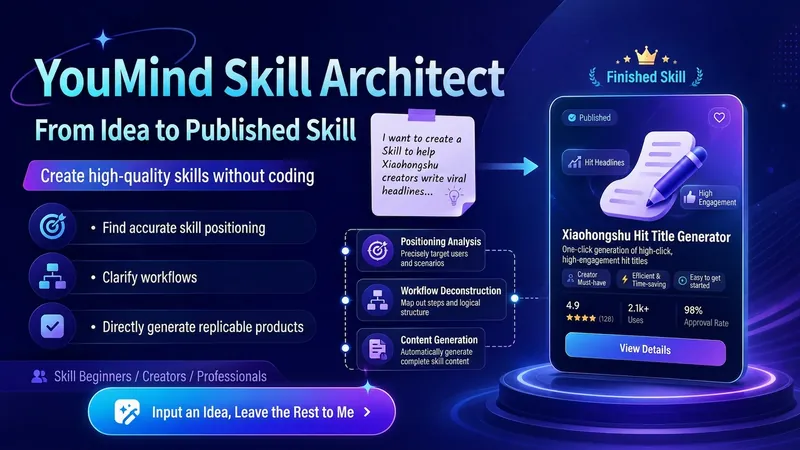
YouMind Skill 架構師|從想法到上架成品v2.0
把你的模糊想法,變成可直接上架的 YouMind Skill。 不會寫 Skill、不懂 Prompt、不知道怎麼拆流程,也可以使用。 它會幫你: 找出定位:判斷目標用戶、核心痛點和真正值得做的使用場景 設計流程:把你的經驗拆成「輸入 → 判斷 → 步驟 → 輸出」的完整工作流 生成成品:直接寫好技能名稱、副標題、描述、輸入提示和完整指令 檢查品質:自動檢查是否太寬泛、輸入太複雜、輸出不明確、流程斷裂或缺少價值感 完成包裝:讓 Skill 更容易被理解、安裝、使用和反覆呼叫 使用非常簡單: 打開後直接告訴我: 「我想做一個幫 XX 人解決 XX 問題的 Skill。」 即使你只有一句模糊想法,也可以開始。 最終你會得到一套可以直接複製進 YouMind 建立頁面的完整 Skill 成品。
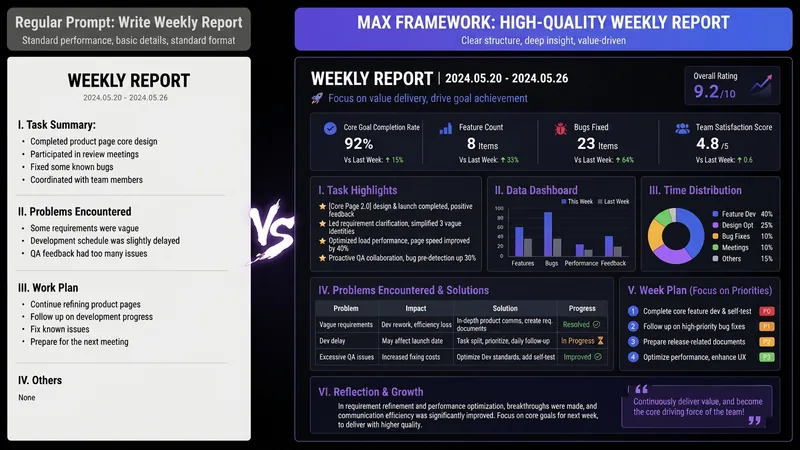
AI 提示詞架構師 MAX|模糊需求變頂級Prompt
你有沒有過這種時刻—— 讓 AI 寫週報,它給你一篇小學生流水帳;讓 AI 改履歷,它給你套上「團結、勤奮、認真負責」;讓 AI 幫你分析資料,它開頭就說一句「作為一個AI,我很樂意幫您……」 不是 AI 不行,是你給它的指令太業餘。 市面上教你 Prompt 的模板已經夠多了,但套完模板還是不會寫——因為你缺的不是模板,而是編譯需求的能力。 這個 SKILL 是我作為 AI OPC(一線做 AI 落地的人),把平時替團隊撰寫 Prompt 架構的方法論,濃縮成一個「Prompt 編譯器」。 你說人話,它給你頂級架構。 輸入:「幫我寫月報」輸出:一份包含 8 個模組的完整 Prompt 架構——角色、任務、受眾、流程、限制、格式、自我檢查、範例,全部固定。你可以複製貼上到 ChatGPT / Claude / DeepSeek / Kimi 任一個平台,第一次輸出就能使用。 更進一步的是,它還會告訴你: ✓ 這份 Prompt 使用哪個模型效果最好 ✓ 哪些變數下次可以直接修改(一次學會,反覆使用) ✓ 還缺少哪 1 條資訊,才能讓輸出再提升一個層次 它和普通 Prompt 模板 SKILL 有什麼不同? 其他 SKILL 給你魚(現成的 Prompt);這個 SKILL 給你編譯器(把任何需求編譯成 Prompt 的能力)。 安裝一次,你所有使用 AI 的情境都會升級——寫作、報告、分析、翻譯、客服、創作,全部適用。 誰應該安裝它: 每天都在使用 AI,卻總是對輸出不滿意的上班族 想學 Prompt 工程,但不想花幾千塊報名課程的人 團隊想導入 AI,卻不知道如何標準化的負責人 內容創作者、研究者、學生、求職者、副業玩家 AI 用得好不好,不在於你使用哪個模型,而在於你會不會編譯需求。 安裝它,從今天開始,你和 AI 的對話品質會有斷層式的提升。
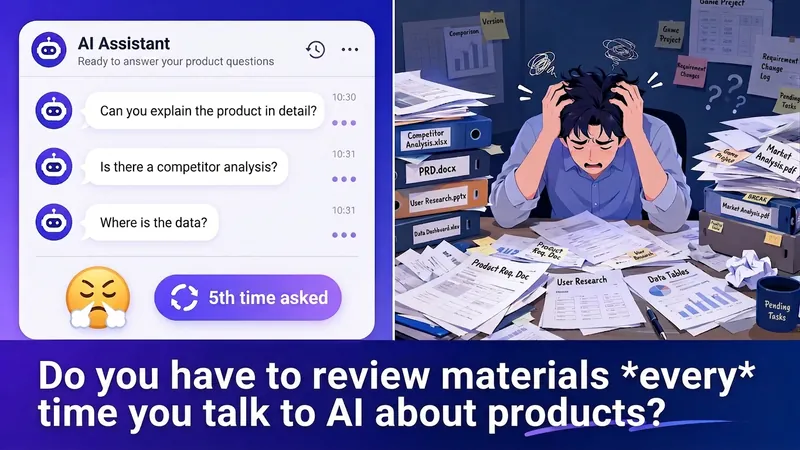
產品人專屬上下文檔案官|AI終於懂你的產品了
產品人與 AI 協作的第一步——自動將零散的產品資料整理成 AI 能精準理解的上下文檔案。上傳任何格式的產品文件,自動依 10 大產品維度分類歸檔,智慧掃描資訊缺口並引導補充,產生結構化 Context 文件。支援競品分析、PRD 撰寫、功能排序、策略設計等 8 大情境,智慧配對所需資訊。一次建立檔案,持續自動更新。複製貼上即可用於任何 AI 工具。
資訊
- 版本
- v1
- 更新時間
- 執行點數
- 依實際用量
- 模型
- 自動選擇
