


Gemini 3 Hands-On: 10 Real Cases That Blew My Mind
EXPLORE MORE CASES


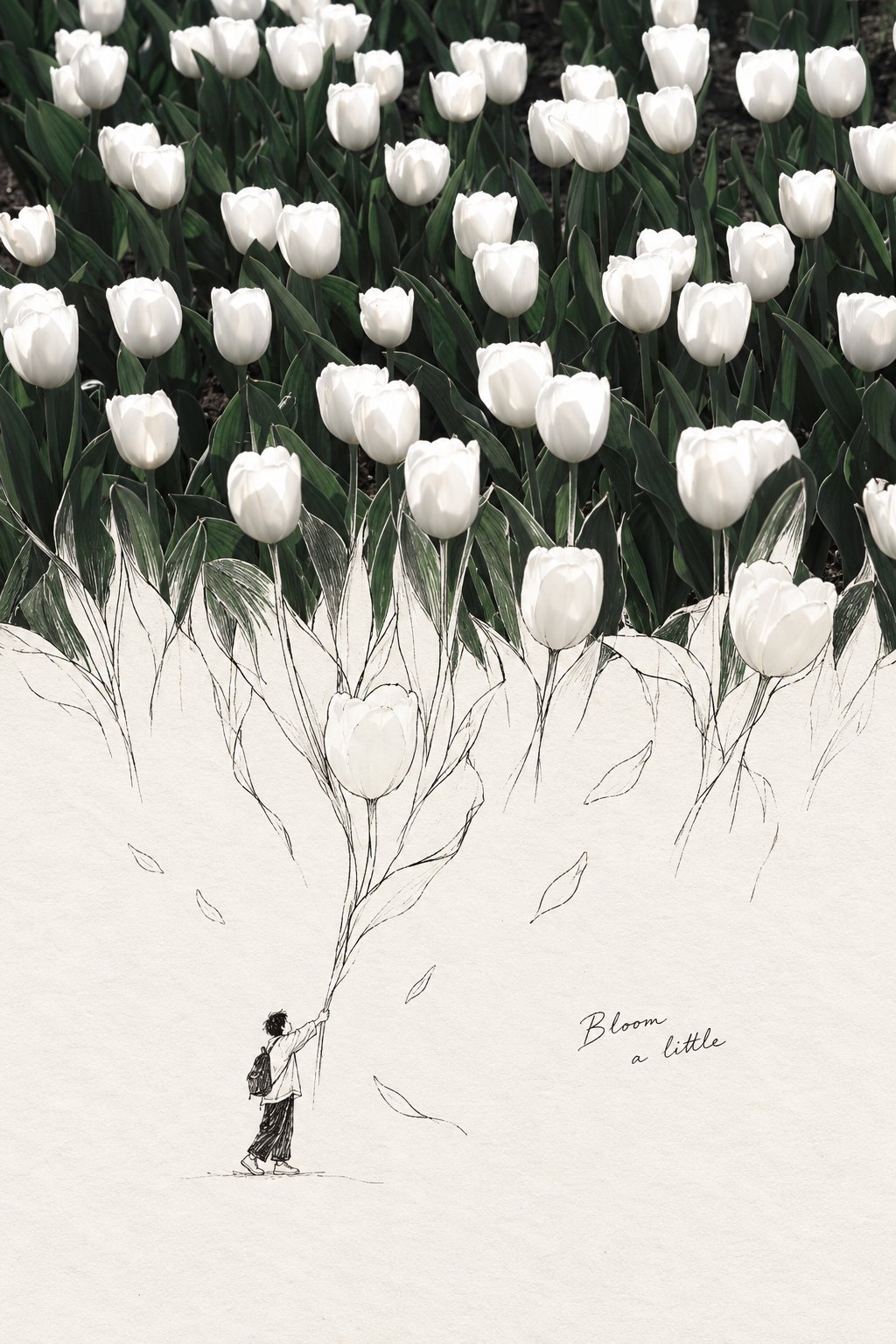
【S.022】Starryear · Photo
【Featured】Starryear featured photography Skill Extend a real photo into a 2:3 vertical “photo × line art” narrative poster: preserve the subject, lighting, colors, and spatial cues in the photo, while allowing one real form to naturally cross the middle of the frame and develop into a uniquely functional line-art world on warm white paper. The photo and hand-drawn section are not simply spliced together; continuous contours, materials, and shadows create a visual extension that can be entered, walked through, or activated. The lower section centers on the main transformation, adding a few thematic details drawn from the original photo and placing a small faceless figure rendered in pen lines within it. The figure has a clear action relationship with the line-art scene, strengthening the sense of scale and narrative. Depending on the photo’s atmosphere, subtle star-like points or glimmers may be carefully incorporated, but no fixed starry-sky, flower, or architectural template is applied. Brief handwritten English annotations add a light editorial touch. Ideal for scene-extending line-art posters, photo-and-illustration fusion posters, photographic art narrative posters, and visual works that bring a touch of fantasy to real scenes. The goal is to keep the photo believable, make the line-art world bold enough, and maintain a clear central focus and coherent material transitions both at thumbnail size and up close.


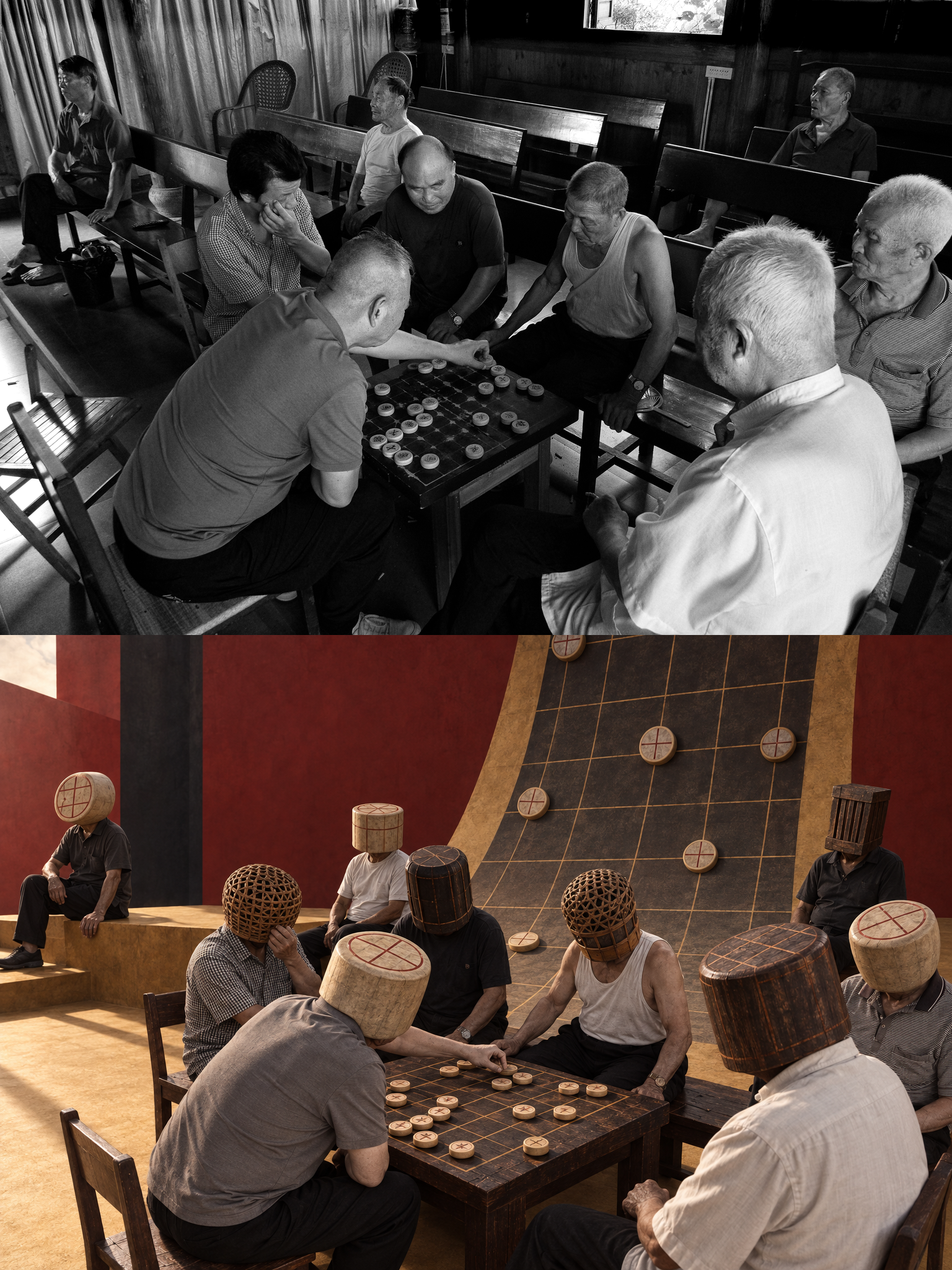
【S.017】Surreal Photo·Starryear
Transform travel, street, cultural event, or portrait photos into vertical classical surrealist diptychs with a documentary feel. The top half preserves the original photo as evidence of reality, while the bottom half reconstructs a visual scene through cinematic spaces, saturated structural colors, monumental scale, bold negative space, and impossible relationships—creating a world that feels both familiar and strange. This Skill is especially suited to creators who want to preserve the context of the original image while exploring conceptual photography and surrealist storytelling. Figures in the image will not show identifiable faces. Instead, based on clothing, gestures, props, and cultural clues from the setting, their heads are replaced with animals, plants, objects, architecture, celestial bodies, or other imagery. The concealment becomes part of the composition and story rather than a standard filter or decorative headpiece. Simply provide a suitable photo to receive a complete diptych that combines the original image with a reconstructed scene. It is suitable for personal photography experiments, travel visual records, street-image re-creations, and noncommercial art research. For personal learning, nonprofit research, and noncommercial creative use only.


FAQ
READY TO CREATE WITH
GEMINI 3?
Start with a website prompt. Replace the brand, content and style, then generate a webpage in YouMind.
LET YOUR IMAGINATION SOAR