Yesterday X started paying people to clip other people's videos. Agencies charge online stores $400 and up for one 30-second AI ad. One clip that took 20 minutes to edit paid $10,300. An AI render of that kind of video costs about 30 cents.
Apps, skincare lines and software companies buy these videos every day, and you no longer need a camera or a crew to make them. In one @Picsart account you can paste a product link and get a talking AI creator, a script, lip-sync and captions, then sell that ad to a store. Pro costs $10.50 a month billed yearly: https://picsart.go.link/faNX7
I read every payout thread, creator contract and case study I could find on X, about 60 of them, including the ones from this week. This guide turns them into four paths you can start now, with the scripts, prompts and rates to copy. Bookmark it. You'll want it open the day you pick your path.

Why brands pay for this
A normal paid ad costs a brand $20 to $30 for every 1,000 people it reaches. Creator campaigns run at $0.16 to $1 per 1,000 views. One app got 830 million views in about four months on a total spend of $250,000.
Demand is climbing. On Fiverr, searches for AI UGC video ads grew 265% in six months. A human UGC video costs $150 to $300, and agencies charge $400 to $900 for one AI ad. Yesterday Greg Isenberg showed AI agents making UGC videos for $4 that used to cost $500:
https://x.com/gregisenberg/status/2119865330210140339
The platforms pay far less. Fruit Love Island's team says TikTok paid about $15 per million views. Another creator got $626 from TikTok for 42 million views, because only 5% of them came from regions that pay.
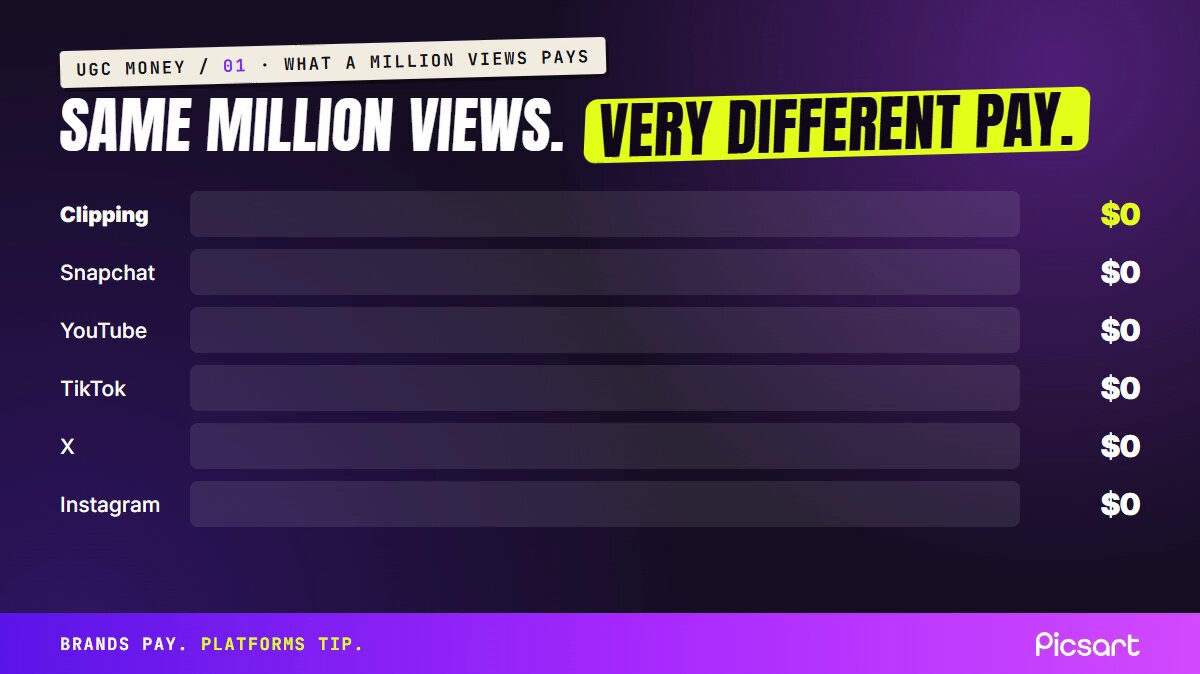
Creators on X compare what 1 million views pays, and the estimates swing a lot: $0 to $1,500 from the platforms, around $3,000 from brand-paid clipping campaigns. This post with the numbers got 3 million views on its own:
https://x.com/alexzgirbu/status/2086282409646129384
So three of the four paths below end with a brand paying you. The fourth pays you for your audience.
Pick your path first

- Good at writing and don't want to show your face: AI UGC for brands
- Willing to wait 2 months for a bigger upside: your own AI character
- Comfortable on camera with a phone: canvas UGC
- No money, no product, want the first payment fast: clipping, now built into X
Pick one. People who post their results almost all ran one path for a full month before adding a second.
Path 1: AI UGC for brands
Same videos, no camera. You render a realistic AI person talking about a product and sell the video to the store. No followers, no monetized channel, and your country doesn't have to be on TikTok's payout list.
In Picsart the price of a render depends on the model and the resolution. Pro works out to about 2 cents a credit. 10 seconds on MiniMax H3 Max Turbo at 480p is about 10 credits, and 5 seconds of Seedance 2.5 at 480p is 20. That puts a hook at about 30 cents. The same 5 seconds of Seedance cost 90 credits at 1080p, so draft at 480p and pay for 1080p only once the shot works.
Budget for rejects. The director of Kalshi's NBA Finals ad, reported at about $2,000, needed 300 to 400 generations for 15 usable clips.
One creator's version of a 30-cent ad, with the full workflow in the post:
https://x.com/simonecanciello/status/2116268465463976312
Step 1: Write the script before you render anything
Brands pay for the script. One creator's first five AI videos got 300 views each. After a rewrite with this prompt, the same format hit 40,000:
1you are a UGC scriptwriter for TikTok. write a 30–45 second script for [product].2hook (0–3s): one bold claim or relatable pain. no intro.3problem (3–10s): make them feel it. use "you".4solution (10–25s): introduce the product the way a friend would.5proof (25–35s): one specific number or result.6cta (35–45s): one action only.7write for speaking out loud. short sentences. no filler.8leave in one half sentence or small restart, the way people really talk.
Most of the work is the first sentence. An app founder who ran 60 creators watched the same person go from a few hundred views to hundreds of thousands by changing only that line. Write five hooks of five types: a problem said out loud, a surprising result, "I didn't believe it until", a comparison with what they use now, and an objection answered head-on.
Step 2: Make the ad in Picsart UGC Ads
Paste the product link or upload a photo, pick an avatar and a format: talking head, review, unboxing, testimonial, street interview or app demo. It writes a script you can replace with yours, then adds lip-synced dialogue, product shots and captions.
Picsart's own demos show the flow: product and settings on one side, the finished ad on the other.
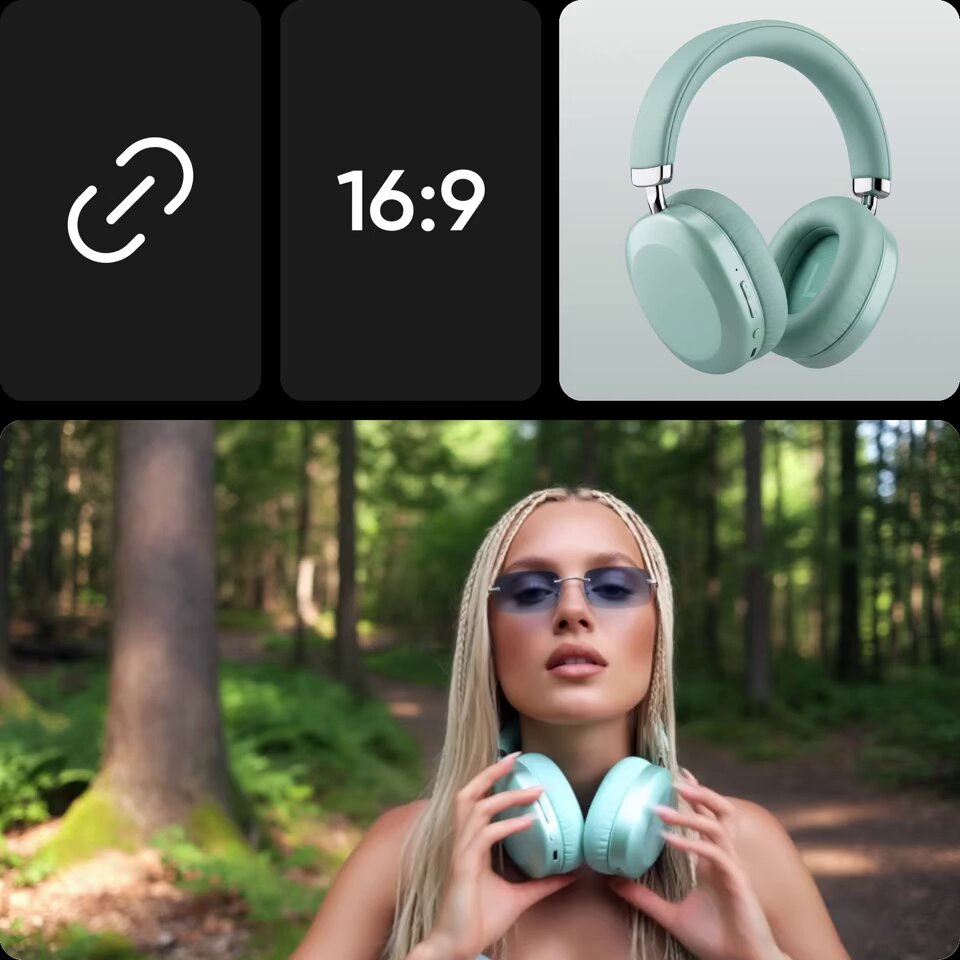
Viewers decide it's AI in the first second, usually for one of four reasons: a face they've seen 40 times this week, a studio voice coming out of a kitchen, a person who never blinks or moves their hands, or a setting that doesn't fit the claim. Put skincare in a bathroom, supplements in a kitchen and software at a desk. A car is the easiest scene to render, because it's small and evenly lit, and nothing moves behind the person.
Then check every second by eye: the hands, the shape of the product, any text on the label. AI still garbles small text, and the client will see it first. Run your versions past Vera, Picsart's ad-testing agent built with the research firm Zappi, and fix the weakest in the first 3 seconds. Resize Pro makes 9:16, 4:5 and 1:1.
Step 3: Use one face for one brand
A face that drifts between videos kills the account, because nobody recognizes the person. In Picsart, the Character creator in Storyspace builds a 4-view sheet (front, side, back and a close-up) and saves the character, so new renders start from the same reference. Faces can still drift, so watch each take. Match the face to the claim, too: a 22-year-old talking about joint pain loses the viewer before the script starts.
If you'd rather write the character yourself, start here:
1a realistic smartphone photo of a [age]-year-old [woman/man],2[hair colour, length, texture], [face shape, eyes],3one distinctive detail like [freckles / a small scar],4natural skin texture with visible pores, no retouching.5[setting], natural window light, shot on a phone at arm's length,6slightly imperfect framing. [outfit]. relaxed, candid expression. vertical 9:16
One action per shot. If she walks, laughs, turns and waves in the same prompt, the model mixes them up.
Step 4: Find stores that already buy ads
Open the Meta Ad Library, which is free and needs no login. Search a niche word like "skincare" or "dog treats", set the status to active and look for stores with many image ads and little video. They test a lot and are short on video to test. Save 30 to 50 before you write to anyone. Then put up a Fiverr gig: AI UGC video ads for your store, 3 hooks, 48 hours.
Step 5: Send the ad first and sell a pack
Make one free 15-second ad for the best store, label it as AI, and send it with your rate:
1Hi [name], I saw you're running [N] image ads for [product].2I made a quick AI video version to show how it could look (attached).3I can make 5 versions with different hooks this week for $400.
$400 for 5 ads is $80 an ad, inside the $75 to $150 that published rate cards list. A monthly plan of 12 ads goes for $1,200. One creator's example: 2 packs in month one come to about $775 after the plan, and 2 packs plus 3 monthly clients in month three come to about $4,375. A friend of that creator closed two perfume videos for $400.
This is what a single AI product video can do with no ad spend behind it:
https://x.com/Mho_23/status/2108287666911637565
Path 2: Your own AI character
The slowest path and the one with the most upside, because the audience belongs to you. One of the most-read articles on this topic this year, over 18 million views, sets a target of $10,000 in two to three months. Another author built an AI influencer for $0 and started monetizing in the first week.
This is the kind of video they're built on: a girl who doesn't exist, 2 million views.
https://x.com/DustAlenaETH/status/2098776910767460745
The characters that travel have one look you can recognize from a single frame. A man with a rose on a mall escalator: 12.8 million plays on an account with 48,000 followers and 13 posts. A giant in glasses and white trousers: 35.7 million. A man in a pink glitter suit with a tiny dog: 9.5 million.
Step 1: Design the character
You can start for $0. Picsart TV gives a free account free generations every day, and SANA-Sprint images cost 0 credits. In Storyspace, pick a human, an alien, a monster or an animal, then shape the face, hair, outfit and accessories. Lock what you like and shuffle the rest. Save the sheet. Each prompt from then on only describes what changes.
Write one line that changes every episode. If you can't, you have one clip and no character.
Step 2: Make the first 20 videos
Use four beats: an ordinary setup, one small accident, a reaction from whoever feels it most, then a twist. A 10-second clip where a man swats a mosquito and her groom in a top hat cries over the body needs no words.
Take a clip of your own with good movement and use Recast to swap in your character. Or render the first frame and animate it with one action in AI Playground, where Kling 3.0, Seedance 2.5 and the other big models share one credit balance:
1use the same person from the reference images, same face and hair.2[first 2 seconds: something unexpected, awkward or funny happens]3she notices the camera and reacts with one small natural movement.4candid iPhone video, handheld, natural light, vertical 9:16.5slow, subtle motion. the face stays consistent when she turns her head.
If a scene fails after 3 to 5 tries, change the scene instead of repeating the prompt. A perfect talking head isn't required either: clay, cartoon and story formats regularly beat realistic ones, because people stop for the idea.
Step 3: Post daily and chase one 100,000-view video
Post every day on TikTok, Reels and X. The first videos get 300 to 500 views, and that is normal. Once one video passes 100,000, stop testing new ideas and make variations of that one.
TikTok's payout program ignores videos under a minute, so one author has Marc, Picsart's montage agent, cut six clips into a 70-second countdown, and turns each week into a 10-minute YouTube episode. Their model for a month: $11,196 at 300,000 to 400,000 views an upload, about $1,450 at 50,000.
Step 4: Get paid without finding a brand first
Earn with Picsart pays for original posts you make with Picsart tools on your own Instagram, TikTok, YouTube and X. There is no follower minimum, you see the payout formula before you start, and it has paid over $1 million to 80,000+ creators, with the top ones at up to $10,000 a month. It's open in North America, Southeast Asia and Brazil. Each campaign has its own brief, so check what it allows.
Picsart also runs challenges: $150,000 in prize pools in September and October alone, including $10,000 for each of five microdrama winners. Put "AI creator" in the bio from day one.
Halfway through. If you know someone who keeps saying they should do something with AI video, send them this.
Path 3: Canvas UGC with your phone
"Canvas" means a blank account. You open a fresh TikTok or Instagram account for one brand, post one format 1 to 3 times a day and get paid per video. The feed barely looks at follower count, so a new account can reach strangers in its first week.
What brands pay, from contracts people published:
- $10 per video once it passes 1,000 views, plus a bonus per 1,000 views, capped at $3,000 a month
- $500 to $1,000 a month for 60 posts, plus $20 to $100 per 100,000 views
- 7% of the ad spend on your videos, paid weekly, with a $1,000 minimum for 20 to 25 videos
The second contract comes from Prayer Lock, an app that grew from $25,000 to $150,000 a month on creator videos. They only hired people who already had one video over 500,000 views, so that is your first goal.

Find an app that shows up in videos from 5 different small accounts, because that means it runs a creator program. Copy the format, film 3 tests, and send one with your rate. One founder said 1 in 100 cold messages gets an answer, and a finished video does better. Use this structure:
10–2s hook: one small natural action (roll your eyes, take a bite, walk into a room)22–5s the problem in your own words, looking slightly away from the camera35–12s the app doing its one thing, filmed on a second phone412–15s one result or number, then "it's called [app]"

On the $10 + bonus contract, a normal month looks like this: 60 videos, 25 of them clear 1,000 views, 600,000 views in total. That is $250 in base pay plus about $600 in bonus, so read the bonus and the cap before you look at the base.
Path 4: Clipping, now built into X
Clippers cut long videos (podcasts, streams, founders talking) into short clips and post them on their own pages. Since yesterday you can do it inside X, in the iOS and Android apps. It's still rolling out, so update the app if you don't see it yet. Tap Repost, then Clip video, pick 5 to 60 seconds from any video longer than 2 minutes, add your take and post. The clip credits the original and links back, and both you and the creator earn from its views through Original Content Rewards.
https://x.com/XCreators/status/2119892170224074832
X hasn't said what a clip pays yet. The rates you can count on today come from campaign platforms, where brands and creators pay $0.16 to $1 per 1,000 views, some up to $5, with a cap of $300 to $600 per clip. Take campaigns that pay at least $0.50 per 1,000 views with a cap of $300 or more.
On X, start with the biggest business, tech and AI podcasts that post full episodes there. Clip the hot take, the number nobody expected or the argument, 20 to 60 seconds, with 1 to 3 lines of your own on top. Once your clips pull views, offer the podcast a monthly fee to clip every episode.
For TikTok, Reels and Shorts, Picsart's AI Video Clipping turns a video of 10 minutes or longer into up to 12 short clips with captions, and pricing goes by the upload rather than by clip. Picsart Earn lists clipping campaigns too.
Every clip has to pass the stranger test: it has to work for someone who has never seen the stream.
1[name] just said [the most surprising line] about [topic]2[name] explains why [common belief] is wrong in 20 seconds3nobody expected [name] to answer [question] like this
Post 3 to 5 a day, submit every link, judge a clip on day three, and after 2 weeks keep the 2 clip types with the most views. Only 13 of 80 clippers on one campaign posted on more than one platform, so that alone puts you ahead. The clipper who ranked first out of 80,000 on one platform last year says one of their students got paid $10,300 for a single clip that took 20 minutes to edit.
Three people, three paths, their real months

- The clipper: posted 1,000 clips in one month across 12 pages before ranking first of 80,000. A student's best single clip paid $10,300.
- The AI character: 5 days to the first paying subscriber, then one reel at 600,000 views. $600 in month one, $5,300 in month two, about 40 minutes of work a day.
- The Shorts channel: 330.3 million views and $33,803 in estimated revenue in under 90 days, on about $300 of AI video.
These are the numbers they posted, and they are the best cases. All three found one format that worked and then made more of it.
The full kit and what it costs

- Picsart Pro for UGC Ads, Storyspace, AI Playground and clipping: $10.50 a month billed yearly, $15 month to month, with 500 credits
- A chat model for scripts and prompts: $20 a month
- A phone you already have, plus a second cheap one if you film canvas UGC: $0 to $100
Under $100 to start. One $400 pack pays for the plan for three years.
What to charge

Charge by the video until you have one video over 500,000 views. After that, ask for a monthly floor plus a share of results. When a brand wants to run your video as a paid ad, that is a separate permission, so ask for 30 to 50% on top before you sign.
Your first 30 days
Week 1: Pick one path. Save 20 videos in your niche that beat their account's average views, and write down the hook and the first 3 seconds of each
Week 2: Post or render one video a day in the format that showed up most. Don't judge anything before video 20.
Week 3: Take the video that did best and make five versions of it, changing one thing at a time: the hook, the setting, the length.
Week 4: Send that video to 30 brands a day with your rate. About 1 in 100 cold messages gets a reply, so 30 a day gets you about two conversations a week.
Questions people always ask
Do I need followers? No. None of the four paths needs an audience to start, and Earn has no follower minimum.
Can I post AI UGC without saying it's AI? Don't. Say "AI creator" in the bio, tell the brand, and mark paid posts as ads where the platform asks.
How long until the first dollar? From the published numbers: 1 to 3 weeks for clipping, 2 to 4 weeks for canvas and AI UGC, 1 to 2 months for your own character. Many people earn nothing in that time, so treat these as the good cases.
Where people lose money
Views without buyers. One founder saw 0.5% of downloads from UGC turn into paying users, against 7% from ads. Creators who can show downloads or sales get renewed.
Mass-produced repeats. YouTube's inauthentic content rule cuts monetization from videos that look the same every time. One author throws away a quarter to a third of each batch for that reason.
Quitting at video 7. One creator nearly quit after 7 videos and found the format by video 20.
Pick the path that matches what you already have, copy a format that already has 20 winners in your niche, and post 20 videos before you change anything.
Start in Picsart here: https://picsart.go.link/faNX7
Which path are you picking? Tell me below and I'll reply with the first thing I'd do in your place.


