私たちは、Claude が HTML プレイグラウンドを生成するのを支援する新しい Claude Code プラグイン playground を公開しました。これらはスタンドアロンの HTML ファイルであり、Claude を使って問題を可視化し、対話し、Claude Code に貼り付けるための出力プロンプトを提供します。
この方法は、テキストには適さない方法でモデルと対話するのに非常に役立つことを実感しています。例えば、以下のような用途に適しています。
- コードベースのアーキテクチャを可視化する
- コンポーネントのデザインを調整する
- レイアウトとデザインのブレインストーミングを行う
- ゲームのバランスを調整する
始めるには、以下のコマンドを実行して Claude Code にプラグインをインストールします。
**/plugin marketplace update claude-plugins-official
/plugin install playground@claude-plugins-official**
以下は、私が作成したお気に入りのプレイグラウンドの一部です。
**
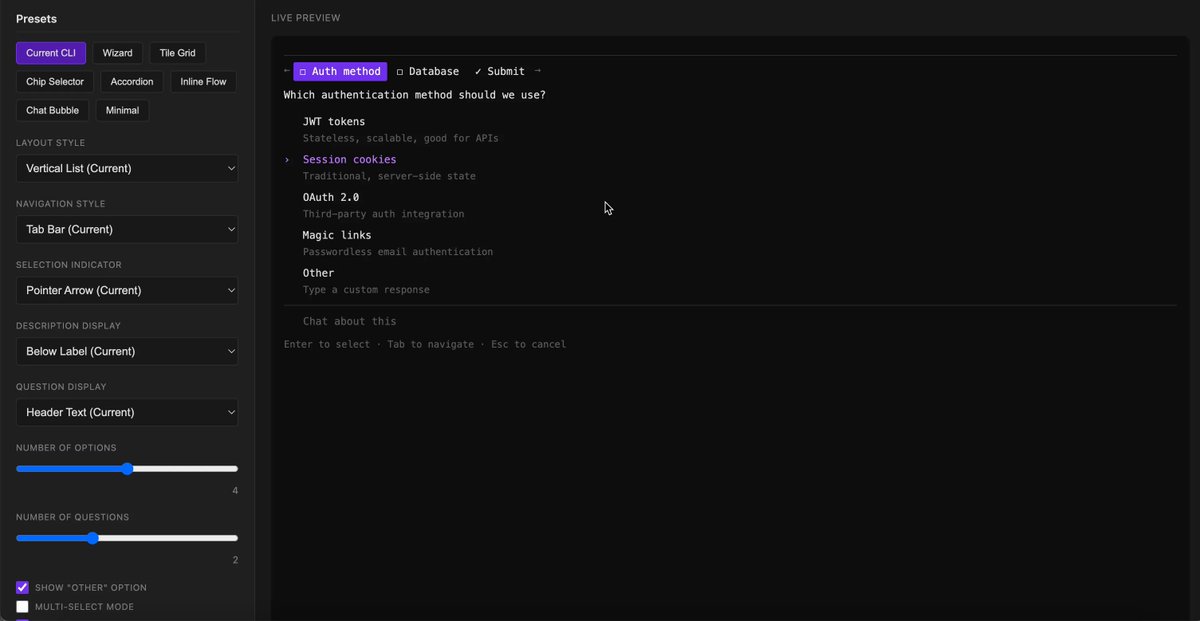
Changing the design of the AskUserQuestion Tool in Claude Code
**prompt: "Use the playground skill to create an playground that helps me explore new layout changes to the AskUserQuestion Tool"
**
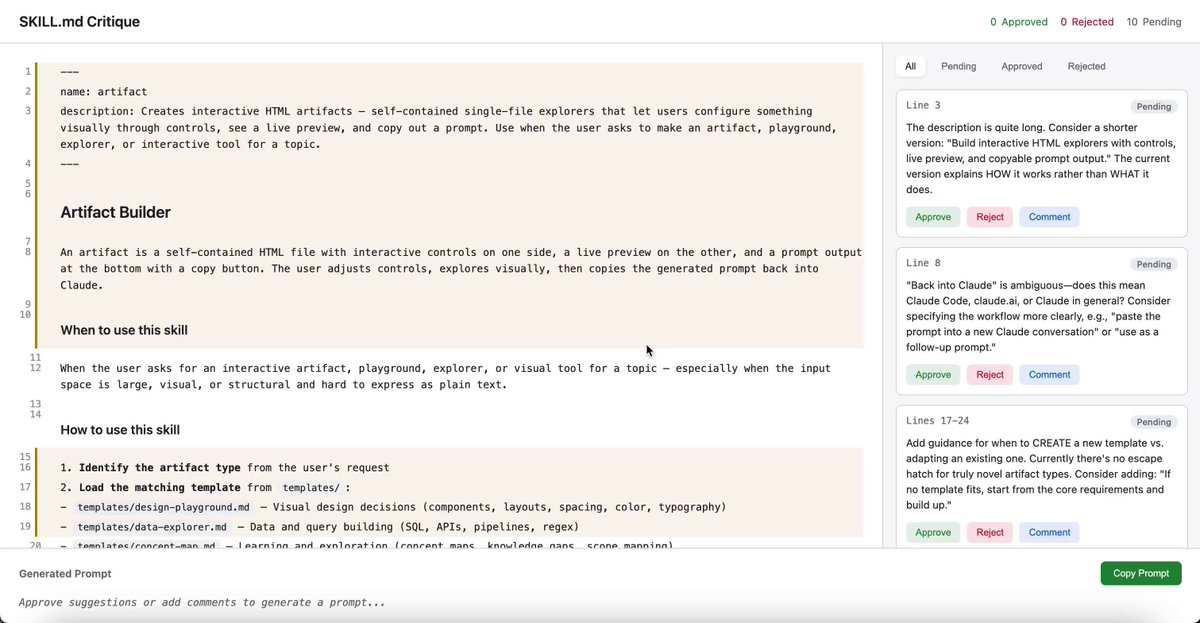
Critiquing your writing and getting a response
**prompt: "Use the playground skill to review my SKILL.MD and give me inline suggestions I can approve, reject or comment"
**
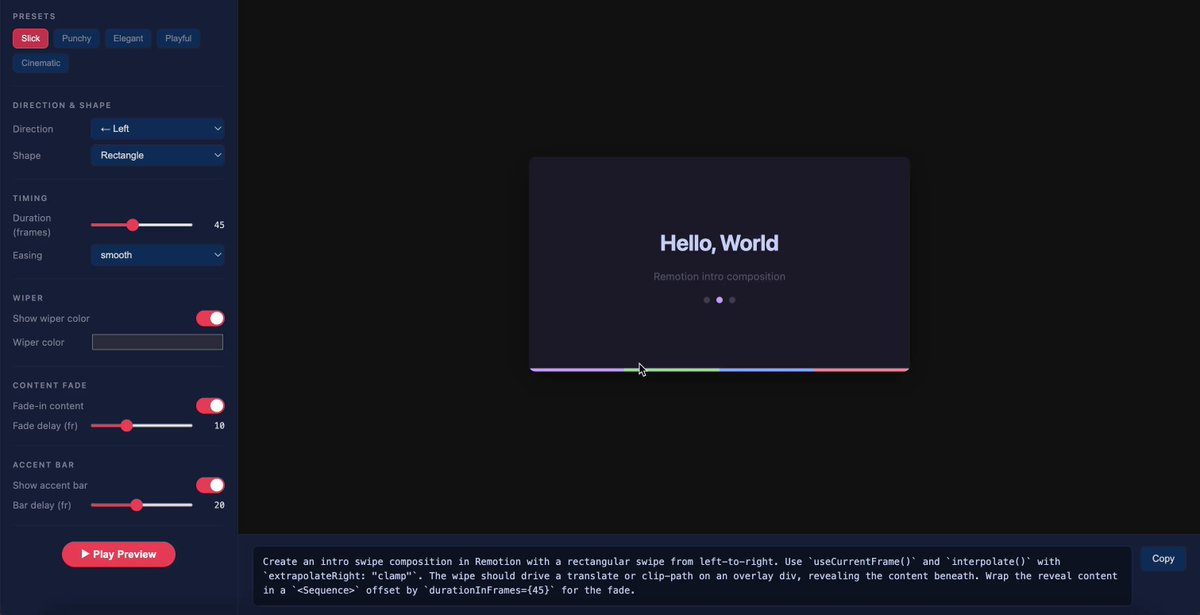
Tweaking a Remotion Video Intro
**prompt: "Use the playground skill to tweak my intro screen to be more interesting and delightful"
**
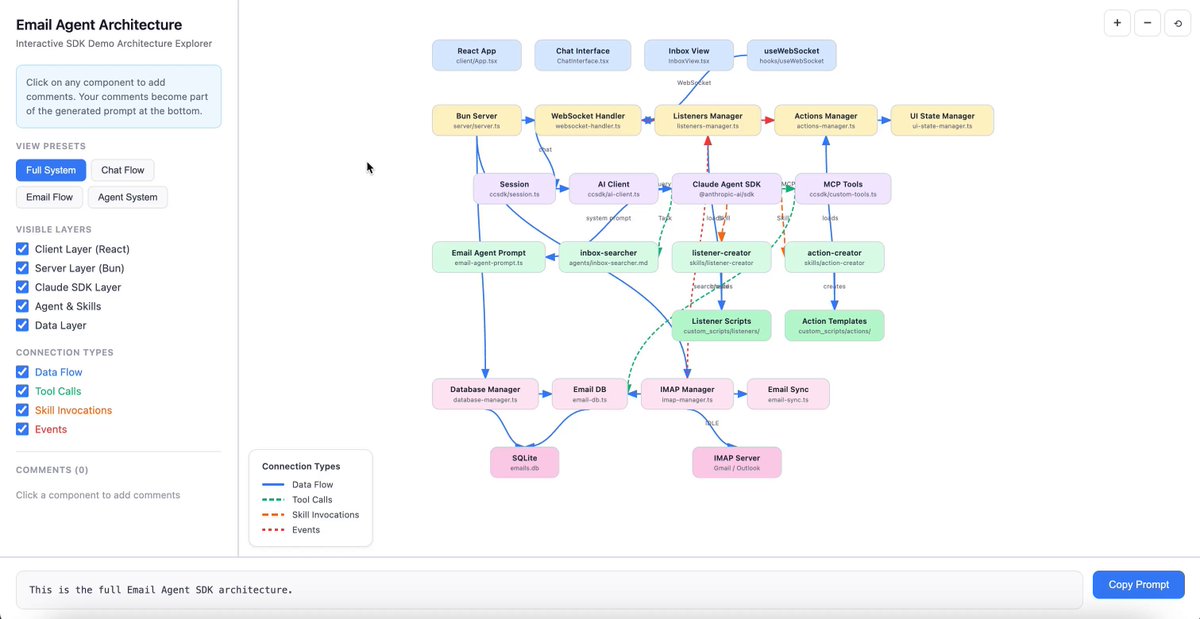
Viewing an Architecture Diagram and letting the user comment
**prompt: "Use the playground skill to show how this email agent codebase works and let me comment on particular nodes in the architecture to ask questions, make edits, etc"
**
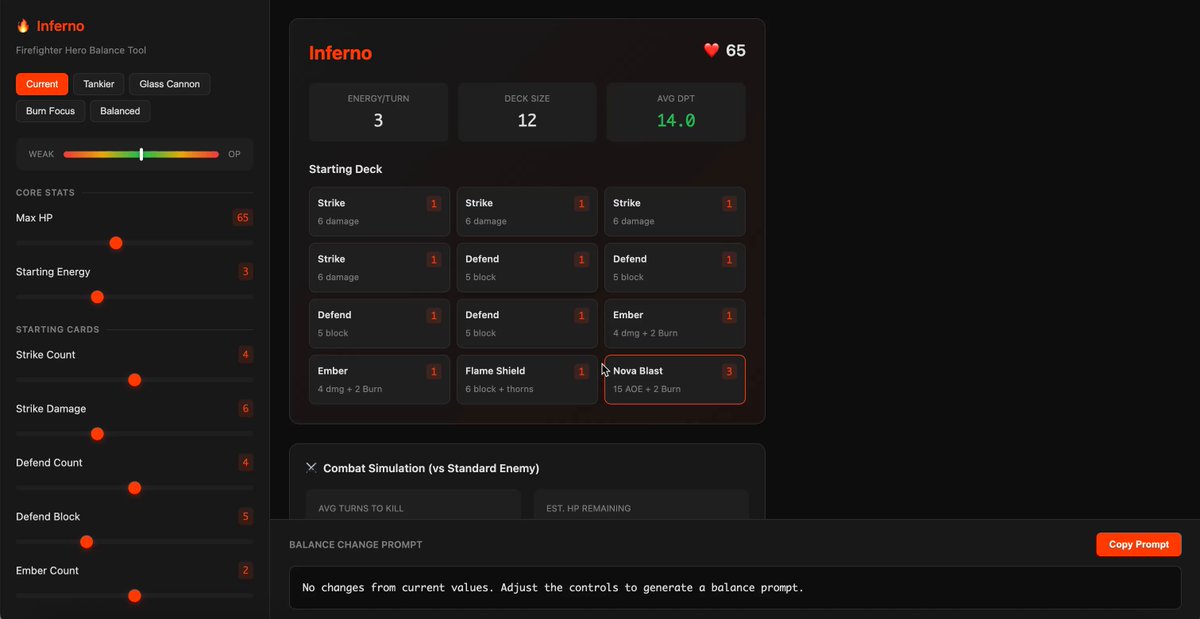
Balancing the Superhero Rogue-like game I'm making
**prompt: "Use the playground skill to help me balance the 'Inferno' hero's deck"
0:24
皆さんがこれをどのように探求するか楽しみです!
面白いプレイグラウンドを作るための私のコツは、モデルと対話するユニークな方法を考え、それを表現するように依頼することです。驚くかもしれないと思います。
何かクールなものを作ったら、ぜひ共有してください!


