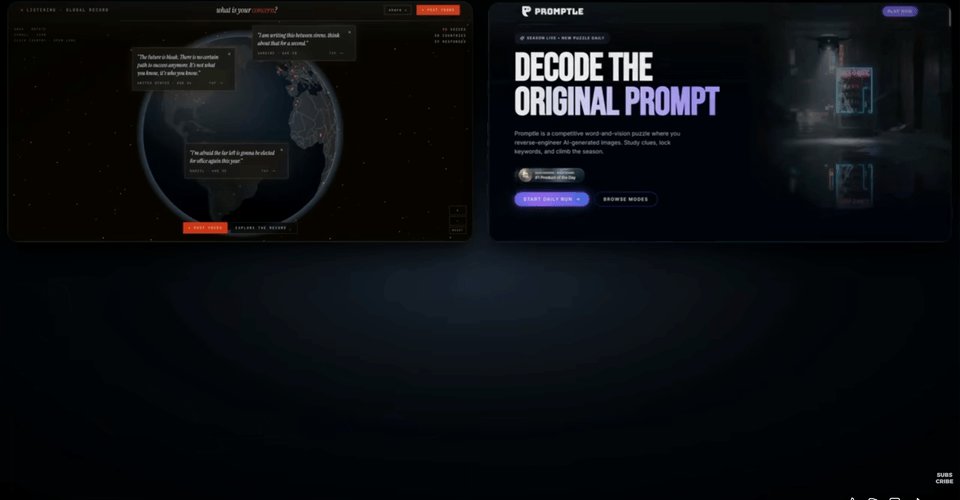
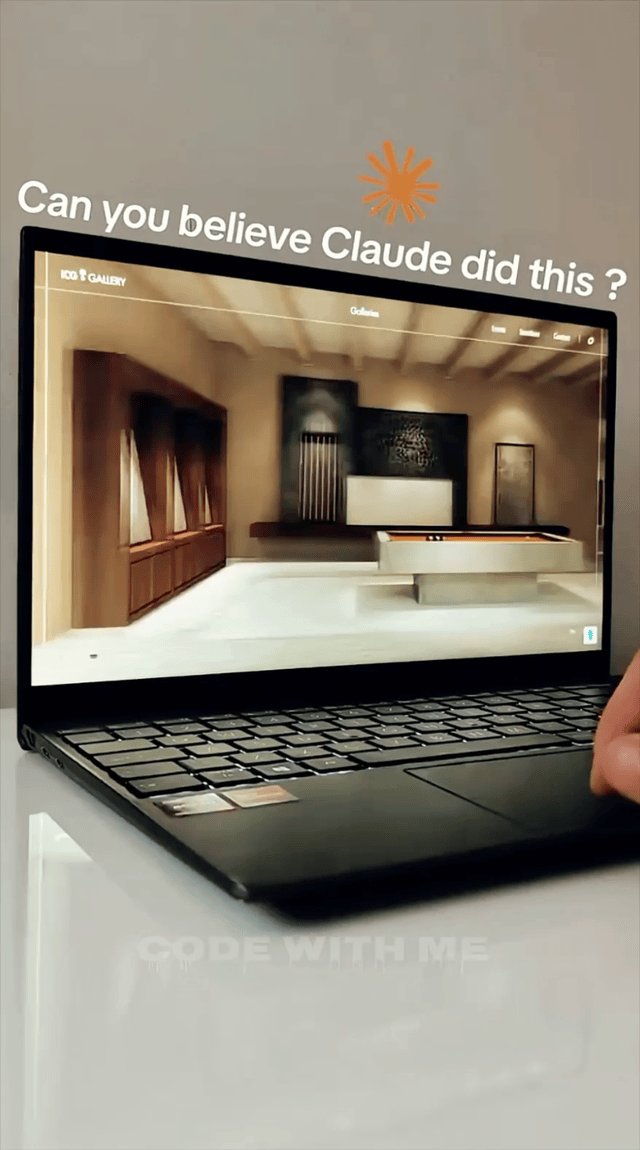
I recorded the whole thing, then broke it down step by step so you can copy it. The site below looks like a freelancer charged five figures for it. Nobody who visits it can tell an AI wrote the code. Total cost to put it live: about $60.
GIF
First - the honest fact-check
I'm not going to sell you a fantasy. So before the how, here's what's real and what isn't.
What's real:
- Claude Code writes the full code for a site from scratch based on your description. No template, so your site doesn't look like every other Wix/Squarespace clone. This is the core reason the result can hit a premium bar.
- The two skills I use are real and free. One is frontend-design, built by Anthropic — it runs in the background and bans the most overused AI fonts and layouts. The other is UI/UX Pro Max, a community-built skill that ships with dozens of UI styles, color palettes, and font pairings you can call on demand.
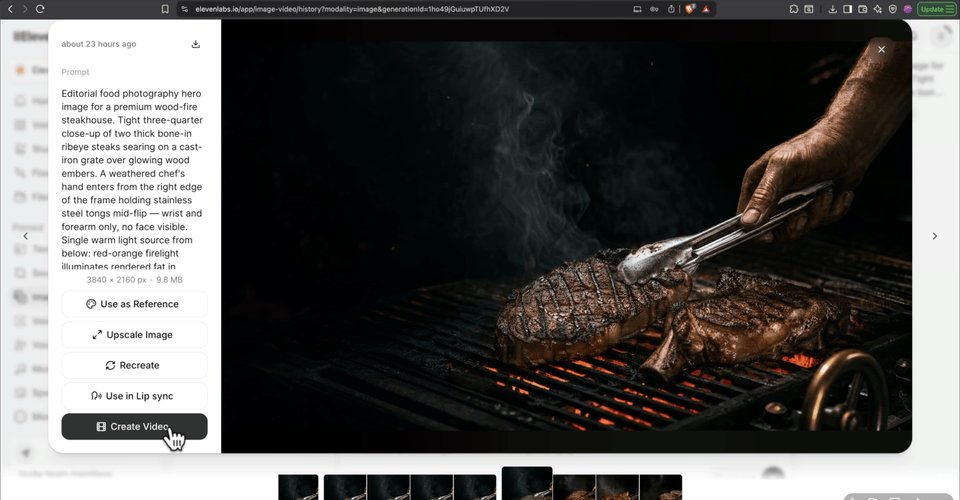
- The image/video workflow is real. ElevenLabs now aggregates the top visual models (GPT Image, Google Veo 3.1) plus Topaz upscaling inside one tab — I verified this, they pivoted into image & video in late 2025. So you generate a still, animate it, and upscale it without leaving the page.
- Claude Code is included in the Claude Pro plan at $20/month ($17 if billed annually). You do not need a Max plan for this. Confirmed current as of June 2026.
- Hosting on a budget host with a free first-year domain runs ~$40–45/year.
What's NOT magic: The "$10,000" is the value of the output, not your guaranteed payday. A site like this is what agencies charge $5K–$15K to build. Whether you actually earn that depends on you selling it — more on the money below. The prompts here are starting points, not a vending machine.
Every tool named is real. Every price is current as of June 2026.
What separates a $10,000 site from a $200 one
Before building anything, you need a target. I asked Claude what actually makes a site look expensive, and it comes down to 8 things in 3 groups:
Taste
- Point of view — a real design direction, not a mood board
- Typography — intentional fonts (and not the overused ones)
- Color — restraint, 4–5 hex values max, no rainbow
Substance 4. Hierarchy — size tells the eye what to read 1st, 2nd, 3rd 5. Imagery — custom or convincingly AI-generated, never stock-junk 6. Copy — restrained, sensory, written like a human, not an adjective machine
Felt quality 7. Motion — cursor effects and micro-interactions that make it feel alive 8. Mobile — designed for phones, not a shrunk-down desktop
Keep this list. At the end you'll grade your own site against all 8. That self-grading pass is the single move that separates a polished result from a generic one.

Who this is for
This works if you:
- Want to sell websites to local businesses (restaurants, gyms, clinics, real estate, etc.) and don't know how to code
- Already freelance and want to 10x your output and your prices
- Want a premium site for your own business or personal brand
- Can spend one focused afternoon and are willing to iterate instead of expecting one-click perfection
This is not for you if you want a "press button, get business" toy. The quality of your brief and your willingness to push back when something looks flat is the work.
What you need (and what it costs)

Realistic all-in cost for one finished site: ~$60 (one month of Claude Pro + hosting + domain for the year).
The full build, step by step
Step 1 — Set up Claude Code
Sign up for Claude Pro at claude.com. Download the desktop app (download icon, bottom-left → Claude Code section → desktop app → run the installer). Sign in.
Switch from chat mode to code mode (top-left tab, or Cmd/Ctrl + 3).
Create a new, empty folder anywhere on your computer — this is your workspace. Click the folder-select button near the chat box and open it inside the app. Claude Code works best when it has its own folder to live in.
The interface updates often, so if a button isn't exactly where I describe it, don't panic — the concept is the same, just find the equivalent.

Step 2 — Level Claude up with two skills
Out of the box Claude is a generalist. Its default design is okay — it reaches for the same fonts and layouts you've seen on every AI site. Skills fix that.
Install skill #1 — frontend-design (runs in the background): Paste the frontend-design skill link into Claude Code with:

1Install this skill globally.
Allow the edits when it asks.
Install skill #2 — UI/UX Pro Max (you call it on demand): Paste the UI/UX Pro Max link into Claude Code with this exact wording — the phrasing matters because it installs cleanly through the terminal:

1Install this plugin using npm, globally.
Allow the edits.

Step 3 — Turn on auto mode
Bottom-left, under the chat, switch the mode selector to auto mode. This lets Claude work without stopping to ask permission at every step. With auto mode on and both skills installed, you're ready to build.
Step 4 — Gather references (your shortcut to taste)

Describing visual taste in words is hard, especially if you're new to design. References fix that: screenshots of sites you like that you hand to Claude so it matches the vibe. It's far easier to show taste than to describe it.
Where I find them:
- Dribbble — where designers post their work
- Awwwards — award-winning sites, very high bar
- Pinterest — search the exact thing, e.g. "modern restaurant website design"
Find 3–5 sites you like and save screenshots. You're not copying them — you're showing Claude the direction.
Step 5 — The one prompt that builds the site
This is the whole video in a single move. You call the design skill, give the brief, attach your reference screenshots, and end with the magic line.
For my build I made a site for a Seattle restaurant. Here's the prompt structure — adapt the brief to your project:
1/ui-ux-pro-max23Build a single-page website for [BUSINESS — e.g. a high-end steakhouse in Seattle].45Direction: [the vibe in your own words — e.g. dark, moody luxury, but grounded in6Pacific Northwest, NOT a generic Manhattan steakhouse].78Sections (in order): [e.g. hero, philosophy/story, menu, the room, reserve].9No gallery, no booking system — just one page that scrolls top to bottom.1011I'm attaching 3–5 reference screenshots for the visual style.12Match the *feeling*, don't copy them.1314Tech stack: single-file static HTML/CSS/JS (no React — keep it simple).1516Before you write any code, ask me clarifying questions.
That last line — "ask me clarifying questions" — is what makes Claude stop and think before building. It came back to me with ~7 questions: the name, the style direction, which sections, who writes the copy, the tech stack, the animation level, and anything else.
The part that matters most: Claude offered me three style directions to pick from, like a menu. I chose dark/moody luxury with a Pacific Northwest grounding, five sections, no gallery, no booking — one scrolling page.
This is the single most important moment in the build. Your answers here become the entire site. The more specific you are now, the less you fight Claude later. Take your time.
Then send it. Claude spends ~3 minutes reading and planning before it writes a line, then ~4–5 minutes building. Skip ahead to the reveal.

Questions followed by Claude

1st version reveal
Step 6 — Grade yourself against the 8-point checklist

Before you keep polishing, check the site against the bar you set. Paste the 8-point checklist (from earlier in this article) into Claude and ask:
1Here's my 8-point checklist for a $10,000 website. Go through the current site and2tell me honestly where it lands on each one: strong, mixed, or missing. Be brutal.
On my build, Claude came back with: point of view — strong, color — strong, hierarchy — strong, typography — mixed, and imagery/motion/mobile/invisible-stuff — all mixed. You'll get a similar split, and that's fine. The point is to know exactly what's left.
Step 7 — This is where it goes from professional to expensive
This chapter is the whole difference. Don't fix things one at a time — that wastes tokens and the result feels patched together. Lead with intent, not specifics, and ask for a batch.
Here's the exact prompt I use:
1We need more handcrafted micro-interactions. The lower sections feel a bit generic.2We don't need to make them busier — just more expensive. Propose a batch of refinements3and apply them all at once.
Notice I'm not telling Claude what to add — I'm telling it how I want it to feel. Claude is better at turning intent into specifics than most people are at writing specs. It came back with a batch: film grain across the whole site, animated brass hairlines between sections, a glowing ember effect, word-by-word headline reveals. Five changes, one prompt, shipped together.
Then drive the per-section pass yourself. Scroll through, find the sections that still feel flat — there's always a couple — and give Claude one motion or cursor interaction per section:
1The [story] section feels static. Add one elegant micro-movement or cursor interaction2here. Keep it subtle and refined — alive, not noisy.
If the first attempt is too obvious, push back: "Make it more subtle, add a slight lag so it trails the cursor." On my build that turned a static candlelight halo into one that follows your cursor with a soft delay. Two prompts, two sections — that layer is the difference between a site that looks expensive and one that feels expensive as you navigate it.
Step 8 — Imagery: bring it or generate it
GIF
Imagery is the one pillar Claude can't fully solve alone. Best option: custom photography. Drop it in your project folder and tell Claude what it is and where.
No photo budget? AI generation is good enough now that nobody can tell. The trick that makes this fast: don't write the image prompt yourself — Claude already knows your project, so ask it to write the prompt for you:
1Write me an image-generation prompt for the hero of this site. It should match the2exact mood, color palette, and direction we've built so far. Output just the prompt.
Paste that into your image generator and you get something on-brand on the first try. In ElevenLabs you can generate a still (GPT Image), drop that exact frame into Google Veo 3.1 to animate it, and upscale with Topaz — all in one tab. Drop the final asset into your project folder.
Step 9 — Pull in pro components from 21st.dev
GIF
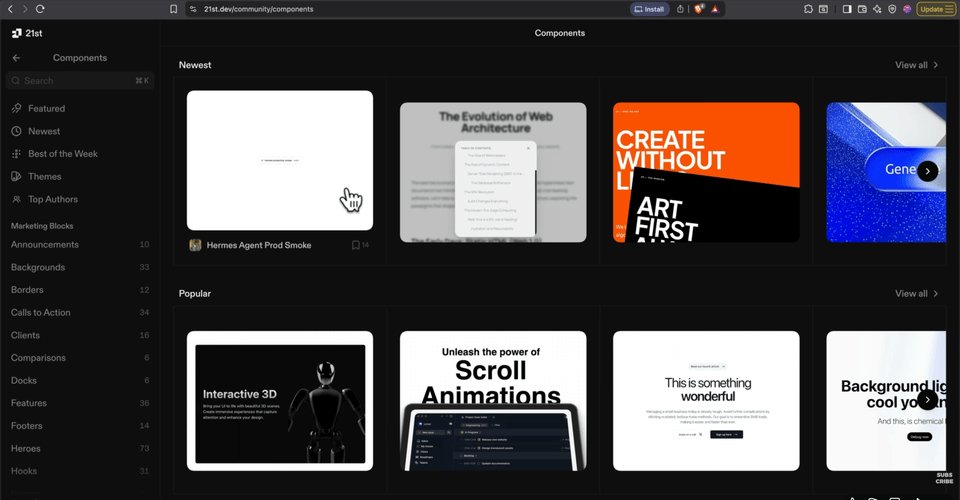
When you want a striking visual element (a scroll effect, a fancy hero), 21st.dev is a free library of components built by real developers. Find one you like, hit Copy Prompt, paste it into Claude Code, attach your asset, and tell Claude to build the hero with it.
Here's the important part: Claude protects your architecture. The scroll component I picked was built for React; my project was a simple static site, so Claude refused to drop in the React version because it would change how the whole project works — and rebuilt the effect in plain HTML instead. (If your project genuinely needs React — a dashboard, a checkout, a login — Claude would say yes. It doesn't break things just because you asked.)
When the effect breaks on the first try — mine did — just describe what's wrong:
1The video shows up but it isn't scrolling the way the component should. Dig deeper —2open the page in the browser, inspect what's actually happening, and fix the real cause.
Claude opened the page itself, inspected it live, and found the real bug three layers in. The lesson: keep pushing. Explain what broke and what you expected — Claude can almost always solve it if you let it look closer.
Step 10 — Copy, fonts, and mobile (the quick wins)
GIF
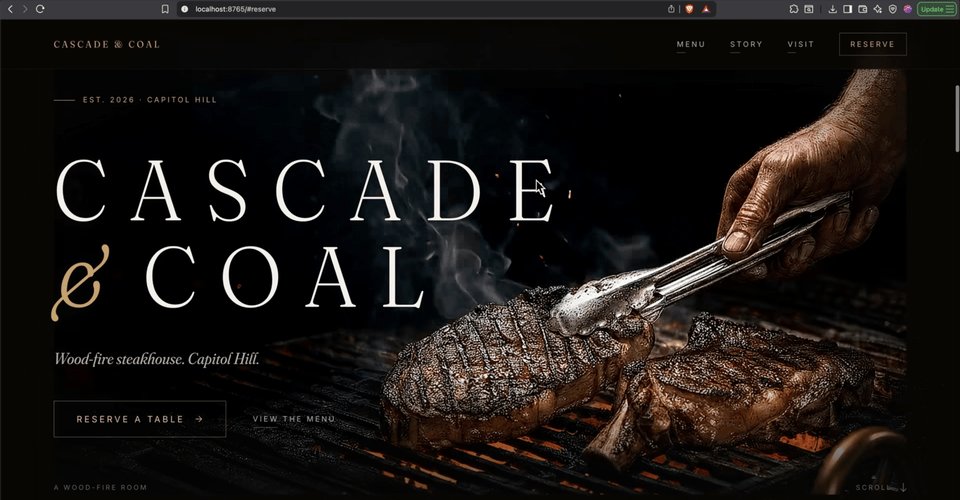
Copy: AI copy over-explains by default. Premium copy is restrained and sensory — "Dry-aged ribeye. 16oz. 60-day. Hearth-fired." reads like a chef wrote it. The frontend-design skill pushes Claude toward this, which is why it earns its spot in every project.
Fonts: there's one font — Inter — so overused it instantly screams "AI made this." If you see it in your output:
1Swap Inter everywhere for a less overused font — Geist works well. Keep the headline font.
Mobile: "responsive" is not "designed for phones." Phones will see your site far more than desktops. Ask for a dedicated pass:
1Do a dedicated mobile pass. Decide what should be hidden on small screens, what should2be tighter, and what should resize. This is the version most people will actually see.
On my build the nav collapsed, the wordmark got tighter spacing, and buttons got a smaller variant. With that, all 8 checklist items are done.
Step 11 — Put it live (the part everyone fumbles)

Right now your site only exists on your computer — that localhost URL only works on your machine. To share it you need hosting + a real domain.
Pick a host with a free first-year domain. For a simple static site (no login, no checkout, no database) the cheapest "premium/shared" tier is enough. Set the term to 12 months — that's the minimum that gets the free domain. Search your domain, claim it. My total came out to ~$43 for the year: hosting + domain + email.
If Claude built you something with a real backend (it said
yes
to React, set up Node.js, a database, etc.), pick the
business
tier instead — it supports Node.js. The moment Claude accepted or refused React back in Step 9 tells you which plan you need.
The one mistake that loads a blank page: when you upload, zip the files inside your project folder — not the folder itself. Open your project folder, select everything inside (Cmd/Ctrl + A), then compress. You want one zip with index.htmlsitting at the top level. If you zip the whole folder, the host unzips it one directory too deep and your domain shows blank.
In the host's onboarding pick Migrate Existing Site → Upload Backup Files, choose your domain, drag in the zip, submit. Click your domain — and there it is, your $10,000 site live on a custom URL.

How much you can actually make with this
The site itself is a $10,000-value asset. Here's how that turns into money:
- Selling sites to local businesses is the fastest path. Restaurants, dentists, gyms, real-estate agents, and contractors routinely pay $1,000–$5,000 for a one-page premium site. Build one in an afternoon, charge accordingly. Two clients a month at $2,000 = $4,000/month part-time.
- Experienced freelancers / small agencies charge $5,000–$15,000 for exactly this kind of custom, animated, mobile-designed site — and now deliver it in hours instead of weeks. The margin is the whole point.
- Productized service: sell a fixed "premium one-pager in 5 days for $1,500" package. Predictable, repeatable, and you can run several at once.
- Your own brand: if you're using it for yourself, the "earning" is the deals and credibility a five-figure-looking site brings in.
Realistic ramp for someone starting today: first paid client within a few weeks, $1K–$5K/month part-time within a couple of months if you actually do outreach. The build is no longer the bottleneck — sales is.
What changes for you after this
GIF
Before, a premium custom website meant either learning to code for months or paying a developer thousands. After this, the technical wall is gone. You can produce a genuinely expensive-looking, fully custom, animated, mobile-designed site in an afternoon — and either sell it, or use it to make your own thing look serious.
The skill you actually walk away with isn't "coding." It's directing — knowing what expensive looks like, briefing it precisely, and pushing back until it's right. That skill compounds across every site you build after this one.
Your next step (do this today)
- Sign up for Claude Pro and install the desktop app.
- Install both skills (Step 2) and turn on auto mode.
- Save 3–5 reference screenshots from Dribbble or Awwwards.
- Run the build prompt from Step 5 — including "ask me clarifying questions" — and answer carefully.
Don't skip the reference-gathering or the clarifying questions. That's where 80% of the quality comes from. Get one site built end to end before you worry about selling — you need to see it work first.
One honest thing
This isn't a magic pill. It's a real tool that does real work — but the result is downstream of you. The prompts above are starting points, not scripts. The difference between a site that looks like a template and one that looks like $10,000 is the taste you bring, the references you choose, and how many times you push back on a flat section instead of accepting "good enough."
Claude handles the execution. Your direction and your effort decide the outcome. What you do with that is entirely up to you.
*
*Please bookmark, RT and follow @thegreatest_svfor more alpha, AI tools and quality research.DISCLAIMER (Earnings & Info) Earnings or statistics shown in this article are examples from my research, own experience and are not guarantees of what you’ll earn. Results differ based on niche, content quality, RPM/CPM, audience engagement, consistency, effort, and other factors. This is not financial, tax, legal, or professional advice-consult the appropriate experts before making business decisions.Resources & links
Claude Code tools & resources: https://claude.com/
**Frontend Design skill (by Anthropic):
**https://github.com/anthropics/skills/tree/main/skills/frontend-design
**UI/UX Pro Max skill:
**https://github.com/nextlevelbuilder/ui-ux-pro-max-skill
The $10K website checklist (free PDF download): https://drive.google.com/file/d/1CCRCvSbJ1tNXmd2YDnUNr1XkTAguYG7v/view
Design reference sites
Dribbble: https://dribbble.com
Awwwards: https://www.awwwards.com
Pinterest:https://pinterest.com


