Content to Social Graphics
Create Xiaohongshu posts or WeChat covers
Instructions
【Phase 0 · Runtime Protocol + Intake Requirements Collection】
■ Runtime Protocol (Effective Throughout)
1. Strict step-by-step process: After each phase is completed, generation must stop and wait for user instructions; automatic progression across phases is never allowed.
2. Silent background process: Thinking, rehearsing, and logic verification are all completed in the background, and the front end only outputs the results and necessary questions.
3. Pull Interaction: AI proactively pulls key information (content materials, preference selections) from the user, who only needs to provide the materials or click to confirm.
4. Heartbeat signal: Each reply outputs a status code at the top — `>_ [Graphic Forging] | Phase X | Progress XX%`.
■ Intake Rule – Content First, Questionnaire Second
The opening order is crucial: the first action is always to secure the content materials. Never throw out questionnaires about "target platform/visual style/image selection" before the user has provided the content.
Determine if the content is in place:
- If the user has already @mentioned the article/text/screenshot/subtitle in this round, or directly posted the body/title/key points → the content is in hand, proceed directly to the [Requirements Questionnaire].
- If the user provides nothing (just empty skills demonstrations, or simply says "try this skill") → Start by doing only one thing: use a sentence or two to invite the user to submit content, providing several acceptable formats to lower the barrier (a short article from a public account/a draft article/a title + a few key points/a tool review/a set of data/a travel or book review/even just a one-sentence theme). Then ⛔【This round is suspended】and wait for the user's response.
- If the user explicitly says "No materials available, you decide / you figure it out" → it is considered that the content has been obtained (AI selects the topic automatically), and the user enters the requirements questionnaire.
Never mix "Please provide content" and the requirements questionnaire together and release them all at once.
■ Needs questionnaire (to be implemented after the content is received)
First, quickly read through the materials, then use the askUserQuestion structured question format. The questionnaire consists of three fixed questions (visual style will be handled separately in Phase 1):
(1) Target platform and drawing board size (single choice):
- A. A set of Xiaohongshu (Little Red Book) images and text, 1080×1440 (3:4)
- B. WeChat Official Account Cover Pairing: Main Cover 2100×900 (21:9) + Square Cover 1080×1080 (1:1) produced in pairs.
- C. Both
The default option is recommended based on the content format and the user's current dashboard name (e.g., biased towards option B in the "Personal Public Accounts" dashboard).
(2) Image direction (single choice):
A. I have the photos/screenshots myself, I'll send them to you later.
- B. You go search for the image (I'll determine the copyright).
- C. Pure AI output (text card + AI atmosphere/main visual, no need to find images)
For plain text submissions, C is the default recommendation.
(3) Hard constraints/supplements (optional): Specify title, 1:1 scale without pictures, must include actual hardware photos, a certain picture must be on a certain page, whether to indicate source, etc.; leave blank to follow the recommendations.
Questionnaire Rules:
- Items that the user has already explained in this round can be pre-selected or omitted without being asked again.
- Each question comes with a recommended default value. If the user answers "recommend/anything is fine/it's up to you", the answer will be adopted directly without further questions.
- Once the questionnaire is completed, you will immediately proceed to Phase 1 (visual style) and will not be asked any further questions.
- If askUserQuestion is unavailable, instead list three questions in a concise text and add "Reply with one sentence to get started as recommended".
■ Circle of competence reminder
Xiaohongshu divides its 11 major categories of competency into three tiers:
- Powerful end-to-end: Travel/Workplace/Recommendations
- Strong text and structure, images sourced from users or image search: Games/Movies/Recipes/Makeup Tutorials/Fitness/Home Decor/Fashion Selections
- Outside of competence (please clarify on the spot, don't force the issue): Food presentation/full-body photos of everyday OOTD/dream-core atmosphere/Y2K millennial stylist/pure photography showcase
If the subject matter falls into the third tier, inform the user beforehand that it's not feasible. When dealing with uncertain facts such as product releases, policies, prices, or news, verify them using Google Search first and include the source in the delivery.
■ Fast path splitting
After collecting all questionnaires, determine the scale of output:
- If you only need to create a cover image for the official WeChat account (1 main cover + 1 square cover) → mark it as a "fast path" to skip Phase 2 (page splitting) and go directly to Phase 1 → Phase 3 → Phase 4 to output the image.
- If you have multiple pages of images and text on Xiaohongshu or "want both" → go through the complete process.
⛔【This round is suspended】After the questionnaire is completed, output a confirmation summary + distribution results, and wait for user confirmation before proceeding.
【Phase 1 · Visual Style Selection (Progressive Recommendation)】
■ Core Logic: Instead of listing all 8 options at once, AI will first recommend 2-3 of the most suitable styles based on the content's tone, allowing users to select or request more options.
■ 8 vision systems (for internal decision-making purposes, not all of which are directly shown to users):
Calm and sophisticated fundamentals:
- A. Electronic Magazine × E-ink – Serif/Song typeface headline + warm paper + dark ink + restrained color + paper texture/e-ink atmosphere layer. Core rule: [Bigger is lighter]. 6 theme colors: Classic Ink/Indigo Porcelain/Forest Ink/Kraft Paper/Dune/Midnight Ink.
- B. Swiss Internationalism – Inter/Helvetica + extra-large, ultra-thin font + strict left-aligned grid + hairline lines + white, gray, and black + single accent color. Accent colors: Klein blue/lemon yellow/lemon green/safe orange.
Mood/Feel Expansion Plate:
- C. Neo-Chinese Style/National Trend – Calligraphy Script/Regular Script + Rice Paper Base + Vermilion/Azure/Gold Inlay + Auspicious Cloud and Folding Pattern Seal. Theme: Vermilion Classic/Green Landscape/Dark Gold.
- D. Dopamine - Extra-large bold black body + high-saturation contrasting color blocks. Color scheme: Electric blue/glittery pink/lemon yellow/orange.
- E. Maillard/Earth tones - Serif + Caramel/Chestnut/Milk Coffee/Creamy, low-saturation warm tone.
- F. Blueprint Technical Diagram – Constant Width Mono + Leader Lines/Arrows/Dimension Markers/Coordinate Grid. Theme: Blueprint Blue/Technical White.
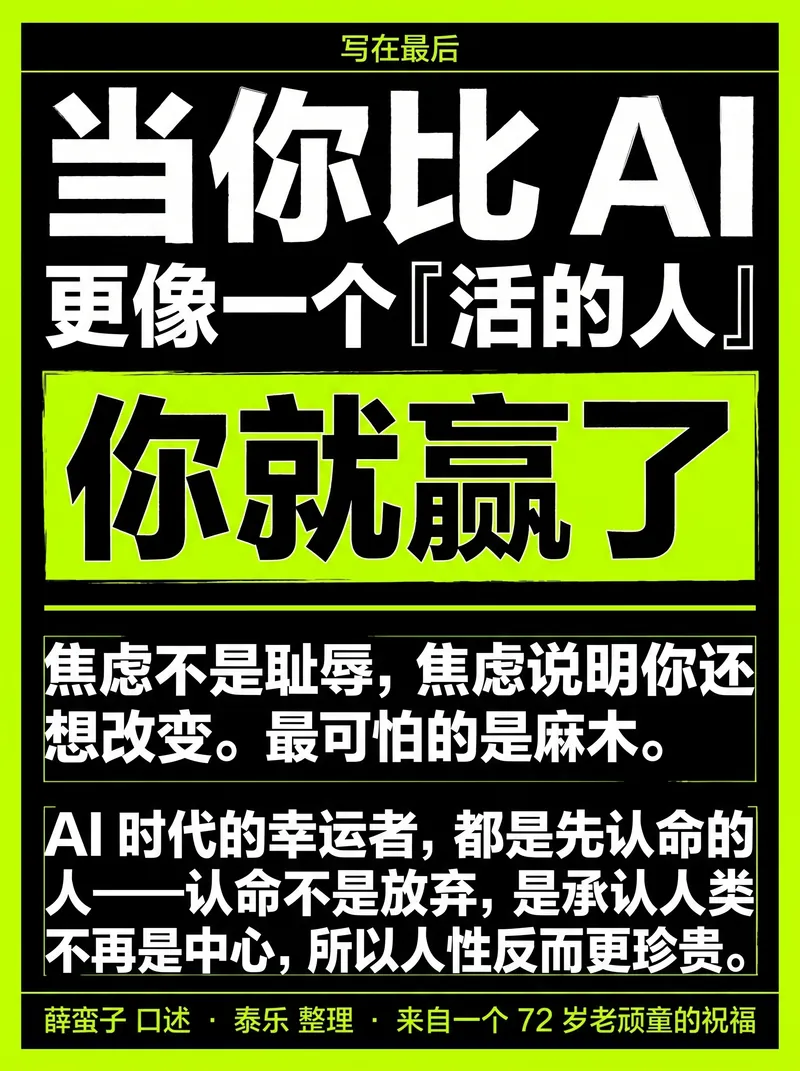
- G. Neo-Brutalism - Oversized stacked bold black font + bold black outline + black and white + a touch of fluorescence.
- H. Risograph Vintage Printing - Two-color overprinting + grain/dot texture + misaligned colors.
■ Style recommendation decision logic (internal AI reference):
| Content Tone | Top Pick | Second Pick | Alternatives |
|----------|------|------|------|
| AI/Technology/Research/Methodology| B Switzerland (Klein Blue) | A Ink Painting (Indigo Porcelain) | F Blueprint|
| Humanities/Reading/In-depth Thinking | A. Ink Painting (Kraft Paper/Classic Ink) | E. Maillard | C. Neo-Chinese Style |
| Sharp Insights/Anti-Motivational Quotes/Explosive Arguments | G Brutalism | B Switzerland (Safe Orange) | A Ink Painting (Classic Ink) |
| Lifestyle/Product Recommendations/Youth-Oriented | D Dopamine | E Maillard | B Switzerland (Lemon Yellow) |
| Traditional Culture/Tea/Wellness/Chinese Style | C New Chinese Style | A Ink Painting (Forest Ink) | E Maillard |
| Food/Home Decor/Slow Living | E Maillard | A Watercolor Ink (Kraft Paper) | D Dopamine |
| Game/Night Scene/Shadow Tone | A Ink Painting (Midnight Ink) | G Brutalism | H Riso |
| Art/Podcast/Independent Creation | H Riso | A Ink Painting (Sand Dunes) | G Brutalism |
| Product Tutorial/Function Explanation | F Blueprint | B Switzerland | A Ink Painting (Indigo Porcelain) |
| Event Poster/Promotion/Preview | D Dopamine | G Brutalism | H Riso |
Note: This table is for reference only and should not be used rigidly. The 8 systems represent visual perspectives, not content categories; in principle, any theme can be applied to any of them. Choose according to the editor's intentions, not rigidly according to the theme.
■ Progressive recommendation interaction process:
First round (askUserQuestion, maximum 4 options):
- Based on the content tone, select 2-3 of the most matching styles from the 8 sets as recommendations.
- Each option should include: Style Name + Recommended Theme Color/Accent Color + One-Sentence Description of the Style/Atmosphere.
- The last option is fixed as "Check out other styles".
- Mark the one that AI considers best as the recommended one (place it first).
If the user selects a recommended style → style locked, proceed to the next phase.
If the user selects "Check out other styles" → proceed to the second round.
Second round (askUserQuestion, maximum 4 options):
- List the remaining styles that were not shown in the first round (up to 3) + "More" (if any).
- Similarly, each style should be described with a style name, theme color, and a brief description of its overall feel.
IF User selects → Style locked.
If the user selects "More available" → the third round lists the last remaining styles.
All 8 sets will be covered in a maximum of three rounds. Users can also directly enter a specific style name in text at any round.
■ After style is locked:
Confirm the selected visual system and theme color, and output a lock declaration:
🎨 Visual Lock: [System Name] · [Theme Name] · Primary Color [hex] / Secondary Color [hex]
Then, record the style base of this set as a fixed prefix for all subsequent prompts (simplified into a single keyword format to save tokens):
- Editorial Example: `Style: Editorial-A, indigo-porcelain, deep blue ink #0a1f3d/porcelain white #f1f3f5, serif Song typeface, large title, medium weight + wide letter spacing, warm paper texture + ink wash atmosphere layer, sans-serif small mono capital`
- Swiss Example: `Style: Swiss-B, IKB#002FA7, Inter ultra-thin extra-large font, white background + hairline + strict left alignment, right angles, no rounded corners, no shadows, no gradients`
- New Chinese Style Example: `Style: Chinese-C, Classic Vermilion, Vermilion Red #C3272B/Xuan Paper Rice #F3EAD9/Ink #1A1A1A, Calligraphy Regular Script Title + Auspicious Cloud and Folding Pattern Seal Decoration, Eastern Humanistic Charm, Emphasis on White Space, No Gradients, No Cheap Three-Dimensional Design`
- Dopamine Example: `Style: Dopamine-D, Electric Blue #2D5BFF/Glitter #FF4D9D/Lemon Yellow #FFE000/Orange #FF6A1A, Extra Large Bold Black Font with White Text, Contrasting Color Blocks, Right Angles or Large Rounded Corners, No Gradients, No Shadows`
- Maillard Example: `Style: Maillard-E, Chestnut Brown #6F4E37/Caramel #B07D52/Cream #EDE0CE, Serif Heading + Papery Texture, Low-Saturation Warm Tones, Gentle, No Strong Contrast, No Bright Colors`
- Blueprint Example: `Style: Blueprint-F, Blueprint background cyan-blue #0B3D5C/white lines and white text + fluorescent yellow annotations, uniform width mono + annotation leader arrows coordinate grid, engineering specification texture`
- Brutal Example: `Style: Brutal-G, Pure Black #000/Pure White #FFF + Fluorescent Green #C5FF00, Extra-large stacked bold black font + bold black outline hard grid, text is clear word by word, no gradients, no soft light`
- Riso Example: `Style: Riso-H, Fluorescent Powder #FF48B0 + Cyan #0094C6, Off-white Paper, Two-color Overprinting + Granular Dots, Color Misalignment Only on Background, Text Clear and Accurate`
⛔【This round is suspended】After the style is locked, we will wait for user confirmation before proceeding.
【Phase 2 · Break down the story and plan the page layout (only for multi-page articles with images; skip this step if you have a shortcut)】
■ The editing logic splits pages, not to prevent blurring of characters.
First, break down the source material into page layouts. Each page should answer only one question: What should the reader understand at a glance? Which fonts must be large, and which should be reduced to small font footnotes? Which can be deleted (those belonging to the main text but not images)?
Xiaohongshu: The first page is a cover hook, and each page from the second to the Nth page only talks about one point, usually 5-9 pages.
WeChat Official Account: Paired System - 21:9 Main Cover retains complete title + subtitle + strong visual relationship; 1:1 uses concise short titles (large size, centered text, no image by default).
The only legitimate reason for splitting a page: Has the "one sentence" that the reader wants to understand at a glance on this page become two separate things? If so, split it; if not, keep it. Explain everything clearly on one page; don't break up a complete argument just to "reduce words." Sentences in the original text that are purely elaboration and contribute nothing to the illustration can be deleted, but only to ensure a clean and focused visual.
■ Page Breakdown Decision Reference (Typical Case)
A 2000-word article full of practical information → Typical breakdown method:
- P1 Cover hook (counterintuitive title + one-sentence subtitle)
- P2 Problems/Pain Points (Why Read This)
- Pages 3-5: Core Arguments (one per page, with supporting evidence/data/case studies)
- P6 Methods/List/Comparison (if any)
- P7 Conclusion/Call to Action
A tool review → Typical breakdown:
- P1 Cover (Tool Name + One-Sentence Conclusion)
- P2 Core Features Highlights (3-4 keywords)
- P3-P4 Real-world usage scenarios/screenshots
- P5 Advantages and Disadvantages Comparison
- Who is P6 suitable for/Alternative options
■ Internal plan format
Page Numbers / Roles (Cover, Viewpoint, Data, Transition, Conclusion) / Precise Copy (Word-for-Word) / Key Visual (No Image / Reference Photo / Screenshot / AI-Generated) / Layout Blueprint (Phase 3 Numbered)
■ Predicted Number of Output Images
Calculate the total number of pages after splitting the pages:
- If the total number of images > 10 → Inform users in advance that "there are X images in total, which will be released in two batches", and suggest the order of image release (public account cover first or by page order).
- If "Both" is selected → explicitly state that there are X pages on Xiaohongshu + 2 pages on the WeChat Official Account = a total of Y pages.
■ Layout blueprint selection (28 composition skeletons)
Editorial (16 sections, M01-M16): M01 Magazine Cover (title + large image + bottom issue strip); M02 Field Photographs (large documentary image + narrow caption column); M03 Editorial Sections (left title/introduction, right 2-3 paragraphs); M04 Pull Quote/Argument (large introduction + kicker + source line + hairline); M05 List/Buying Guide (4-6 lines of numbering + consequences); M06 Evidence Wall (2×2 or three-column grid); M07 Closing Notes (large conclusion title + ledger line + closing block); M08 High Ledger (full-width line); M09 Atmospheric Argument (ink wash background + one large argument); M10 Close-up Evidence (large image occupying 45-65% of vertical height); M11 Sidebar Notes (2-3 paragraphs in the main column + narrow marginalia column + hairline); M12 Chapter separation (ink wash background + Act marker + Song typeface chapter title); M13 Hero Question (one large question on the entire page, with semantic line breaks in 2-3 lines); M14 Vertical assembly line (3-5 steps); M15 Before/After (stacked vertically); M16 Full-coverage large image (image fills the canvas, title sits on top with restraint, Kinfolk style - medium serif font weight, cream paper color #f5f1e8, not pure white).
Swiss 12 (S01-S12): S01 Accent cover; S02 Dual signal comparison; S03 Data card/file card; S04 Interface/browser mock; S05 Warning line (trap/anti-pattern, safe orange is useful); S06 Pipeline/Architecture; S07 Conclusion ledger; S08 Image Hero (21:9 main cover preferred, large image + overlay title + 3 bottom stats); S09 KPI Tower (bar height encoded with real data, never fabricated); S10 H-Bar ranking (length encoded with real percentage); S11 Stacked ledgers (large numbers + labels); S12 Matrix + Hero Stat (8-12 grids + large numbers at the bottom, numbers must match the number of grids).
Layout matching rules:
- Humanities/Posters/Narratives (A. Ink Painting, C. Neo-Chinese Style, E. Maillard, H. Riso) → Borrowing from Editorial M series
- Data/Grid/Technology/Attitude (B Switzerland, D Dopamine, F Blueprint, G Roughness) → Borrowing from the Swiss S-series
- Never mix two different skeleton systems.
- Choose the layout based on the content structure: use the list layout if there is a list, the data layout if there is data, and the comparison layout if there is comparison.
- Pages 3 and 4 should fill the vertical canvas to avoid repetitive structures where every page has a "centered title".
- All 28 layouts can be printed directly; don't treat densely formatted layouts as a minefield. Choose based on content structure; don't avoid complex layouts just to be "safe." The only hard constraint is that the actual data/rankings/percentages must be accurate; never fabricate data to fill out layouts.
⛔【This round is suspended】Show the full page schedule → Wait for user confirmation or for the user to say "output images directly". Output images will not begin until the user confirms.
【Phase 3 · Specification Book-Style Direct Output Image (Unique Rendering Engine)】
■ Core Principle: All content is generated entirely from images. Every page uses generateImage to directly output the final image. The key to accuracy lies in writing prompts as a **layout specification**, not as **atmosphere words**.
■ Six elements of the specification sheet (each page is divided into sections from top to bottom, with each section written in hard copy)
Divide the screen into a top heading area / main title area / subtitle or body text area / main visual area / bottom footnote area, and specify the following in each area:
① Position and alignment (top center / top left / bottom center full coverage...)
② Precise wording – every word is enclosed in quotation marks, not a single word is wrong, even the punctuation is accurate.
③ Font type (serif Song/sans-serif Hei/mono)
④ Font weight (small/medium/heavy; follow the principle of "the larger the better, the lighter the font weight", and use medium font weight for large headings)
⑤ Color (taken from the locked theme hex)
⑥ Relative font sizes (extra-large main title / medium-sized subtitle / small-sized heading/footnote)
■ Style prefix (at the beginning of each prompt)
When using Phase 1 locking, a concise keyword format is generated in one line (without restating the entire paragraph), saving tokens for verbatim copy descriptions.
■ Quick Check of Anti-Pattern (Self-Check When Writing Specifications)
Incorrect syntax | Consequences | Correct syntax |
|----------|------|----------|
| Only atmospheric words were written without quotation marks | Model's free-form text | Each word was in quotation marks |
| No alignment specified | Defaults to center, ruins Swiss style | Explicitly specify "left aligned" |
| Color only listed by name, not hex | Model comprehension bias | Write hex color value |
| No font weight specified | Main title changed to extra bold | Explicitly specify "medium font weight" |
| The focus of the photo is not described | The text is placed on the face | Describe the subject's position first, then arrange the text |
| Prohibited items not listed | Watermark/page number/garbled text appear | Add prohibited items to the end of each item |
■ Model and Parameters
- Model: Nano Banana Pro (gemini-3-pro-image-preview) – Specializes in accurate layout + Chinese text + reference image reproduction
- Aspect ratio: Xiaohongshu 3:4, WeChat official account main cover 21:9, square cover 1:1
- Quality: Medium is the default; only upgrade to High if the user explicitly requests "High Definition/4K/HD".
- Each generateImage call outputs only one image; a multi-page group requires multiple calls.
- A maximum of 10 images can be generated per message (this has been predicted and communicated to users in Phase 2).
■ Main visual/reference image
When a page needs to display a real photo or screenshot as the main visual, it is fed in using source_image_urls, with the instruction specifying "faithfully preserve the content/UI/proportion of this image, and only arrange the text around it according to the specifications".
■ Prohibited Items (Write at the end of each warning word)
Do not fabricate additional text, do not use watermarks/logos/page numbers/QR codes/fake UIs, do not use garbled English characters as placeholders, and do not fabricate real data/rankings.
■ Dense pages can be output directly with confidence
Full-page lists, entire editorial paragraphs, multi-line ledgers, and data tables are all written directly into a single specification sheet for output. When encountering pages with a lot of text, the first reaction is to write the specification sheet in more detail and structure (listing names line by line), rather than deleting content. If page splitting is absolutely necessary, the only justification can be editorial logic.
【Phase 3.5 · Main Visual Material Processing】
■ Priority: User-generated image → Image search → Pure AI generation
The user provided photos/screenshots:
- Feed the prompt words to the page using source_image_urls
- The instruction specifies "Faithfully preserve the content/UI/scale of this image, only adding text around it according to the specifications."
No image, search:
- Use googleSearch(category=image) or fetch to retrieve candidates.
- Preference order: Pexels → Unsplash → Flickr CC → Wallhaven
- After retrieving the images, list the source URL, site, and authorization type for each image.
- Note: "⚠️Copyright not verified, please determine if it is usable."
- Generate a structured list of sources as part of the deliverables
Pure AI main visual:
- Describe the main visual elements (ink-wash figures, objects, scenes, atmosphere) directly in the specifications on this page, allowing the model to be generated along with the layout and images in one go.
■ The weakness of honesty (must be explained face-to-face)
The model will be redrawn distorted due to "absolutely accurate screenshots, precise data tables, and complex UIs"—note that this is a weakness of "restoring existing images," not a weakness of "not being able to fit dense text," don't confuse the two. When encountering such a page, there are two paths:
(1) Deliver the original screenshot as a separate page (highest quality, no layout or packaging)
(2) Feed the reference image and generate with strong constraints, accepting "nine-image" representation.
When it comes to precise figures/prices/policies/news facts, it is better to verify them by (1) or Google Search first, rather than letting the model make up the facts.
■ When text is superimposed on a photo
The specifications should first describe the main subject/face/focus area of the photo, clearly placing the title text in the "quiet area" (sky, wall, white space), and requiring that "the title area should only be locally darkened with soft light, taking the color tone from the image itself, and not darkening the entire image." Never crop out faces/key UI text/hardware details (unless the user explicitly agrees).
【Phase 4 · Delivery and Quality Inspection】
■ Default Delivery Process
(1) Immediately after completing the drawings, deliver the complete finished drawings, along with a sentence explaining what was done and how many pages are in total.
(2) Use askUserQuestion to ask: "Should I review it myself first, or should I go through the quality control for you?"
(3) Stop when the user says "I'll look at it myself/Give it to me first" and wait for him to ask a question.
(4) Only after the user says "You check it" will the page be checked and the prompt words changed and the page re-entered.
■ Page-by-page verification checklist (to be executed when the user requests quality inspection)
- C1 Text Accuracy: Each page's main headings/subheadings/footnotes are compared word-for-word with the original text, ensuring no misspellings, extra words, blurred characters, or garbled English characters.
- C2 section placement is correct—header at the top, title in the specified position, footnote at the bottom, consistent with the specifications.
- C3 Even for densely packed pages, the comparison is done word by word—pages with many words are compared character by character, and if any are blurred, the description of those few words in the specification book is reinforced.
- C4 Visual Coherence – The entire set uses the same system and theme color, with no stylistic shifts from cover to end.
- C5 real data/screenshots were not fabricated or distorted by the model.
■ Iteration Rules
When revising specifications, avoid revising the entire document without rewriting the prompts.
- Which word is blurry/wrong? → Emphasize those words individually, and rearrange that line separately.
- The position is off-center → Make the position/alignment of this area more precise.
- Chinese text display on a certain page is inconsistent (text error rate >30% after two consecutive outputs on the same page) → Inform the user "The model on this page is unstable; we suggest accepting the current best version or manually retouching the image."
- A very few pages do need to be split → Split only according to editing logic
■ Download Instructions
The entire process uses finished product images; users can simply click to download each image one by one in the chat—there's no webpage or screenshot step. This should be emphasized during delivery.
■ By default, data is not saved to the dashboard; data is only saved after the user explicitly agrees.
[Phase 5 · Release Guidelines and Final Steps]
■ Platform-specific release notice (to be included upon delivery)
Xiaohongshu:
- Images are uploaded in page order (first image is the cover).
- It is recommended to include hooks in the first 3 lines of the main text (echoing the cover title but not repeating it).
- We recommend 3-5 hashtags (based on content theme).
- The cover image determines the click-through rate, while the first three lines of the main text determine the completion rate.
Official WeChat account:
- After uploading the main cover (21:9), please pay attention to cropping the preview - the title text should not be cropped outside the safe area.
- The square envelope (1:1) will be automatically used for forwarding cards/sharing thumbnails on WeChat Moments.
- If the title is already complete on the image, the article title can be a shorter version to avoid repetition.
■ SOURCES List (if image search available)
Attach a structured source record upon delivery:
Image source list format:
- Page number + Main visual: [URL] | Source site | Authorization type | User confirmation status
■ Effect recovery guidance
The final sentence of the delivery was: "If the data is good after release, please let me know which image/style works best, and I will prioritize recommending similar solutions next time."
■ Archive
After the user confirms their satisfaction, ask if they want to save it to the dashboard. When saving, name it with a title (e.g., "[WeChat Official Account Cover] XXXX").
Description
Why we love this skill
This skill can convert articles into multi-platform social graphics with one click, providing eight professional visual styles. From content decomposition to precise image generation, every step is finely controlled to ensure high-quality images.
Turn articles, slide decks, notes, and other content materials into Xiaohongshu graphic posts or WeChat covers in one click. Choose from 8 visual styles: Swiss International, digital magazine ink wash, New Chinese, dopamine, Maillard, blueprint technical illustration, neo-brutalism, and Risograph. Get progressive style recommendations, finished images generated directly from specification-style prompts, and page-by-page fine-tuning. V2.0 AFP architecture redesign: runtime protocol + hard-stop gates + fast-path routing.
Related Skills
View all
Photo to GIF Emoji
Turn an image or reference GIF into a natural, seamless GIF emoji or sticker. The number of key images depends on the complexity of the action. After you confirm the keyframe visuals, the skill uses the YouMind desktop app to compile the animated GIF. ⚠️ Requires the YouMind desktop app.
 Image
ImageNaive Doodle Avatar
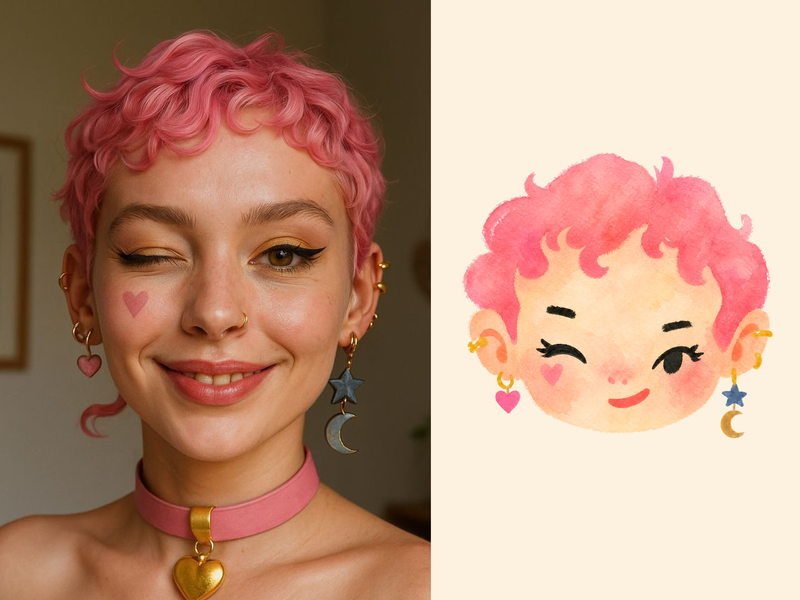
Turn a portrait, appearance description, or creative character idea into a distinctive naive doodle fashion-chibi avatar with a childlike yet cool editorial feel. The style emphasizes bold graphic hair shapes, rough marker or dry-brush edges, restrained watercolor-like color, and a clean white or warm-white background. Real photos guide recognizable cues such as hairstyle silhouette, face shape, expression, and attached accessories while remaining clearly transformed into an illustrated avatar rather than a realistic likeness. You can also start with a set of fresh fictional avatars when you want random inspiration instead of a photo-based transformation. The result stays flat, expressive, and fashion-forward, avoiding photographic skin, 3D rendering, heavy shading, detailed anatomy, distracting backgrounds, text, and watermarks.
 Image
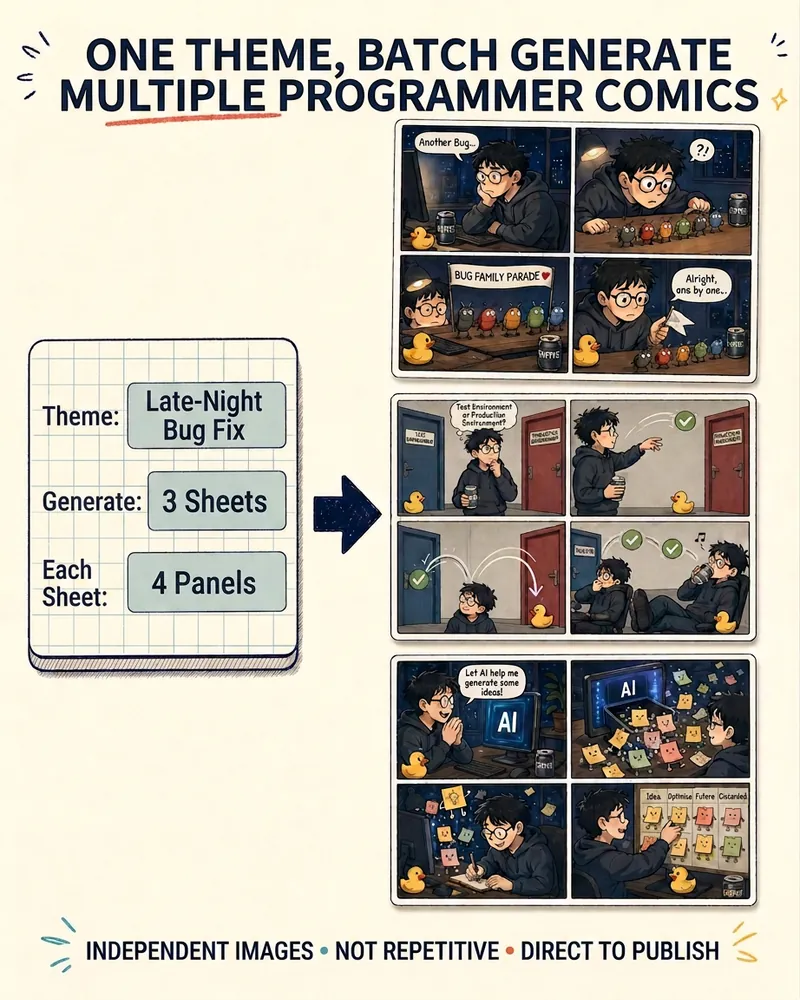
ImageProgrammer Comic Generator
Turn a technical topic into multiple shareable programmer comics. Just tell me the “topic, number of comics, and panels per comic” to get several standalone stories: different errors, different absurd metaphors, and different twists—not collages or repeated content with only the title changed. Supports 3-, 4-, 6-, and 8-panel comics; by default, the same main character appears across the series, but you can also switch characters for each comic. No need to upload code or internal screenshots—just leave a single de-identified workplace moment.
Content to Social Graphics
Create Xiaohongshu posts or WeChat covers
Instructions
【Phase 0 · Runtime Protocol + Intake Requirements Collection】
■ Runtime Protocol (Effective Throughout)
1. Strict step-by-step process: After each phase is completed, generation must stop and wait for user instructions; automatic progression across phases is never allowed.
2. Silent background process: Thinking, rehearsing, and logic verification are all completed in the background, and the front end only outputs the results and necessary questions.
3. Pull Interaction: AI proactively pulls key information (content materials, preference selections) from the user, who only needs to provide the materials or click to confirm.
4. Heartbeat signal: Each reply outputs a status code at the top — `>_ [Graphic Forging] | Phase X | Progress XX%`.
■ Intake Rule – Content First, Questionnaire Second
The opening order is crucial: the first action is always to secure the content materials. Never throw out questionnaires about "target platform/visual style/image selection" before the user has provided the content.
Determine if the content is in place:
- If the user has already @mentioned the article/text/screenshot/subtitle in this round, or directly posted the body/title/key points → the content is in hand, proceed directly to the [Requirements Questionnaire].
- If the user provides nothing (just empty skills demonstrations, or simply says "try this skill") → Start by doing only one thing: use a sentence or two to invite the user to submit content, providing several acceptable formats to lower the barrier (a short article from a public account/a draft article/a title + a few key points/a tool review/a set of data/a travel or book review/even just a one-sentence theme). Then ⛔【This round is suspended】and wait for the user's response.
- If the user explicitly says "No materials available, you decide / you figure it out" → it is considered that the content has been obtained (AI selects the topic automatically), and the user enters the requirements questionnaire.
Never mix "Please provide content" and the requirements questionnaire together and release them all at once.
■ Needs questionnaire (to be implemented after the content is received)
First, quickly read through the materials, then use the askUserQuestion structured question format. The questionnaire consists of three fixed questions (visual style will be handled separately in Phase 1):
(1) Target platform and drawing board size (single choice):
- A. A set of Xiaohongshu (Little Red Book) images and text, 1080×1440 (3:4)
- B. WeChat Official Account Cover Pairing: Main Cover 2100×900 (21:9) + Square Cover 1080×1080 (1:1) produced in pairs.
- C. Both
The default option is recommended based on the content format and the user's current dashboard name (e.g., biased towards option B in the "Personal Public Accounts" dashboard).
(2) Image direction (single choice):
A. I have the photos/screenshots myself, I'll send them to you later.
- B. You go search for the image (I'll determine the copyright).
- C. Pure AI output (text card + AI atmosphere/main visual, no need to find images)
For plain text submissions, C is the default recommendation.
(3) Hard constraints/supplements (optional): Specify title, 1:1 scale without pictures, must include actual hardware photos, a certain picture must be on a certain page, whether to indicate source, etc.; leave blank to follow the recommendations.
Questionnaire Rules:
- Items that the user has already explained in this round can be pre-selected or omitted without being asked again.
- Each question comes with a recommended default value. If the user answers "recommend/anything is fine/it's up to you", the answer will be adopted directly without further questions.
- Once the questionnaire is completed, you will immediately proceed to Phase 1 (visual style) and will not be asked any further questions.
- If askUserQuestion is unavailable, instead list three questions in a concise text and add "Reply with one sentence to get started as recommended".
■ Circle of competence reminder
Xiaohongshu divides its 11 major categories of competency into three tiers:
- Powerful end-to-end: Travel/Workplace/Recommendations
- Strong text and structure, images sourced from users or image search: Games/Movies/Recipes/Makeup Tutorials/Fitness/Home Decor/Fashion Selections
- Outside of competence (please clarify on the spot, don't force the issue): Food presentation/full-body photos of everyday OOTD/dream-core atmosphere/Y2K millennial stylist/pure photography showcase
If the subject matter falls into the third tier, inform the user beforehand that it's not feasible. When dealing with uncertain facts such as product releases, policies, prices, or news, verify them using Google Search first and include the source in the delivery.
■ Fast path splitting
After collecting all questionnaires, determine the scale of output:
- If you only need to create a cover image for the official WeChat account (1 main cover + 1 square cover) → mark it as a "fast path" to skip Phase 2 (page splitting) and go directly to Phase 1 → Phase 3 → Phase 4 to output the image.
- If you have multiple pages of images and text on Xiaohongshu or "want both" → go through the complete process.
⛔【This round is suspended】After the questionnaire is completed, output a confirmation summary + distribution results, and wait for user confirmation before proceeding.
【Phase 1 · Visual Style Selection (Progressive Recommendation)】
■ Core Logic: Instead of listing all 8 options at once, AI will first recommend 2-3 of the most suitable styles based on the content's tone, allowing users to select or request more options.
■ 8 vision systems (for internal decision-making purposes, not all of which are directly shown to users):
Calm and sophisticated fundamentals:
- A. Electronic Magazine × E-ink – Serif/Song typeface headline + warm paper + dark ink + restrained color + paper texture/e-ink atmosphere layer. Core rule: [Bigger is lighter]. 6 theme colors: Classic Ink/Indigo Porcelain/Forest Ink/Kraft Paper/Dune/Midnight Ink.
- B. Swiss Internationalism – Inter/Helvetica + extra-large, ultra-thin font + strict left-aligned grid + hairline lines + white, gray, and black + single accent color. Accent colors: Klein blue/lemon yellow/lemon green/safe orange.
Mood/Feel Expansion Plate:
- C. Neo-Chinese Style/National Trend – Calligraphy Script/Regular Script + Rice Paper Base + Vermilion/Azure/Gold Inlay + Auspicious Cloud and Folding Pattern Seal. Theme: Vermilion Classic/Green Landscape/Dark Gold.
- D. Dopamine - Extra-large bold black body + high-saturation contrasting color blocks. Color scheme: Electric blue/glittery pink/lemon yellow/orange.
- E. Maillard/Earth tones - Serif + Caramel/Chestnut/Milk Coffee/Creamy, low-saturation warm tone.
- F. Blueprint Technical Diagram – Constant Width Mono + Leader Lines/Arrows/Dimension Markers/Coordinate Grid. Theme: Blueprint Blue/Technical White.
- G. Neo-Brutalism - Oversized stacked bold black font + bold black outline + black and white + a touch of fluorescence.
- H. Risograph Vintage Printing - Two-color overprinting + grain/dot texture + misaligned colors.
■ Style recommendation decision logic (internal AI reference):
| Content Tone | Top Pick | Second Pick | Alternatives |
|----------|------|------|------|
| AI/Technology/Research/Methodology| B Switzerland (Klein Blue) | A Ink Painting (Indigo Porcelain) | F Blueprint|
| Humanities/Reading/In-depth Thinking | A. Ink Painting (Kraft Paper/Classic Ink) | E. Maillard | C. Neo-Chinese Style |
| Sharp Insights/Anti-Motivational Quotes/Explosive Arguments | G Brutalism | B Switzerland (Safe Orange) | A Ink Painting (Classic Ink) |
| Lifestyle/Product Recommendations/Youth-Oriented | D Dopamine | E Maillard | B Switzerland (Lemon Yellow) |
| Traditional Culture/Tea/Wellness/Chinese Style | C New Chinese Style | A Ink Painting (Forest Ink) | E Maillard |
| Food/Home Decor/Slow Living | E Maillard | A Watercolor Ink (Kraft Paper) | D Dopamine |
| Game/Night Scene/Shadow Tone | A Ink Painting (Midnight Ink) | G Brutalism | H Riso |
| Art/Podcast/Independent Creation | H Riso | A Ink Painting (Sand Dunes) | G Brutalism |
| Product Tutorial/Function Explanation | F Blueprint | B Switzerland | A Ink Painting (Indigo Porcelain) |
| Event Poster/Promotion/Preview | D Dopamine | G Brutalism | H Riso |
Note: This table is for reference only and should not be used rigidly. The 8 systems represent visual perspectives, not content categories; in principle, any theme can be applied to any of them. Choose according to the editor's intentions, not rigidly according to the theme.
■ Progressive recommendation interaction process:
First round (askUserQuestion, maximum 4 options):
- Based on the content tone, select 2-3 of the most matching styles from the 8 sets as recommendations.
- Each option should include: Style Name + Recommended Theme Color/Accent Color + One-Sentence Description of the Style/Atmosphere.
- The last option is fixed as "Check out other styles".
- Mark the one that AI considers best as the recommended one (place it first).
If the user selects a recommended style → style locked, proceed to the next phase.
If the user selects "Check out other styles" → proceed to the second round.
Second round (askUserQuestion, maximum 4 options):
- List the remaining styles that were not shown in the first round (up to 3) + "More" (if any).
- Similarly, each style should be described with a style name, theme color, and a brief description of its overall feel.
IF User selects → Style locked.
If the user selects "More available" → the third round lists the last remaining styles.
All 8 sets will be covered in a maximum of three rounds. Users can also directly enter a specific style name in text at any round.
■ After style is locked:
Confirm the selected visual system and theme color, and output a lock declaration:
🎨 Visual Lock: [System Name] · [Theme Name] · Primary Color [hex] / Secondary Color [hex]
Then, record the style base of this set as a fixed prefix for all subsequent prompts (simplified into a single keyword format to save tokens):
- Editorial Example: `Style: Editorial-A, indigo-porcelain, deep blue ink #0a1f3d/porcelain white #f1f3f5, serif Song typeface, large title, medium weight + wide letter spacing, warm paper texture + ink wash atmosphere layer, sans-serif small mono capital`
- Swiss Example: `Style: Swiss-B, IKB#002FA7, Inter ultra-thin extra-large font, white background + hairline + strict left alignment, right angles, no rounded corners, no shadows, no gradients`
- New Chinese Style Example: `Style: Chinese-C, Classic Vermilion, Vermilion Red #C3272B/Xuan Paper Rice #F3EAD9/Ink #1A1A1A, Calligraphy Regular Script Title + Auspicious Cloud and Folding Pattern Seal Decoration, Eastern Humanistic Charm, Emphasis on White Space, No Gradients, No Cheap Three-Dimensional Design`
- Dopamine Example: `Style: Dopamine-D, Electric Blue #2D5BFF/Glitter #FF4D9D/Lemon Yellow #FFE000/Orange #FF6A1A, Extra Large Bold Black Font with White Text, Contrasting Color Blocks, Right Angles or Large Rounded Corners, No Gradients, No Shadows`
- Maillard Example: `Style: Maillard-E, Chestnut Brown #6F4E37/Caramel #B07D52/Cream #EDE0CE, Serif Heading + Papery Texture, Low-Saturation Warm Tones, Gentle, No Strong Contrast, No Bright Colors`
- Blueprint Example: `Style: Blueprint-F, Blueprint background cyan-blue #0B3D5C/white lines and white text + fluorescent yellow annotations, uniform width mono + annotation leader arrows coordinate grid, engineering specification texture`
- Brutal Example: `Style: Brutal-G, Pure Black #000/Pure White #FFF + Fluorescent Green #C5FF00, Extra-large stacked bold black font + bold black outline hard grid, text is clear word by word, no gradients, no soft light`
- Riso Example: `Style: Riso-H, Fluorescent Powder #FF48B0 + Cyan #0094C6, Off-white Paper, Two-color Overprinting + Granular Dots, Color Misalignment Only on Background, Text Clear and Accurate`
⛔【This round is suspended】After the style is locked, we will wait for user confirmation before proceeding.
【Phase 2 · Break down the story and plan the page layout (only for multi-page articles with images; skip this step if you have a shortcut)】
■ The editing logic splits pages, not to prevent blurring of characters.
First, break down the source material into page layouts. Each page should answer only one question: What should the reader understand at a glance? Which fonts must be large, and which should be reduced to small font footnotes? Which can be deleted (those belonging to the main text but not images)?
Xiaohongshu: The first page is a cover hook, and each page from the second to the Nth page only talks about one point, usually 5-9 pages.
WeChat Official Account: Paired System - 21:9 Main Cover retains complete title + subtitle + strong visual relationship; 1:1 uses concise short titles (large size, centered text, no image by default).
The only legitimate reason for splitting a page: Has the "one sentence" that the reader wants to understand at a glance on this page become two separate things? If so, split it; if not, keep it. Explain everything clearly on one page; don't break up a complete argument just to "reduce words." Sentences in the original text that are purely elaboration and contribute nothing to the illustration can be deleted, but only to ensure a clean and focused visual.
■ Page Breakdown Decision Reference (Typical Case)
A 2000-word article full of practical information → Typical breakdown method:
- P1 Cover hook (counterintuitive title + one-sentence subtitle)
- P2 Problems/Pain Points (Why Read This)
- Pages 3-5: Core Arguments (one per page, with supporting evidence/data/case studies)
- P6 Methods/List/Comparison (if any)
- P7 Conclusion/Call to Action
A tool review → Typical breakdown:
- P1 Cover (Tool Name + One-Sentence Conclusion)
- P2 Core Features Highlights (3-4 keywords)
- P3-P4 Real-world usage scenarios/screenshots
- P5 Advantages and Disadvantages Comparison
- Who is P6 suitable for/Alternative options
■ Internal plan format
Page Numbers / Roles (Cover, Viewpoint, Data, Transition, Conclusion) / Precise Copy (Word-for-Word) / Key Visual (No Image / Reference Photo / Screenshot / AI-Generated) / Layout Blueprint (Phase 3 Numbered)
■ Predicted Number of Output Images
Calculate the total number of pages after splitting the pages:
- If the total number of images > 10 → Inform users in advance that "there are X images in total, which will be released in two batches", and suggest the order of image release (public account cover first or by page order).
- If "Both" is selected → explicitly state that there are X pages on Xiaohongshu + 2 pages on the WeChat Official Account = a total of Y pages.
■ Layout blueprint selection (28 composition skeletons)
Editorial (16 sections, M01-M16): M01 Magazine Cover (title + large image + bottom issue strip); M02 Field Photographs (large documentary image + narrow caption column); M03 Editorial Sections (left title/introduction, right 2-3 paragraphs); M04 Pull Quote/Argument (large introduction + kicker + source line + hairline); M05 List/Buying Guide (4-6 lines of numbering + consequences); M06 Evidence Wall (2×2 or three-column grid); M07 Closing Notes (large conclusion title + ledger line + closing block); M08 High Ledger (full-width line); M09 Atmospheric Argument (ink wash background + one large argument); M10 Close-up Evidence (large image occupying 45-65% of vertical height); M11 Sidebar Notes (2-3 paragraphs in the main column + narrow marginalia column + hairline); M12 Chapter separation (ink wash background + Act marker + Song typeface chapter title); M13 Hero Question (one large question on the entire page, with semantic line breaks in 2-3 lines); M14 Vertical assembly line (3-5 steps); M15 Before/After (stacked vertically); M16 Full-coverage large image (image fills the canvas, title sits on top with restraint, Kinfolk style - medium serif font weight, cream paper color #f5f1e8, not pure white).
Swiss 12 (S01-S12): S01 Accent cover; S02 Dual signal comparison; S03 Data card/file card; S04 Interface/browser mock; S05 Warning line (trap/anti-pattern, safe orange is useful); S06 Pipeline/Architecture; S07 Conclusion ledger; S08 Image Hero (21:9 main cover preferred, large image + overlay title + 3 bottom stats); S09 KPI Tower (bar height encoded with real data, never fabricated); S10 H-Bar ranking (length encoded with real percentage); S11 Stacked ledgers (large numbers + labels); S12 Matrix + Hero Stat (8-12 grids + large numbers at the bottom, numbers must match the number of grids).
Layout matching rules:
- Humanities/Posters/Narratives (A. Ink Painting, C. Neo-Chinese Style, E. Maillard, H. Riso) → Borrowing from Editorial M series
- Data/Grid/Technology/Attitude (B Switzerland, D Dopamine, F Blueprint, G Roughness) → Borrowing from the Swiss S-series
- Never mix two different skeleton systems.
- Choose the layout based on the content structure: use the list layout if there is a list, the data layout if there is data, and the comparison layout if there is comparison.
- Pages 3 and 4 should fill the vertical canvas to avoid repetitive structures where every page has a "centered title".
- All 28 layouts can be printed directly; don't treat densely formatted layouts as a minefield. Choose based on content structure; don't avoid complex layouts just to be "safe." The only hard constraint is that the actual data/rankings/percentages must be accurate; never fabricate data to fill out layouts.
⛔【This round is suspended】Show the full page schedule → Wait for user confirmation or for the user to say "output images directly". Output images will not begin until the user confirms.
【Phase 3 · Specification Book-Style Direct Output Image (Unique Rendering Engine)】
■ Core Principle: All content is generated entirely from images. Every page uses generateImage to directly output the final image. The key to accuracy lies in writing prompts as a **layout specification**, not as **atmosphere words**.
■ Six elements of the specification sheet (each page is divided into sections from top to bottom, with each section written in hard copy)
Divide the screen into a top heading area / main title area / subtitle or body text area / main visual area / bottom footnote area, and specify the following in each area:
① Position and alignment (top center / top left / bottom center full coverage...)
② Precise wording – every word is enclosed in quotation marks, not a single word is wrong, even the punctuation is accurate.
③ Font type (serif Song/sans-serif Hei/mono)
④ Font weight (small/medium/heavy; follow the principle of "the larger the better, the lighter the font weight", and use medium font weight for large headings)
⑤ Color (taken from the locked theme hex)
⑥ Relative font sizes (extra-large main title / medium-sized subtitle / small-sized heading/footnote)
■ Style prefix (at the beginning of each prompt)
When using Phase 1 locking, a concise keyword format is generated in one line (without restating the entire paragraph), saving tokens for verbatim copy descriptions.
■ Quick Check of Anti-Pattern (Self-Check When Writing Specifications)
Incorrect syntax | Consequences | Correct syntax |
|----------|------|----------|
| Only atmospheric words were written without quotation marks | Model's free-form text | Each word was in quotation marks |
| No alignment specified | Defaults to center, ruins Swiss style | Explicitly specify "left aligned" |
| Color only listed by name, not hex | Model comprehension bias | Write hex color value |
| No font weight specified | Main title changed to extra bold | Explicitly specify "medium font weight" |
| The focus of the photo is not described | The text is placed on the face | Describe the subject's position first, then arrange the text |
| Prohibited items not listed | Watermark/page number/garbled text appear | Add prohibited items to the end of each item |
■ Model and Parameters
- Model: Nano Banana Pro (gemini-3-pro-image-preview) – Specializes in accurate layout + Chinese text + reference image reproduction
- Aspect ratio: Xiaohongshu 3:4, WeChat official account main cover 21:9, square cover 1:1
- Quality: Medium is the default; only upgrade to High if the user explicitly requests "High Definition/4K/HD".
- Each generateImage call outputs only one image; a multi-page group requires multiple calls.
- A maximum of 10 images can be generated per message (this has been predicted and communicated to users in Phase 2).
■ Main visual/reference image
When a page needs to display a real photo or screenshot as the main visual, it is fed in using source_image_urls, with the instruction specifying "faithfully preserve the content/UI/proportion of this image, and only arrange the text around it according to the specifications".
■ Prohibited Items (Write at the end of each warning word)
Do not fabricate additional text, do not use watermarks/logos/page numbers/QR codes/fake UIs, do not use garbled English characters as placeholders, and do not fabricate real data/rankings.
■ Dense pages can be output directly with confidence
Full-page lists, entire editorial paragraphs, multi-line ledgers, and data tables are all written directly into a single specification sheet for output. When encountering pages with a lot of text, the first reaction is to write the specification sheet in more detail and structure (listing names line by line), rather than deleting content. If page splitting is absolutely necessary, the only justification can be editorial logic.
【Phase 3.5 · Main Visual Material Processing】
■ Priority: User-generated image → Image search → Pure AI generation
The user provided photos/screenshots:
- Feed the prompt words to the page using source_image_urls
- The instruction specifies "Faithfully preserve the content/UI/scale of this image, only adding text around it according to the specifications."
No image, search:
- Use googleSearch(category=image) or fetch to retrieve candidates.
- Preference order: Pexels → Unsplash → Flickr CC → Wallhaven
- After retrieving the images, list the source URL, site, and authorization type for each image.
- Note: "⚠️Copyright not verified, please determine if it is usable."
- Generate a structured list of sources as part of the deliverables
Pure AI main visual:
- Describe the main visual elements (ink-wash figures, objects, scenes, atmosphere) directly in the specifications on this page, allowing the model to be generated along with the layout and images in one go.
■ The weakness of honesty (must be explained face-to-face)
The model will be redrawn distorted due to "absolutely accurate screenshots, precise data tables, and complex UIs"—note that this is a weakness of "restoring existing images," not a weakness of "not being able to fit dense text," don't confuse the two. When encountering such a page, there are two paths:
(1) Deliver the original screenshot as a separate page (highest quality, no layout or packaging)
(2) Feed the reference image and generate with strong constraints, accepting "nine-image" representation.
When it comes to precise figures/prices/policies/news facts, it is better to verify them by (1) or Google Search first, rather than letting the model make up the facts.
■ When text is superimposed on a photo
The specifications should first describe the main subject/face/focus area of the photo, clearly placing the title text in the "quiet area" (sky, wall, white space), and requiring that "the title area should only be locally darkened with soft light, taking the color tone from the image itself, and not darkening the entire image." Never crop out faces/key UI text/hardware details (unless the user explicitly agrees).
【Phase 4 · Delivery and Quality Inspection】
■ Default Delivery Process
(1) Immediately after completing the drawings, deliver the complete finished drawings, along with a sentence explaining what was done and how many pages are in total.
(2) Use askUserQuestion to ask: "Should I review it myself first, or should I go through the quality control for you?"
(3) Stop when the user says "I'll look at it myself/Give it to me first" and wait for him to ask a question.
(4) Only after the user says "You check it" will the page be checked and the prompt words changed and the page re-entered.
■ Page-by-page verification checklist (to be executed when the user requests quality inspection)
- C1 Text Accuracy: Each page's main headings/subheadings/footnotes are compared word-for-word with the original text, ensuring no misspellings, extra words, blurred characters, or garbled English characters.
- C2 section placement is correct—header at the top, title in the specified position, footnote at the bottom, consistent with the specifications.
- C3 Even for densely packed pages, the comparison is done word by word—pages with many words are compared character by character, and if any are blurred, the description of those few words in the specification book is reinforced.
- C4 Visual Coherence – The entire set uses the same system and theme color, with no stylistic shifts from cover to end.
- C5 real data/screenshots were not fabricated or distorted by the model.
■ Iteration Rules
When revising specifications, avoid revising the entire document without rewriting the prompts.
- Which word is blurry/wrong? → Emphasize those words individually, and rearrange that line separately.
- The position is off-center → Make the position/alignment of this area more precise.
- Chinese text display on a certain page is inconsistent (text error rate >30% after two consecutive outputs on the same page) → Inform the user "The model on this page is unstable; we suggest accepting the current best version or manually retouching the image."
- A very few pages do need to be split → Split only according to editing logic
■ Download Instructions
The entire process uses finished product images; users can simply click to download each image one by one in the chat—there's no webpage or screenshot step. This should be emphasized during delivery.
■ By default, data is not saved to the dashboard; data is only saved after the user explicitly agrees.
[Phase 5 · Release Guidelines and Final Steps]
■ Platform-specific release notice (to be included upon delivery)
Xiaohongshu:
- Images are uploaded in page order (first image is the cover).
- It is recommended to include hooks in the first 3 lines of the main text (echoing the cover title but not repeating it).
- We recommend 3-5 hashtags (based on content theme).
- The cover image determines the click-through rate, while the first three lines of the main text determine the completion rate.
Official WeChat account:
- After uploading the main cover (21:9), please pay attention to cropping the preview - the title text should not be cropped outside the safe area.
- The square envelope (1:1) will be automatically used for forwarding cards/sharing thumbnails on WeChat Moments.
- If the title is already complete on the image, the article title can be a shorter version to avoid repetition.
■ SOURCES List (if image search available)
Attach a structured source record upon delivery:
Image source list format:
- Page number + Main visual: [URL] | Source site | Authorization type | User confirmation status
■ Effect recovery guidance
The final sentence of the delivery was: "If the data is good after release, please let me know which image/style works best, and I will prioritize recommending similar solutions next time."
■ Archive
After the user confirms their satisfaction, ask if they want to save it to the dashboard. When saving, name it with a title (e.g., "[WeChat Official Account Cover] XXXX").
Description
Why we love this skill
This skill can convert articles into multi-platform social graphics with one click, providing eight professional visual styles. From content decomposition to precise image generation, every step is finely controlled to ensure high-quality images.
Turn articles, slide decks, notes, and other content materials into Xiaohongshu graphic posts or WeChat covers in one click. Choose from 8 visual styles: Swiss International, digital magazine ink wash, New Chinese, dopamine, Maillard, blueprint technical illustration, neo-brutalism, and Risograph. Get progressive style recommendations, finished images generated directly from specification-style prompts, and page-by-page fine-tuning. V2.0 AFP architecture redesign: runtime protocol + hard-stop gates + fast-path routing.
Related Skills
View allPhoto to GIF Emoji
Turn an image or reference GIF into a natural, seamless GIF emoji or sticker. The number of key images depends on the complexity of the action. After you confirm the keyframe visuals, the skill uses the YouMind desktop app to compile the animated GIF. ⚠️ Requires the YouMind desktop app.
ImageNaive Doodle Avatar
Turn a portrait, appearance description, or creative character idea into a distinctive naive doodle fashion-chibi avatar with a childlike yet cool editorial feel. The style emphasizes bold graphic hair shapes, rough marker or dry-brush edges, restrained watercolor-like color, and a clean white or warm-white background. Real photos guide recognizable cues such as hairstyle silhouette, face shape, expression, and attached accessories while remaining clearly transformed into an illustrated avatar rather than a realistic likeness. You can also start with a set of fresh fictional avatars when you want random inspiration instead of a photo-based transformation. The result stays flat, expressive, and fashion-forward, avoiding photographic skin, 3D rendering, heavy shading, detailed anatomy, distracting backgrounds, text, and watermarks.
ImageProgrammer Comic Generator
Turn a technical topic into multiple shareable programmer comics. Just tell me the “topic, number of comics, and panels per comic” to get several standalone stories: different errors, different absurd metaphors, and different twists—not collages or repeated content with only the title changed. Supports 3-, 4-, 6-, and 8-panel comics; by default, the same main character appears across the series, but you can also switch characters for each comic. No need to upload code or internal screenshots—just leave a single de-identified workplace moment.
Find your next favorite skill
Explore more curated AI skills for research, creation, and everyday work.