Apple-inspired Launch Film
Description
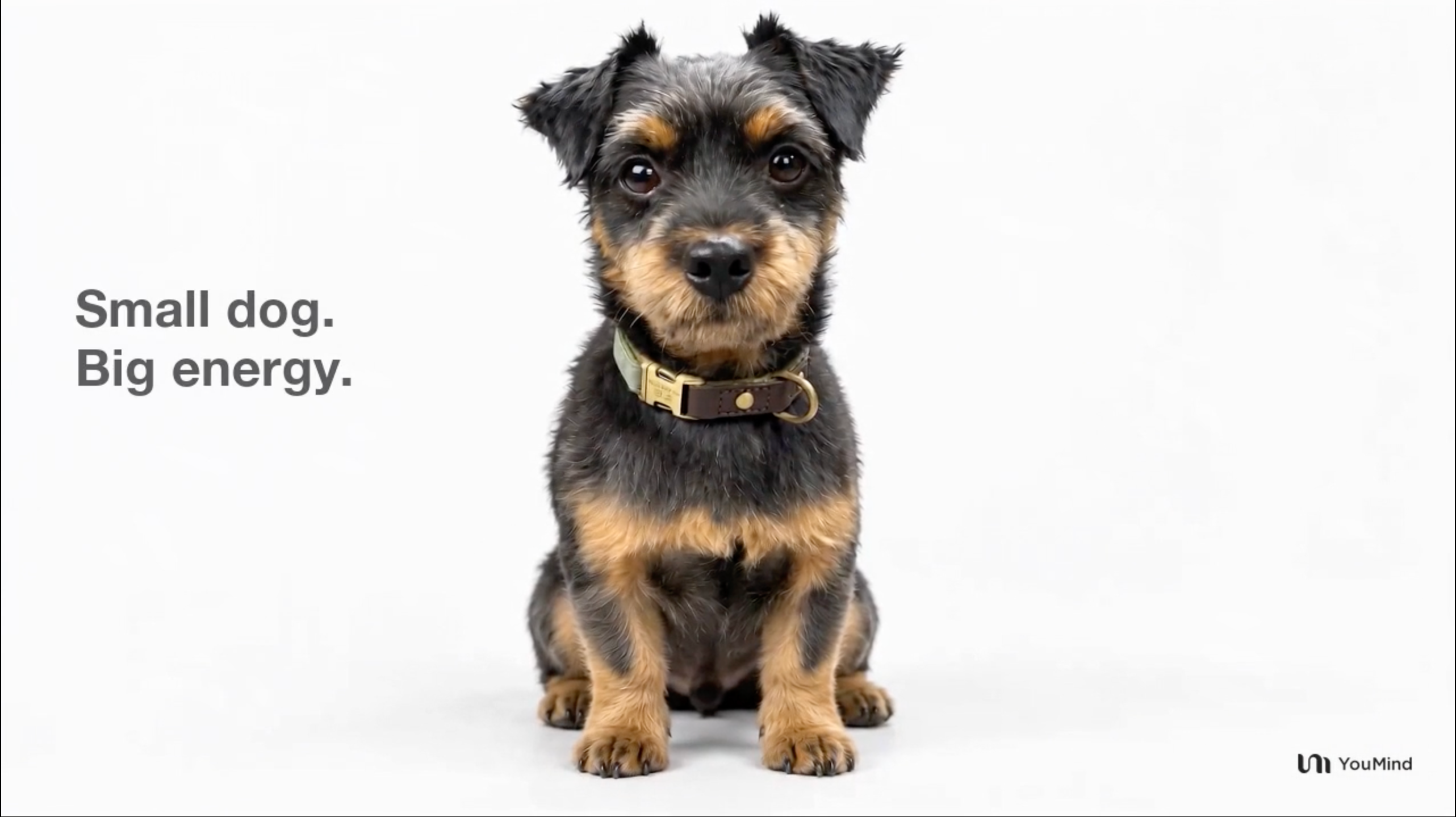
Turn a pet or product photo into an Apple-inspired launch film with planned macro shots, a white-studio reveal, designed headlines and an instrumental soundtrack. Builds reference images before motion. Uses composited text when supported, or clearly disclosed static headline shots. Independent homage; generation uses credits.
Related Skills
View all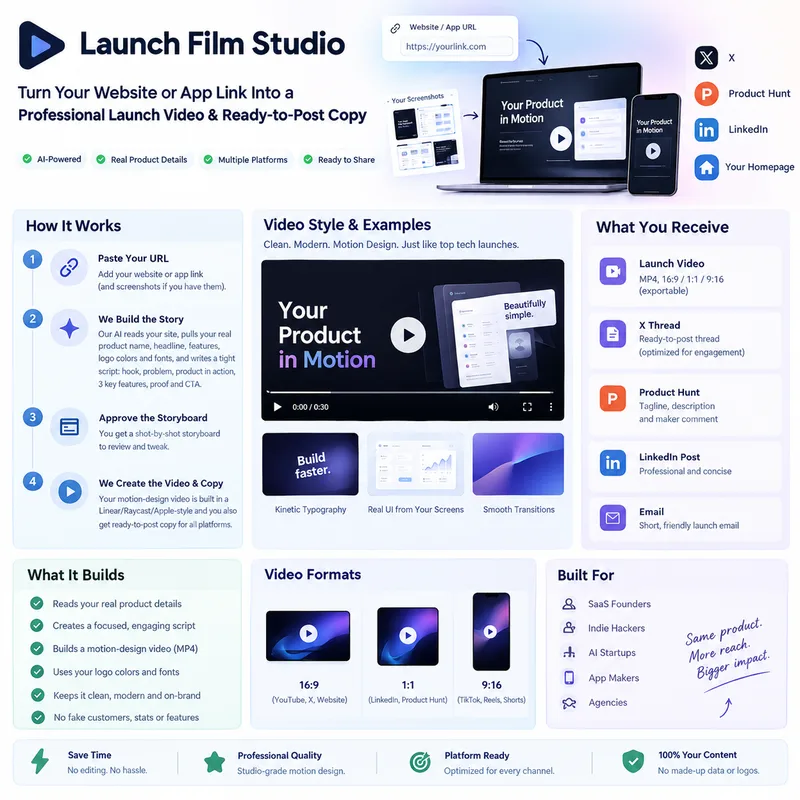
Launch Film Studio
Turn your website or app link into a polished launch video for X, Product Hunt, LinkedIn and your homepage, the kind studios charge $2,000+ for. Paste a URL (plus screenshots if you have them). Launch Film Studio reads your site, pulls your real product name, headline, features, logo colors and fonts, and writes a tight story: hook, the problem, your product in action, three key features, proof, call to action. You approve a shot-by-shot storyboard first. Then it builds a motion-design video in the Linear/Raycast/Apple launch style: kinetic typography, animated UI cards rebuilt from your real screens, smooth camera moves and beat-synced transitions, exportable as MP4 in 16:9, 1:1 and 9:16. You also get launch copy ready to post: an X thread, a Product Hunt tagline, description and maker comment, a LinkedIn post and a short email. Nothing is invented: no fake customers, user counts, logos, reviews or features. Built for SaaS founders, indie hackers, AI startups, app makers and agencies.
 Image
Before/After Transformation Ad Studio
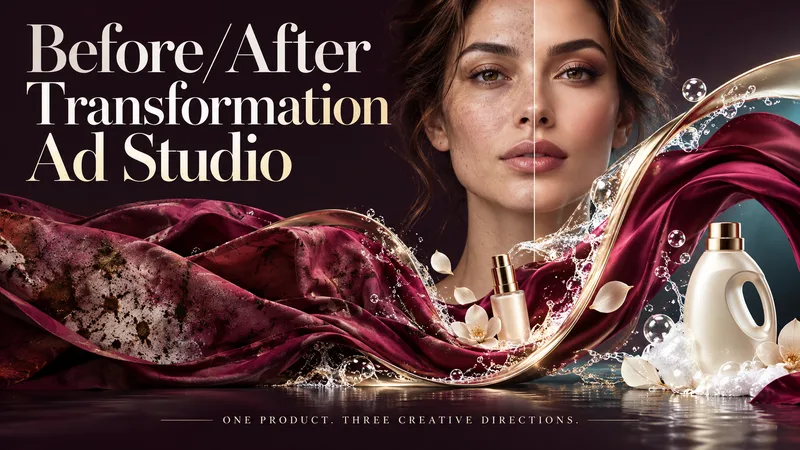
Make the transformation the hero. Turn a single product photo into bold before-and-after advertising visuals with expressive art direction, striking compositions, and a transformation that takes center stage. From cosmetics and personal care to cleaning and fitness, this skill explores your product’s uses and develops creative ways to visualize its relevant benefits. YOUR PRODUCT. YOUR CREATIVE DIRECTION. Start with a photo. The skill researches the product, then helps you choose the scene, materials, visual elements, format, and text style. Prefer a surprise? Let AI take the creative lead. THREE CONCEPTS. THREE DISTINCT VISUAL IDEAS. Explore three tailored concepts with complete image-generation prompts. Think flowing fabric reveals, sculptural environments, dramatic close-ups, glass transitions, or an unexpected world built around your product. Each concept offers a different visual story. BEFORE & AFTER, FRONT AND CENTER. Large, clearly readable transformation scenes lead the composition. Product placement, atmosphere, and typography work together to make the change stand out—even on a phone screen. YOU APPROVE. THEN IT CREATES. Review the prompts, request adjustments, and select one concept or all three. Image generation begins only after your approval, using the capabilities available in your workspace. BUILT AROUND YOUR PREFERENCES. Choose square, portrait, landscape, or custom dimensions. Add a bold headline, keep the copy minimal, or let the visuals speak. The workflow adapts to your language, while production prompts are written in English by default. Upload your product. Shape the scene. Bring the transformation into focus.
 Image
ProductFilmPromptGen
This tool is designed to help users create cinematic-quality ad films for their products. Based on the product information you provide, it intelligently generates a complete set of high-end cinematic AI film prompts — including storyboard poster image prompts and video generation prompts — making it ideal for brand marketers and creative professionals who want to move audiences through atmosphere and emotion rather than product specs. By deeply analyzing product characteristics and brand tone, the tool determines the rhythm direction, visual system (color palette, lead character), and designs a 12-shot sequence with a complete emotional arc. It operates on the philosophy of "low information density, high emotional density" — keeping the focus on light, atmosphere, and texture rather than direct product showcasing. Users simply provide basic information such as product type and brand name. The tool then auto-completes or generates any missing brand taglines, and selects the most fitting descriptors from a rich keyword library to build prompts that are both specific and artistically compelling. The final output includes a detailed product analysis alongside two standalone, ready-to-use prompts for AI image and video generation tools — making it easy to produce captivating brand content.
Apple-inspired Launch Film
Description
Turn a pet or product photo into an Apple-inspired launch film with planned macro shots, a white-studio reveal, designed headlines and an instrumental soundtrack. Builds reference images before motion. Uses composited text when supported, or clearly disclosed static headline shots. Independent homage; generation uses credits.
Related Skills
View allLaunch Film Studio
Turn your website or app link into a polished launch video for X, Product Hunt, LinkedIn and your homepage, the kind studios charge $2,000+ for. Paste a URL (plus screenshots if you have them). Launch Film Studio reads your site, pulls your real product name, headline, features, logo colors and fonts, and writes a tight story: hook, the problem, your product in action, three key features, proof, call to action. You approve a shot-by-shot storyboard first. Then it builds a motion-design video in the Linear/Raycast/Apple launch style: kinetic typography, animated UI cards rebuilt from your real screens, smooth camera moves and beat-synced transitions, exportable as MP4 in 16:9, 1:1 and 9:16. You also get launch copy ready to post: an X thread, a Product Hunt tagline, description and maker comment, a LinkedIn post and a short email. Nothing is invented: no fake customers, user counts, logos, reviews or features. Built for SaaS founders, indie hackers, AI startups, app makers and agencies.
ImageBefore/After Transformation Ad Studio
Make the transformation the hero. Turn a single product photo into bold before-and-after advertising visuals with expressive art direction, striking compositions, and a transformation that takes center stage. From cosmetics and personal care to cleaning and fitness, this skill explores your product’s uses and develops creative ways to visualize its relevant benefits. YOUR PRODUCT. YOUR CREATIVE DIRECTION. Start with a photo. The skill researches the product, then helps you choose the scene, materials, visual elements, format, and text style. Prefer a surprise? Let AI take the creative lead. THREE CONCEPTS. THREE DISTINCT VISUAL IDEAS. Explore three tailored concepts with complete image-generation prompts. Think flowing fabric reveals, sculptural environments, dramatic close-ups, glass transitions, or an unexpected world built around your product. Each concept offers a different visual story. BEFORE & AFTER, FRONT AND CENTER. Large, clearly readable transformation scenes lead the composition. Product placement, atmosphere, and typography work together to make the change stand out—even on a phone screen. YOU APPROVE. THEN IT CREATES. Review the prompts, request adjustments, and select one concept or all three. Image generation begins only after your approval, using the capabilities available in your workspace. BUILT AROUND YOUR PREFERENCES. Choose square, portrait, landscape, or custom dimensions. Add a bold headline, keep the copy minimal, or let the visuals speak. The workflow adapts to your language, while production prompts are written in English by default. Upload your product. Shape the scene. Bring the transformation into focus.
ImageProductFilmPromptGen
This tool is designed to help users create cinematic-quality ad films for their products. Based on the product information you provide, it intelligently generates a complete set of high-end cinematic AI film prompts — including storyboard poster image prompts and video generation prompts — making it ideal for brand marketers and creative professionals who want to move audiences through atmosphere and emotion rather than product specs. By deeply analyzing product characteristics and brand tone, the tool determines the rhythm direction, visual system (color palette, lead character), and designs a 12-shot sequence with a complete emotional arc. It operates on the philosophy of "low information density, high emotional density" — keeping the focus on light, atmosphere, and texture rather than direct product showcasing. Users simply provide basic information such as product type and brand name. The tool then auto-completes or generates any missing brand taglines, and selects the most fitting descriptors from a rich keyword library to build prompts that are both specific and artistically compelling. The final output includes a detailed product analysis alongside two standalone, ready-to-use prompts for AI image and video generation tools — making it easy to produce captivating brand content.
Find your next favorite skill
Explore more curated AI skills for research, creation, and everyday work.