WeChat Cover in One Click
Instructions
Please create an eye-catching cover image for your WeChat official account based on the provided content, following these guidelines:
Visual style
- Hand-drawn illustration style, with a ratio of 2.35:1 (standard size for WeChat official account cover).
- Vivid colors and strong contrasts ensure it remains eye-catching even in small preview sizes.
- Maintain a consistent style, avoid realistic elements, and preserve the overall hand-drawn feel.
Composition requirements
- The main visual element is centered or slightly to the left (with a reserved title area on the right).
- Add 1-2 simple cartoon characters, icons, or silhouettes of well-known figures to enhance memorability.
- If sensitive or copyrighted figures are involved, alternative images with similar styles should be used, and generation should not be refused.
- Use ample white space to highlight key information and avoid a cluttered screen.
Word processing
- The title text should be large and eye-catching, and kept to 8 characters or less.
- You can add a 1-line subheading or keyword tag.
- The font style is coordinated and unified with the hand-drawn illustrations.
Law of Attraction
- Use hook elements such as suspense, numbers, and pain points to stimulate the desire to click.
- Exaggerated and contrasting visual elements
- Color scheme reference for best-selling covers: high-contrast combinations such as orange-yellow, blue-purple, and red-black.
language
- Unless otherwise specified, Chinese is used by default.
Please generate a cover image based on the input content.
Description
Recommended by
nene@YouMind
Why we love this skill
Struggling with cover images? This skill generates hand-drawn style covers in one click with vibrant colors and smart marketing hooks. Quickly produce high-quality, high-click-rate covers for any event or update, making your account stand out!
Make your WeChat Official Account cover instantly eye-catching. Hand-drawn illustration style, high-contrast colors, one-click generation of viral covers, click-through rate soars!
Related Skills
View all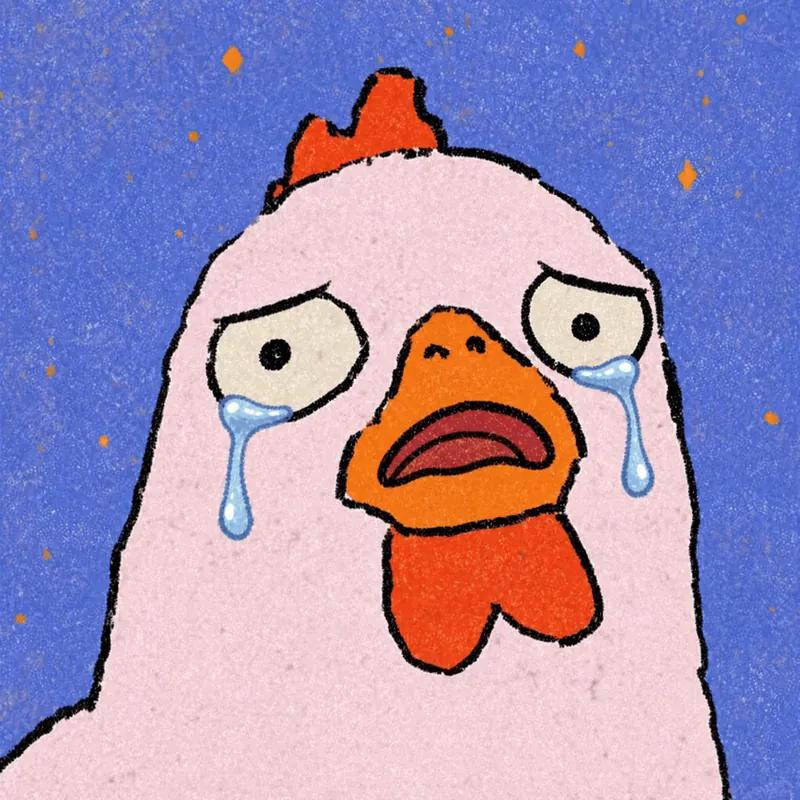
Photo to GIF Emoji
Turn an image or reference GIF into a natural, seamless GIF emoji or sticker. The number of key images depends on the complexity of the action. After you confirm the keyframe visuals, the skill uses the YouMind desktop app to compile the animated GIF. ⚠️ Requires the YouMind desktop app.
 Image
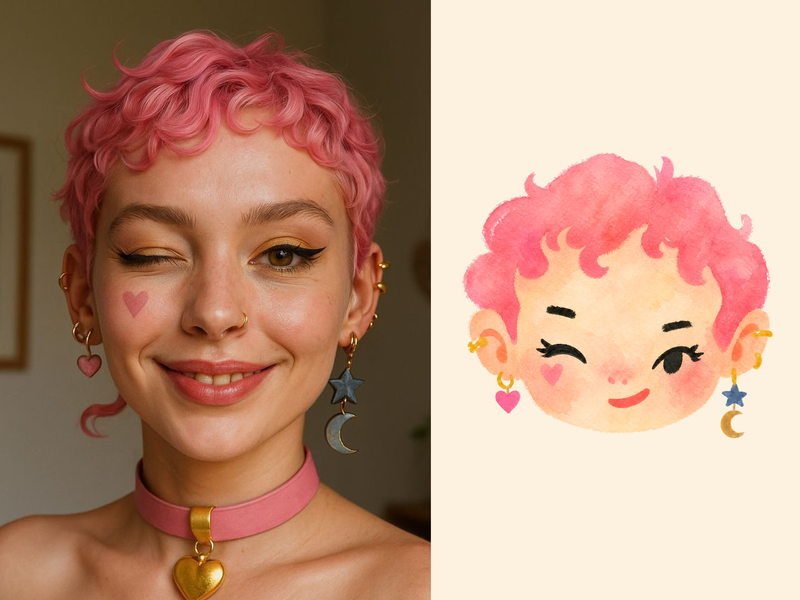
ImageNaive Doodle Avatar
Turn a portrait, appearance description, or creative character idea into a distinctive naive doodle fashion-chibi avatar with a childlike yet cool editorial feel. The style emphasizes bold graphic hair shapes, rough marker or dry-brush edges, restrained watercolor-like color, and a clean white or warm-white background. Real photos guide recognizable cues such as hairstyle silhouette, face shape, expression, and attached accessories while remaining clearly transformed into an illustrated avatar rather than a realistic likeness. You can also start with a set of fresh fictional avatars when you want random inspiration instead of a photo-based transformation. The result stays flat, expressive, and fashion-forward, avoiding photographic skin, 3D rendering, heavy shading, detailed anatomy, distracting backgrounds, text, and watermarks.
 Image
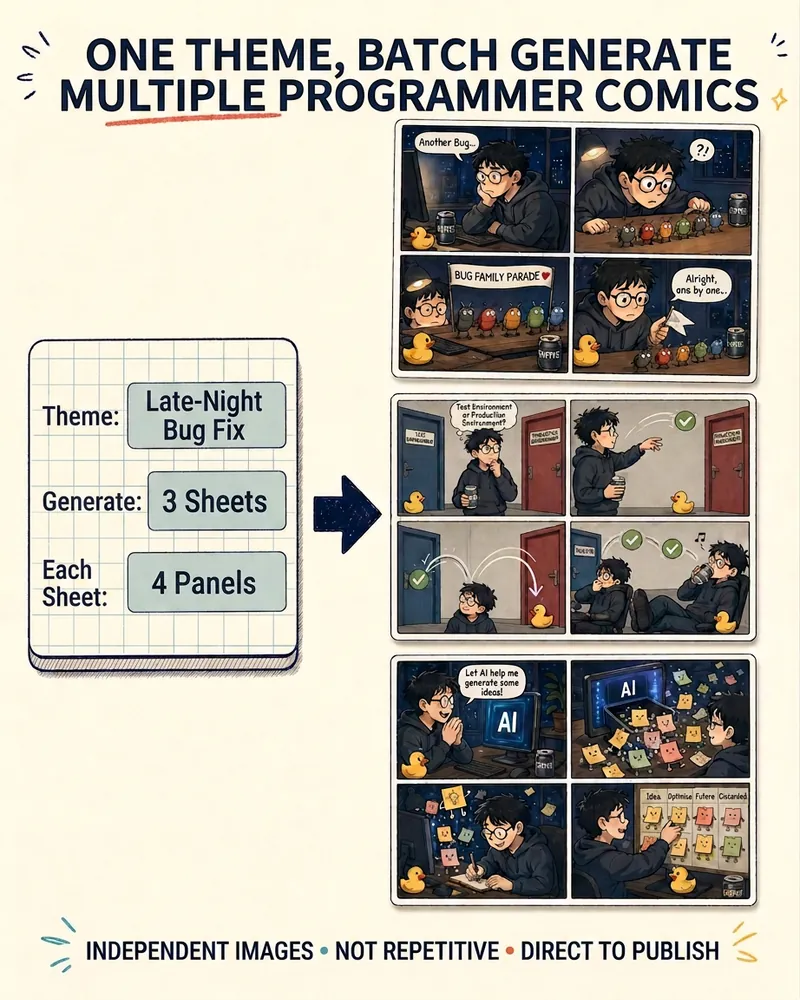
ImageProgrammer Comic Generator
Turn a technical topic into multiple shareable programmer comics. Just tell me the “topic, number of comics, and panels per comic” to get several standalone stories: different errors, different absurd metaphors, and different twists—not collages or repeated content with only the title changed. Supports 3-, 4-, 6-, and 8-panel comics; by default, the same main character appears across the series, but you can also switch characters for each comic. No need to upload code or internal screenshots—just leave a single de-identified workplace moment.
WeChat Cover in One Click
Instructions
Please create an eye-catching cover image for your WeChat official account based on the provided content, following these guidelines:
Visual style
- Hand-drawn illustration style, with a ratio of 2.35:1 (standard size for WeChat official account cover).
- Vivid colors and strong contrasts ensure it remains eye-catching even in small preview sizes.
- Maintain a consistent style, avoid realistic elements, and preserve the overall hand-drawn feel.
Composition requirements
- The main visual element is centered or slightly to the left (with a reserved title area on the right).
- Add 1-2 simple cartoon characters, icons, or silhouettes of well-known figures to enhance memorability.
- If sensitive or copyrighted figures are involved, alternative images with similar styles should be used, and generation should not be refused.
- Use ample white space to highlight key information and avoid a cluttered screen.
Word processing
- The title text should be large and eye-catching, and kept to 8 characters or less.
- You can add a 1-line subheading or keyword tag.
- The font style is coordinated and unified with the hand-drawn illustrations.
Law of Attraction
- Use hook elements such as suspense, numbers, and pain points to stimulate the desire to click.
- Exaggerated and contrasting visual elements
- Color scheme reference for best-selling covers: high-contrast combinations such as orange-yellow, blue-purple, and red-black.
language
- Unless otherwise specified, Chinese is used by default.
Please generate a cover image based on the input content.
Description
Recommended by
nene@YouMind
Why we love this skill
Struggling with cover images? This skill generates hand-drawn style covers in one click with vibrant colors and smart marketing hooks. Quickly produce high-quality, high-click-rate covers for any event or update, making your account stand out!
Make your WeChat Official Account cover instantly eye-catching. Hand-drawn illustration style, high-contrast colors, one-click generation of viral covers, click-through rate soars!
Related Skills
View allPhoto to GIF Emoji
Turn an image or reference GIF into a natural, seamless GIF emoji or sticker. The number of key images depends on the complexity of the action. After you confirm the keyframe visuals, the skill uses the YouMind desktop app to compile the animated GIF. ⚠️ Requires the YouMind desktop app.
ImageNaive Doodle Avatar
Turn a portrait, appearance description, or creative character idea into a distinctive naive doodle fashion-chibi avatar with a childlike yet cool editorial feel. The style emphasizes bold graphic hair shapes, rough marker or dry-brush edges, restrained watercolor-like color, and a clean white or warm-white background. Real photos guide recognizable cues such as hairstyle silhouette, face shape, expression, and attached accessories while remaining clearly transformed into an illustrated avatar rather than a realistic likeness. You can also start with a set of fresh fictional avatars when you want random inspiration instead of a photo-based transformation. The result stays flat, expressive, and fashion-forward, avoiding photographic skin, 3D rendering, heavy shading, detailed anatomy, distracting backgrounds, text, and watermarks.
ImageProgrammer Comic Generator
Turn a technical topic into multiple shareable programmer comics. Just tell me the “topic, number of comics, and panels per comic” to get several standalone stories: different errors, different absurd metaphors, and different twists—not collages or repeated content with only the title changed. Supports 3-, 4-, 6-, and 8-panel comics; by default, the same main character appears across the series, but you can also switch characters for each comic. No need to upload code or internal screenshots—just leave a single de-identified workplace moment.
Find your next favorite skill
Explore more curated AI skills for research, creation, and everyday work.