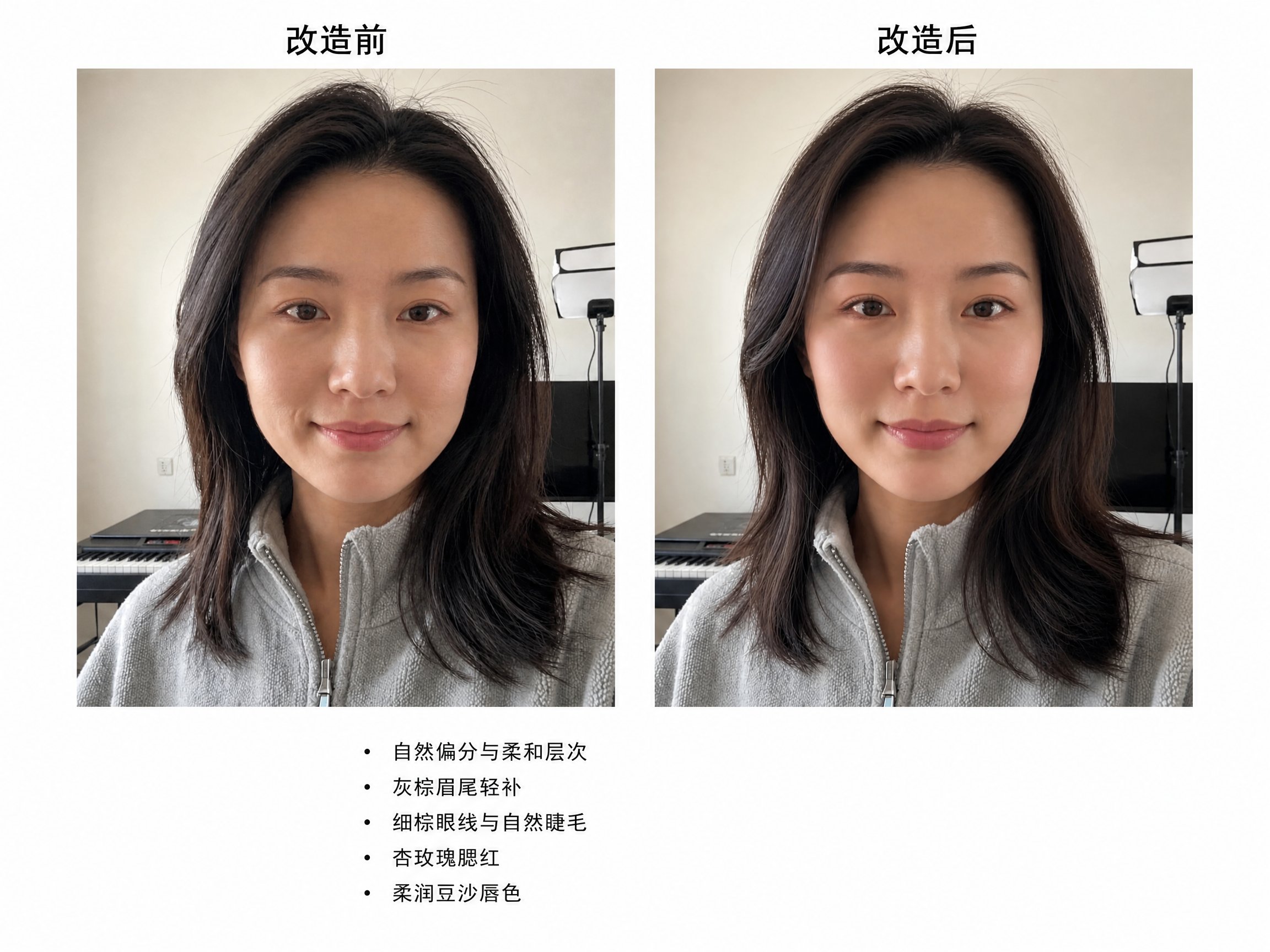
AI Makeover
Upload a real photo for a one-click makeover
AI Makeover
Upload a real photo for a one-click makeover
Showcase
Description
Provides personalized makeup and hair suggestions based on your selfie, generating natural and realistic refreshed photos along with a Chinese-labeled before-and-after comparison image while preserving your personal features and facial structure.
Recommended by
Dancang
Why we love this skill
Based on real selfies, it provides makeup and hairstyle makeovers that retain personal recognition and facial structure, delivering unlabelled result images and before-and-after comparison images. It avoids template-based aesthetics and proposes natural, low-risk, and actionable adjustments tailored to the visible features in the photo.
Best for
Users looking for personalized makeup and hair advice and natural makeover references based on a selfie.
How to use this Skill
Provide your input
Upload a clear selfie and optionally include your desired style, makeup or hair constraints, budget, or daily maintenance habits.
Run the Skill
The system analyzes visible makeup, hair, and facial features from your photo to provide personalized, natural recommendations and generate a refreshed look that retains your personal features.
Review your result
Receive makeup and hair analysis, one unmarked photo of your refreshed look, and one comparison image labeled with before and after tags.
Related Skills
View all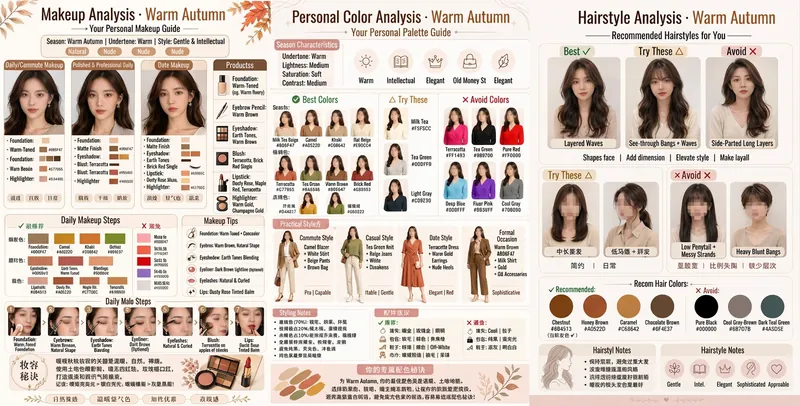 Image
AI Image Consultant (Unisex)
Upload a photo of a person. The AI will automatically identify gender and provide professional image analysis, generating a structured infographic card. It includes multi-dimensional analysis of hairstyle, outfit, makeup, colors, glasses frame, skin type, and more. Optimized based on high-engagement content and professional color consultant standards, it delivers personalized, professional-level image consulting services. Suitable for both men and women.
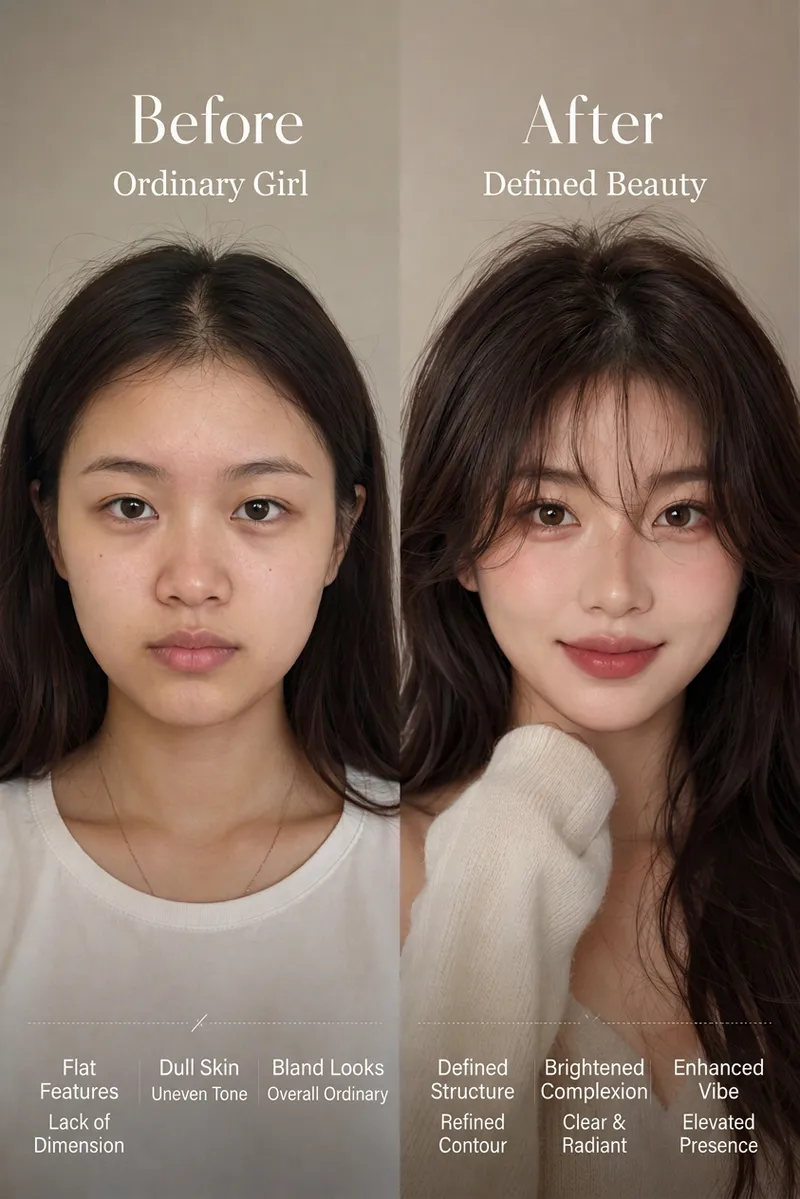
Bone-Structure Makeover Generator
Designed for beauty bloggers, personal image consultants, makeup artists, and anyone looking to enhance their appearance. Say goodbye to cookie-cutter beauty filters. Simply upload an everyday photo, and the AI evaluates facial proportions and bone structure to preserve your unique identity while generating a high-impact Before/After makeover visualization. It also delivers a comprehensive diagnostic plan covering hair styling, facial feature enhancement, and outfit tips, helping you reach your best look effortlessly.
 Image
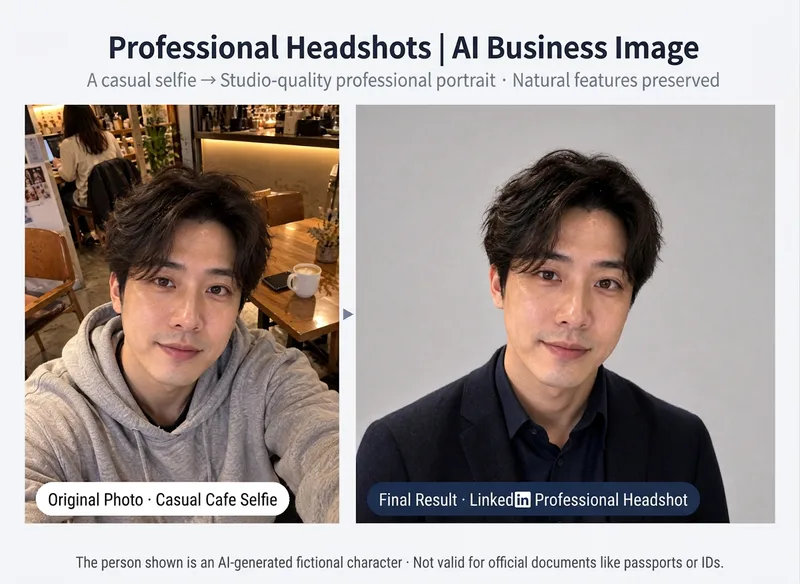
AI Professional Headshot
# AI Professional Headshot **Turn casual selfies into professional, polished business headshots!** No suitable resume photo? Using a random selfie for LinkedIn? Want a professional headshot without booking a photo studio? Simply upload an everyday photo, and AI will design the attire, background, and studio lighting based on your professional use case, generating a headshot tailored for the workplace. **The focus is on elevating your professional presentation, not changing who you are.** ## What You Get **① Tailored Professional Image Concept** Recommended styles based on your purpose and industry: - 💼 Resumes & Job Hunting: Natural, neat, and professional - 🌐 LinkedIn & Business Networking: Polished, trustworthy, and approachable - 🏢 Corporate Websites & Team Intros: Uniform, formal, and high-quality - 🎤 Speakers & Presenters: Poised, natural, and charismatic - ✨ Entrepreneurs & Freelancers: Formal or business casual based on industry **② A Professional Business Headshot** Transforms everyday photos into studio-quality styles: - Swaps in appropriate business attire - Adjusts to a clean, professional background - Optimizes lighting and overall composition - Selects a 1:1 avatar or 3:4 portrait ratio based on use case **③ Preserves Your True Features** Focuses on keeping your facial features, face shape, skin tone, hairstyle, and natural expression from the original photo. No default slimming, eye enlargement, or heavy skin smoothing; freckles, moles, and other personal traits are preserved. Headscarves, religious attire, or traditional garments are respected and kept according to your requirements. **④ Result Verification** Checks person recognition, clothing necklines, shoulders, and image edges after generation. If noticeable discrepancies are found, adjustments will be attempted according to the Skill's actual settings. Minor generation details may still vary. **⑤ Headshot Usage Tips** Provides applicable scenarios, cropping methods, and usage suggestions for different platforms. ## Who Is This For? - Job seekers preparing resumes - Professionals looking to update their LinkedIn photo - Entrepreneurs needing team photos for their website - Freelancers, consultants, and speakers - Anyone wanting to boost the professionalism of their workplace avatar ## How to Use 1. Upload a clear front-facing or slight-profile photo; phone selfies work too. 2. Select your use case, industry, and preferred business style. 3. Review the professional image concept recommended by AI. 4. Confirm to generate your professional headshot. 5. Use or crop the photo according to platform requirements. ## Tips - Photos with even lighting, clear facial features, and no obstructions generally yield better results. - For adults only; please upload photos of yourself or ones you have authorization to use. - AI-generated images are for professional presentation, not official photographic records. - Not suitable for passports, ID cards, visas, or other official identity document requirements. - Character details, clothing edges, and lighting may still contain generation errors. - Image generation and extra adjustments may consume credits; actual charges are subject to YouMind usage logs. --- **One everyday photo, one professional upgrade. Make your first workplace impression stand out.**
Information
- Version
- v3
- Last updated
- Runtime credits
- Usage-based
- Models
- Auto
- Use cases
- Images & designLifestyle & entertainment
- What you get
- ReportImage
- Visual styles
- Photorealistic
