AI Image Generation & Editing
AI Image Generation & Editing
Showcase
Description
Generate, composite, or edit images using YouMind image capabilities based on text prompts and optional reference or base images. Confirm before each execution and briefly check the results upon completion.
Best for
Ideal for users who need to generate images from text or edit pictures based on reference images and existing base images.
How to use this Skill
Provide your input
Provide text requirements along with optional reference images or existing base images, describing the purpose, composition, style, dimensions, and details to keep or exclude.
Run the Skill
After confirming the generation or editing plan, the system creates or modifies the image based on your needs and provided materials, then checks the visible results.
Review your result
Receive a generated or edited image along with a brief check summary covering the subject, composition, color, and key retained details.
Related Skills
View all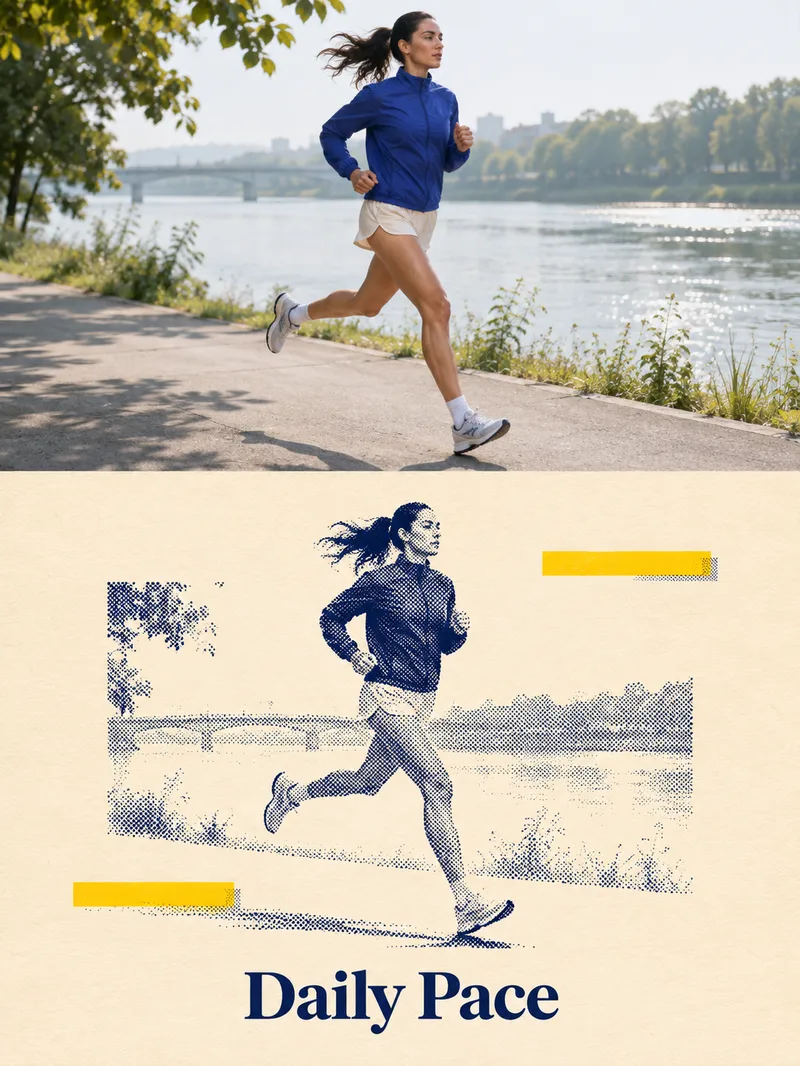 Image
Two-Tone Halftone Overprint
Ideal for creators making social media graphics, editorial posters, and personal visual exercises. Provide a subject such as a person, pet, building, or still life, and optionally specify a title and color scheme. Photo mode requires authorized, clear, and readable images. The skill first identifies the subject and essential outlines, planning a vertical diptych layout: the top features natural photography, while the bottom uses dark blue halftones of varying density for light and shadow, paired with a warm white paper texture, subtle yellow geometric blocks, and a short title. It then uses the current environment's image tools to generate and review the result. Delivers an actual poster, title text, and verification notes, with copyable prompts included when needed. Usage: Enter a subject or photo, specify the title and purpose, then review the subject, text, and composition after running, and request specific adjustments. The four display images are AI examples generated locally following the full skill visual method: an adult runner, an orange cat, a fictional building, and an unbranded coffee pot, and are not actual photos or real client cases. The avatar was generated separately based on the local halftone cat case, showing visual effects and Chinese titles. YouMind integration and uploaded photo editing have not been tested in practice; details, halftone thickness, whitespace, and subject size may vary. The runner example retains more background, and exact consistency per run is not guaranteed. Text planning can use GPT, while image creation relies on the actual image tools provided by the runtime environment. The local image_gen did not return a specific model ID, and no binding to Image2 is claimed. Without image tools or if generation fails, image delivery is incomplete, and only pending prompts can be provided. Verify text, portrait rights, and product structure before official use; exact identity or detail consistency is not guaranteed, and automatic publishing or purchasing is not supported.
 Image
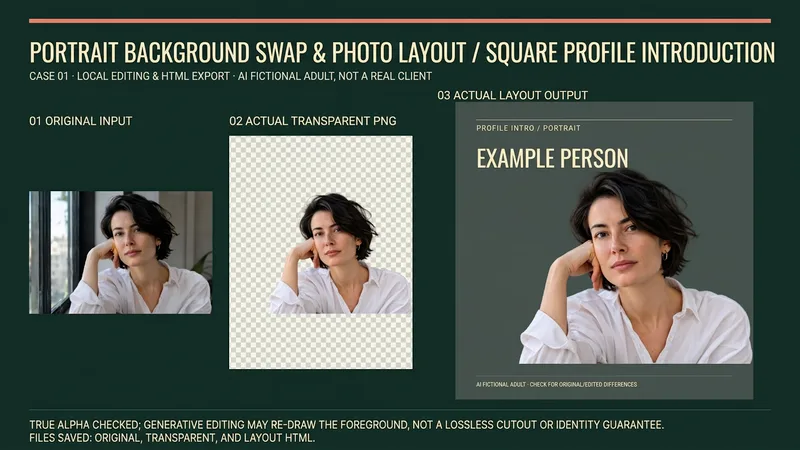
Portrait Background & Layout
Suitable for creators who need to produce personal introductions, team character cards, resume avatar layouts, or speaker name tags. Provide authorized portraits, intended use, background color, dimensions, and required text; missing names, titles, or organizations will not be fabricated. Process: Review the original image and keep the original, actually invoke background removal or image editing tools to obtain a transparent PNG, check alpha, face, hair, clothing, and hands, then layout text on a solid color background, and reopen the output for verification. Generative editing may redraw the foreground and is not a lossless cutout or identity preservation guarantee; manual item-by-item verification is required for important figures. Delivery: Actual transparent PNG, solid color/portrait layout image of agreed dimensions, generated layout HTML, and usage and verification instructions. Files and browser tools are required to deliver and save files/PNGs; when these tools are unavailable, explicitly state that it is incomplete, rather than providing just prompts and calling it an image. Usage: Upload a portrait and brief, confirm the background replacement scope; check the original image, transparent result, light and dark background edges, and then confirm the portrait card. Instructions include the complete source code of the local layout assistant, which requires actual file tools to save; execution requires Python3 and Pillow, only validates transparent PNG and embeds original bytes into a single-file HTML, does not execute background removal, and does not export PNGs on its own. PNG export requires a real browser screenshot tool. Four local practical execution examples: Using four locally original AI-fictionalized adult character images, calling ImageGen for background removal to obtain RGBA PNGs, actually checking alpha and white/black/green background edges, running the final layout assistant and exporting via browser. Includes square personal introductions, horizontal team cards, vertical resume layouts, and square speaker name tags; not real clients, employees, job seekers, or speakers. The four displays are 16:9 side-by-side images of corresponding original images, actual transparent outputs, and actual layouts; checkerboard patterns are only backgrounds to display real transparency. Original images and step-by-step files are retained locally. GPT is recommended for text organization; the local actual image tool is ImageGen, and the tool does not return a verifiable model ID, so Image2 is not claimed. Independent avatars are also ImageGen original conceptual visuals, not cases. YouMind image editing, Python, Pillow, browser, and file download capabilities must be confirmed according to the actual environment; no YouMind credits testing is added, and it cannot be guaranteed that all dependencies are ready immediately after installation. The 199 credits are the skill installation price, excluding model, API, third-party tool, or material fees. Official credential verification is not performed, and facial features remaining completely unchanged, precise identity, flawless edges, print color accuracy, recruitment results, or commercial effects are not guaranteed.
 Image
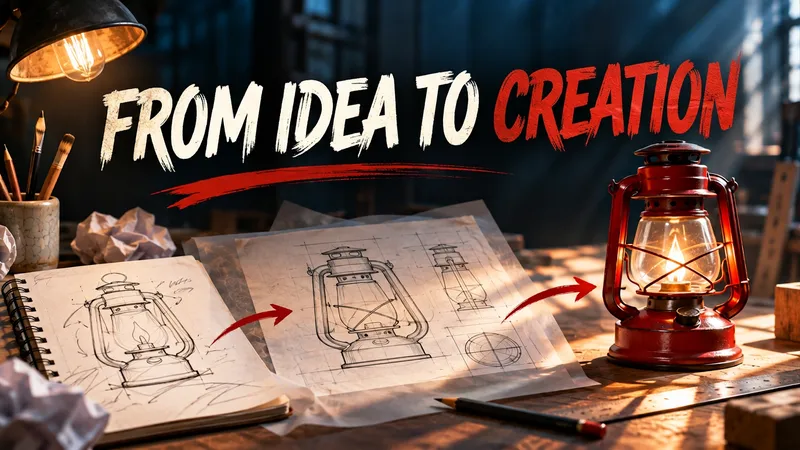
Content Cover Design Studio
Ideal for content creators, newsletter authors, and course instructors. Provide an article title or summary, and optionally specify your target audience, aspect ratio, color scheme, and imagery. The Skill extracts the core theme, selects relevant visual metaphors, arranges the composition and title, and then generates an image using the currently supported image generation tool. By default, it creates a single cover featuring the title. Usage steps: 1. Paste your title or article summary; 2. Specify the target platform, aspect ratio, and visual preferences; 3. View the generated image, check the title text, and request revisions if needed. Displayed examples were generated locally following the Skill workflow, and performance within YouMind has not yet been tested. Visuals, Chinese text, and actual dimensions depend on the runtime environment and model; if image generation is unavailable, prompts will be delivered instead. Generated results may contain errors, so please review them before publishing.
Information
- Version
- v2
- Last updated
- Runtime credits
- Usage-based
- Models
- Auto
- Use cases
- Images & design
- What you get
- Image
