
Cinematic Scene Prompts
Turn ideas into production-grade cinematic video prompts
Cinematic Scene Prompts
Turn ideas into production-grade cinematic video prompts
Showcase
Description
This skill turns any request with a film-like or cinematic intent into a precise, production-grade video-generation prompt. It applies professional cinematography: a 2-second opening hook to stop the scroll, exact camera movement and lighting setups, depth and composition guidance, color grading, timeline structures for 4/8/10/15-second clips, synchronized sound design, and platform-specific optimization (TikTok, YouTube Shorts, Instagram Reels, LinkedIn). Each prompt uses specific numbers, timings, and technical language (focal lengths, f-stops, Kelvin temperatures, movement speeds) and supports @material[name] references for uploaded images, videos, and audio. The result is a ready-to-use prompt that produces broadcast-quality cinematic video.
Best for
Creators, marketers, filmmakers, and storytellers developing polished prompts for cinematic AI video.
How to use this Skill
Provide your input
Provide a scene idea, mood, action, duration, platform, and any visual or audio references you want incorporated.
Run the Skill
The skill transforms your concept and specifications into a detailed cinematic prompt with camera, lighting, composition, pacing, sound, and atmosphere guidance.
Review your result
Receive a ready-to-use video-generation prompt tailored to your scene and creative direction.
Related Skills
View all
UGC Video Prompt
Generate high-converting UGC (User Generated Content) video ad scripts with scene-by-scene breakdowns. Use this skill when the user wants to create a UGC ad, video script, social media ad, or creator brief for any product or service. Produces a 6-scene structure (hook, pain, product, demo, result, CTA) with video direction prompts, voiceover lines, and pattern interrupt techniques for each scene. Optimised for short-form video (TikTok, Instagram Reels, Facebook Ads).
 Image
ProductFilmPromptGen
This tool is designed to help users create cinematic-quality ad films for their products. Based on the product information you provide, it intelligently generates a complete set of high-end cinematic AI film prompts — including storyboard poster image prompts and video generation prompts — making it ideal for brand marketers and creative professionals who want to move audiences through atmosphere and emotion rather than product specs. By deeply analyzing product characteristics and brand tone, the tool determines the rhythm direction, visual system (color palette, lead character), and designs a 12-shot sequence with a complete emotional arc. It operates on the philosophy of "low information density, high emotional density" — keeping the focus on light, atmosphere, and texture rather than direct product showcasing. Users simply provide basic information such as product type and brand name. The tool then auto-completes or generates any missing brand taglines, and selects the most fitting descriptors from a rich keyword library to build prompts that are both specific and artistically compelling. The final output includes a detailed product analysis alongside two standalone, ready-to-use prompts for AI image and video generation tools — making it easy to produce captivating brand content.
 Video
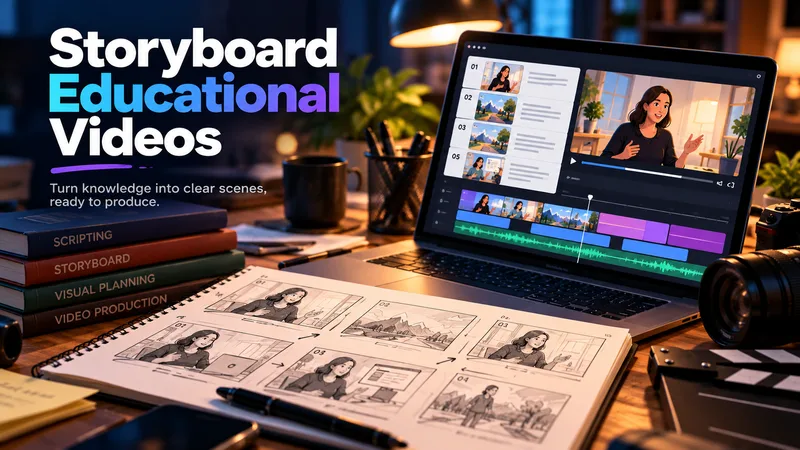
Storyboard Educational Videos
Hand it a document — a training guide, an SOP, a product brief, a course chapter — and get back a shooting plan you can film today: numbered scenes, one idea each, each with a clear visual direction, an English image prompt, spoken narration that fits the clock, and subtitles that match the voiceover word for word. Most documents are written to be read, not performed: the narration rambles, the visuals repeat the text, the subtitles drift out of sync. This Skill rebuilds the material for the screen — 3–6 observable learning objectives, a hook → orientation → teaching beats → recap → CTA arc, and a fixed time budget of 2.2 words per second per scene, so nothing gets cut later in the edit. Every plan ships with an overview, one visual style guide reused across all scenes, a scene index with exact timings, a per-scene breakdown (purpose, framing, on-screen text, English image prompt, voiceover, subtitle cues, audio), production notes and an explicit list of assumptions and content risks. How to ask for it — four shapes that work best: • Just the file: "Turn this into an educational video plan." Audience and runtime are inferred and stated as assumptions. • File + runtime + audience: "A 4-minute onboarding video for new support hires; screen recordings only, no on-camera presenter." • File + format: "A 60-second vertical 9:16 plan for LinkedIn, high tempo, one-line subtitles." • Thin or messy source: "These notes are scattered bullets — still build a 3-minute plan, mark the gaps TODO: and list your assumptions." Output language follows your message: ask in Turkish, Spanish or Japanese and the whole plan comes back in that language. Only the image prompts stay in English, ready for any image model. Built for L&D teams, course creators, product marketers and anyone handed a twelve-page PDF and told "make it a video".
Information
- Version
- v2
- Last updated
- Runtime credits
- Usage-based
- Models
- Auto
- Use cases
- Images & designVideo & audioMarketing & growth
- What you get
- Prompt
