Thinking Cocoon Breaker Lite
Practice critical thinking in 10 min daily
Thinking Cocoon Breaker Lite
Practice critical thinking in 10 min daily
Showcase
Description
Critical Thinking Cocoon Breaker Everyone says critical thinking is the most important skill in the AI era — but where do you practice it? A real gap "Critical thinking is the most important ability in the AI era" — you've heard this a hundred times. But then what? No one tells you where to practice. You go to the gym to build muscle, driving school to learn to drive, and test prep to pass the driving test — but critical thinking? Where do you go? Read articles? Those are someone else's thoughts. Listen to podcasts? Those are someone else's conversations. Scroll short videos? Those are prechewed for you. If you don't think it through yourself, it's never yours. Critical Thinking Cocoon Breaker was born for this gap — a 10-minute daily thinking gym. --- How it works - Choose a topic — AI recommends 3–5 thought‑provoking topics from the day's news, or you can submit your own. - Choose depth — 1 to 4 rounds, up to you. Recommended: 2 rounds, just 10 minutes. - Share your view — 100–200 words. Doesn't need to be perfect, just honest. - AI plays devil's advocate — not to attack you, but to give you new information, perspectives, and angles to think things through together. - Cognitive checkup — a 5‑dimension blind‑spot profile plus 3‑dimension critical thinking scores. See what you can't see. - Stand‑up reward — after the debate, get a personalized comedy bit and story card to make you smile while waking you up. --- Winning a debate ≠ thinking it through. --- Three truths 1. Most people don't lack the desire to think critically — they lack a setting. Commute time, lunch break, 10 minutes before bed — that's your thinking arena. 2. Critical thinking is not talent — it's a muscle. Neglect it and it atrophies; exercise it and it grows. One 10‑minute session, and after ten you'll feel the difference. 3. The biggest blind spot is not knowing you have one. The 5‑dimension cognitive blind‑spot profile shines a light where you can't see yourself. --- In one sentence: It's not about making you win — it's about helping you see. ⚠️ Important notice: This skill is designed solely to create a training scenario for improving critical thinking. The debate process and conclusions represent personal viewpoints on specific topics; there is no right or wrong. It does not constitute a definitive judgment on any event.
Related Skills
View all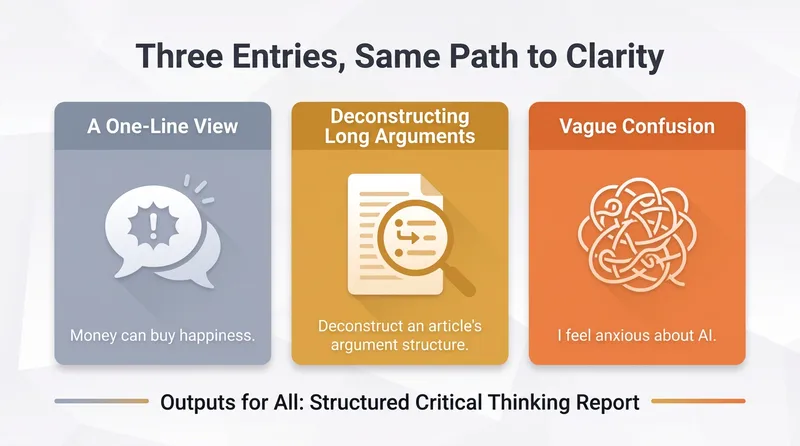 Research
Wittgensteinian Inquiry
We “think” every day, but much of what we call thinking is really just going in circles. What holds us back is often not a lack of thought, but unclear wording, leaps in reasoning, or asking the wrong question—problems we cannot see for ourselves, while others may hesitate to point them out. • 📝 You have a one-sentence viewpoint but cannot explain what it really means. “Money can buy happiness”—what does “happiness” mean? And what does “buy” mean here? Does the meaning change in another context? • 🤔 You are arguing with someone and feel that something “kind of makes sense, but you cannot say what is wrong.” Logical leaps hide between “so” and “therefore,” making them difficult to spot. • 🌀 You finish an article feeling that “something is off,” but cannot identify it. Some sentences sound profound until you question how they are being used—and then they lose their meaning. • 😵 You have a vague anxiety but do not know how to sort it out. “I am anxious about AI”—are you worried about unemployment, losing control, or something else? • 🎭 Many statements like “you absolutely have to…” are really commands quietly disguised as facts. Mixing two different language games can create an “objective necessity” that does not actually exist. This skill was made to address these problems. It is not a consultant that “gives you answers,” but a language therapist: it does not decide what is right or wrong for you. Instead, like Wittgenstein himself, it uses persistent questioning to push your thinking toward clarity—bringing ambiguity into view and revealing false questions for what they are. Inquiry is not about teaching you to win. It is about helping you see. It does not provide standard answers or motivational platitudes. It believes that often, we are not failing to think hard enough; our wording is unclear, our reasoning jumps, or we are asking the wrong question. When an ambiguous question is broken down into a series of clear, smaller questions, the answer often emerges on its own—and what we truly need is the honesty to “say exactly what we mean.” > Whatever can be said can be said clearly; and whatever cannot be said should be passed over in silence. (This is a paraphrase of the final sentence of Wittgenstein’s *Tractatus Logico-Philosophicus*, not a word-for-word quotation.)
Read Between the Lines
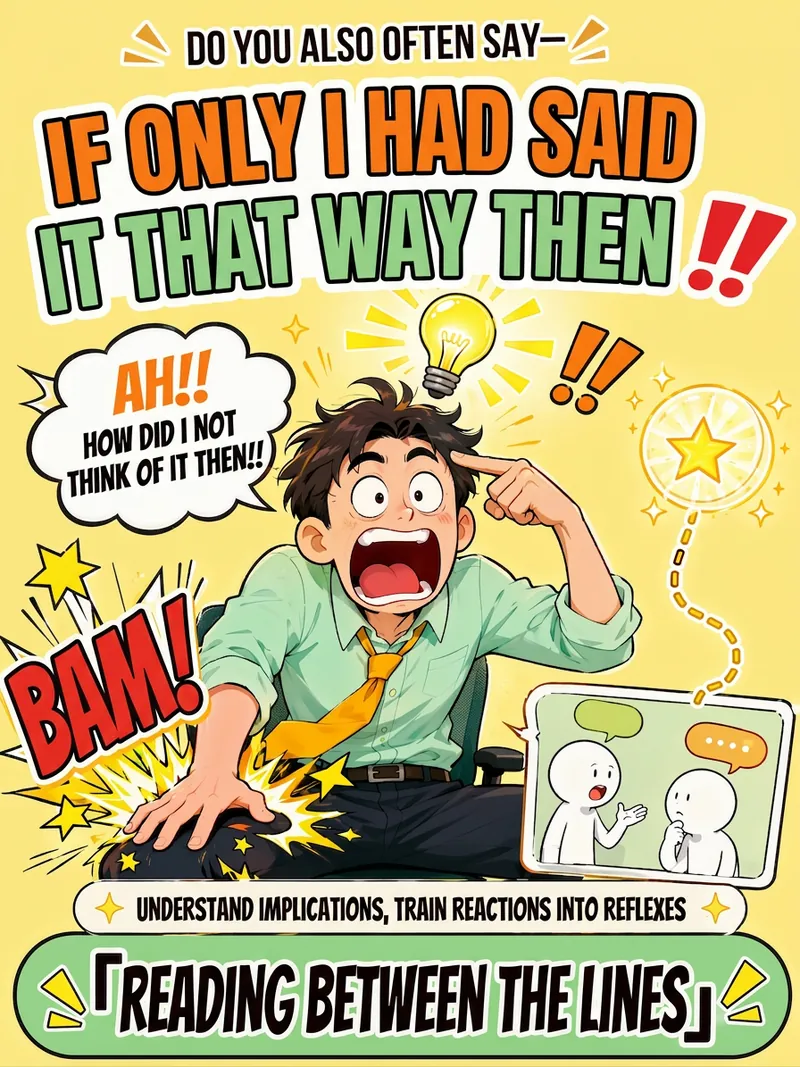
Ever catch yourself slapping your thigh and thinking, “Damn, if only I had said it that way”? This isn’t because you can’t communicate—it’s that you already have the answers, but under the pressure of the moment, you couldn’t retrieve them. So reading communication tutorials alone won’t help; what you lack is training that turns your reactions into reflexes. Read Between the Lines skips the motivational fluff and lectures. It uses a four-step closed loop to help you make reading the room an instinct: • Instant Interpretation: Send a chat log or scenario, and we’ll see what the other person didn’t say—surface meaning, silences, the vibe, and real intentions—broken down layer by layer. • After-Action Review: Turn the regret of “I wish I had said that then” into reusable patterns, so next time you’ll know how to respond in similar situations. • Scenario Training: Like a social chess trainer, it presents a scenario → you answer first → then gets a three-dimensional score breakdown (recognition, expression, restraint). Difficulty increases until responses become muscle memory. • Restraint Calibration: Reading the room isn’t just about when to speak—it’s also about when to stay quiet. Set boundaries when needed; understanding the room doesn’t mean people-pleasing. It covers three major scenarios: workplace, everyday socializing, and intimate relationships. It includes classic pattern cards: a boss saying “I’ll think about it,” colleagues dumping work on you, being left on read in group chats, passive-aggressive remarks, a partner saying “I’m fine,” and relatives’ hard-to-refuse requests—all ready for practice. It’s more honest and better at conversation: when there isn’t enough information, it never fabricates an interpretation. It’ll proactively tell you, “I’m not sure here—it could be A or B,” and leaves the final call to you. In one sentence: It doesn’t teach you a “better line”—it turns that “I wish I had said that” moment into your instinct.
Idea to Infographic
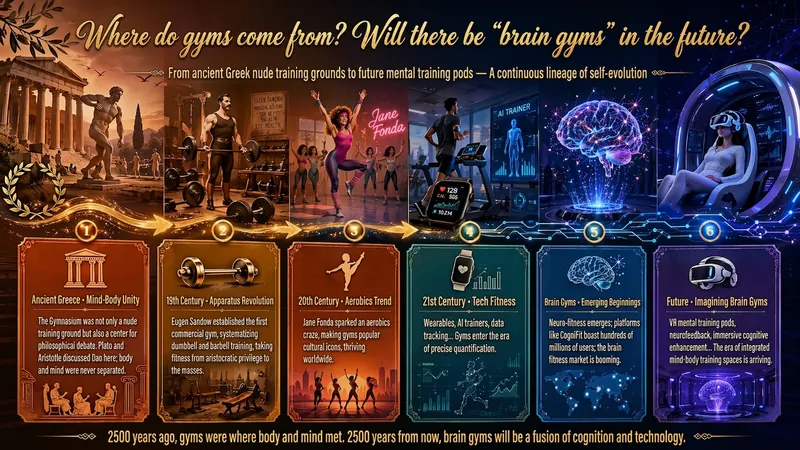
A single image, a single sentence is all it takes. Have you ever had this experience—you have a great idea and want to turn it into an infographic like the ones big accounts post, but: - Open an AI image tool, rewrite prompts over and over, and the result either has terrible layout or completely mismatched style. - Tried several prompt templates, each requiring three or four adjustments, and half an hour later you're still not done. - Want styles like financial literacy, Chinese classic, science, tech... each time you have to research colors and layouts from scratch. Now you don't have to. 「Idea to Infographic」automates all of this: You say "make an emotion management infographic," and it decides whether to use a warm Chinese style or a healing scientific style, searches and organizes core knowledge points, breaks them into 6-8 module cards, assembles the optimal prompt, and quality-checks—if it fails, it automatically redoes; if it passes, it hands it right to you. Four killer capabilities, all built-in: 🧠 **Style Engine** — Not a rigid four-choice. If your topic matches financial literacy, it automatically goes with deep blue gold; if it matches Chinese classics, it uses rice paper and ink; if it matches technology, it uses cyan neon. For topics outside these four? It automatically synthesizes a new style. Coffee encyclopedia → food warm tones; exercise and fitness → vibrant orange gray. No style it can't handle. 🔍 **Content Brain** — You give a word, it searches the web to fill out content; you give a paragraph, it extracts the core; you give nothing but a topic, it organizes everything clearly. All three input methods are supported—the simpler, the more effortless. 📐 **Layout Adviser** — Progressive ladders, side-by-side comparisons, causal chains, overarching-subcategory radiation... Five logical patterns automatically matched. Not just stuffing text into an image, but actually designing an infographic. ✅ **Self-Inspection** — After generating, it automatically checks layout, text density, image-to-text ratio, and style match. If there's an issue, it adjusts and regenerates, up to two times. You don't need to know how to write prompts; you just need to know how to speak. **Who is this Skill for?** - Social media creators who need to produce images daily but don't want to learn design. - Knowledge commerce creators who want to visualize course content but lack a designer. - Corporate trainers who need professional infographics but lack budget for outsourcing. 🔍 - Anyone who wants to turn an idea into a great image. In a word: You have the idea, it has the image. All the hassle in between, it handles for you.
Information
- Version
- v11
- Last updated
- Runtime credits
- Usage-based
- Models
- GPT Image 2
