
AI Interior Decor & List Generator
Transform empty rooms into viral home decor with instant shopping lists
AI Interior Decor & List Generator
Transform empty rooms into viral home decor with instant shopping lists
Showcase
Description
An AI-powered space transformation tool designed for renters, home bloggers, homestay owners, and interior designers. Simply upload a photo of a bare room, empty space, or rental, and AI will accurately preserve the original door and window structures while instantly generating high-definition, viral-style renovation photos. At the same time, it outputs a detailed soft furnishing procurement list complete with budget breakdowns, product specifications, and color matching, making it easy for any space to transform into a dream room with zero hassle!
Recommended by
Dancang
Why we love this skill
Directly transforms raw or empty room photos into actionable, stylized home design plans, preserving structural layout while delivering high-end visuals, budget procurement lists, and social media copy.
Best for
Ideal for renters, home content creators, homestay owners, and anyone looking for interior decor design inspiration.
How to use this Skill
Provide your input
Upload a photo of a bare, empty, or rental room, and provide your preferred decor style and budget range.
Run the Skill
The system plans the decor layout, colors, and materials based on the room photo and settings, then generates a makeover rendering and supporting content.
Review your result
Receive a realistic decor makeover image, a shopping list with specifications and budget references, and a home renovation post ready for publishing.
Related Skills
View all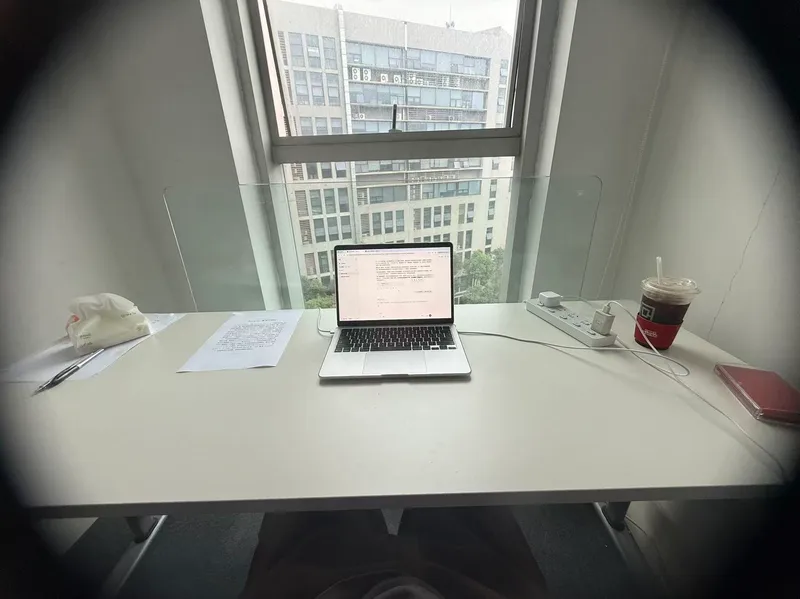 Image
ImageRoom Corner Makeover
Upload a real room corner photo along with its intended use and budget, and this Skill generates two finished effect renders: a full daytime version and a nighttime version. Using the same camera angle, table, and items, the only difference is light and time—the daytime version relies on window light, while the nighttime version depends on lamp lighting. A cost table is included showing what to buy, individual prices, budget savings, or cut priorities if over budget. No more than three new items are added, all with realistic reference prices. It keeps your existing items, leaves walls, floors, and window placements untouched, maintains the camera angle, and matches your original photo aspect ratio. It does not overwhelm you with ten options to choose from, avoid forcing you to run prompts in other tools, and avoids buzzwords. Who is it for, and who is it not for? It is suited for renters, office desk users, people with clear budgets, and those tired of stock photo websites who just want to know what to buy. It is not suited for whole-house renovations, construction drawings, or adding large furniture. It handles a single corner, not an entire house. Three Hard Rules Do not throw away your things. Unless you explicitly state which item can be discarded, every existing item in the image must be identifiable across both renders. Its default stance is rearrangement first, purchasing second. Do not change hard finishes. Wall colors, flooring, window placements, and corner shapes are locked. It provides soft furnishing solutions, not construction plans. Do not change the camera angle. Both renders share lens parameters and height, and horizontal or vertical framing follows your original photo without unauthorized cropping for aesthetics. How to Use 1. Take a picture. Stand in place and capture the corner lines and countertop edges together, making sure the floor and window are visible. Blurry, overexposed, or floor-only photos may be rejected because the corner scope cannot be determined. 2. Speak. Describe the use, budget, and drilling permissions in one sentence. Missing details are fine as the Skill infers them, but clarity helps. More specific supplementary info yields more precise results: a desk and a display stand with the same wall and light need completely different items. Receive your images. Two images and one table, that is all. 3. For deeper content—a ten-direction style matrix, five progressive schemes across five axes, nine image sets (including main image, original comparison, detail close-ups, flat lay list), nine inspection checklists, and three-lock parameter cards—just ask, and it will expand. It is hidden by default to save credits since most decisions do not require draft processes.
 Image
ImageArchitectural Story Art
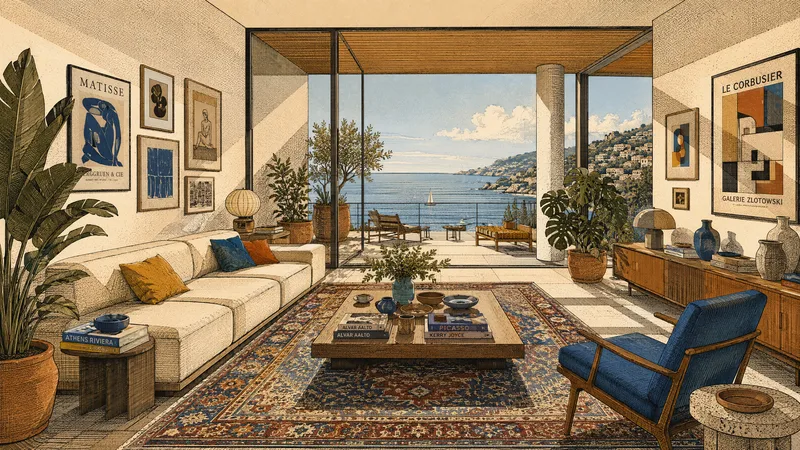
Transforms real photos or natural-language descriptions into architectural illustrations that combine the precision of architectural drawings with a narrative atmosphere. Suitable for interior spaces, building exteriors, landscapes, still lifes, and people scenes. Whether it’s a living room, study, gallery, or urban building, it can preserve the original composition and relationships between key objects, or reorganize them from text into clear spatial layers and visual focal points. Fine linework, crosshatching, and halftone textures define structure and materials, combined with strongly directional sunlight, hard-edged geometric shadows, and distinct projected beams of light. The image uses flat color blocks and a printmaking feel, with an overall palette of cream white, warm beige, ochre, terracotta, and warm wood tones. Small accents of highly saturated deep red, royal blue, emerald green, or indigo add focal points, avoiding photorealism and soft gradients. Rich elements such as plants, patterned rugs, art walls, books, staircases, arches, and large windows can be naturally integrated according to the scene, adding a sense of life and cultural atmosphere while maintaining visual order. Each generation produces one image along with a reusable English prompt, making it easy to continue refining the style, colors, and spatial expression.
Food Vibe Photo Generator
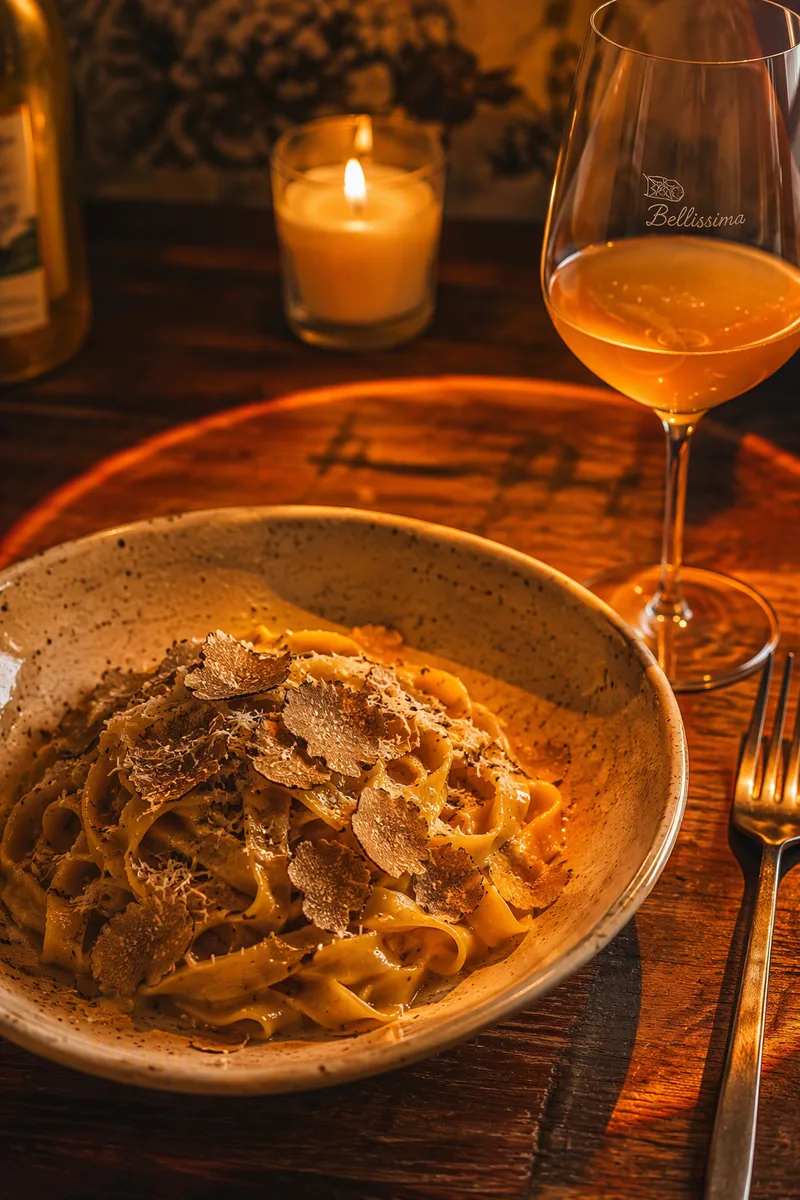
An AI visual assistant designed for local food bloggers, bistro owners, trendy café proprietors, and private bakery merchants. Without professional cameras or post-processing, simply upload an ordinary phone snap of a dish, and the AI intelligently removes clutter, sets up sophisticated sunset projection lighting and tipsy candlelight shadows, and reconstructs mouthwatering, magazine-grade food masterpieces. It also simultaneously generates popular review notes including photo spots, taste reviews, and practical info cards to easily boost your local traffic!
Information
- Version
- v2
- Last updated
- Runtime credits
- Usage-based
- Models
- Auto
- Use cases
- Writing & contentImages & designE-commerce & sales
- What you get
- DocumentImageSocial post
- Visual styles
- EditorialPhotorealistic
