
Room Corner Makeover
Upload a corner photo for renders and cost list
Room Corner Makeover
Upload a corner photo for renders and cost list
Showcase
Description
Upload a real room corner photo along with its intended use and budget, and this Skill generates two finished effect renders: a full daytime version and a nighttime version. Using the same camera angle, table, and items, the only difference is light and time—the daytime version relies on window light, while the nighttime version depends on lamp lighting. A cost table is included showing what to buy, individual prices, budget savings, or cut priorities if over budget. No more than three new items are added, all with realistic reference prices. It keeps your existing items, leaves walls, floors, and window placements untouched, maintains the camera angle, and matches your original photo aspect ratio. It does not overwhelm you with ten options to choose from, avoid forcing you to run prompts in other tools, and avoids buzzwords. Who is it for, and who is it not for? It is suited for renters, office desk users, people with clear budgets, and those tired of stock photo websites who just want to know what to buy. It is not suited for whole-house renovations, construction drawings, or adding large furniture. It handles a single corner, not an entire house. Three Hard Rules Do not throw away your things. Unless you explicitly state which item can be discarded, every existing item in the image must be identifiable across both renders. Its default stance is rearrangement first, purchasing second. Do not change hard finishes. Wall colors, flooring, window placements, and corner shapes are locked. It provides soft furnishing solutions, not construction plans. Do not change the camera angle. Both renders share lens parameters and height, and horizontal or vertical framing follows your original photo without unauthorized cropping for aesthetics. How to Use 1. Take a picture. Stand in place and capture the corner lines and countertop edges together, making sure the floor and window are visible. Blurry, overexposed, or floor-only photos may be rejected because the corner scope cannot be determined. 2. Speak. Describe the use, budget, and drilling permissions in one sentence. Missing details are fine as the Skill infers them, but clarity helps. More specific supplementary info yields more precise results: a desk and a display stand with the same wall and light need completely different items. Receive your images. Two images and one table, that is all. 3. For deeper content—a ten-direction style matrix, five progressive schemes across five axes, nine image sets (including main image, original comparison, detail close-ups, flat lay list), nine inspection checklists, and three-lock parameter cards—just ask, and it will expand. It is hidden by default to save credits since most decisions do not require draft processes.
Recommended by
Dancang
Why we love this skill
Upload a real corner photo to get day and night makeover renderings that strictly preserve the original space, camera angle, and items, complete with an actionable cost list for new additions. It efficiently combines spatial diagnosis, layout, and budget control into a single delivery.
Best for
Renters, office cubicle users, and anyone wanting to remodel a small room corner on a clear budget.
How to use this Skill
Provide your input
Upload a clear photo of the room corner showing the walls, tabletop, floor, and window, and include the intended use, budget, drilling permissions, and removable items.
Run the Skill
The system plans soft furnishings while keeping existing items, walls, floors, windows, and camera angles unchanged, adding a few new pieces and rendering day and night versions.
Review your result
Receive two corner makeover renders from the same angle along with a cost list detailing added items, reference prices, total cost, and budget adjustment priorities.
Related Skills
View all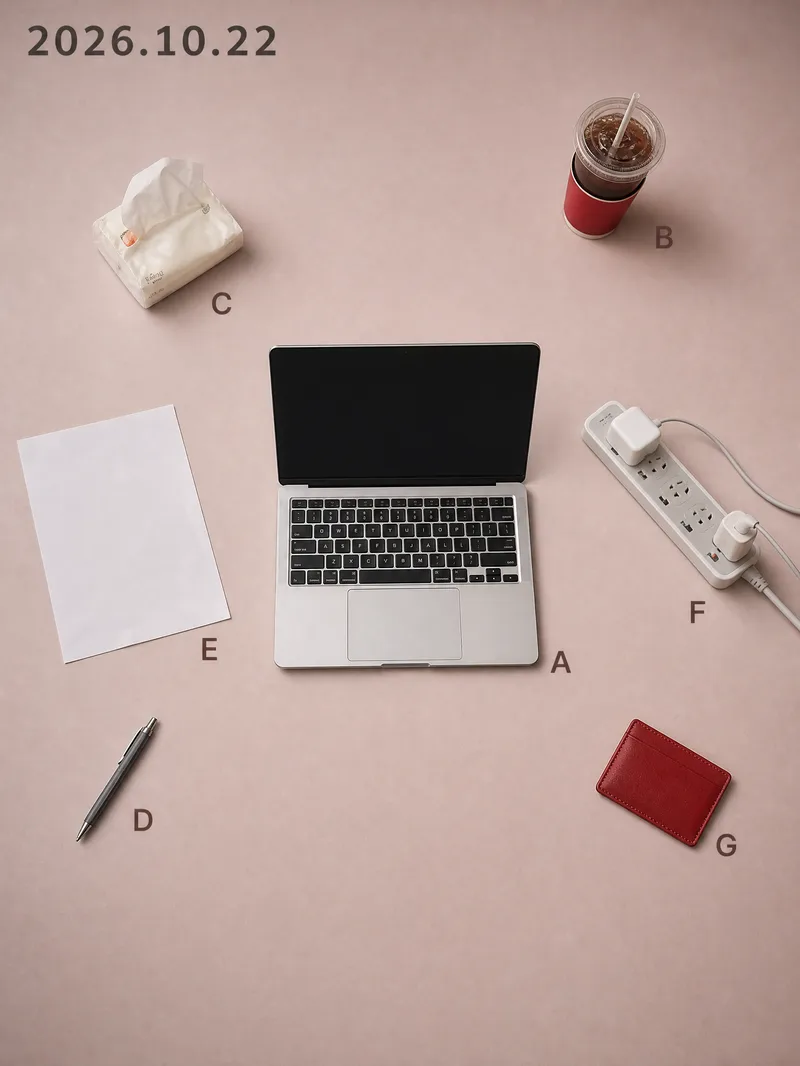 Image
ImageVisual Diary Object Poster
While others share the same batch of templates, you share that exact day. Every day has a desktop worth remembering: half a cup of cold coffee, an open book, a watch casually taken off. Yet when you take a photo and post it, it just looks like a slightly messy phone snapshot; turning it into a proper poster means opening design software, searching for templates, laying things out, and color grading, taking half an hour only to end up worse than the original. This Skill compresses that entire process into a single upload. You drop in a casual photo taken that day, and it recognizes the objects in the frame one by one, keeping only 5 to 11 items with traces of use. It rearranges them according to the grid position and orientation from the moment you took the photo, delivering two 3:4 vertical object posters at once. Using the same layout, you get one matte background in a low-saturation soft rose pink and one in dark ink, with the date at the top and a letter next to each item. The pink background is suited for daytime posting, while the dark background is great for night. The biggest difference between this and typical poster templates on the market is that it is never reused: the positions come from your own perspective. If two people photograph the exact same scene, they get two different posters. Your composition itself is your signature, ensuring no one else will have the same style. It asks no questions throughout, provides no analysis tables, and doesn't make you confirm styles. Upload and get two posters instantly without wasting extra credits. It also automatically avoids human faces, ID cards, screen contents, and brand logos, so the generated images are ready to post directly. Buy it once, and every day that desk can turn into a piece of art, ready to be shared straight to your social platforms.
 Image
ImageLay Out Your Everyday
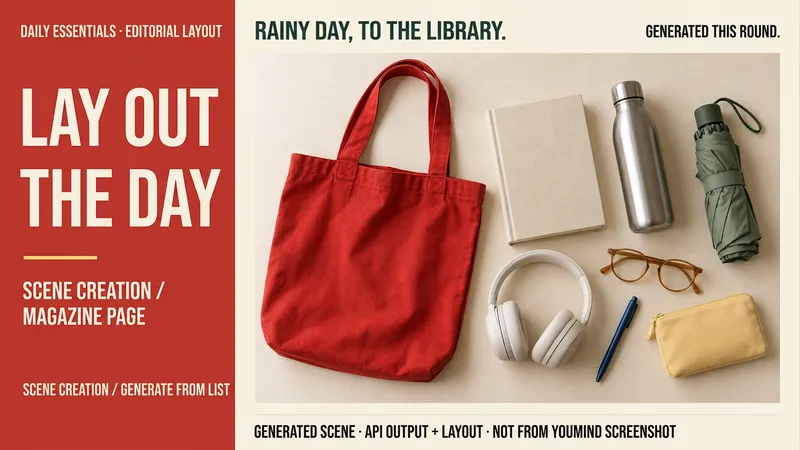
Rainy days at the library, weekend city walks, a short getaway… your everyday life can have a magazine-worthy look. Tell me a life scene, or share an item list and reference image, and I’ll create a story-driven overhead still-life image: a bag, book, headphones, and water bottle, each with its own place and texture. Here’s how you can use it: ① Scene creation: Start with one sentence and pair it with 6–8 fitting items, clearly labeled as a fictional scene. ② List-based arrangement: Generate an image using the items and quantities you provide, without adding props at random. ③ Visual design: Straight overhead view, natural light, and a balanced rhythm of density and open space. The default is text-free, vertical 3:4. ④ Targeted edits: Change items, background color, or aspect ratio while preserving as much of the approved image as possible. Great for lifestyle sharing, travel inspiration, and personal content images. One image is generated by default; you can request a landscape, square, or other visual style. Actual generation depends on the image tools and usage limits available on the current platform. Item counts, structure, logos, and small packaging text may vary, so product-level exact replication is not guaranteed. If the tool is unavailable, this will be stated clearly and a complete prompt will be provided. Usage is calculated according to the platform’s rules at the time.
Idea to Infographic
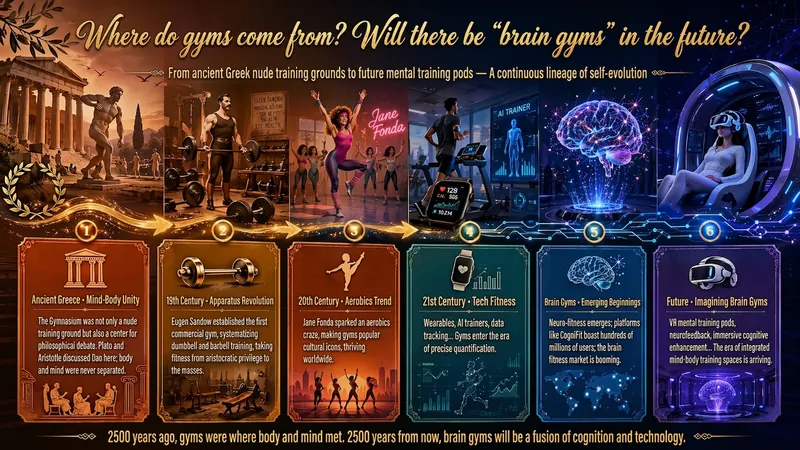
A single image, a single sentence is all it takes. Have you ever had this experience—you have a great idea and want to turn it into an infographic like the ones big accounts post, but: - Open an AI image tool, rewrite prompts over and over, and the result either has terrible layout or completely mismatched style. - Tried several prompt templates, each requiring three or four adjustments, and half an hour later you're still not done. - Want styles like financial literacy, Chinese classic, science, tech... each time you have to research colors and layouts from scratch. Now you don't have to. 「Idea to Infographic」automates all of this: You say "make an emotion management infographic," and it decides whether to use a warm Chinese style or a healing scientific style, searches and organizes core knowledge points, breaks them into 6-8 module cards, assembles the optimal prompt, and quality-checks—if it fails, it automatically redoes; if it passes, it hands it right to you. Four killer capabilities, all built-in: 🧠 **Style Engine** — Not a rigid four-choice. If your topic matches financial literacy, it automatically goes with deep blue gold; if it matches Chinese classics, it uses rice paper and ink; if it matches technology, it uses cyan neon. For topics outside these four? It automatically synthesizes a new style. Coffee encyclopedia → food warm tones; exercise and fitness → vibrant orange gray. No style it can't handle. 🔍 **Content Brain** — You give a word, it searches the web to fill out content; you give a paragraph, it extracts the core; you give nothing but a topic, it organizes everything clearly. All three input methods are supported—the simpler, the more effortless. 📐 **Layout Adviser** — Progressive ladders, side-by-side comparisons, causal chains, overarching-subcategory radiation... Five logical patterns automatically matched. Not just stuffing text into an image, but actually designing an infographic. ✅ **Self-Inspection** — After generating, it automatically checks layout, text density, image-to-text ratio, and style match. If there's an issue, it adjusts and regenerates, up to two times. You don't need to know how to write prompts; you just need to know how to speak. **Who is this Skill for?** - Social media creators who need to produce images daily but don't want to learn design. - Knowledge commerce creators who want to visualize course content but lack a designer. - Corporate trainers who need professional infographics but lack budget for outsourcing. 🔍 - Anyone who wants to turn an idea into a great image. In a word: You have the idea, it has the image. All the hassle in between, it handles for you.
Information
- Version
- v8
- Last updated
- Runtime credits
- Usage-based
- Models
- Auto
- Use cases
- Images & designLifestyle & entertainment
- What you get
- ImageData
