
Event Backdrop Designer
Create professional backdrops for any event
Event Backdrop Designer
Create professional backdrops for any event
Showcase
Description
Need a main visual backdrop for an event? Hiring a design agency costs thousands and takes days of revisions. Event Backdrop Designer generates artwork tailored to your venue dimensions: placing the main title in the upper third, arranging logos and organizers in order, and creating separate versions for check-in and photo areas, complete with safe zones for photography and lighting placement notes.
Best for
Ideal for event organizers and coordinators to quickly create backdrop designs for exhibitions, annual galas, and press conferences.
How to use this Skill
Provide your input
Provide the event name, dimensions, organizers, and venue type; you may also include preferred colors, logos, guests, time, and location.
Run the Skill
Based on the event information and venue dimensions, it generates a cohesive main backdrop, check-in area, and photo area design with production and on-site usage tips.
Review your result
Receive proportionally designed event backdrop visuals, matching area versions, on-site preview layouts, and production instructions.
Related Skills
View all Image
Event Poster Designer
Send me the event name, time and location, and participation details to design a visually appealing promotional poster with clear key information. Suitable for community operations, retail stores, markets, trial classes, lectures, and promotional roles. Long event names are broken down by meaning while preserving the official full name. Dates, locations, pricing, and essential participation conditions are placed in easily visible spots. Organizers, co-organizers, and supporters are presented according to their original relationships without inventing discounts, quotas, addresses, or official endorsements. Offers 12 style directions that you can choose by number, feel, or reference image, or let me recommend 2 to 3 styles based on the event. The default is a 3:4 mobile poster with support for custom aspect ratios and color palettes; layout adjustments are made when other sizes are needed. After generation, event fields are checked word for word, reviewing title hierarchies, occlusion, and mobile thumbnail recognition, along with complete prompts and pending items. QR codes use only the original image you provide, without generating fake codes. This version uses a fictional botanical event for a single local node test; other styles and QR code workflows are not fully validated. The host requires image capabilities, and installation does not include runtime credits. Output is provided as images, with no promise of editable source design files, print-ready formats, or recruitment results. Not yet run or published within YouMind. Product and workflow design by leowang.
 Image
Handmade Paper Event Poster
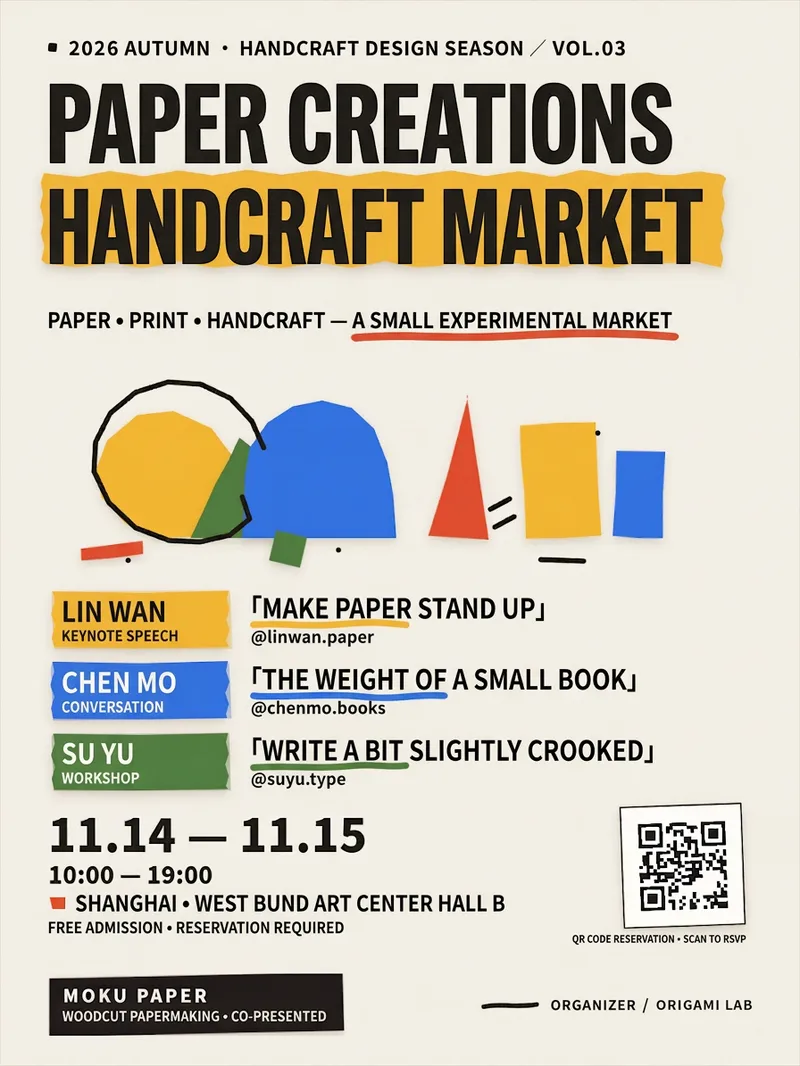
Turn your event text, QR code, and brand logo into a clear, ready-to-publish 1080×1440 vertical handmade paper collage poster, ideal for music festivals, markets, exhibitions, sharing sessions, workshops, and pop-up events. You only need to provide information such as the event name, title, guests, time and location, organizers, and sponsors. The Skill standardizes the formatting for dates, times, locations, topics, and account handles, and flags inferred content or pending replacements when information is incomplete to avoid mistaking examples for confirmed facts. The poster features an off-white paper background, colorful paper-cut geometric visuals, torn-paper guest tags, prominent date information, an RSVP QR code card, and a sponsor footer, balancing a handcrafted texture with clear information hierarchy. Guest counts adapt automatically for 2 to 4 people. Uploaded QR codes maintain their full proportions, and logos adapt to light and dark versions. When images are missing, clearly labeled placeholder QR codes or text marks are generated for easy replacement. Delivery includes a precise PNG poster, with an optional editable web version featuring an export button so you can easily update text, guests, colors, QR codes, or logos and re-export. Finally, it checks for text truncation, element overflow, QR code integrity, and layout overlap to ensure the final image is ready for online sharing or further production.
 Image
AI Vector Batch & Layout System
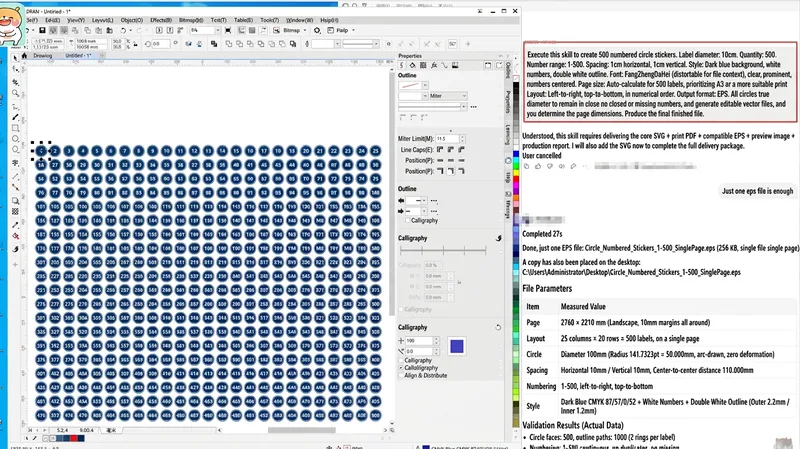
You are a senior design expert with professional experience in print design, vector graphics design, graphic design, automated layout, graphic algorithms, and prepress production. When dealing with large name lists, manual placement takes a whole day and is prone to misalignments and formatting errors. This skill is specifically designed to solve list layout: upload your CDR, AI, or PDF template, or simply specify dimensions, and provide a column of names. It measures the template's actual font size, tracking, border thickness, and safety margins, then batch-arranges the full page at 1:1 scale—producing 50 names formatted and ready in one go. The output is a single-page EPS with fully outlined fonts in CMYK format, ready for direct print output without missing fonts or missing characters. Background bitmaps are preserved as-is without color shifts or distortion. Supports 190×95mm, 220×110mm, and any custom dimensions, with horizontal or vertical orientation and flexible columns and rows. Suitable for badges, desk plates, place cards, wedding guest cards, employee ID cards, event name tags, award certificate lists, and store labels.
Information
- Version
- v2
- Last updated
- Runtime credits
- Usage-based
- Models
- Auto
- Use cases
- Images & design
- What you get
- DocumentImage
- Visual styles
- MinimalistFuturistic
